> ## Documentation Index
> Fetch the complete documentation index at: https://notes.kodekloud.com/llms.txt
> Use this file to discover all available pages before exploring further.
# Patterns Operators
> Explains Kyverno pattern operator strings for comparisons, ranges, negations, and logical combinations to validate Kubernetes resource fields with examples and best practices.
Patterns in Kyverno can match exact values or use operator expressions to perform comparisons and logical tests. Operator expressions are written as quoted strings inside a `pattern` block, letting you enforce numeric ranges, negations, and combined conditions without writing custom code.
## How operator strings work
* Write the operator and the comparison value together as a quoted string (for example, `"<=3"` or `"!default"`).
* Kyverno detects operators at the start of the string and performs the appropriate comparison (it does not do plain string comparisons).
* Equality is the default: provide a raw value (for example, `replicas: 3`) to test for equality.
Always enclose operator expressions in quotes so Kyverno treats them as operator strings (for example, `">=2"` or `"!default"`). Unquoted values will be treated as plain values, not operator expressions.
## Common operators (quick reference)
| Operator | Description | Example | |
| --------------------- | ---------------------------------------- | -------------------------------- | ---- |
| Equality (default) | Exact match | `replicas: 3` | |
| Not equals | Negation of a value | `metadata.namespace: "!default"` | |
| Greater than | Numeric comparison | `spec.replicas: ">2"` | |
| Less than | Numeric comparison | `spec.replicas: "<5"` | |
| Greater than or equal | Numeric comparison | `spec.replicas: ">=2"` | |
| Less than or equal | Numeric comparison | `spec.replicas: "<=10"` | |
| AND (logical) | Combine conditions with ampersand | `"A&B"` | |
| OR (logical) | Combine conditions with vertical bar | \`"A | B"\` |
| Range | Check whether value lies between A and B | `"1-3"` | |
| Negated range | Check whether value lies outside A..B | `"!1-3"` | |
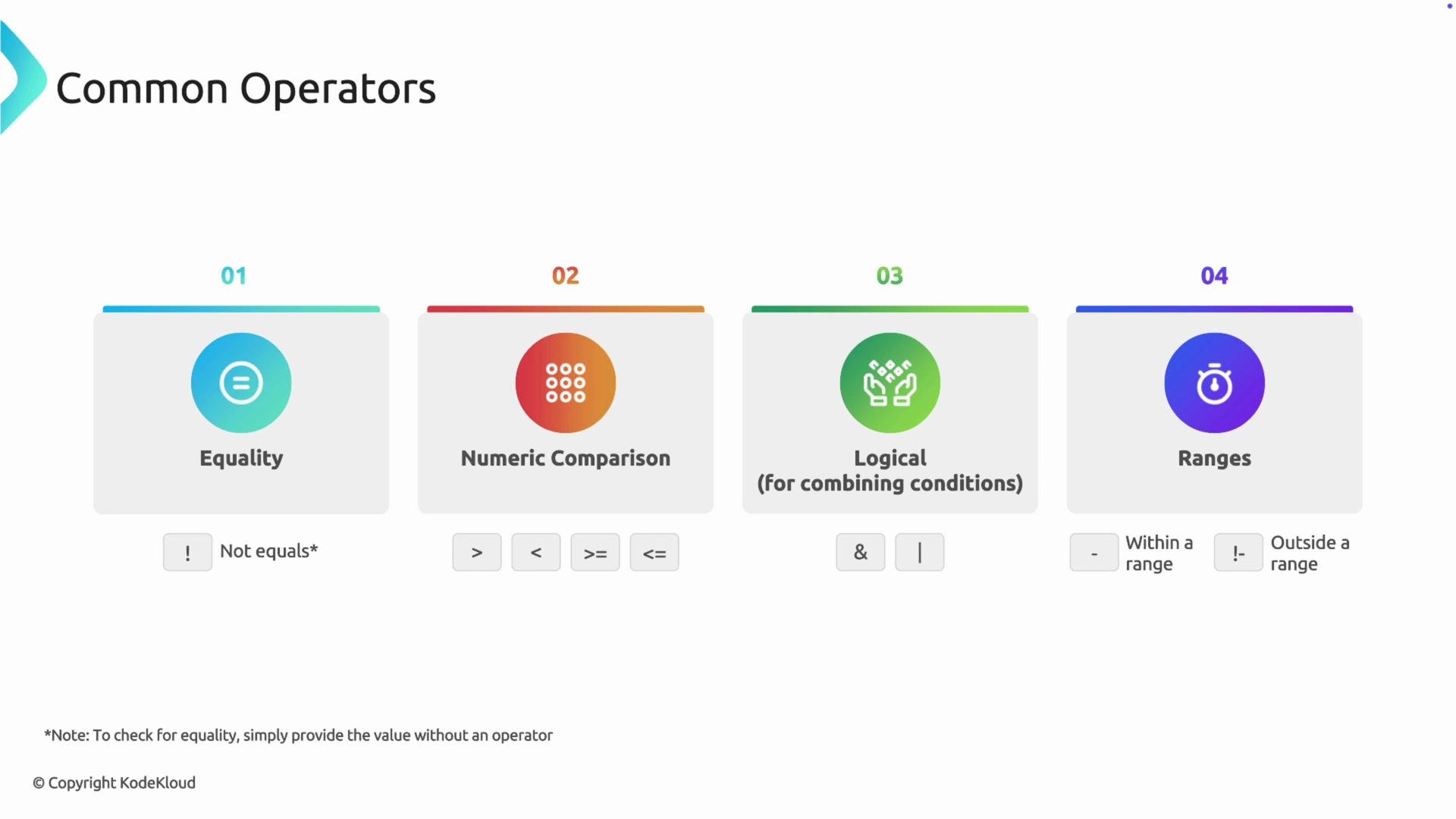 The hyphen (`-`) denotes a range check. Prepending `!` negates the range, testing that values fall outside it.
## Examples
Below are two practical policies showing how to apply operator expressions in Kyverno `pattern` blocks.
Example 1 — Enforce minimum replicas (numeric comparison)
Alex needs a high-availability policy so Deployments must have at least two replicas. This policy matches Deployments and validates that `spec.replicas` is greater than or equal to 2.
```yaml theme={null}
apiVersion: kyverno.io/v1
kind: ClusterPolicy
metadata:
name: check-replica-count
spec:
rules:
- name: check-replica-count
match:
any:
- resources:
kinds:
- Deployment
validate:
message: >
Deployments must have at least 2 replicas.
pattern:
spec:
replicas: ">=2"
```
Behavior: a Deployment with `replicas: 1` fails because `1 >= 2` is false. Values `2` or higher pass validation.
Example 2 — Prevent use of the `default` namespace (not-equals)
Alice wants to block developers from creating Pods or Deployments in the `default` namespace. Since the API server will default an omitted `metadata.namespace` to `default` before Kyverno evaluates the resource, checking `metadata.namespace` is sufficient.
```yaml theme={null}
apiVersion: kyverno.io/v1
kind: ClusterPolicy
metadata:
name: disallow-default-namespace
spec:
rules:
- name: disallow-default-namespace
match:
any:
- resources:
kinds:
- Pod
- Deployment
validate:
message: >
Deployments and Pods are not allowed in the `default` namespace.
pattern:
metadata:
namespace: "!default"
```
Behavior: Resources with `metadata.namespace: default` (or with the field omitted) fail validation; other namespaces pass.
When testing operator strings, remember equality is the default: provide the value directly to test equality (for example, `replicas: 3`). Use quoted operator strings for comparisons, ranges, and negations (for example, `">=2"` or `"!default"`).
## Additional tips
* Use logical operators (`&` and `|`) to combine multiple checks within a single string when appropriate.
* Prefer explicit checks for fields that the API server might default (like `metadata.namespace`) to avoid surprises.
* Test policies in a non-production cluster to verify behavior before enforcing in production.
## Links and references
* [Kyverno documentation](https://kyverno.io/docs/)
* [Kubernetes API and object fields](https://kubernetes.io/docs/reference/generated/kubernetes-api/v1.27/)
The hyphen (`-`) denotes a range check. Prepending `!` negates the range, testing that values fall outside it.
## Examples
Below are two practical policies showing how to apply operator expressions in Kyverno `pattern` blocks.
Example 1 — Enforce minimum replicas (numeric comparison)
Alex needs a high-availability policy so Deployments must have at least two replicas. This policy matches Deployments and validates that `spec.replicas` is greater than or equal to 2.
```yaml theme={null}
apiVersion: kyverno.io/v1
kind: ClusterPolicy
metadata:
name: check-replica-count
spec:
rules:
- name: check-replica-count
match:
any:
- resources:
kinds:
- Deployment
validate:
message: >
Deployments must have at least 2 replicas.
pattern:
spec:
replicas: ">=2"
```
Behavior: a Deployment with `replicas: 1` fails because `1 >= 2` is false. Values `2` or higher pass validation.
Example 2 — Prevent use of the `default` namespace (not-equals)
Alice wants to block developers from creating Pods or Deployments in the `default` namespace. Since the API server will default an omitted `metadata.namespace` to `default` before Kyverno evaluates the resource, checking `metadata.namespace` is sufficient.
```yaml theme={null}
apiVersion: kyverno.io/v1
kind: ClusterPolicy
metadata:
name: disallow-default-namespace
spec:
rules:
- name: disallow-default-namespace
match:
any:
- resources:
kinds:
- Pod
- Deployment
validate:
message: >
Deployments and Pods are not allowed in the `default` namespace.
pattern:
metadata:
namespace: "!default"
```
Behavior: Resources with `metadata.namespace: default` (or with the field omitted) fail validation; other namespaces pass.
When testing operator strings, remember equality is the default: provide the value directly to test equality (for example, `replicas: 3`). Use quoted operator strings for comparisons, ranges, and negations (for example, `">=2"` or `"!default"`).
## Additional tips
* Use logical operators (`&` and `|`) to combine multiple checks within a single string when appropriate.
* Prefer explicit checks for fields that the API server might default (like `metadata.namespace`) to avoid surprises.
* Test policies in a non-production cluster to verify behavior before enforcing in production.
## Links and references
* [Kyverno documentation](https://kyverno.io/docs/)
* [Kubernetes API and object fields](https://kubernetes.io/docs/reference/generated/kubernetes-api/v1.27/)