> ## Documentation Index
> Fetch the complete documentation index at: https://notes.kodekloud.com/llms.txt
> Use this file to discover all available pages before exploring further.
# Patterns Wildcards
> Explains Kyverno pattern-based validation and using wildcards like * ? and ?* to require presence or non-empty fields such as labels and container resources
In the previous lesson we used a static pattern in a Kyverno validate rule to check for an exact label value (for example, that the `purpose` label equals `production`). Often you don't need to validate an exact value — you only need to ensure a field or label exists, or that it is not empty. Wildcards let you do that.
This lesson explains how pattern-based validation works in Kyverno and how to use wildcard characters to assert presence and non-emptiness of fields (especially labels and resource fields).
## How pattern matching works: three core rules
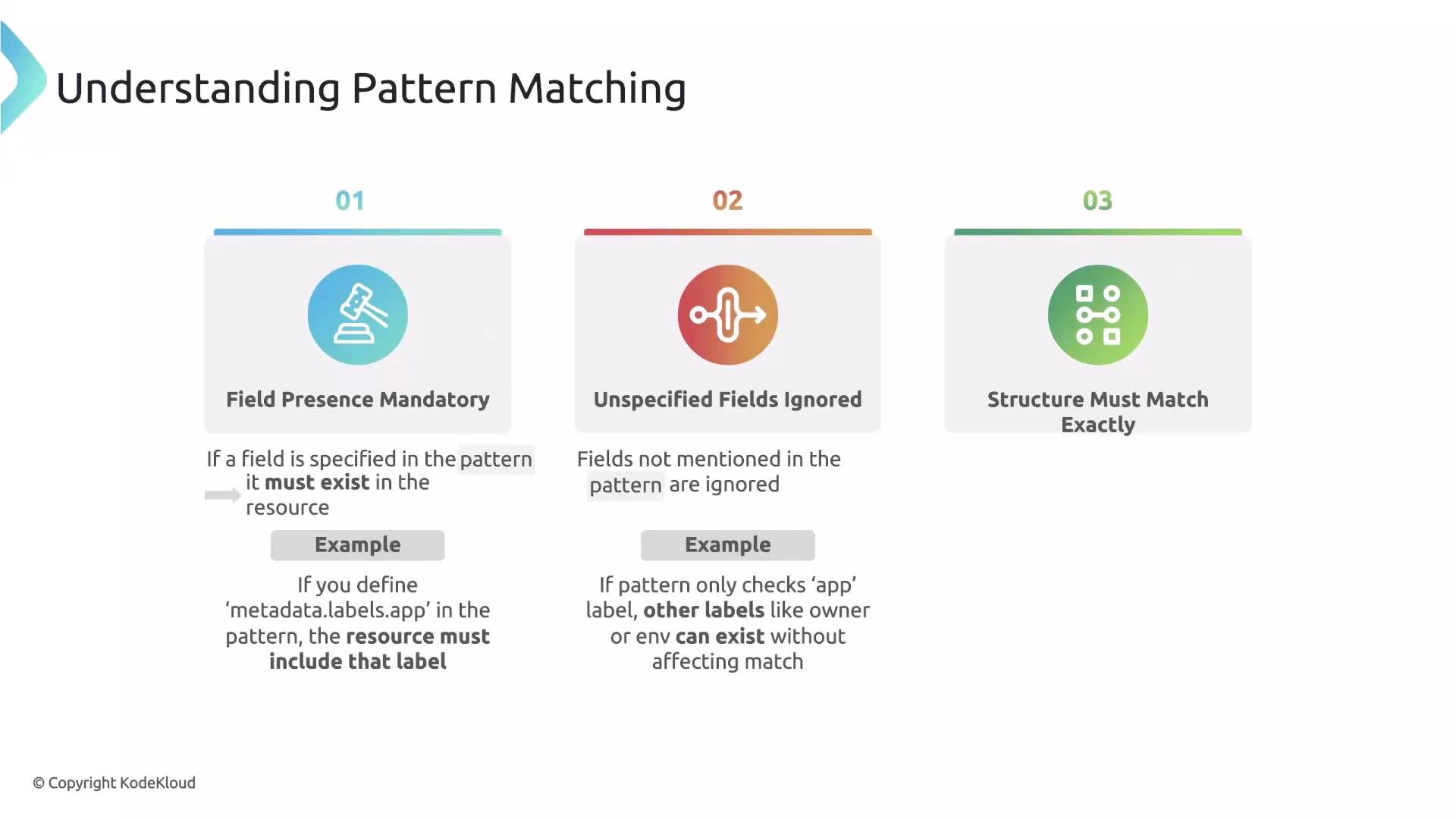
When you write a `pattern` in a Kyverno `validate` rule, keep these three rules in mind:
1. Required fields: Any field you declare in `pattern` is required. If the resource under validation does not contain that field, validation fails.
* Example: declaring `metadata.labels.app` in the pattern means the resource must include the `app` label.
2. Unspecified fields are ignored: Kyverno only checks fields that appear in your `pattern`. Any other fields in the resource (e.g., `owner`, `env`) are not validated unless included in the pattern.
3. Structure must match: If your `pattern` uses nested fields, the resource must use the same nested structure. If `pattern` references `metadata.labels.app`, the resource must have `metadata.labels` — otherwise the pattern does not match.
 ## Wildcards in Kyverno patterns
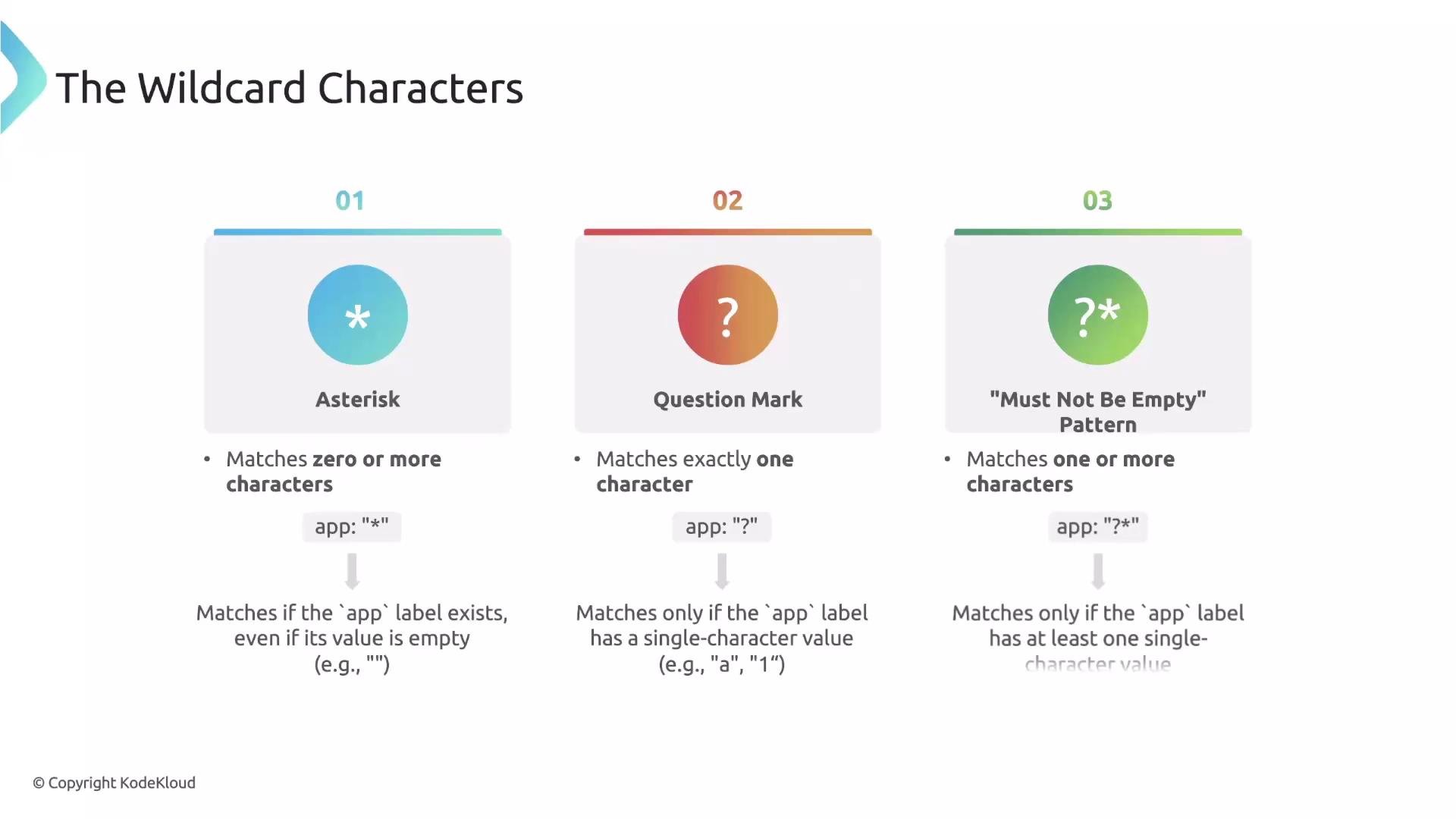
Kyverno supports two main wildcard characters in pattern *values* for flexible matching:
* `*` — matches zero or more characters. Use this when you only need to assert a field exists (it will also match an empty string).
* `?` — matches exactly one character (useful for very specific formats).
Combine them to get most practical behavior:
* `?*` — means "at least one character": the `?` ensures one character and the `*` allows any additional characters (including none). Use `?*` to ensure a field exists and is non-empty.
## Wildcards in Kyverno patterns
Kyverno supports two main wildcard characters in pattern *values* for flexible matching:
* `*` — matches zero or more characters. Use this when you only need to assert a field exists (it will also match an empty string).
* `?` — matches exactly one character (useful for very specific formats).
Combine them to get most practical behavior:
* `?*` — means "at least one character": the `?` ensures one character and the `*` allows any additional characters (including none). Use `?*` to ensure a field exists and is non-empty.
 ### Wildcard quick reference
| Wildcard | Meaning | When to use |
| -------: | ------------------------------- | -------------------------------------------------------------------------- |
| `*` | Matches zero or more characters | Check for presence where empty value is acceptable |
| `?` | Matches exactly one character | Very specific, rarely used |
| `?*` | Matches one or more characters | Ensure the field exists and is non-empty (recommended for required labels) |
## Examples
* `app: "*"` — the `app` label must exist; its value may be empty.
* `app: "?"` — the `app` label must have exactly one character.
* `app: "?*"` — the `app` label must have at least one character (non-empty).
Classic use case: require every major workload (e.g., Deployment) to include an `app` label, but you don't care about the specific value. Use `?*` to enforce presence and non-emptiness.
Example validate rule fragment (applies to Deployments — note the path to the Pod template):
```yaml theme={null}
rules:
- name: check-label-app
match:
resources:
kinds:
- Deployment
validate:
message: "The label `app` is required and must not be empty."
pattern:
spec:
template:
metadata:
labels:
app: "?*"
```
This pattern ensures `spec.template.metadata.labels.app` exists on the Deployment and that its value is not empty.
If you want to validate Pods directly, use the container path for Pods: `spec.containers` instead of `spec.template.spec.containers`. Always adjust the pattern path to match the resource type being validated.
## Practical security example: require resources for every container
Enforcing CPU and memory requests and limits on containers is a common best practice for cluster stability. Use a pattern that iterates over the `containers` list and requires non-empty values for the resource fields.
Example validate rule fragment (applies to Pod resources):
```yaml theme={null}
rules:
- name: require-resource-requests-limits
match:
resources:
kinds:
- Pod
validationFailureAction: Enforce
validate:
message: >-
All containers must have CPU and memory resource requests and limits defined.
pattern:
spec:
containers:
- name: "*"
resources:
limits:
cpu: "?*"
memory: "?*"
requests:
memory: "?*"
cpu: "?*"
```
Notes on this pattern:
* The `-` before `name` under `containers` indicates the pattern applies to each entry in the `containers` array (list element patterning).
* `name: "*"` requires the container to have a `name` field (value can be anything, including empty).
* `"?*"` for resource fields ensures they are present and non-empty.
## Summary
* Use patterns to require fields and structures in resources.
* Use `*` when you only need to assert presence (empty allowed), `?` for a single-char match, and `?*` to guarantee a non-empty value.
* Adjust the pattern path to the resource type you’re validating (e.g., Pod vs Deployment template).
* Apply these techniques to enforce labels, resource requests/limits, and other cluster policy best practices.
## Links and references
* [Kyverno documentation — Validate rules](https://kyverno.io/docs/writing-policies/validate/)
* [Kubernetes labels and selectors](https://kubernetes.io/docs/concepts/overview/working-with-objects/labels/)
* [Kubernetes resource management (requests & limits)](https://kubernetes.io/docs/concepts/configuration/manage-resources-containers/)
### Wildcard quick reference
| Wildcard | Meaning | When to use |
| -------: | ------------------------------- | -------------------------------------------------------------------------- |
| `*` | Matches zero or more characters | Check for presence where empty value is acceptable |
| `?` | Matches exactly one character | Very specific, rarely used |
| `?*` | Matches one or more characters | Ensure the field exists and is non-empty (recommended for required labels) |
## Examples
* `app: "*"` — the `app` label must exist; its value may be empty.
* `app: "?"` — the `app` label must have exactly one character.
* `app: "?*"` — the `app` label must have at least one character (non-empty).
Classic use case: require every major workload (e.g., Deployment) to include an `app` label, but you don't care about the specific value. Use `?*` to enforce presence and non-emptiness.
Example validate rule fragment (applies to Deployments — note the path to the Pod template):
```yaml theme={null}
rules:
- name: check-label-app
match:
resources:
kinds:
- Deployment
validate:
message: "The label `app` is required and must not be empty."
pattern:
spec:
template:
metadata:
labels:
app: "?*"
```
This pattern ensures `spec.template.metadata.labels.app` exists on the Deployment and that its value is not empty.
If you want to validate Pods directly, use the container path for Pods: `spec.containers` instead of `spec.template.spec.containers`. Always adjust the pattern path to match the resource type being validated.
## Practical security example: require resources for every container
Enforcing CPU and memory requests and limits on containers is a common best practice for cluster stability. Use a pattern that iterates over the `containers` list and requires non-empty values for the resource fields.
Example validate rule fragment (applies to Pod resources):
```yaml theme={null}
rules:
- name: require-resource-requests-limits
match:
resources:
kinds:
- Pod
validationFailureAction: Enforce
validate:
message: >-
All containers must have CPU and memory resource requests and limits defined.
pattern:
spec:
containers:
- name: "*"
resources:
limits:
cpu: "?*"
memory: "?*"
requests:
memory: "?*"
cpu: "?*"
```
Notes on this pattern:
* The `-` before `name` under `containers` indicates the pattern applies to each entry in the `containers` array (list element patterning).
* `name: "*"` requires the container to have a `name` field (value can be anything, including empty).
* `"?*"` for resource fields ensures they are present and non-empty.
## Summary
* Use patterns to require fields and structures in resources.
* Use `*` when you only need to assert presence (empty allowed), `?` for a single-char match, and `?*` to guarantee a non-empty value.
* Adjust the pattern path to the resource type you’re validating (e.g., Pod vs Deployment template).
* Apply these techniques to enforce labels, resource requests/limits, and other cluster policy best practices.
## Links and references
* [Kyverno documentation — Validate rules](https://kyverno.io/docs/writing-policies/validate/)
* [Kubernetes labels and selectors](https://kubernetes.io/docs/concepts/overview/working-with-objects/labels/)
* [Kubernetes resource management (requests & limits)](https://kubernetes.io/docs/concepts/configuration/manage-resources-containers/)