> ## Documentation Index
> Fetch the complete documentation index at: https://notes.kodekloud.com/llms.txt
> Use this file to discover all available pages before exploring further.
# Pod Security
> Explains using Kyverno's podSecurity rule to enforce Kubernetes Pod Security Standards cluster wide, simplifying management and providing actionable validation errors.
This article explains how Kyverno leverages the Kubernetes Pod Security Standards (PSS) via its Pod Security sub-rule to enforce consistent, cluster-wide pod hardening. You'll get a concise overview of PSS, see why native Pod Security Admission can be cumbersome at scale, and learn how to implement PSS checks with a compact Kyverno ClusterPolicy.
We reference:
* Kubernetes Pod Security Standards (PSS): [https://kubernetes.io/docs/concepts/security/pod-security-standards/](https://kubernetes.io/docs/concepts/security/pod-security-standards/)
* Pod Security Admission (PSA): [https://kubernetes.io/docs/concepts/security/pod-security-admission/](https://kubernetes.io/docs/concepts/security/pod-security-admission/)
* Kyverno policies: [https://kyverno.io/docs/writing-policies/validate/pod-security/](https://kyverno.io/docs/writing-policies/validate/pod-security/)
Overview of Kubernetes Pod Security Standards (PSS)
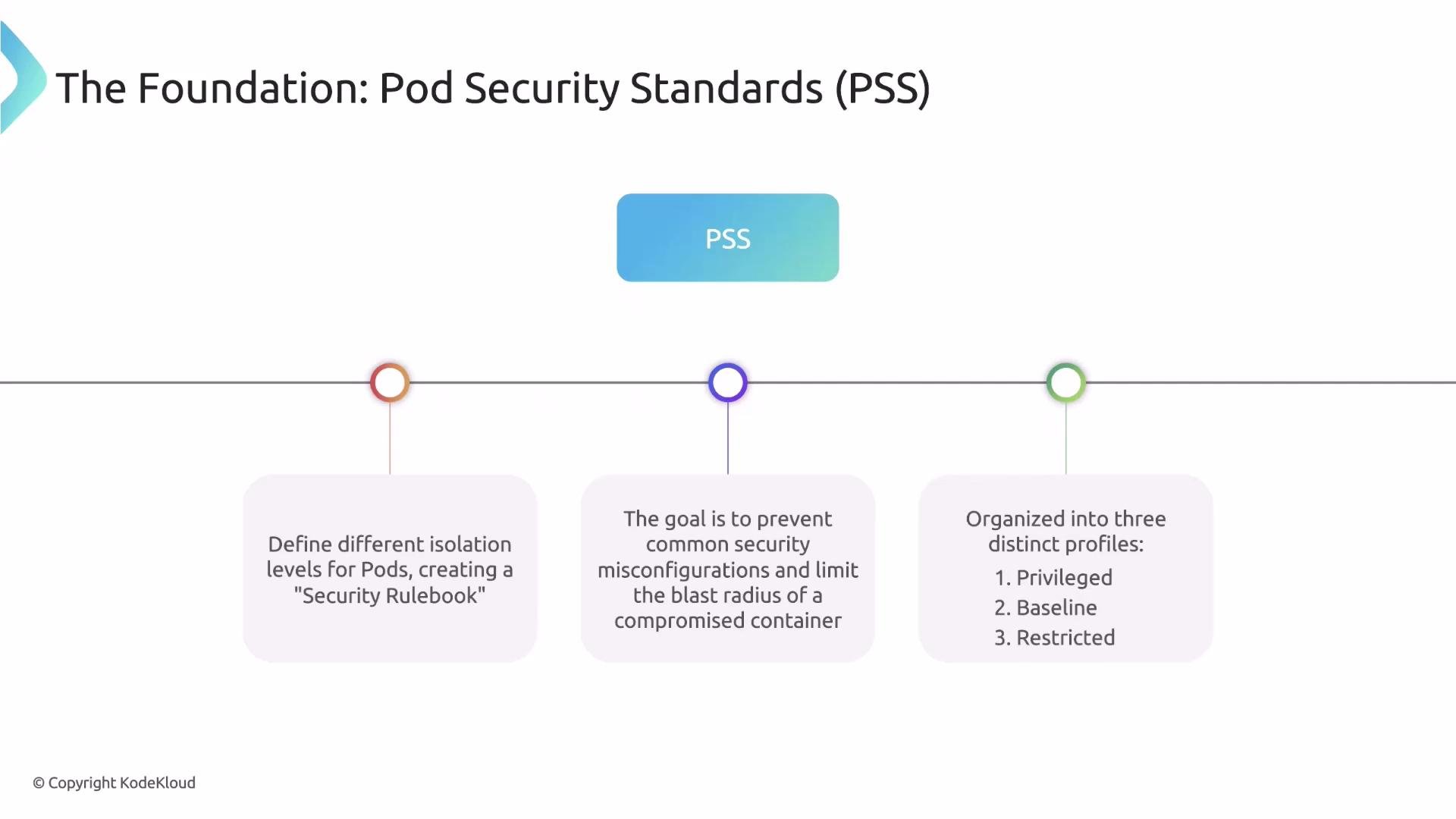
PSS defines a set of pod security profiles (or "levels") and associated checks that form a security rulebook for pods. These profiles are enforced by Kubernetes (via Pod Security Admission) or by compatible tools. The goal is to reduce risks such as container breakouts, privilege escalation, and host-level access.
 PSS Profiles: what they mean and when to use them
The standards are organized into three profiles—Privileged, Baseline, and Restricted—each offering a progressively stronger security posture.
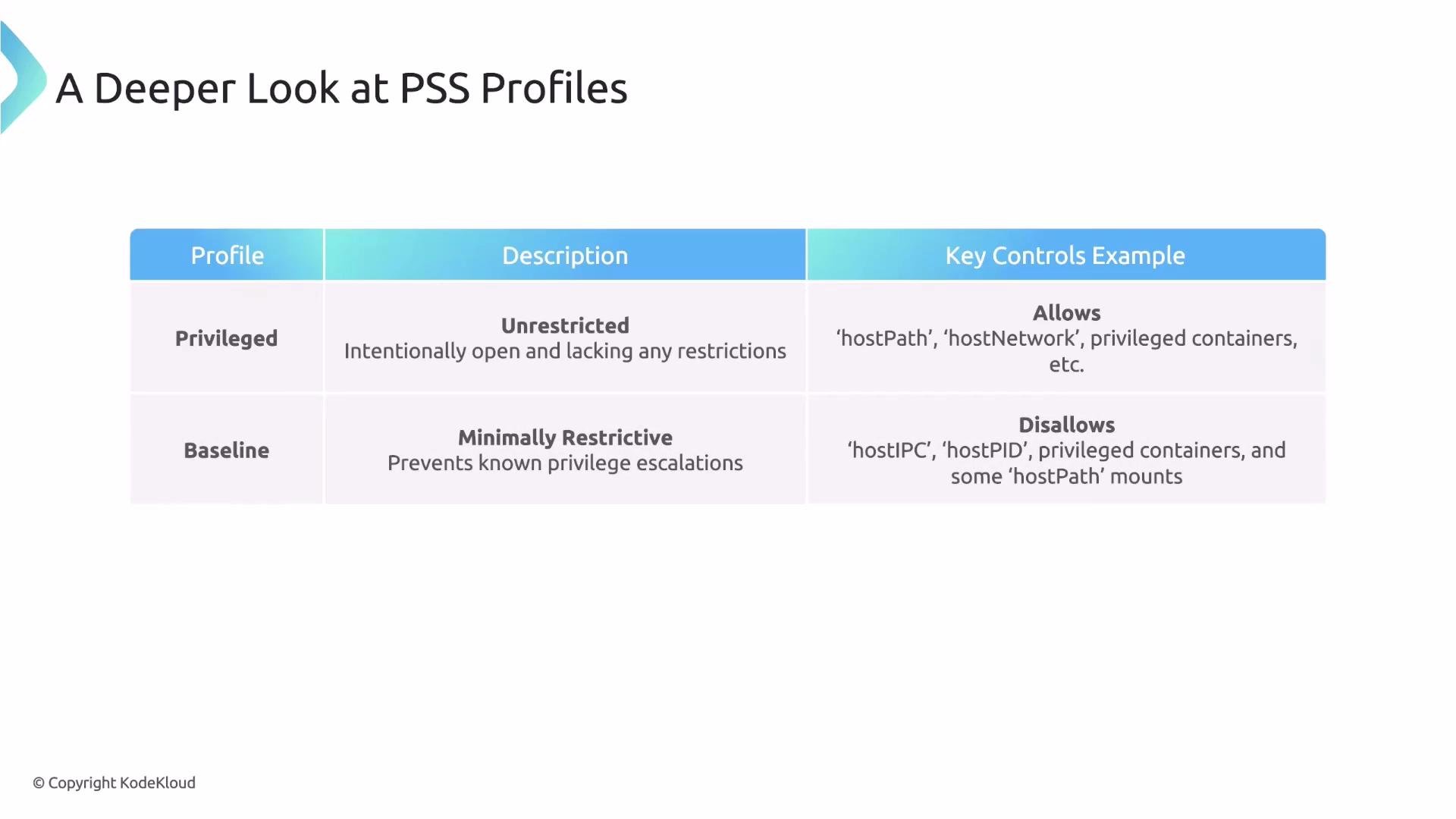
* Privileged: least restrictive. Permits constructs like `HostPath` and `HostNetwork`. Intended only for trusted system workloads requiring node-level access.
* Baseline: a practical default for many applications. Blocks common host-privilege escalation vectors (e.g., `hostIPC`, `hostPID`, `hostPath`) while remaining compatible with typical workloads.
* Restricted: most restrictive. Enforces best practices such as non-root containers, removal of default Linux capabilities, and syscall restrictions—best for security-sensitive workloads.
| Profile | Typical use case | Key controls and examples |
| ---------: | ----------------------------------------------------- | ------------------------------------------------------------------------- |
| Privileged | System components and trusted node-level tools | Allows `hostPath`, `hostNetwork`, broad capabilities |
| Baseline | General applications where compatibility is important | Disallows `hostPID`, `hostIPC`, `hostPath` mounts; reduces attack surface |
| Restricted | Security-critical workloads | Enforces non-root, drops capabilities, tight seccomp/syscall rules |
PSS Profiles: what they mean and when to use them
The standards are organized into three profiles—Privileged, Baseline, and Restricted—each offering a progressively stronger security posture.
* Privileged: least restrictive. Permits constructs like `HostPath` and `HostNetwork`. Intended only for trusted system workloads requiring node-level access.
* Baseline: a practical default for many applications. Blocks common host-privilege escalation vectors (e.g., `hostIPC`, `hostPID`, `hostPath`) while remaining compatible with typical workloads.
* Restricted: most restrictive. Enforces best practices such as non-root containers, removal of default Linux capabilities, and syscall restrictions—best for security-sensitive workloads.
| Profile | Typical use case | Key controls and examples |
| ---------: | ----------------------------------------------------- | ------------------------------------------------------------------------- |
| Privileged | System components and trusted node-level tools | Allows `hostPath`, `hostNetwork`, broad capabilities |
| Baseline | General applications where compatibility is important | Disallows `hostPID`, `hostIPC`, `hostPath` mounts; reduces attack surface |
| Restricted | Security-critical workloads | Enforces non-root, drops capabilities, tight seccomp/syscall rules |
 Why native Pod Security Admission becomes hard to manage at scale
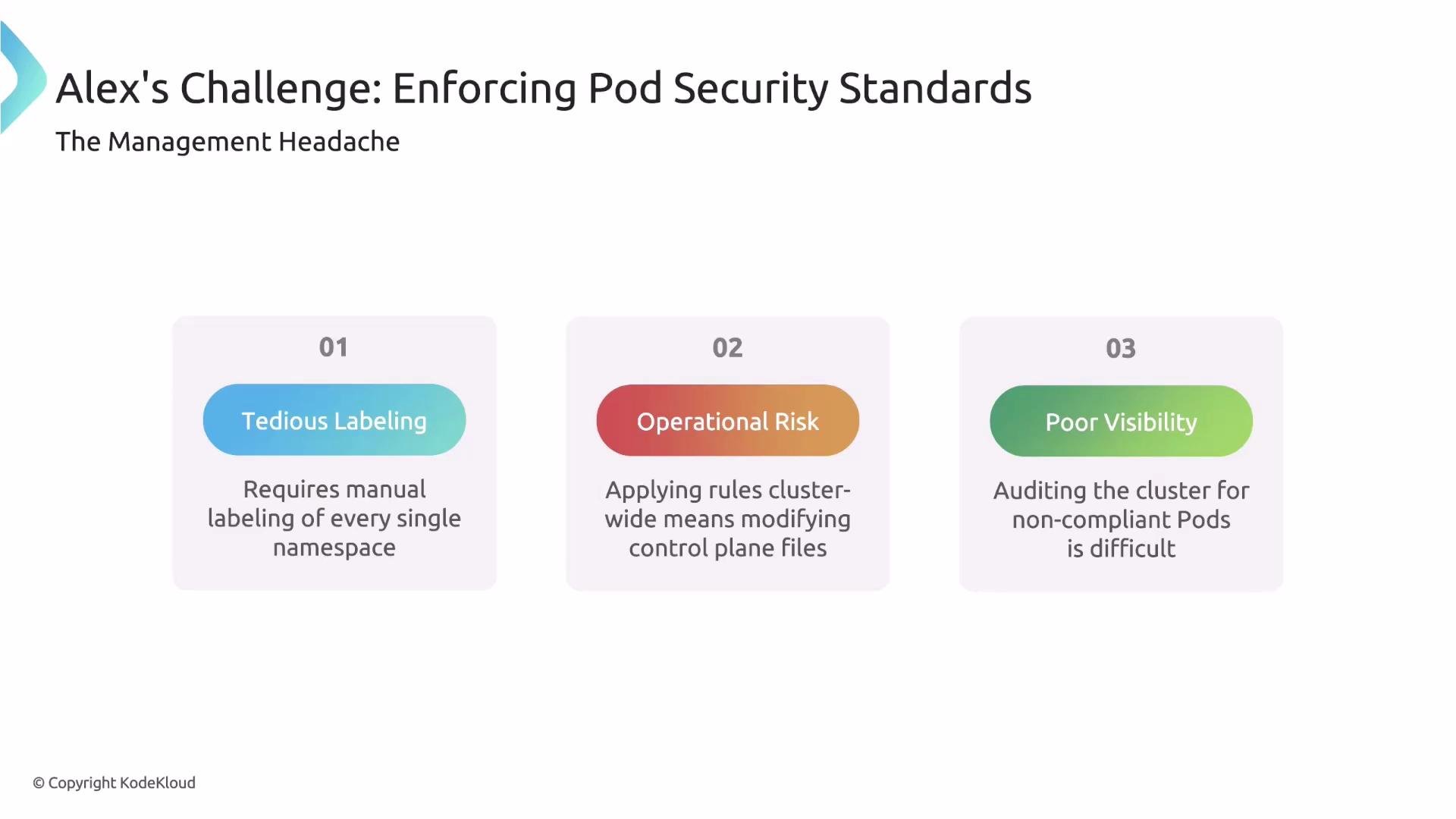
PSA relies on namespace labels to control the enforcement mode and target profile. Labeling and managing enforcement across many namespaces and clusters becomes operationally complex; applying cluster-wide control-plane changes has risk; and getting visibility (for example, which workloads violate a new profile) is not straightforward without additional tooling.
Why native Pod Security Admission becomes hard to manage at scale
PSA relies on namespace labels to control the enforcement mode and target profile. Labeling and managing enforcement across many namespaces and clusters becomes operationally complex; applying cluster-wide control-plane changes has risk; and getting visibility (for example, which workloads violate a new profile) is not straightforward without additional tooling.
 Kyverno: applying PSS centrally with policies
Kyverno exposes the Pod Security validation engine through the `podSecurity` sub-rule inside a standard (Cluster)Policy. This makes it simple to express and enforce a PSS profile across namespaces without manual namespace labeling.
Example: enforce the Baseline profile cluster-wide
This compact ClusterPolicy enforces the Baseline profile for Pods and Deployments:
```yaml theme={null}
apiVersion: kyverno.io/v1
kind: ClusterPolicy
metadata:
name: enforce-pod-security-baseline
spec:
validationFailureAction: enforce
rules:
- name: enforce-baseline
match:
resources:
kinds:
- Pod
- Deployment
validate:
podSecurity:
level: baseline
version: latest
```
What to know about this policy
* `validationFailureAction: enforce` (policy-level) determines whether violations are blocked (`enforce`) or only logged (`audit` in some versions).
* The `validate.podSecurity` sub-rule triggers Kyverno's PSS checks.
* `level` must be one of `privileged`, `baseline`, or `restricted`.
* `version` pins the PSS definitions (for example, `latest` or `1.24`) to keep behavior stable as standards evolve.
Use `version: latest` to automatically use the most recent PSS definitions supported by your Kyverno version, or pin to a specific PSS version (for example `1.24`) to maintain predictable validation behavior.
How Kyverno surfaces actionable errors
The `podSecurity` sub-rule is compact but comprehensive. For example, if a developer submits a Pod that sets `hostIPC: true`, the Baseline profile will block it:
```yaml theme={null}
apiVersion: v1
kind: Pod
metadata:
name: badpod01
spec:
hostIPC: true
containers:
- name: container01
image: dummyimagename
```
Kyverno (via admission) will deny the request and return a detailed error indicating the policy and failing control:
```text theme={null}
Error from server: admission webhook "validate.kyverno.svc-fail" denied the request:
psa: baseline: |
Validation rule 'enforce-baseline' failed. It violates PodSecurity "baseline:latest":
{Allowed:false ForbiddenReason:host namespaces ForbiddenDetail:hostIPC=true}
```
This message tells you the policy (`enforce-baseline`), the profile (`baseline:latest`), and the exact forbidden setting (`hostIPC=true`), making remediation straightforward.
Switching profiles
To move from Baseline to Restricted, update the `level` field. Only a single-line change is needed in the policy rule:
```yaml theme={null}
spec:
validationFailureAction: enforce
rules:
- name: enforce-restricted
match:
resources:
kinds:
- Pod
- Deployment
validate:
podSecurity:
level: restricted
version: latest
```
Once applied, Kyverno immediately validates new admissions against the Restricted controls.
Conclusion
Using Kyverno's `podSecurity` sub-rule simplifies applying Kubernetes Pod Security Standards consistently across clusters. You can:
* Express PSS profiles in a single policy rule,
* Enforce profiles cluster-wide without manual namespace labeling,
* Provide developers with actionable error messages that pinpoint failing controls.
References and further reading
* Kyverno Pod Security validation: [https://kyverno.io/docs/writing-policies/validate/pod-security/](https://kyverno.io/docs/writing-policies/validate/pod-security/)
* Kubernetes Pod Security Standards: [https://kubernetes.io/docs/concepts/security/pod-security-standards/](https://kubernetes.io/docs/concepts/security/pod-security-standards/)
* Pod Security Admission: [https://kubernetes.io/docs/concepts/security/pod-security-admission/](https://kubernetes.io/docs/concepts/security/pod-security-admission/)
Kyverno: applying PSS centrally with policies
Kyverno exposes the Pod Security validation engine through the `podSecurity` sub-rule inside a standard (Cluster)Policy. This makes it simple to express and enforce a PSS profile across namespaces without manual namespace labeling.
Example: enforce the Baseline profile cluster-wide
This compact ClusterPolicy enforces the Baseline profile for Pods and Deployments:
```yaml theme={null}
apiVersion: kyverno.io/v1
kind: ClusterPolicy
metadata:
name: enforce-pod-security-baseline
spec:
validationFailureAction: enforce
rules:
- name: enforce-baseline
match:
resources:
kinds:
- Pod
- Deployment
validate:
podSecurity:
level: baseline
version: latest
```
What to know about this policy
* `validationFailureAction: enforce` (policy-level) determines whether violations are blocked (`enforce`) or only logged (`audit` in some versions).
* The `validate.podSecurity` sub-rule triggers Kyverno's PSS checks.
* `level` must be one of `privileged`, `baseline`, or `restricted`.
* `version` pins the PSS definitions (for example, `latest` or `1.24`) to keep behavior stable as standards evolve.
Use `version: latest` to automatically use the most recent PSS definitions supported by your Kyverno version, or pin to a specific PSS version (for example `1.24`) to maintain predictable validation behavior.
How Kyverno surfaces actionable errors
The `podSecurity` sub-rule is compact but comprehensive. For example, if a developer submits a Pod that sets `hostIPC: true`, the Baseline profile will block it:
```yaml theme={null}
apiVersion: v1
kind: Pod
metadata:
name: badpod01
spec:
hostIPC: true
containers:
- name: container01
image: dummyimagename
```
Kyverno (via admission) will deny the request and return a detailed error indicating the policy and failing control:
```text theme={null}
Error from server: admission webhook "validate.kyverno.svc-fail" denied the request:
psa: baseline: |
Validation rule 'enforce-baseline' failed. It violates PodSecurity "baseline:latest":
{Allowed:false ForbiddenReason:host namespaces ForbiddenDetail:hostIPC=true}
```
This message tells you the policy (`enforce-baseline`), the profile (`baseline:latest`), and the exact forbidden setting (`hostIPC=true`), making remediation straightforward.
Switching profiles
To move from Baseline to Restricted, update the `level` field. Only a single-line change is needed in the policy rule:
```yaml theme={null}
spec:
validationFailureAction: enforce
rules:
- name: enforce-restricted
match:
resources:
kinds:
- Pod
- Deployment
validate:
podSecurity:
level: restricted
version: latest
```
Once applied, Kyverno immediately validates new admissions against the Restricted controls.
Conclusion
Using Kyverno's `podSecurity` sub-rule simplifies applying Kubernetes Pod Security Standards consistently across clusters. You can:
* Express PSS profiles in a single policy rule,
* Enforce profiles cluster-wide without manual namespace labeling,
* Provide developers with actionable error messages that pinpoint failing controls.
References and further reading
* Kyverno Pod Security validation: [https://kyverno.io/docs/writing-policies/validate/pod-security/](https://kyverno.io/docs/writing-policies/validate/pod-security/)
* Kubernetes Pod Security Standards: [https://kubernetes.io/docs/concepts/security/pod-security-standards/](https://kubernetes.io/docs/concepts/security/pod-security-standards/)
* Pod Security Admission: [https://kubernetes.io/docs/concepts/security/pod-security-admission/](https://kubernetes.io/docs/concepts/security/pod-security-admission/)