> ## Documentation Index
> Fetch the complete documentation index at: https://notes.kodekloud.com/llms.txt
> Use this file to discover all available pages before exploring further.
# SUID SGID and Sticky Bit
> This article explores SUID, SGID, and the Sticky Bit permissions in Unix/Linux systems for managing security and resource access.
In Unix/Linux systems, managing permissions is critical to maintaining security and efficient resource access. In this article, we explore three special permissions—SUID, SGID, and the Sticky Bit—that allow controlled elevation of privileges and help manage collaborative environments.
Understanding these permissions ensures that applications can safely operate with elevated privileges without compromising system integrity.
## SUID (Set User ID)
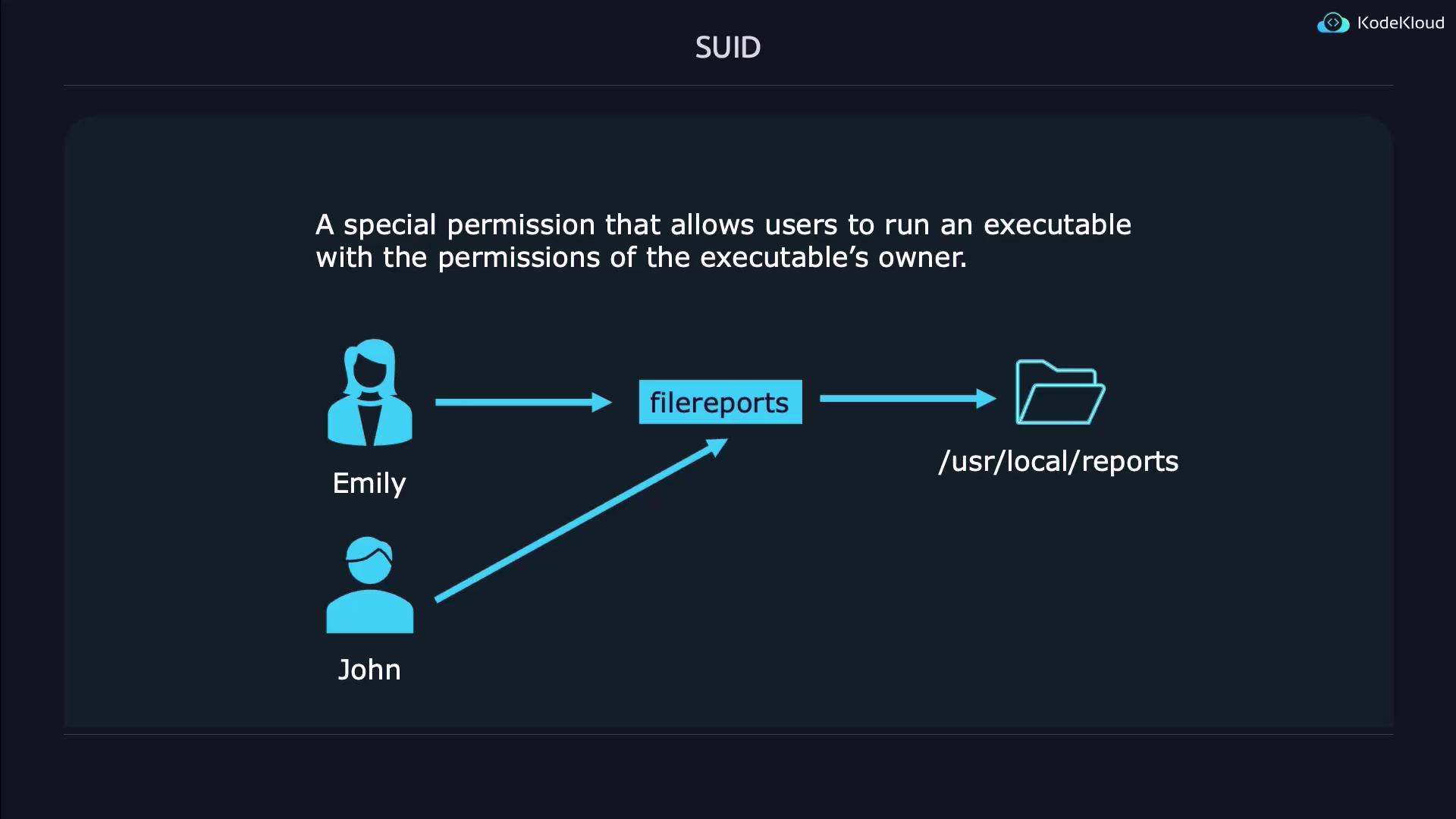
SUID is a permission that, when applied to an executable file, enables the process to run with the file owner's privileges instead of those of the user who launched it. This feature is particularly useful when an application requires access to restricted resources. For example, if Emily develops a reports application that needs to access files under `/usr/local/reports`, she can allow John to run the application without granting him unfettered access to her directory.
### Demonstration of SUID
Below is a step-by-step demonstration of setting and verifying the SUID bit:
```bash theme={null}
# Create the test file
touch suidfile
# Check default permissions
ls -l suidfile
# Output: -rw-rw-r-- 1 jeremy jeremy 0 May 8 01:22 suidfile
```
To set the SUID bit, which is represented by a leading digit of 4 in the permission mode, execute:
```bash theme={null}
chmod 4664 suidfile
ls -l suidfile
```
Notice that the execute bit for the owner may be displayed as a capital "S" when it is not enabled. Including the execute permission (for example, using `4764`) will show a lowercase "s" instead.
## SGID (Set Group ID)
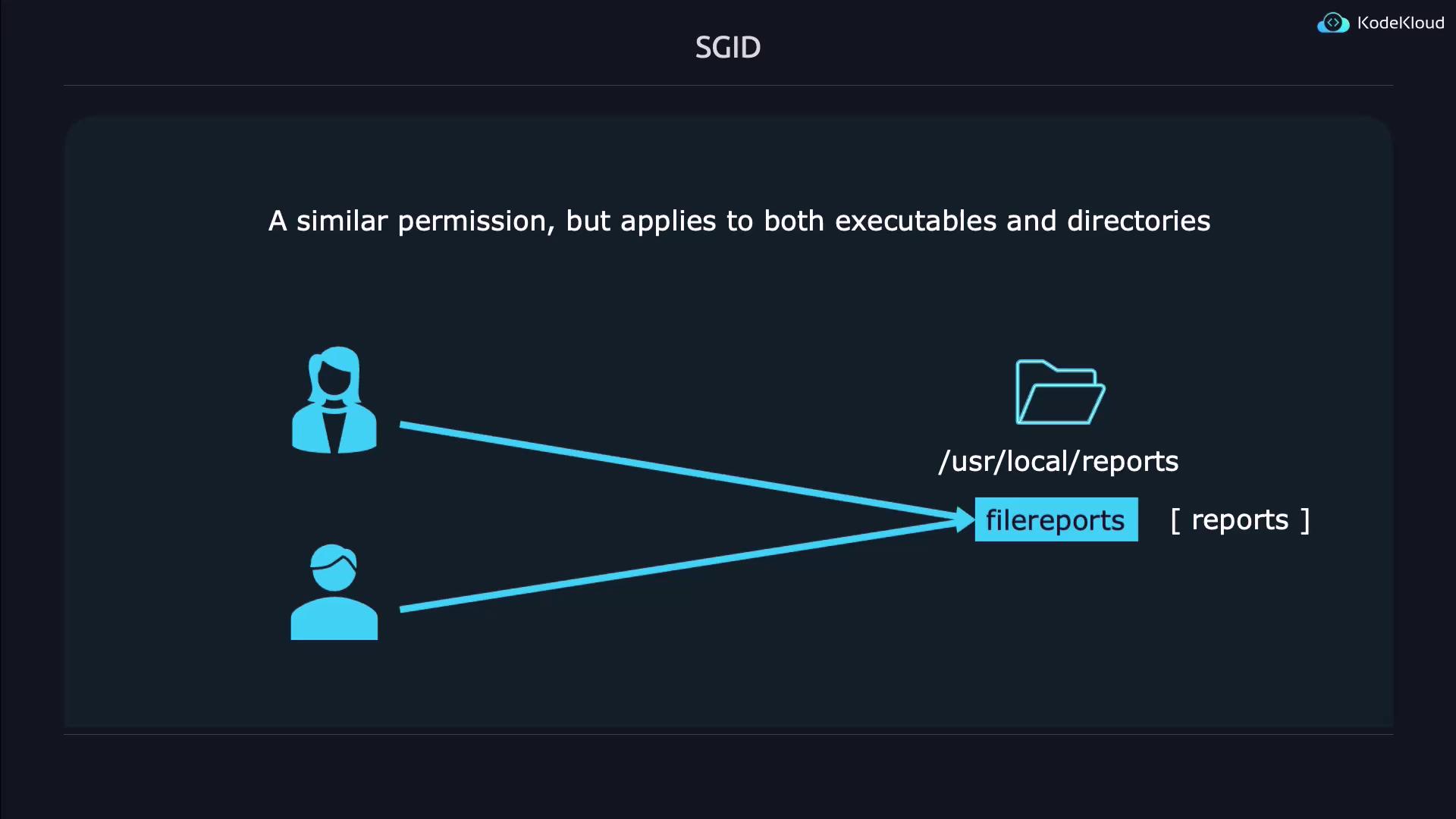
SGID works similarly to SUID but applies to the group ownership of an executable or directory. For executables, SGID allows any user running the file to do so with the file's group privileges. When applied to a directory, any new file or directory created inherits the group's ownership, which is invaluable for collaborative work environments.
For instance, if a reports application is associated with the reports group, both Emily and John can access executable files, and newly created files inside the directory will automatically inherit the reports group.
### Demonstration of SGID
Follow these simple steps to set the SGID bit on a file:
```bash theme={null}
# Create the file
touch sgidfile
# Check the default file permissions
ls -l sgidfile
# Expected output: -rw-rw-r-- 1 jeremy jeremy 0 May 8 01:25 sgidfile
```
To set SGID without granting execute permissions for the group:
```bash theme={null}
chmod 2664 sgidfile
ls -l sgidfile
```
If the execute permission is also required (thus displaying a lowercase "s"), use:
```bash theme={null}
chmod 2674 sgidfile
ls -l sgidfile
```
## Combining SUID and SGID
Combining SUID and SGID on a single file is straightforward. Since SUID is represented by 4 and SGID by 2, the combined digit is 6. For example, to apply both on a file called `both`:
```bash theme={null}
touch both
chmod 6664 both
ls -l both
```
To efficiently locate files using these special permissions, use the `find` command:
```bash theme={null}
# Find files with the SUID bit set
find . -perm /4000
# Find files with the SGID bit set
find . -perm /2000
# Find files with either SUID or SGID (or both) set
find . -perm /6000
```
## Sticky Bit
The Sticky Bit is a special permission applied primarily to directories to control file deletion. When set, it restricts file deletion within the directory so that only the file owner, the directory owner, or the superuser can delete or rename files. This is especially beneficial for shared directories where multiple users have write access but should not be able to remove files created by others.
### Demonstration of the Sticky Bit
Creating a directory with a Sticky Bit is illustrated below:
```bash theme={null}
# Set the Sticky Bit using a shorthand command
chmod 1777 stickydir/
ls -ld stickydir/
# Expected output: drwxrwxrwt 2 jeremy jeremy 4096 May 8 01:29 stickydir/
```
In the permission output, a lowercase "t" signifies that the Sticky Bit is active along with the execute permission. If the execute permission is revoked (for example, by setting mode `1666`), the indicator changes to an uppercase "T":
```bash theme={null}
chmod 1666 stickydir/
ls -ld stickydir/
```
A lowercase "t" denotes that the Sticky Bit is set and execute permission is enabled, while an uppercase "T" indicates that only the Sticky Bit is set.
## Conclusion
Understanding and properly configuring SUID, SGID, and the Sticky Bit is crucial for managing permissions in Unix/Linux environments. With SUID, programs can execute with the file owner's privileges; SGID facilitates group-controlled execution and inheritance; and the Sticky Bit secures shared directories against unauthorized file deletions.
By leveraging these permissions, system administrators can implement controlled privilege escalations while ensuring robust security. For further reading, check out the [Kubernetes Documentation](https://kubernetes.io/docs/) and explore how secure permissions integrate within broader system management practices.
Happy experimenting, and enjoy the power of controlled permission management!