> ## Documentation Index
> Fetch the complete documentation index at: https://notes.kodekloud.com/llms.txt
> Use this file to discover all available pages before exploring further.
# Logs API
> Overview of the OpenTelemetry Logs API explaining structured, context aware log records, core components, emission workflow, isEnabled optimization, and best practices for tracing correlation
In this lesson we cover the OpenTelemetry Logs API: how it standardizes log generation and emission, who uses it (library authors, instrumentation code, applications), and the core pieces you’ll interact with when instrumenting your code.
The Logs API focuses on structured, context-aware log records and is designed to integrate with the rest of OpenTelemetry (traces, metrics) so logs can be correlated with trace/span context and exported to backends via OTLP or other exporters.
## Core components
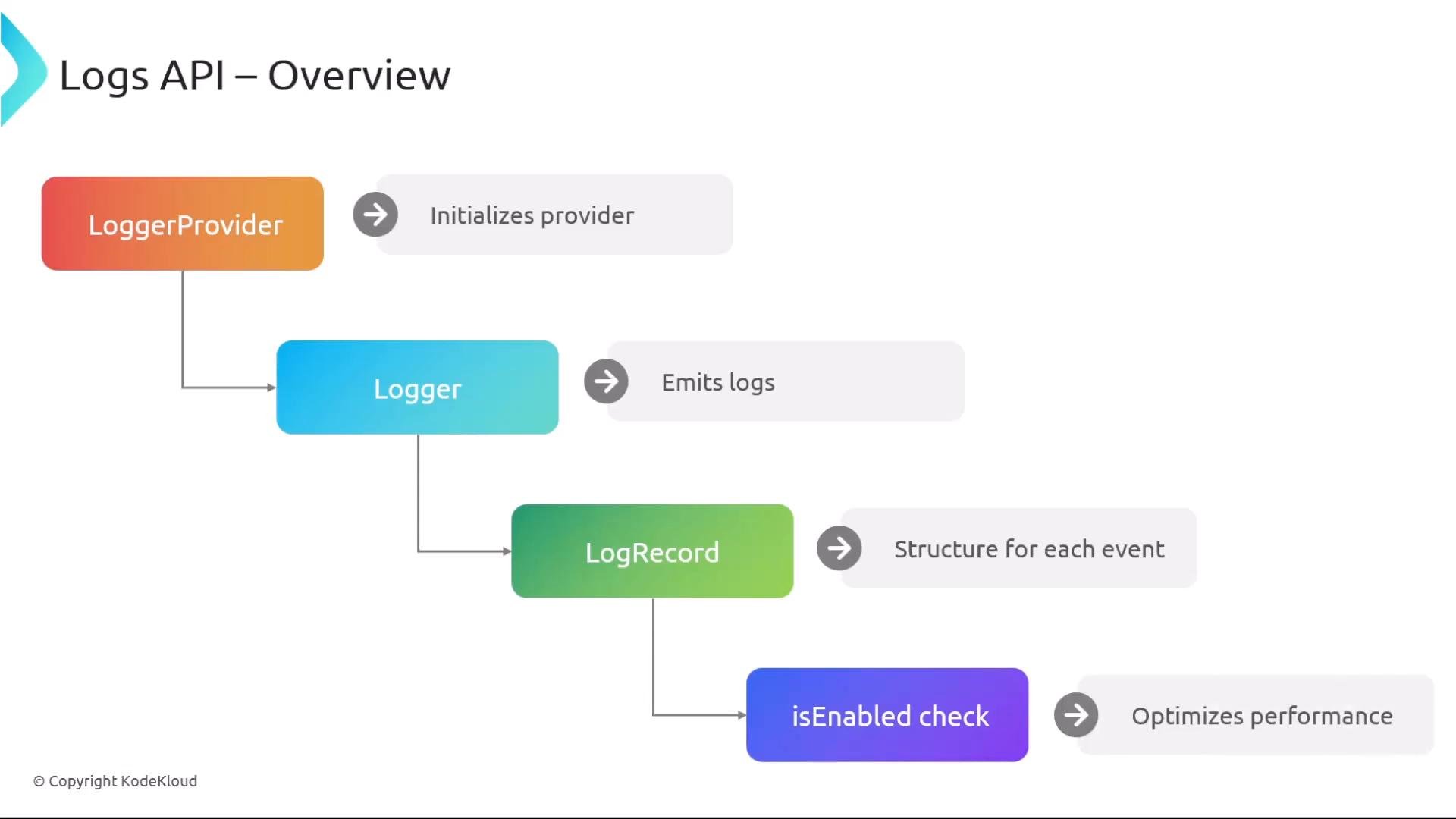
The Logs API centers around four core components. The following table summarizes each component, its purpose, and a short example of how you might interact with it.
| Component | Purpose | Example / Notes |
| - | - | - |
| `LoggerProvider` | Factory / initialization point for loggers. You can use the global provider or create a custom one. | `LoggerProvider provider = OpenTelemetry.getGlobalLoggerProvider();` |
| `Logger` | The object used to emit logs for a specific instrumentation scope (module/name). | `Logger logger = provider.getLogger("com.example.app");` |
| `LogRecord` | The structured record produced for each log event (timestamp, severity, body, attributes, trace/span ids, etc.). | `logger.emit(...)` creates a `LogRecord`. |
| `isEnabled` | API to avoid performing expensive operations if logging for a given severity/context is disabled. | `if (logger.isEnabled(severity="INFO")) { ... }` |
 ## LoggerProvider and Logger
The `LoggerProvider` is the factory used to obtain `Logger` instances. You can use a global provider or create/initialize your own provider for custom behavior. A `Logger` is typically obtained per instrumentation scope (for example, per module or library).
Example (Java-style pseudocode) showing initialization and retrieving a logger:
```java theme={null}
// Initialize or use global provider
LoggerProvider provider = OpenTelemetry.getGlobalLoggerProvider();
// Retrieve a logger for your module (name is required; other fields are optional)
Logger logger = provider.getLogger(
"com.example.app", // name (required)
"2.1.0", // version (optional)
"https://schema.example/", // schemaUrl (optional)
Attributes.of("env", "prod") // optional attributes
);
```
Notes:
* `name` is required and identifies the instrumentation scope.
* Other fields such as `version`, `schemaUrl`, and static `attributes` are optional.
* `LoggerProvider` and `Logger` APIs are designed to be thread-safe — safe to call from concurrent code.
## Use isEnabled to avoid unnecessary work
Before performing expensive operations (message formatting, serialization, collecting heavy attributes), call `isEnabled` with the appropriate severity and context. This avoids unnecessary CPU and memory use when the logging level is disabled.
Use `isEnabled` to guard expensive operations (string formatting, serialization, expensive attribute collection) so your application avoids unnecessary work when logs are disabled.
## Emitting LogRecords
When you emit a log, include whichever fields are relevant to your use case. Common fields include:
* `timestamp` — when the event occurred
* `severity` — level (e.g., `INFO`, `ERROR`)
* `body` — the message or payload
* `attributes` — structured key/value data
* `trace_id` / `span_id` — for correlating logs with traces
Example (Python-style pseudocode) demonstrating a guarded emit at INFO severity:
```python theme={null}
from datetime import datetime
if logger.isEnabled(severity="INFO"):
logger.emit(
timestamp=datetime.utcnow(),
severity="INFO",
body="Order processed",
attributes={"order.id": 456}
)
```
The Logs API is intentionally flexible: all of these parameters are optional and you can supply any subset that makes sense for your application.
## Logging workflow summary
1. Initialize or obtain a `LoggerProvider`.
2. Call `getLogger` to obtain a `Logger` for your module/instrumentation scope (`name` is required).
3. Use `isEnabled` to check whether logging at a given severity/context is currently enabled.
4. Call `emit` on the `Logger` to create/send a `LogRecord` with desired fields (timestamp, severity, body, attributes, trace/span ids, etc.).
5. Exporters receive `LogRecord`s and send them to your backend (for example, via OTLP).
## Best practices
* Always guard expensive log construction with `isEnabled`.
* Include trace/span identifiers when possible to enable correlation between logs and traces.
* Use structured attributes (key/value) instead of concatenated messages for better querying in backends.
* Prefer consistent naming for attributes (e.g., `order.id`, `user.id`) to improve analytics and dashboards.
## Links and References
* [OpenTelemetry Logs specification](https://opentelemetry.io/docs/reference/specification/logs/)
* [OTLP protocol (OpenTelemetry)](https://opentelemetry.io/docs/reference/specification/protocol/)
* [OpenTelemetry project home](https://opentelemetry.io/)
That covers the Logs API basics and how to instrument for structured, context-aware logs that integrate with the rest of OpenTelemetry.
This documentation is built and hosted on [Mintlify](https://mintlify.com), a developer documentation platform.
## LoggerProvider and Logger
The `LoggerProvider` is the factory used to obtain `Logger` instances. You can use a global provider or create/initialize your own provider for custom behavior. A `Logger` is typically obtained per instrumentation scope (for example, per module or library).
Example (Java-style pseudocode) showing initialization and retrieving a logger:
```java theme={null}
// Initialize or use global provider
LoggerProvider provider = OpenTelemetry.getGlobalLoggerProvider();
// Retrieve a logger for your module (name is required; other fields are optional)
Logger logger = provider.getLogger(
"com.example.app", // name (required)
"2.1.0", // version (optional)
"https://schema.example/", // schemaUrl (optional)
Attributes.of("env", "prod") // optional attributes
);
```
Notes:
* `name` is required and identifies the instrumentation scope.
* Other fields such as `version`, `schemaUrl`, and static `attributes` are optional.
* `LoggerProvider` and `Logger` APIs are designed to be thread-safe — safe to call from concurrent code.
## Use isEnabled to avoid unnecessary work
Before performing expensive operations (message formatting, serialization, collecting heavy attributes), call `isEnabled` with the appropriate severity and context. This avoids unnecessary CPU and memory use when the logging level is disabled.
Use `isEnabled` to guard expensive operations (string formatting, serialization, expensive attribute collection) so your application avoids unnecessary work when logs are disabled.
## Emitting LogRecords
When you emit a log, include whichever fields are relevant to your use case. Common fields include:
* `timestamp` — when the event occurred
* `severity` — level (e.g., `INFO`, `ERROR`)
* `body` — the message or payload
* `attributes` — structured key/value data
* `trace_id` / `span_id` — for correlating logs with traces
Example (Python-style pseudocode) demonstrating a guarded emit at INFO severity:
```python theme={null}
from datetime import datetime
if logger.isEnabled(severity="INFO"):
logger.emit(
timestamp=datetime.utcnow(),
severity="INFO",
body="Order processed",
attributes={"order.id": 456}
)
```
The Logs API is intentionally flexible: all of these parameters are optional and you can supply any subset that makes sense for your application.
## Logging workflow summary
1. Initialize or obtain a `LoggerProvider`.
2. Call `getLogger` to obtain a `Logger` for your module/instrumentation scope (`name` is required).
3. Use `isEnabled` to check whether logging at a given severity/context is currently enabled.
4. Call `emit` on the `Logger` to create/send a `LogRecord` with desired fields (timestamp, severity, body, attributes, trace/span ids, etc.).
5. Exporters receive `LogRecord`s and send them to your backend (for example, via OTLP).
## Best practices
* Always guard expensive log construction with `isEnabled`.
* Include trace/span identifiers when possible to enable correlation between logs and traces.
* Use structured attributes (key/value) instead of concatenated messages for better querying in backends.
* Prefer consistent naming for attributes (e.g., `order.id`, `user.id`) to improve analytics and dashboards.
## Links and References
* [OpenTelemetry Logs specification](https://opentelemetry.io/docs/reference/specification/logs/)
* [OTLP protocol (OpenTelemetry)](https://opentelemetry.io/docs/reference/specification/protocol/)
* [OpenTelemetry project home](https://opentelemetry.io/)
That covers the Logs API basics and how to instrument for structured, context-aware logs that integrate with the rest of OpenTelemetry.
This documentation is built and hosted on [Mintlify](https://mintlify.com), a developer documentation platform.