> ## Documentation Index
> Fetch the complete documentation index at: https://notes.kodekloud.com/llms.txt
> Use this file to discover all available pages before exploring further.
# Logs SDK
> Overview of the OpenTelemetry Logs SDK components, lifecycle, processors, exporters, and recommended initialization and shutdown patterns for reliable log export
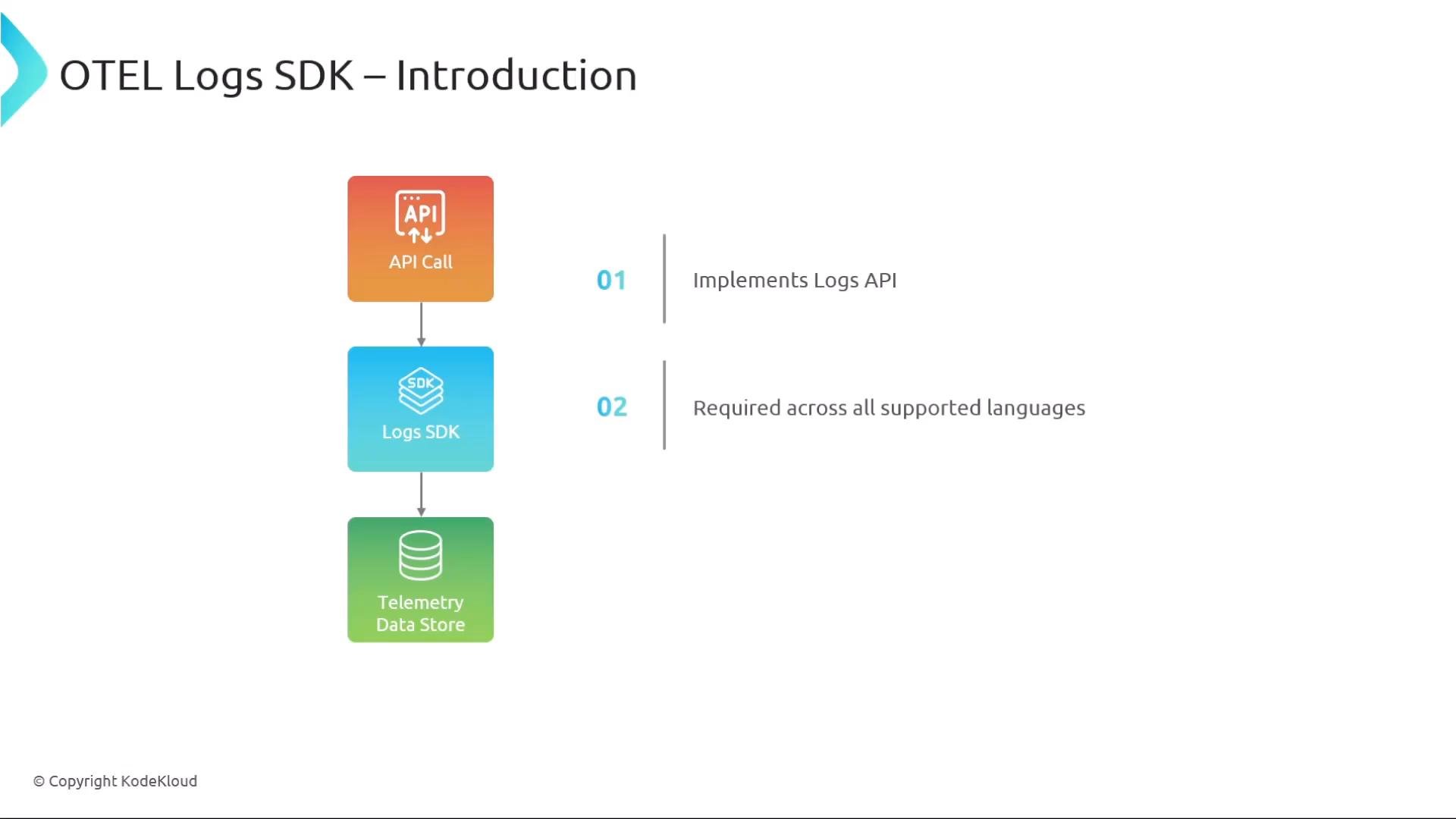
All right, log-record experts — this lesson covers the OpenTelemetry Logs SDK: what it is, how its pieces fit together, and common patterns for initialization and shutdown. The Logs SDK implements the Logs API and connects instrumentation calls to telemetry export pipelines across supported languages. While most behavior is stable, some SDK details remain implementation-specific and continue to evolve.
 ## Key concepts overview
* Logs SDK: receives log calls from instrumentation and routes log records through processors to exporters.
* LoggerProvider: factory and shared configuration container for loggers.
* Logger / Instrumentation Scope: library/component-specific logger obtained from the provider.
* LogRecordProcessor: manages buffering, batching, filtering, or enrichment.
* LogRecordExporter: sends logs to final destinations (OTLP, cloud backends, files, etc.).
* Lifecycle APIs: `ForceFlush` and `Shutdown` to ensure reliable termination.
## LoggerProvider (factory and configuration)
`LoggerProvider` is the factory that creates named loggers and stores shared configuration like `Resource` (service name, environment, host metadata). Multiple providers can be used to isolate configuration for different subsystems.
* Embed a `Resource` to annotate exported logs with service and environment metadata.
* Use separate providers when you need isolated pipelines or export settings per subsystem.
## Key concepts overview
* Logs SDK: receives log calls from instrumentation and routes log records through processors to exporters.
* LoggerProvider: factory and shared configuration container for loggers.
* Logger / Instrumentation Scope: library/component-specific logger obtained from the provider.
* LogRecordProcessor: manages buffering, batching, filtering, or enrichment.
* LogRecordExporter: sends logs to final destinations (OTLP, cloud backends, files, etc.).
* Lifecycle APIs: `ForceFlush` and `Shutdown` to ensure reliable termination.
## LoggerProvider (factory and configuration)
`LoggerProvider` is the factory that creates named loggers and stores shared configuration like `Resource` (service name, environment, host metadata). Multiple providers can be used to isolate configuration for different subsystems.
* Embed a `Resource` to annotate exported logs with service and environment metadata.
* Use separate providers when you need isolated pipelines or export settings per subsystem.
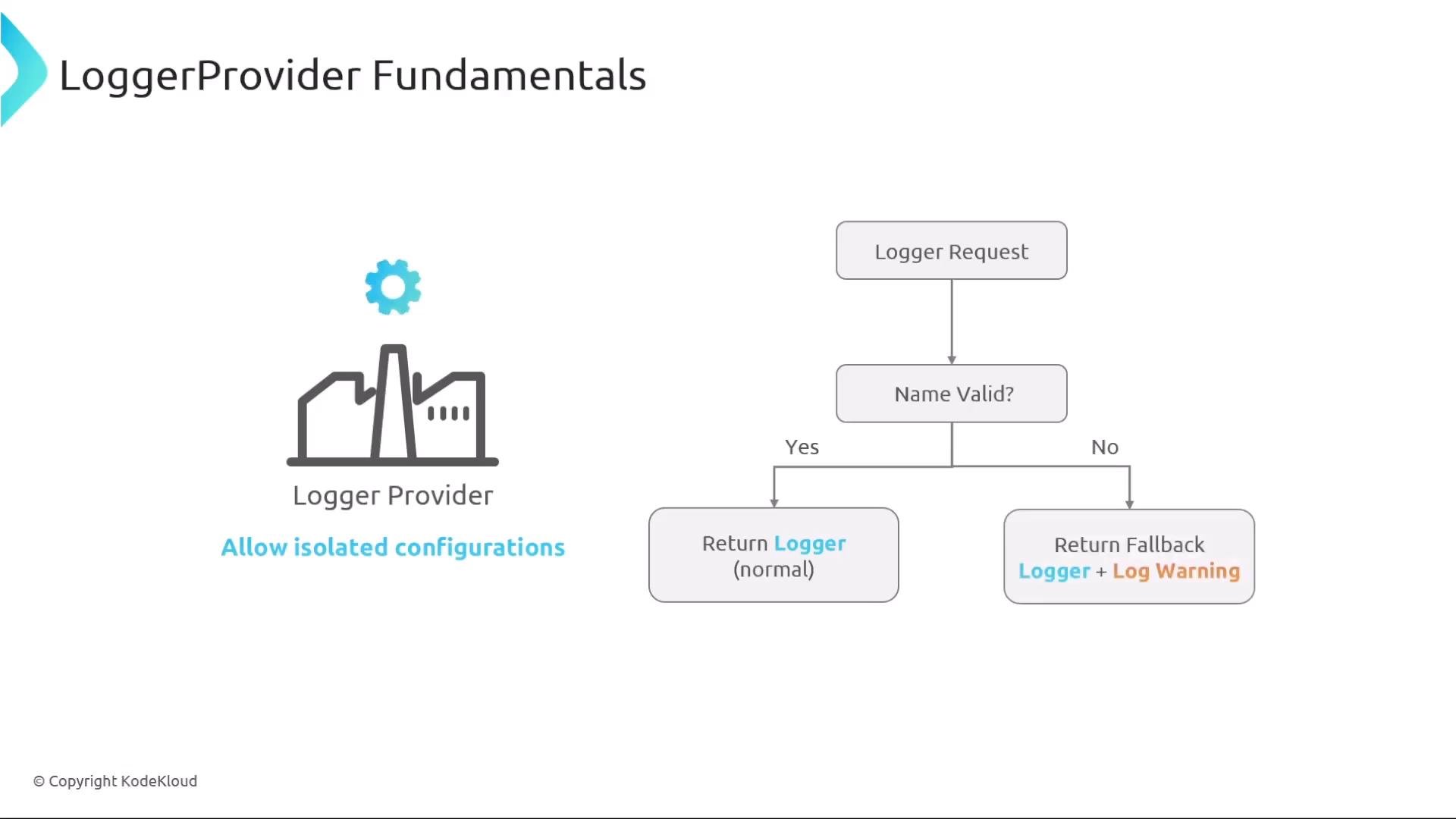 When code requests a logger from the provider (for example `GetLogger` / `get_logger`), the provider returns a logger tied to that instrumentation scope name. Some SDKs validate names; invalid names may produce a fallback/no-op logger and a warning — behavior varies by language.
### Example: getting a logger and Provider behavior (pseudocode)
```python theme={null}
provider = LoggerProvider(resource=Resource(service="orders"))
logger = provider.get_logger("my.lib.orders") # instrumentation scope
logger.info("Order received", order_id=123)
```
When code requests a logger from the provider (for example `GetLogger` / `get_logger`), the provider returns a logger tied to that instrumentation scope name. Some SDKs validate names; invalid names may produce a fallback/no-op logger and a warning — behavior varies by language.
### Example: getting a logger and Provider behavior (pseudocode)
```python theme={null}
provider = LoggerProvider(resource=Resource(service="orders"))
logger = provider.get_logger("my.lib.orders") # instrumentation scope
logger.info("Order received", order_id=123)
```
 ## Logger lifetime and dynamic provider updates
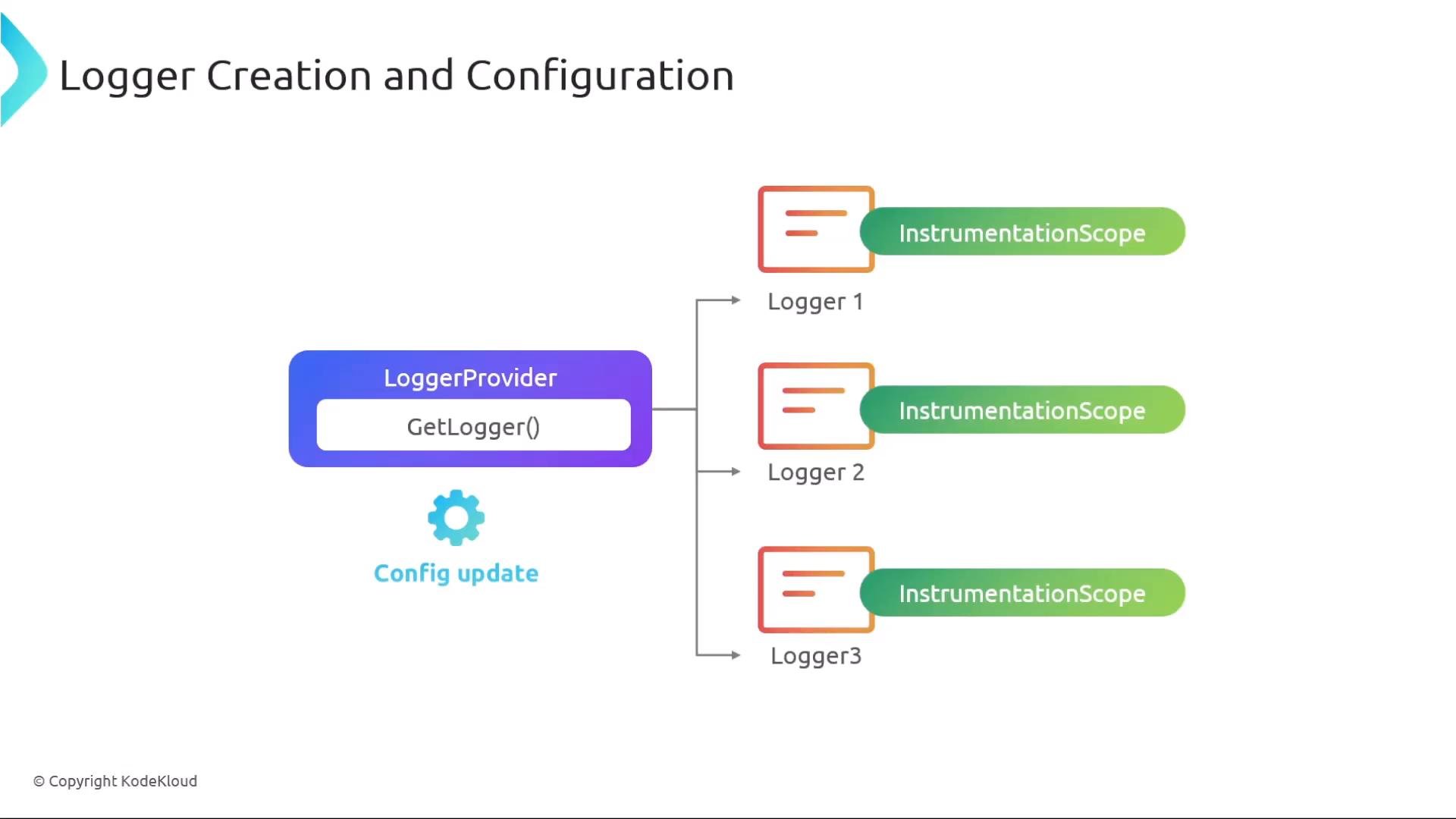
Loggers are obtained from the provider rather than created directly. Because loggers reference provider configuration, runtime updates to the `LoggerProvider` — such as adding a new `LogRecordProcessor` or changing exporter settings — will typically apply to all loggers obtained from that provider (including existing loggers). This allows you to change export behavior centrally without recreating logger instances.
Example pattern:
* Add a `BatchingProcessor` or switch exporters on the provider.
* Existing loggers (Logger1, Logger2, Logger3) pick up the new pipeline immediately in most SDK implementations.
## Lifecycle: ForceFlush and Shutdown
The SDK exposes lifecycle APIs to control export behavior at process termination:
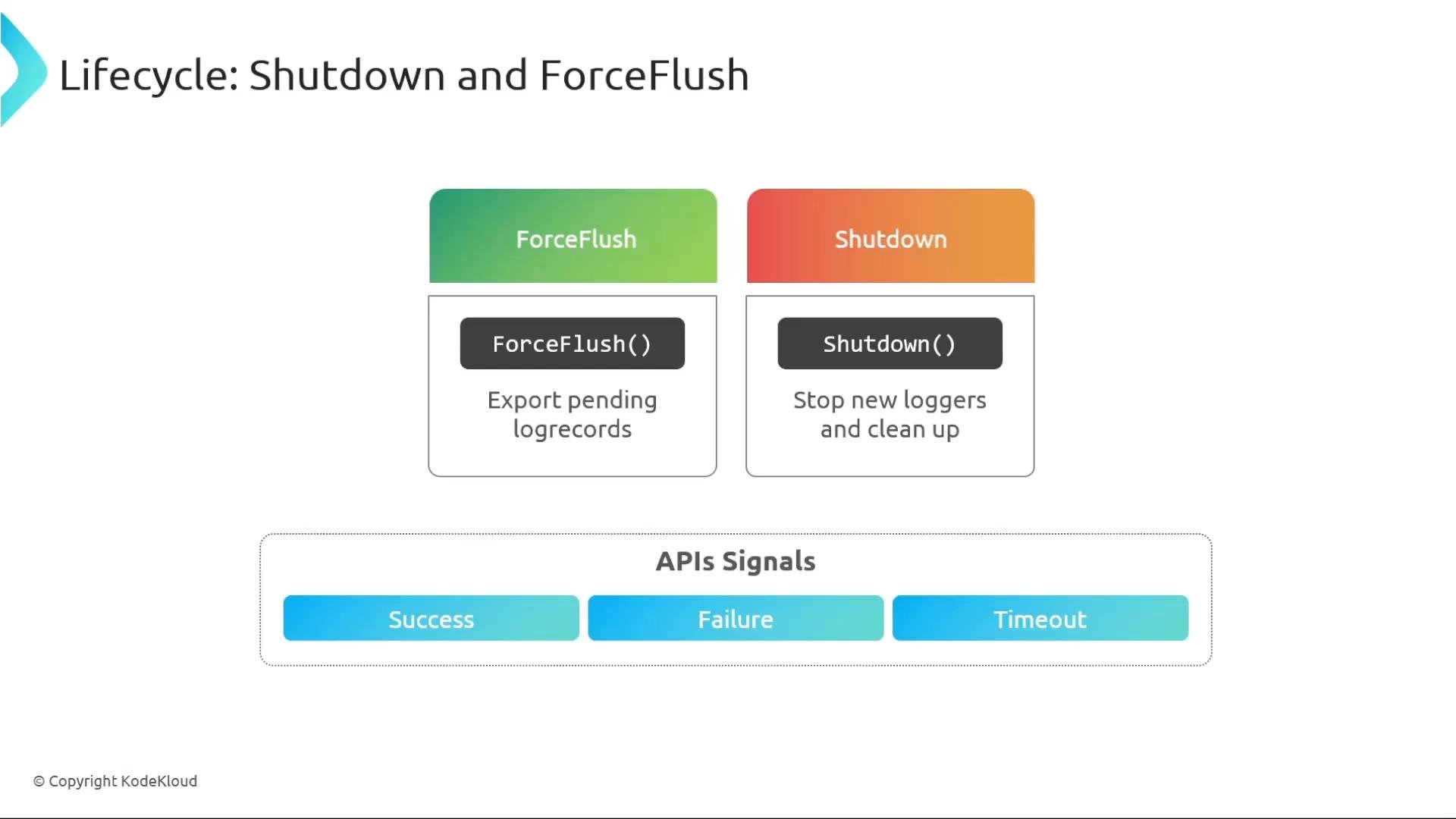
* `ForceFlush()` — force any buffered log records to be exported immediately (helpful before exit).
* `Shutdown()` — stop accepting new log records and ensure processors/exporters finish and release resources.
Both APIs typically accept a timeout/deadline and return a completion status (success, failure, or timeout). Exact method names and return types vary by language SDK.
## Logger lifetime and dynamic provider updates
Loggers are obtained from the provider rather than created directly. Because loggers reference provider configuration, runtime updates to the `LoggerProvider` — such as adding a new `LogRecordProcessor` or changing exporter settings — will typically apply to all loggers obtained from that provider (including existing loggers). This allows you to change export behavior centrally without recreating logger instances.
Example pattern:
* Add a `BatchingProcessor` or switch exporters on the provider.
* Existing loggers (Logger1, Logger2, Logger3) pick up the new pipeline immediately in most SDK implementations.
## Lifecycle: ForceFlush and Shutdown
The SDK exposes lifecycle APIs to control export behavior at process termination:
* `ForceFlush()` — force any buffered log records to be exported immediately (helpful before exit).
* `Shutdown()` — stop accepting new log records and ensure processors/exporters finish and release resources.
Both APIs typically accept a timeout/deadline and return a completion status (success, failure, or timeout). Exact method names and return types vary by language SDK.
 ### Recommended shutdown sequence (pseudocode)
```python theme={null}
# On application termination:
provider.force_flush(timeout=5) # ensure pending logs are exported
provider.shutdown(timeout=10) # stop logging and cleanup resources
```
This pattern minimizes data loss by flushing pending records before releasing exporter resources.
## LogRecordProcessor types and responsibilities
LogRecordProcessors determine when and how log records move from the SDK to exporters:
* SimpleProcessor — exports each record synchronously (low-latency, high overhead; useful for debugging).
* BatchingProcessor — buffers records and exports in batches based on size/interval thresholds (production-friendly).
* CustomProcessor — implement enrichment, filtering, routing, or any specialized logic (analogous to custom span processors).
### Recommended shutdown sequence (pseudocode)
```python theme={null}
# On application termination:
provider.force_flush(timeout=5) # ensure pending logs are exported
provider.shutdown(timeout=10) # stop logging and cleanup resources
```
This pattern minimizes data loss by flushing pending records before releasing exporter resources.
## LogRecordProcessor types and responsibilities
LogRecordProcessors determine when and how log records move from the SDK to exporters:
* SimpleProcessor — exports each record synchronously (low-latency, high overhead; useful for debugging).
* BatchingProcessor — buffers records and exports in batches based on size/interval thresholds (production-friendly).
* CustomProcessor — implement enrichment, filtering, routing, or any specialized logic (analogous to custom span processors).
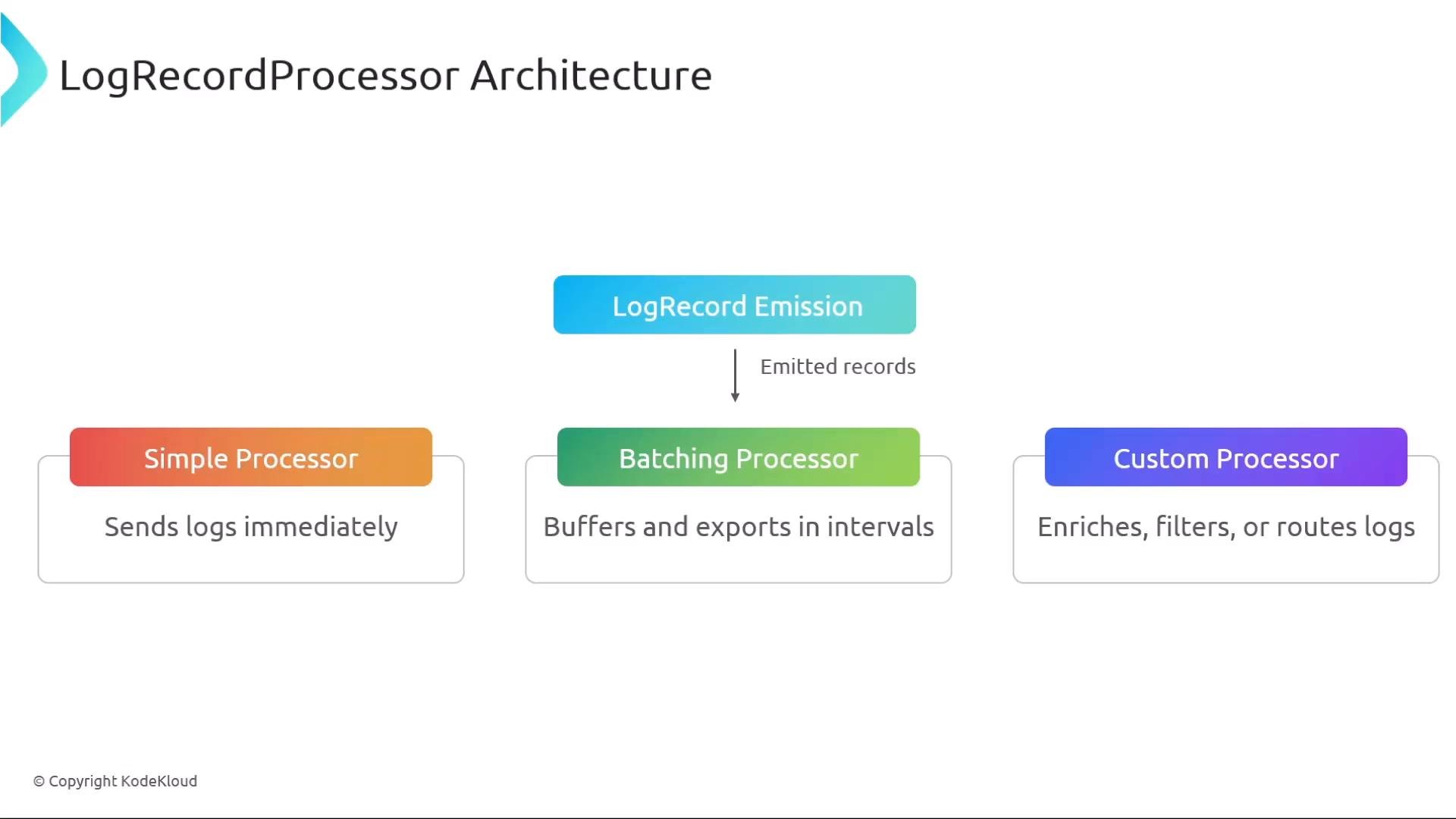 Table: processor trade-offs
| Processor type | Use case | Characteristics |
| - | - | - |
| SimpleProcessor | Local development, debugging | Immediate export, synchronous, higher overhead |
| BatchingProcessor | Production workloads | Buffered export, lower overhead, configurable size/timeout |
| CustomProcessor | Filtering, enrichment, routing | Implement domain-specific logic, can combine with batching |
LogRecordProcessors are conceptually similar to span processors: they control retries, batching, and filtering, and determine when exporters are invoked.
## LogRecordExporter responsibilities
The `LogRecordExporter` sends log batches to the final destination (OTLP endpoints, cloud logging services, files, etc.). Exporters typically expose:
* `Export(batch)` — export one batch of log records (must be thread-safe and respect timeouts).
* `Shutdown()` — release network/file resources on termination.
* A clear export result/status so processors can decide to retry or drop records.
Table: processor trade-offs
| Processor type | Use case | Characteristics |
| - | - | - |
| SimpleProcessor | Local development, debugging | Immediate export, synchronous, higher overhead |
| BatchingProcessor | Production workloads | Buffered export, lower overhead, configurable size/timeout |
| CustomProcessor | Filtering, enrichment, routing | Implement domain-specific logic, can combine with batching |
LogRecordProcessors are conceptually similar to span processors: they control retries, batching, and filtering, and determine when exporters are invoked.
## LogRecordExporter responsibilities
The `LogRecordExporter` sends log batches to the final destination (OTLP endpoints, cloud logging services, files, etc.). Exporters typically expose:
* `Export(batch)` — export one batch of log records (must be thread-safe and respect timeouts).
* `Shutdown()` — release network/file resources on termination.
* A clear export result/status so processors can decide to retry or drop records.
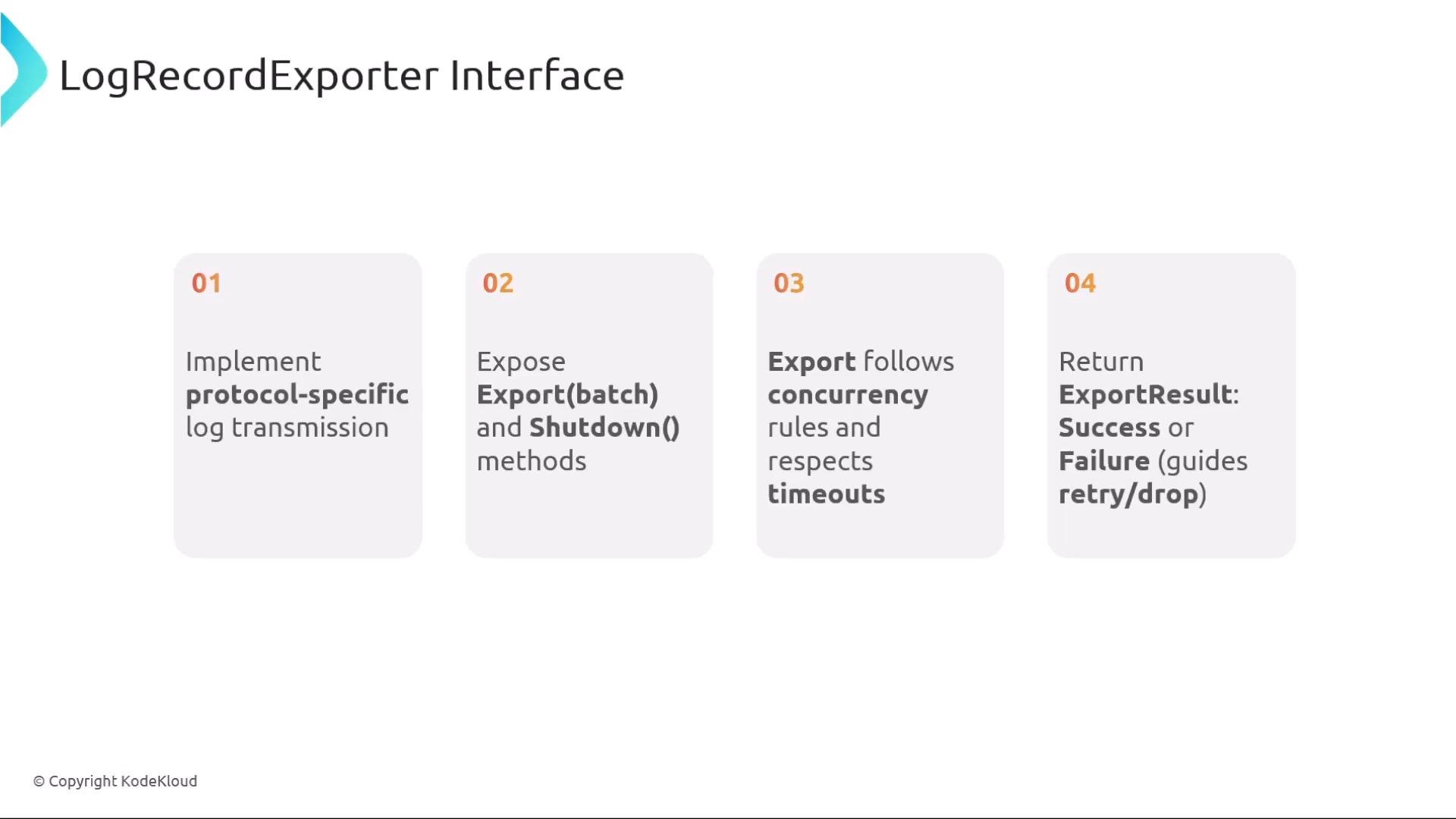 Practical exporter considerations:
* Ensure `Export` is safe for concurrent calls from multiple processors or threads.
* Respect configured timeouts and return clear success/failure statuses.
* Implement `Shutdown()` to prevent resource leaks and to allow graceful process exit.
## Core components at a glance
| Component | Purpose | Notable API / Behavior |
| - | - | - |
| LoggerProvider | Factory + global config | `get_logger(name)`, `force_flush()`, `shutdown()` |
| Logger | Emits log records | Bound to instrumentation scope (library/component) |
| LogRecordProcessor | Controls timing and transformation | `on_emit()` → `exporter.Export()` (Simple/Batching/Custom) |
| LogRecordExporter | Sends logs to sink | `Export(batch)`, `Shutdown()` |
When integrating logging, ensure exporters and processors respect timeouts and are shut down cleanly during application termination. Call `ForceFlush` before `Shutdown` to minimize data loss.
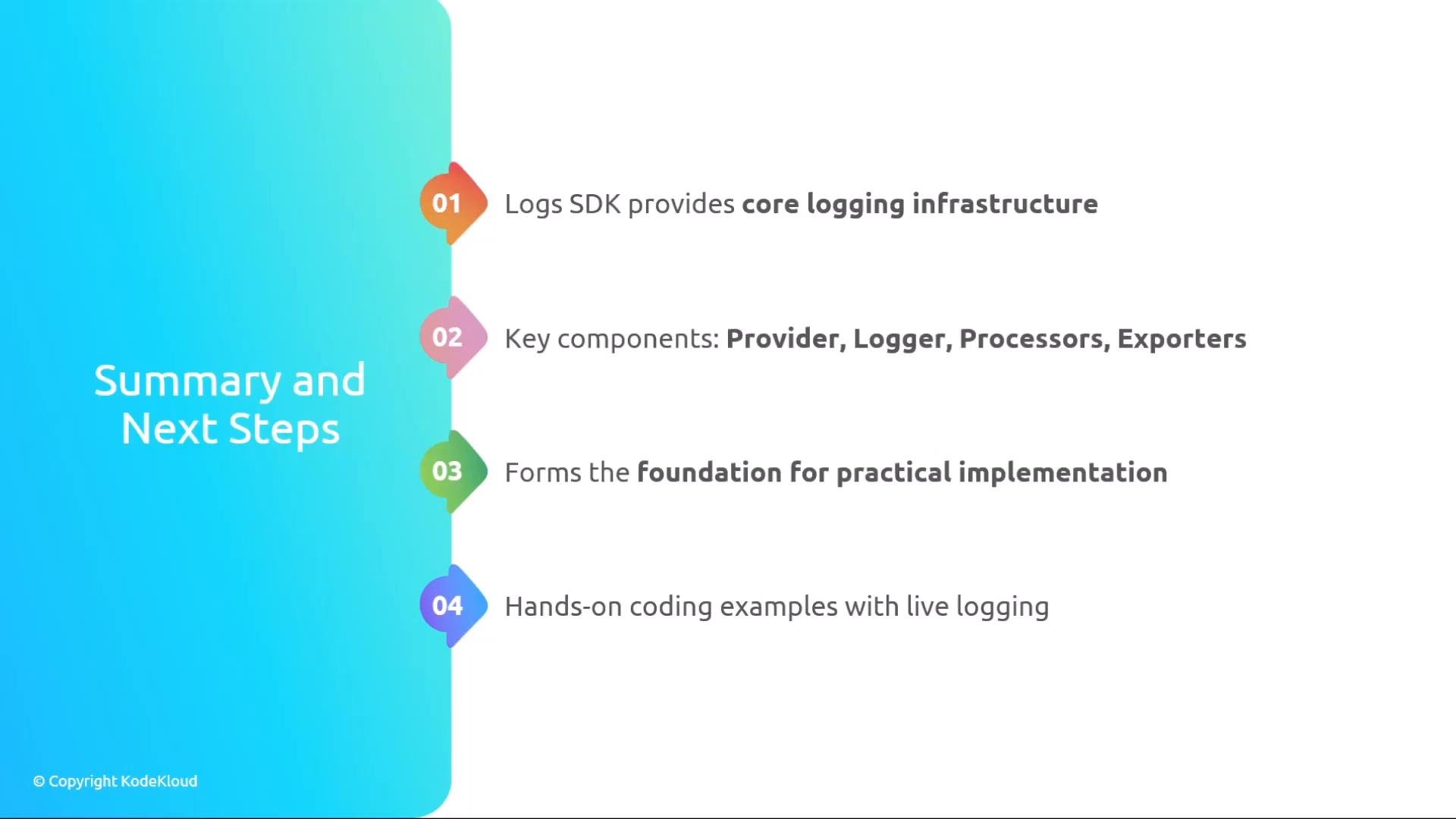
You’ve now seen the Logs SDK’s main pieces and how they interact. The architecture mirrors other OpenTelemetry signals (traces/metrics), allowing consistent integration patterns across telemetry types.
Practical exporter considerations:
* Ensure `Export` is safe for concurrent calls from multiple processors or threads.
* Respect configured timeouts and return clear success/failure statuses.
* Implement `Shutdown()` to prevent resource leaks and to allow graceful process exit.
## Core components at a glance
| Component | Purpose | Notable API / Behavior |
| - | - | - |
| LoggerProvider | Factory + global config | `get_logger(name)`, `force_flush()`, `shutdown()` |
| Logger | Emits log records | Bound to instrumentation scope (library/component) |
| LogRecordProcessor | Controls timing and transformation | `on_emit()` → `exporter.Export()` (Simple/Batching/Custom) |
| LogRecordExporter | Sends logs to sink | `Export(batch)`, `Shutdown()` |
When integrating logging, ensure exporters and processors respect timeouts and are shut down cleanly during application termination. Call `ForceFlush` before `Shutdown` to minimize data loss.
You’ve now seen the Logs SDK’s main pieces and how they interact. The architecture mirrors other OpenTelemetry signals (traces/metrics), allowing consistent integration patterns across telemetry types.
 ## References and further reading
* [OpenTelemetry Documentation](https://opentelemetry.io/docs/)
* [OpenTelemetry Logs Specification](https://github.com/open-telemetry/opentelemetry-specification/tree/main/specification/logs)
* SDK-specific docs (look up language-specific `LoggerProvider`, processors, and exporter implementations for best practices and API details)
Well, that’s it for this lesson — next, try a hands-on example wiring a `LoggerProvider` with a batching processor and an OTLP exporter in your preferred language.
This documentation is built and hosted on [Mintlify](https://mintlify.com), a developer documentation platform.
## References and further reading
* [OpenTelemetry Documentation](https://opentelemetry.io/docs/)
* [OpenTelemetry Logs Specification](https://github.com/open-telemetry/opentelemetry-specification/tree/main/specification/logs)
* SDK-specific docs (look up language-specific `LoggerProvider`, processors, and exporter implementations for best practices and API details)
Well, that’s it for this lesson — next, try a hands-on example wiring a `LoggerProvider` with a batching processor and an OTLP exporter in your preferred language.
This documentation is built and hosted on [Mintlify](https://mintlify.com), a developer documentation platform.