> ## Documentation Index
> Fetch the complete documentation index at: https://notes.kodekloud.com/llms.txt
> Use this file to discover all available pages before exploring further.
# OTel Col OTLP Exporter and Resiliency
> Overview of configuring and hardening the OpenTelemetry Collector OTLP exporter for secure, resilient production exports of traces metrics and logs including TLS compression retry queuing and timeouts
Now let's examine the OTLP exporter in the OpenTelemetry Collector and the configuration options you can use to make it resilient and production-ready.
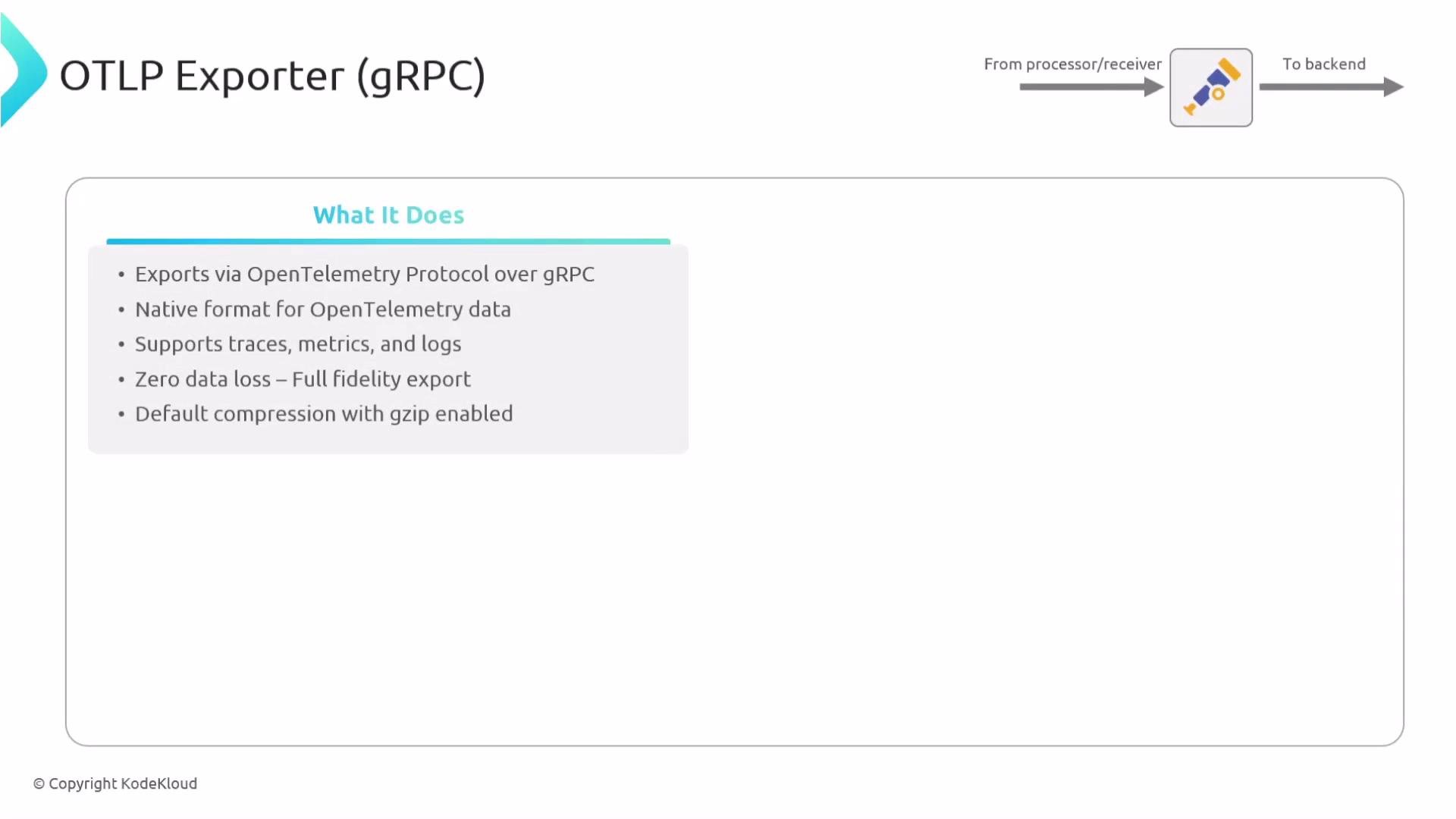
The OTLP exporter sends telemetry using the OpenTelemetry Protocol (OTLP) and supports all signal types—traces, metrics, and logs. It can transport data over gRPC (the default) or HTTP, and supports features such as TLS/mTLS, gzip compression, retry, queuing, and timeouts to reduce data loss risk.
 Key capabilities:
* Exports traces, metrics, and logs with full fidelity (best-effort delivery).
* Supports compression (gzip) to reduce bandwidth.
* Common use cases: forward data to another collector or to an OTLP-compatible backend.
Transport: gRPC vs HTTP
* gRPC (OTLP/gRPC): typical choice for efficient binary transport and streaming RPCs.
* HTTP (OTLP/HTTP): use when gRPC is blocked by firewalls, proxies, or when backends only support HTTP. OTLP/HTTP supports both Protocol Buffers (`proto`) and JSON encodings and also supports gzip if both client and server accept it.
Example OTLP/HTTP exporter:
```yaml theme={null}
exporters:
otlphttp:
endpoint: https://backend.example.com:4318
encoding: proto
compression: gzip
headers:
api-key: "your-api-key"
```
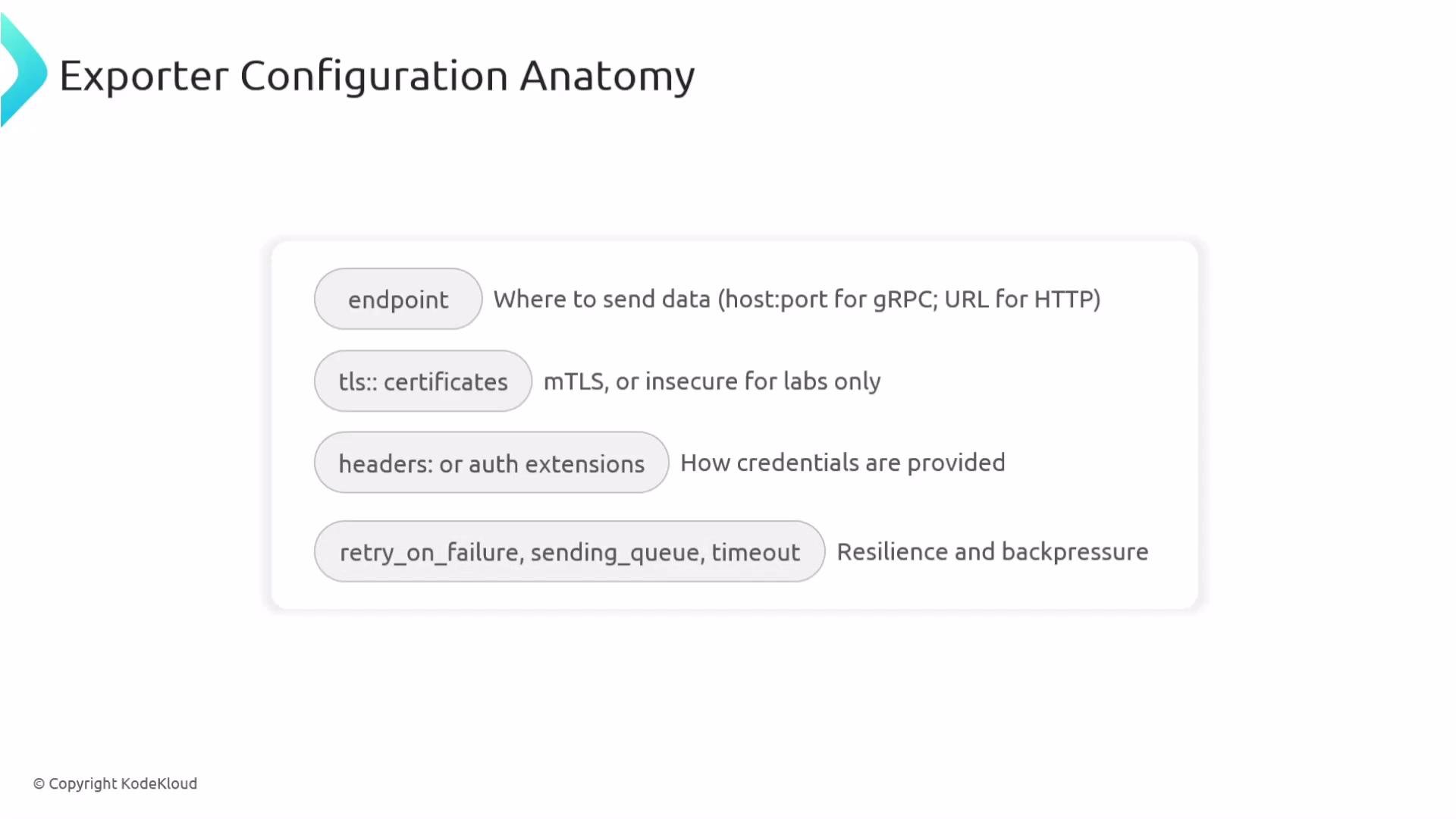
Exporter configuration commonly includes:
* `endpoint`: destination host:port or URL
* TLS settings: TLS, mTLS, or `insecure` (only for testing)
* `headers` or authenticator extension references for authentication
* Resiliency/backpressure controls: `retry_on_failure`, `sending_queue`, and `timeout`
Key capabilities:
* Exports traces, metrics, and logs with full fidelity (best-effort delivery).
* Supports compression (gzip) to reduce bandwidth.
* Common use cases: forward data to another collector or to an OTLP-compatible backend.
Transport: gRPC vs HTTP
* gRPC (OTLP/gRPC): typical choice for efficient binary transport and streaming RPCs.
* HTTP (OTLP/HTTP): use when gRPC is blocked by firewalls, proxies, or when backends only support HTTP. OTLP/HTTP supports both Protocol Buffers (`proto`) and JSON encodings and also supports gzip if both client and server accept it.
Example OTLP/HTTP exporter:
```yaml theme={null}
exporters:
otlphttp:
endpoint: https://backend.example.com:4318
encoding: proto
compression: gzip
headers:
api-key: "your-api-key"
```
Exporter configuration commonly includes:
* `endpoint`: destination host:port or URL
* TLS settings: TLS, mTLS, or `insecure` (only for testing)
* `headers` or authenticator extension references for authentication
* Resiliency/backpressure controls: `retry_on_failure`, `sending_queue`, and `timeout`
 Example configuration demonstrating TLS, sending queue, retry behavior, and RPC timeout:
```yaml theme={null}
exporters:
otlp/primary:
endpoint: export.vendorname.example.com:4317
tls:
insecure: false
sending_queue:
queue_size: 2048
retry_on_failure:
enabled: true
max_elapsed_time: 10m
timeout: 10s
```
How these fields behave:
* `timeout`: per-RPC timeout (here 10s) — how long each export attempt can take before being cancelled.
* `retry_on_failure`: enables exponential/backoff retries; `max_elapsed_time` caps total retry duration (here 10 minutes).
* `sending_queue.queue_size`: number of telemetry items buffered while retrying or during backpressure.
Exporter configuration quick reference
| Configuration key | Purpose | Example |
| ------------------ | ----------------------------------------- | ------------------------------------------------------------- |
| `endpoint` | Destination for exported telemetry | `export.vendorname.example.com:4317` |
| `tls` | TLS or mTLS settings for secure transport | `tls:\n insecure: false` |
| `sending_queue` | Buffer telemetry during spikes/outages | `sending_queue:\n queue_size: 2048` |
| `retry_on_failure` | Control retries and max retry duration | `retry_on_failure:\n enabled: true\n max_elapsed_time: 10m` |
| `timeout` | Per-RPC export timeout | `timeout: 10s` |
| `compression` | Reduce bandwidth (gzip) | `compression: gzip` |
Authentication and secrets
Exporters often require credentials or tokens. Common approaches:
* Static headers (quick tests; not recommended for production).
* Authenticator extensions (e.g., OAuth2/OIDC flows) the exporter can reference to retrieve tokens.
* Environment variables or secret stores (recommended) to avoid embedding secrets in config.
Example configuration demonstrating TLS, sending queue, retry behavior, and RPC timeout:
```yaml theme={null}
exporters:
otlp/primary:
endpoint: export.vendorname.example.com:4317
tls:
insecure: false
sending_queue:
queue_size: 2048
retry_on_failure:
enabled: true
max_elapsed_time: 10m
timeout: 10s
```
How these fields behave:
* `timeout`: per-RPC timeout (here 10s) — how long each export attempt can take before being cancelled.
* `retry_on_failure`: enables exponential/backoff retries; `max_elapsed_time` caps total retry duration (here 10 minutes).
* `sending_queue.queue_size`: number of telemetry items buffered while retrying or during backpressure.
Exporter configuration quick reference
| Configuration key | Purpose | Example |
| ------------------ | ----------------------------------------- | ------------------------------------------------------------- |
| `endpoint` | Destination for exported telemetry | `export.vendorname.example.com:4317` |
| `tls` | TLS or mTLS settings for secure transport | `tls:\n insecure: false` |
| `sending_queue` | Buffer telemetry during spikes/outages | `sending_queue:\n queue_size: 2048` |
| `retry_on_failure` | Control retries and max retry duration | `retry_on_failure:\n enabled: true\n max_elapsed_time: 10m` |
| `timeout` | Per-RPC export timeout | `timeout: 10s` |
| `compression` | Reduce bandwidth (gzip) | `compression: gzip` |
Authentication and secrets
Exporters often require credentials or tokens. Common approaches:
* Static headers (quick tests; not recommended for production).
* Authenticator extensions (e.g., OAuth2/OIDC flows) the exporter can reference to retrieve tokens.
* Environment variables or secret stores (recommended) to avoid embedding secrets in config.
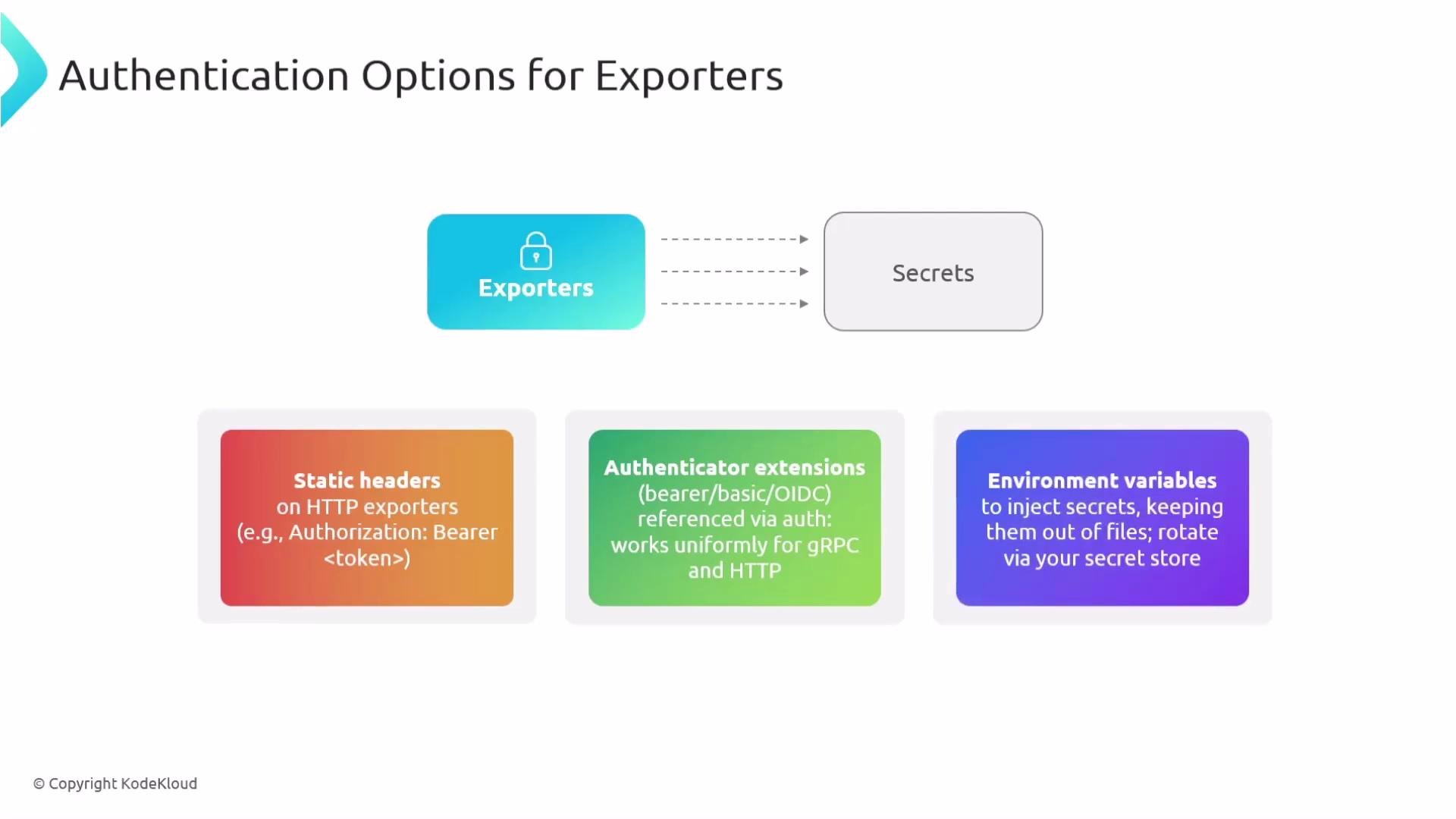 For production, avoid hard-coding secrets in config. Externalize tokens (for example, via a secrets manager or Vault) and reference them through an auth extension or environment variables so the exporter can attach bearer tokens without secrets in plaintext.
Resiliency best practices
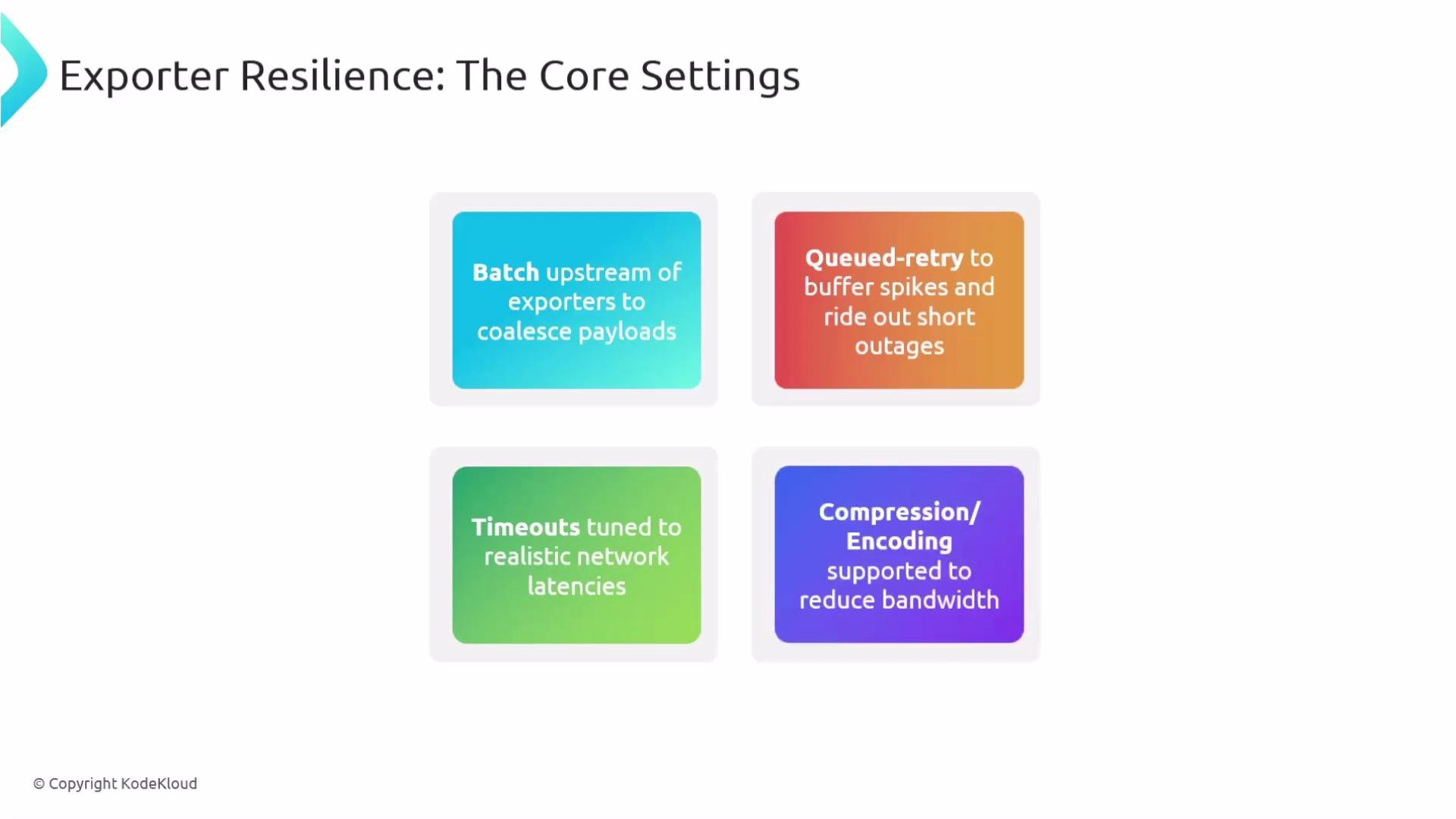
* Batch telemetry before exporting to reduce overhead and round trips.
* Use a queued retry (`sending_queue` + `retry_on_failure`) to buffer spikes and survive brief outages.
* Set realistic `timeout` values aligned with network latency and backend performance.
* Enable compression (gzip) to reduce bandwidth usage.
For production, avoid hard-coding secrets in config. Externalize tokens (for example, via a secrets manager or Vault) and reference them through an auth extension or environment variables so the exporter can attach bearer tokens without secrets in plaintext.
Resiliency best practices
* Batch telemetry before exporting to reduce overhead and round trips.
* Use a queued retry (`sending_queue` + `retry_on_failure`) to buffer spikes and survive brief outages.
* Set realistic `timeout` values aligned with network latency and backend performance.
* Enable compression (gzip) to reduce bandwidth usage.
 Batching configuration example (use the batch processor to coalesce telemetry into larger payloads):
```yaml theme={null}
processors:
batch:
send_batch_size: 8192
timeout: 5s
```
* Increase `send_batch_size` to send fewer, larger payloads while tuning `timeout` so batches flush regularly.
* Batching reduces per-item overhead and lowers the number of outbound requests.
Debugging and troubleshooting
Use the debug exporter (or logging exporter) to print outgoing telemetry to the collector logs. This is useful during development and troubleshooting to inspect what the Collector is sending.
Basic debug exporter and enabling debug logs:
```yaml theme={null}
exporters:
debug:
verbosity: normal
service:
telemetry:
logs:
level: "debug"
```
More detailed logging with sampling:
```yaml theme={null}
exporters:
debug:
verbosity: detailed
sampling_initial: 5
sampling_thereafter: 200
```
* `verbosity`: `basic`, `normal`, or `detailed`
* `sampling_initial` / `sampling_thereafter`: limit log volume on chatty exporters
Enable the debug exporter early in development to validate pipeline behavior and surface processing errors.
Links and references
* OpenTelemetry Protocol (OTLP) overview: [https://github.com/open-telemetry/opentelemetry-specification](https://github.com/open-telemetry/opentelemetry-specification)
* OpenTelemetry Collector documentation: [https://opentelemetry.io/docs/collector/](https://opentelemetry.io/docs/collector/)
* OAuth2: [https://oauth.net/2/](https://oauth.net/2/)
* OpenID Connect (OIDC): [https://openid.net/connect/](https://openid.net/connect/)
Batching configuration example (use the batch processor to coalesce telemetry into larger payloads):
```yaml theme={null}
processors:
batch:
send_batch_size: 8192
timeout: 5s
```
* Increase `send_batch_size` to send fewer, larger payloads while tuning `timeout` so batches flush regularly.
* Batching reduces per-item overhead and lowers the number of outbound requests.
Debugging and troubleshooting
Use the debug exporter (or logging exporter) to print outgoing telemetry to the collector logs. This is useful during development and troubleshooting to inspect what the Collector is sending.
Basic debug exporter and enabling debug logs:
```yaml theme={null}
exporters:
debug:
verbosity: normal
service:
telemetry:
logs:
level: "debug"
```
More detailed logging with sampling:
```yaml theme={null}
exporters:
debug:
verbosity: detailed
sampling_initial: 5
sampling_thereafter: 200
```
* `verbosity`: `basic`, `normal`, or `detailed`
* `sampling_initial` / `sampling_thereafter`: limit log volume on chatty exporters
Enable the debug exporter early in development to validate pipeline behavior and surface processing errors.
Links and references
* OpenTelemetry Protocol (OTLP) overview: [https://github.com/open-telemetry/opentelemetry-specification](https://github.com/open-telemetry/opentelemetry-specification)
* OpenTelemetry Collector documentation: [https://opentelemetry.io/docs/collector/](https://opentelemetry.io/docs/collector/)
* OAuth2: [https://oauth.net/2/](https://oauth.net/2/)
* OpenID Connect (OIDC): [https://openid.net/connect/](https://openid.net/connect/)