> ## Documentation Index
> Fetch the complete documentation index at: https://notes.kodekloud.com/llms.txt
> Use this file to discover all available pages before exploring further.
# OpenTelemetry Collector Processors
> Guide to OpenTelemetry Collector processors explaining types, ordering, and configurations for transforming, enriching, sampling, filtering, and batching telemetry before export.
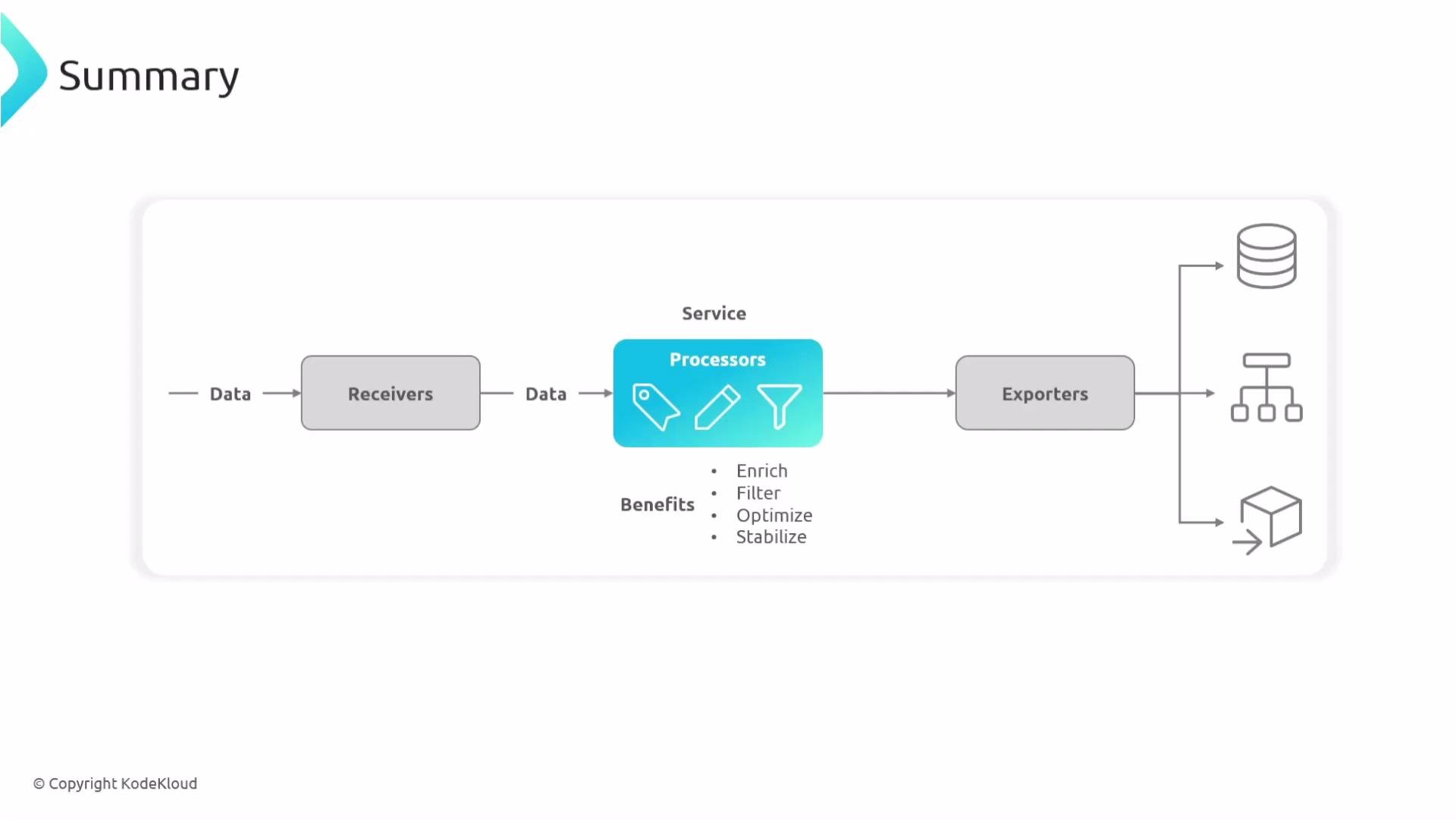
Processors are the central transformation and enrichment layer in the OpenTelemetry Collector pipeline. Sitting between receivers and exporters, processors can:
* normalize, tag, and enrich telemetry,
* filter or sample noisy data,
* convert metric temporality,
* batch and optimize traffic to backends,
* and protect the Collector from resource exhaustion.
This guide explains common processors, when to use them, and provides example configurations you can adapt for production.
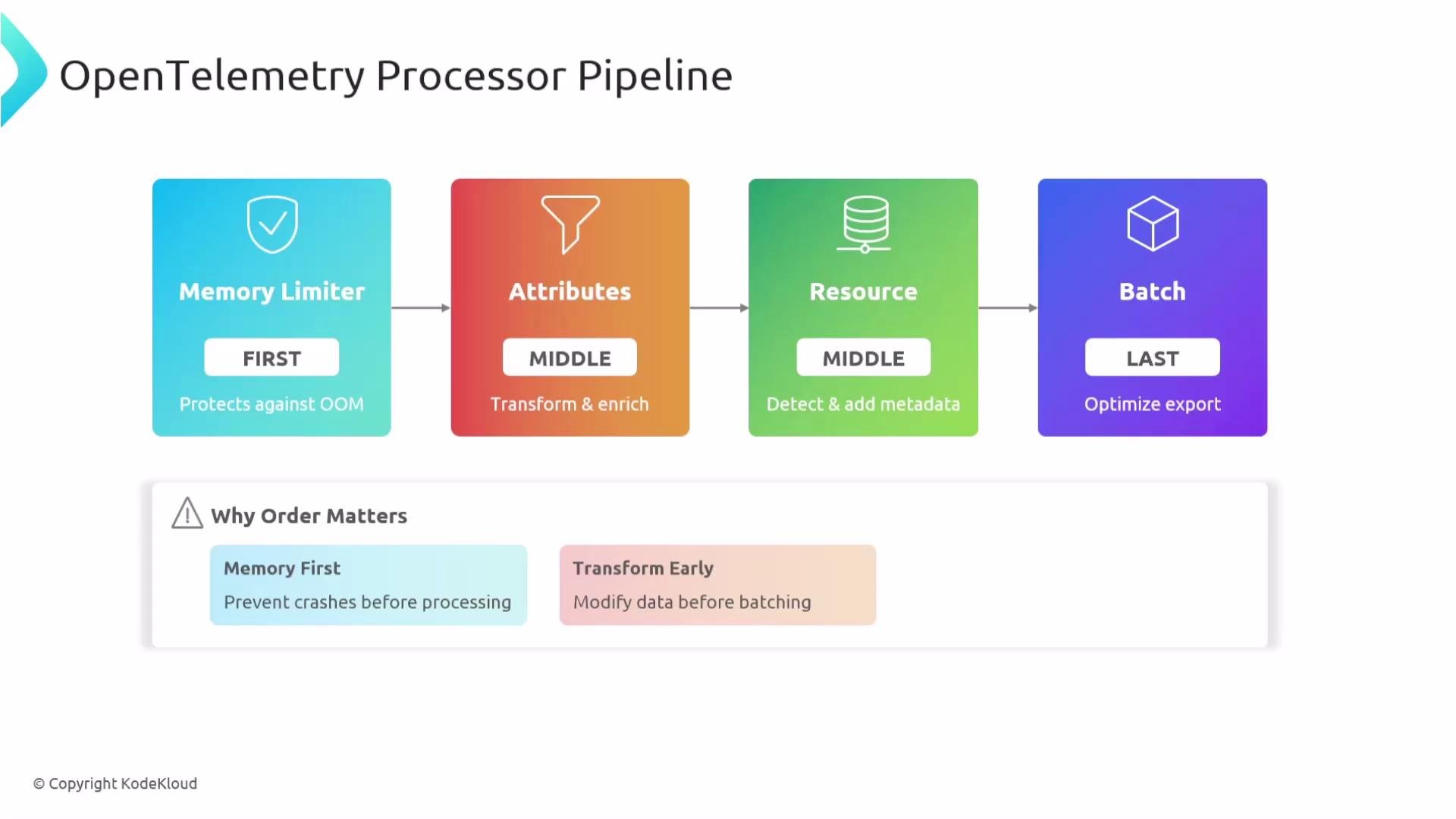
Processors execute in the order you list them in a pipeline. That order matters: place protective processors (e.g., `memory_limiter`) early, transformation/enrichment processors in the middle, and batching last for export efficiency.
***
## Memory Limiter
Protects the Collector from running out of RAM by enforcing soft and spike memory limits, triggering GC and optionally dropping or rejecting data when necessary.
Example:
```yaml theme={null}
processors:
memory_limiter:
check_interval: 1s
limit_mib: 4000
spike_limit_mib: 8000
```
Recommended: enable on production Collectors to avoid the Linux OOM killer terminating the process under memory pressure.
***
## Batch
Groups telemetry into larger batches before exporting to reduce network calls and improve compression.
Example:
```yaml theme={null}
processors:
batch:
send_batch_size: 8192
timeout: 200ms
send_batch_max_size: 0
```
Recommended: use batching in production pipelines for better throughput and backend efficiency.
***
## Resource Detection
Automatically detects platform and environment metadata (host, cloud, container, etc.) and attaches it as resource attributes.
Example:
```yaml theme={null}
processors:
resourcedetection:
detectors: [env, system, gcp, ec2, azure]
timeout: 2s
override: false
```
Use this to ensure telemetry contains consistent host/container/cloud metadata across environments.
***
## Resource Processor
Modifies or adds resource-level attributes that apply consistently across all signals.
Example:
```yaml theme={null}
processors:
resource:
attributes:
- key: environment
value: production
action: upsert
- key: cluster.name
from_attribute: k8s-cluster
action: insert
```
Common uses: label environments, copy attributes into standardized keys, or remove unwanted resource attributes.
***
## Kubernetes Attributes
Enriches telemetry with Kubernetes metadata (pod, namespace, deployment, etc.). Commonly uses the pod service account for authentication.
Example:
```yaml theme={null}
processors:
k8sattributes:
auth_type: serviceAccount
passthrough: false
extract:
metadata:
- k8s.pod.name
- k8s.namespace.name
- k8s.deployment.name
```
Use when running the Collector in Kubernetes to correlate telemetry with K8s resources for investigation and dashboards.
***
## Attributes Processor
Performs insert/update/delete/hash operations on span/log/metric attributes—useful for adding environment tags and removing or masking PII/sensitive fields.
Example:
```yaml theme={null}
processors:
attributes:
actions:
- key: environment
value: prod
action: insert
- key: password
action: delete
- key: user.email
action: hash
```
This is a common processor for tagging signals and sanitizing attributes before export.
***
## Transform (OTTL)
Applies conditional rules using the OpenTelemetry Transformation Language (OTTL) for complex, expression-based changes.
Example:
```yaml theme={null}
processors:
transform:
error_mode: ignore
trace_statements:
- set(status.code, STATUS_CODE_OK) where attributes["http.status_code"] == 200
- set(name, "redacted") where name == "secret_operation"
```
Use transform for advanced renaming, conditional status updates, and dynamic attribute extraction. More: [OTTL reference](https://opentelemetry.io/docs/reference/specification/ottl/).
***
## Filter
Drops telemetry that matches defined conditions to reduce noise and backend costs.
Example:
```yaml theme={null}
processors:
filter:
error_mode: ignore
traces:
span:
- 'attributes["http.target"] == "/health"'
logs:
log_record:
- 'severity_number < SEVERITY_NUMBER_WARN'
```
Typical use cases: drop health-check spans, verbose debug logs, or low-severity log records.
***
## Probabilistic Sampler
Samples a fixed percentage of traces using a deterministic hash of the trace ID. Good for predictable, repeatable sampling.
Example:
```yaml theme={null}
processors:
probabilistic_sampler:
sampling_percentage: 15
hash_seed: 22
```
Use in high-traffic systems where consistent downsampling of traces is required.
***
## Tail Sampling
Waits until a trace completes, evaluates policies (errors, latency, attributes), and then decides whether to keep or drop the trace. This preserves critical traces that front-loaded samplers might miss.
Example:
```yaml theme={null}
processors:
tail_sampling:
decision_wait: 10s
num_traces: 100
policies:
- name: errors-policy
type: status
status: { status_codes: [ERROR] }
- name: slow-traces
type: latency
latency: { threshold: 5s }
```
Best for retaining error traces and high-latency traces that are important to debugging.
***
## Delta ↔ Cumulative Conversions
Some backends expect cumulative counters, others expect delta metrics. Use temporality conversion processors to adapt metric streams.
Delta → Cumulative:
```yaml theme={null}
processors:
deltatocumulative:
max_stale: 5m
max_streams: 1000
```
Cumulative → Delta (selective):
```yaml theme={null}
processors:
cumulativedelta:
include:
metrics:
- "http.server.request.duration"
- "system.cpu.utilization"
metric_types:
- sum
exclude:
metric_types:
- histogram
max_stalenness: 5m
```
These processors maintain state for metric points, compute differences or accumulate as needed, and clear state when streams go stale.
***
## Span Processor (Span Refinement)
Span-oriented transformations allow renaming, status setting, and attribute extraction to make span names and statuses more meaningful.
Example (rename and set status based on attributes):
```yaml theme={null}
processors:
span:
name:
from_attributes: ["http.method", "http.route"]
separator: " "
include:
match_type: regexp
attributes:
- key: http.status_code
value: "^[4-5][0-9]{2}$"
status:
code: Error
description: "HTTP request failed"
```
Use this to standardize span names for searchability and to mark spans as errors when HTTP codes indicate failure.
***
## Processor Order Best Practices
Processor ordering impacts correctness, data quality, and Collector stability. A typical ordering pattern:
1. memory\_limiter — protect the Collector
2. attributes / transform — normalize and enrich data
3. resourcedetection / k8sattributes — add infrastructure metadata
4. batch — prepare data for efficient export
Processor sequence is critical. For example, run `memory_limiter` early to protect the Collector; run `batch` near the end to optimize export behavior. Reordering can change transformations or cause unexpected data loss.
Example pipeline demonstrating recommended ordering:
```yaml theme={null}
receivers:
otlp:
protocols:
grpc:
endpoint: 0.0.0.0:4317
processors:
memory_limiter:
check_interval: 1s
limit_mib: 512
attributes:
actions:
- key: environment
value: production
action: insert
resource:
attributes:
- key: service.instance.id
from_attribute: host.name
action: insert
batch:
timeout: 10s
send_batch_size: 1024
exporters:
otlp:
endpoint: backend:4317
tls:
insecure: true
service:
pipelines:
traces:
receivers: [otlp]
processors: [memory_limiter, attributes, resource, batch]
exporters: [otlp]
```
 ***
## Quick Reference Table
| Processor | Purpose | When to Use |
| ----------------------------------- | ----------------------------------------------------- | ---------------------------------------- |
| memory\_limiter | Protects Collector from OOMs by enforcing memory caps | Always on production Collectors |
| batch | Aggregates telemetry for efficient export | Default in production pipelines |
| resourcedetection | Auto-detect host/cloud/container metadata | Multi-cloud or mixed infra deployments |
| resource | Add/modify resource-level attributes | Standardize resource attributes |
| k8sattributes | Enrich telemetry with Kubernetes metadata | When the Collector runs in Kubernetes |
| attributes | Insert/update/delete/hash attributes | Tagging & PII sanitization |
| transform (OTTL) | Rule-based transformations using OTTL | Complex conditional transformations |
| filter | Drop noisy or irrelevant telemetry | Reduce cost and noise |
| probabilistic\_sampler | Deterministic percent-based trace sampling | High-traffic sampling with repeatability |
| tail\_sampling | Keep traces based on full-trace evaluation | Preserve error or slow traces |
| deltatocumulative / cumulativedelta | Convert metric temporality | Backend-specific metric expectations |
| span | Rename/standardize span names and statuses | Improve trace readability/searchability |
***
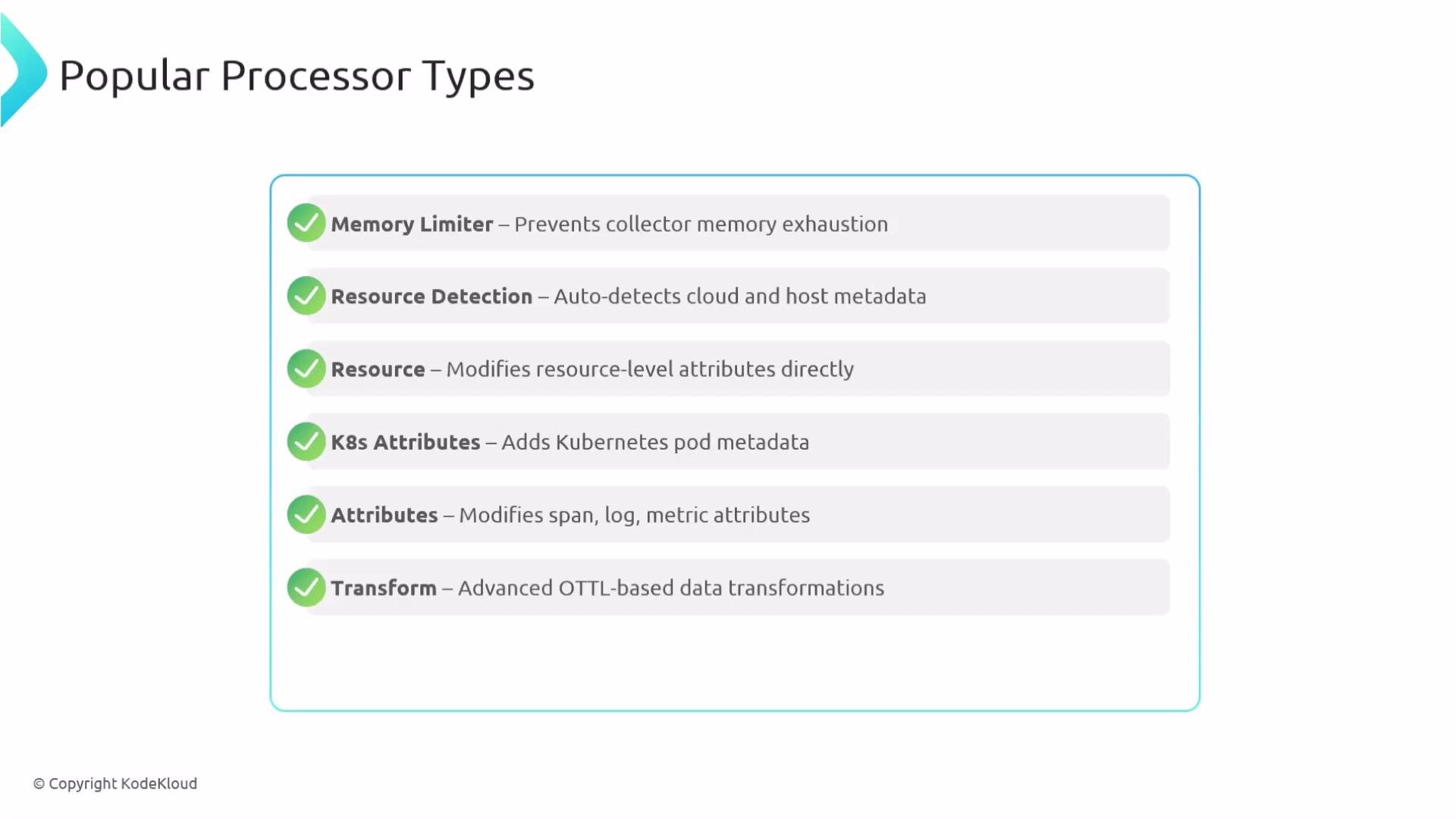
## Recap of Popular Processors
* memory\_limiter — prevents OOMs and stabilizes the Collector
* resourcedetection — auto-discovers host/cloud/container metadata
* resource — modify or add resource-level attributes
* k8sattributes — enrich telemetry with Kubernetes metadata
* attributes — insert/delete/hash attributes across signals
* transform — apply OTTL-based complex rules
* filter — drop noisy or unwanted telemetry
* probabilistic\_sampler — deterministic percent-based sampling
* tail\_sampling — keep critical traces by evaluating full traces
* deltatocumulative / cumulativedelta — temporality conversions for metrics
* span — rename and standardize spans for readability
* batch — group telemetry before export for efficiency
***
## Quick Reference Table
| Processor | Purpose | When to Use |
| ----------------------------------- | ----------------------------------------------------- | ---------------------------------------- |
| memory\_limiter | Protects Collector from OOMs by enforcing memory caps | Always on production Collectors |
| batch | Aggregates telemetry for efficient export | Default in production pipelines |
| resourcedetection | Auto-detect host/cloud/container metadata | Multi-cloud or mixed infra deployments |
| resource | Add/modify resource-level attributes | Standardize resource attributes |
| k8sattributes | Enrich telemetry with Kubernetes metadata | When the Collector runs in Kubernetes |
| attributes | Insert/update/delete/hash attributes | Tagging & PII sanitization |
| transform (OTTL) | Rule-based transformations using OTTL | Complex conditional transformations |
| filter | Drop noisy or irrelevant telemetry | Reduce cost and noise |
| probabilistic\_sampler | Deterministic percent-based trace sampling | High-traffic sampling with repeatability |
| tail\_sampling | Keep traces based on full-trace evaluation | Preserve error or slow traces |
| deltatocumulative / cumulativedelta | Convert metric temporality | Backend-specific metric expectations |
| span | Rename/standardize span names and statuses | Improve trace readability/searchability |
***
## Recap of Popular Processors
* memory\_limiter — prevents OOMs and stabilizes the Collector
* resourcedetection — auto-discovers host/cloud/container metadata
* resource — modify or add resource-level attributes
* k8sattributes — enrich telemetry with Kubernetes metadata
* attributes — insert/delete/hash attributes across signals
* transform — apply OTTL-based complex rules
* filter — drop noisy or unwanted telemetry
* probabilistic\_sampler — deterministic percent-based sampling
* tail\_sampling — keep critical traces by evaluating full traces
* deltatocumulative / cumulativedelta — temporality conversions for metrics
* span — rename and standardize spans for readability
* batch — group telemetry before export for efficiency
 Processors are optional from a configuration perspective but essential in practice: they make telemetry actionable, cost-effective, and stable. Choose the right processors and arrange them intentionally so your backend receives clean, complete, and useful telemetry.
References and further reading:
* [OpenTelemetry Collector Documentation](https://opentelemetry.io/docs/collector/)
* [OTTL (OpenTelemetry Transformation Language) Reference](https://opentelemetry.io/docs/reference/specification/ottl/)
* [Kubernetes Concepts](https://kubernetes.io/docs/concepts/)
This is the end of the article on processors.
Processors are optional from a configuration perspective but essential in practice: they make telemetry actionable, cost-effective, and stable. Choose the right processors and arrange them intentionally so your backend receives clean, complete, and useful telemetry.
References and further reading:
* [OpenTelemetry Collector Documentation](https://opentelemetry.io/docs/collector/)
* [OTTL (OpenTelemetry Transformation Language) Reference](https://opentelemetry.io/docs/reference/specification/ottl/)
* [Kubernetes Concepts](https://kubernetes.io/docs/concepts/)
This is the end of the article on processors.