> ## Documentation Index
> Fetch the complete documentation index at: https://notes.kodekloud.com/llms.txt
> Use this file to discover all available pages before exploring further.
# Metrics API and SDK
> Explains OpenTelemetry Metrics API and SDK components and how to create, configure, record, aggregate, and export metrics using MeterProvider, Meter, and Instruments
You've already learned core metrics concepts — temporality, monotonicity, aggregation, and more. In this article we convert theory into practice: how to define, create, and record metrics in your application using the Metrics API and its SDK implementation.
The Metrics API defines stable interfaces used by libraries and applications to create and record metrics. The SDK implements those interfaces, performing collection, aggregation, and exporting to observability backends.
At a high level the Metrics API comprises three core components:
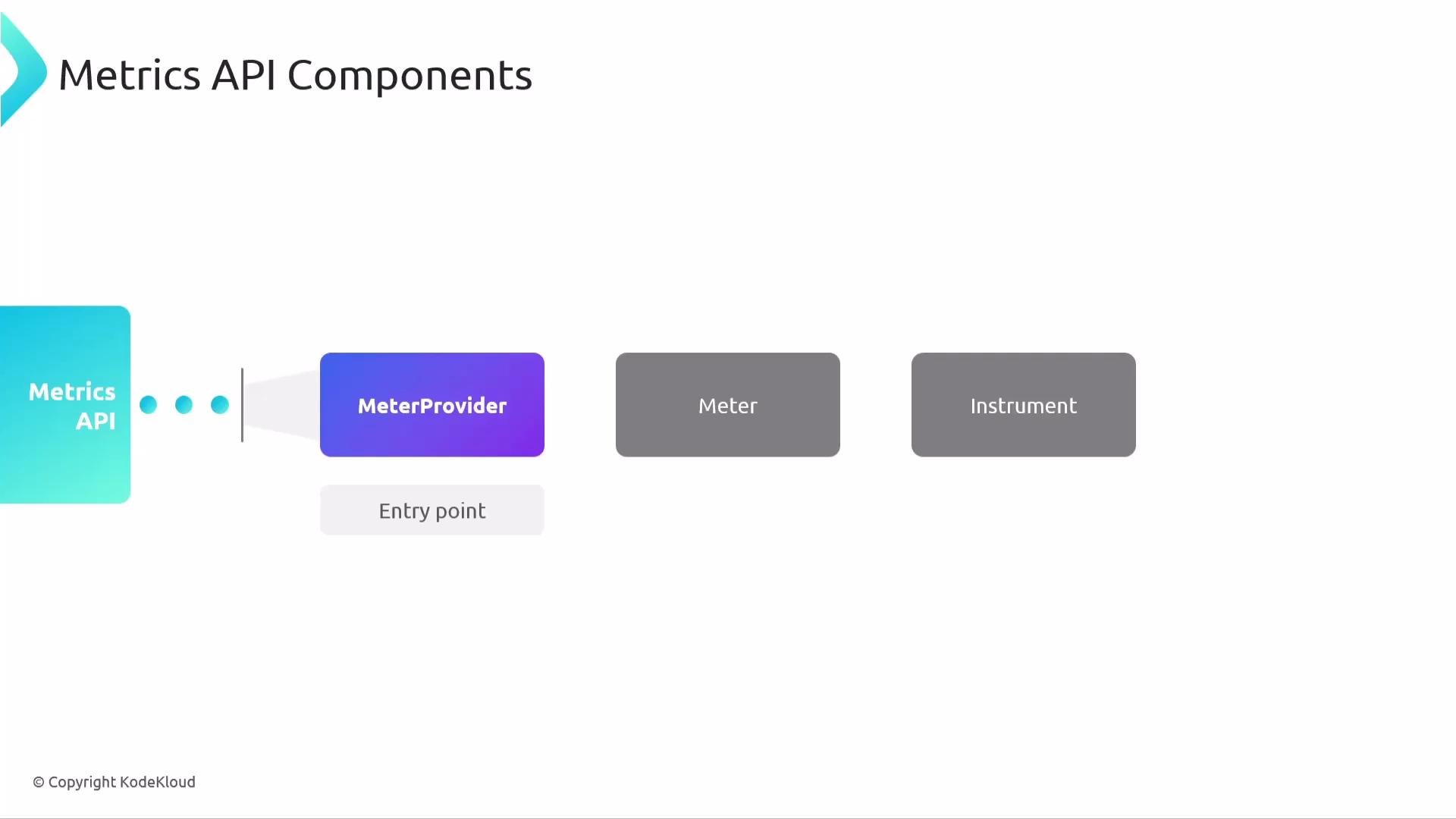
* MeterProvider — the entry point and factory for Meters.
* Meter — a factory that creates instruments for a specific instrumentation scope (a library or component).
* Instrument — the metric primitives (counters, histograms, gauges, etc.) used to record measurements.
The SDK wires these abstractions together so measurements are aggregated and exported to your telemetry backend.
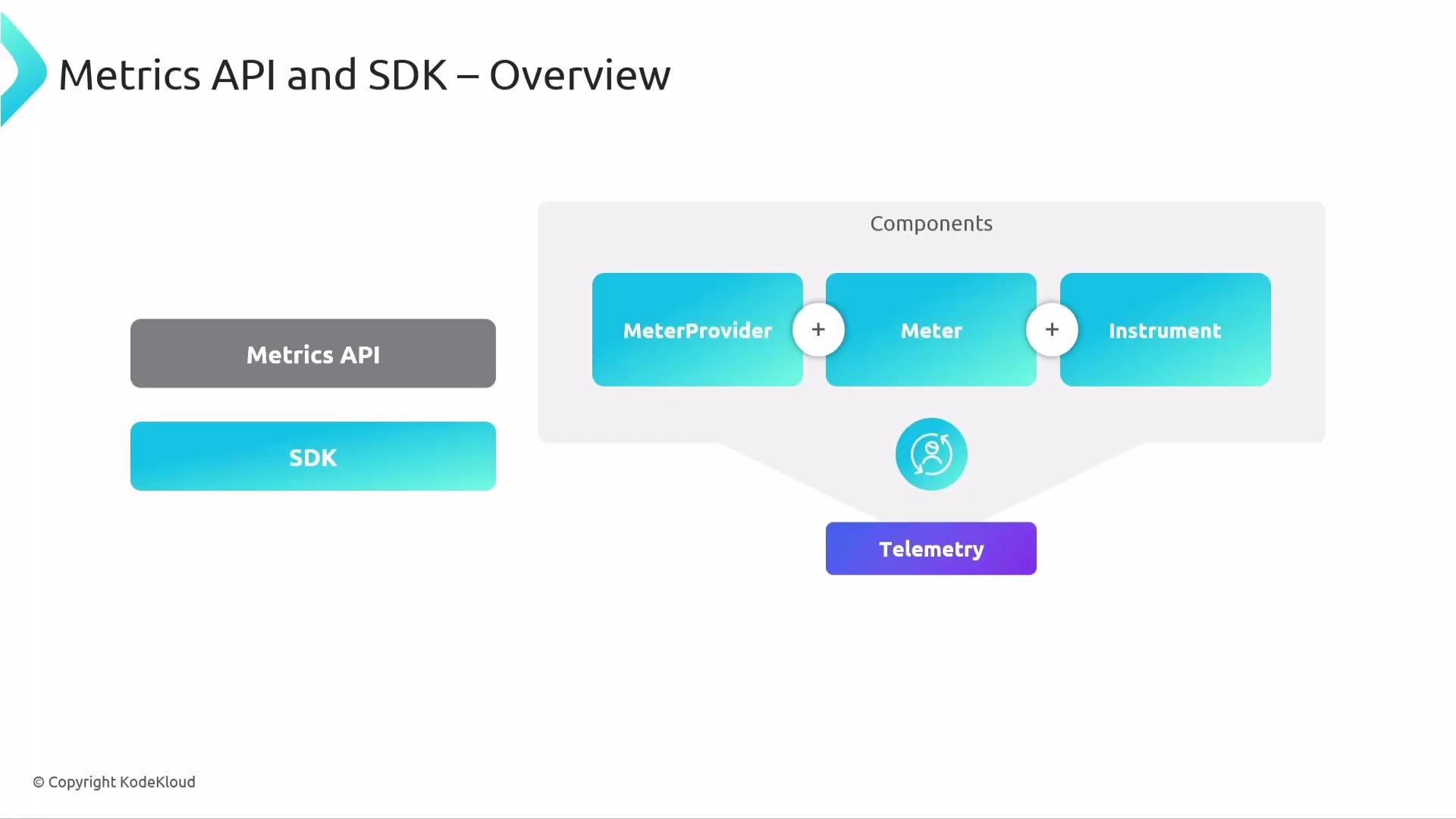 This separation between API and SDK mirrors the tracing model: it keeps a stable public API for instrumentation while allowing multiple SDK implementations and flexible configuration.
## Core components: MeterProvider, Meter, Instrument
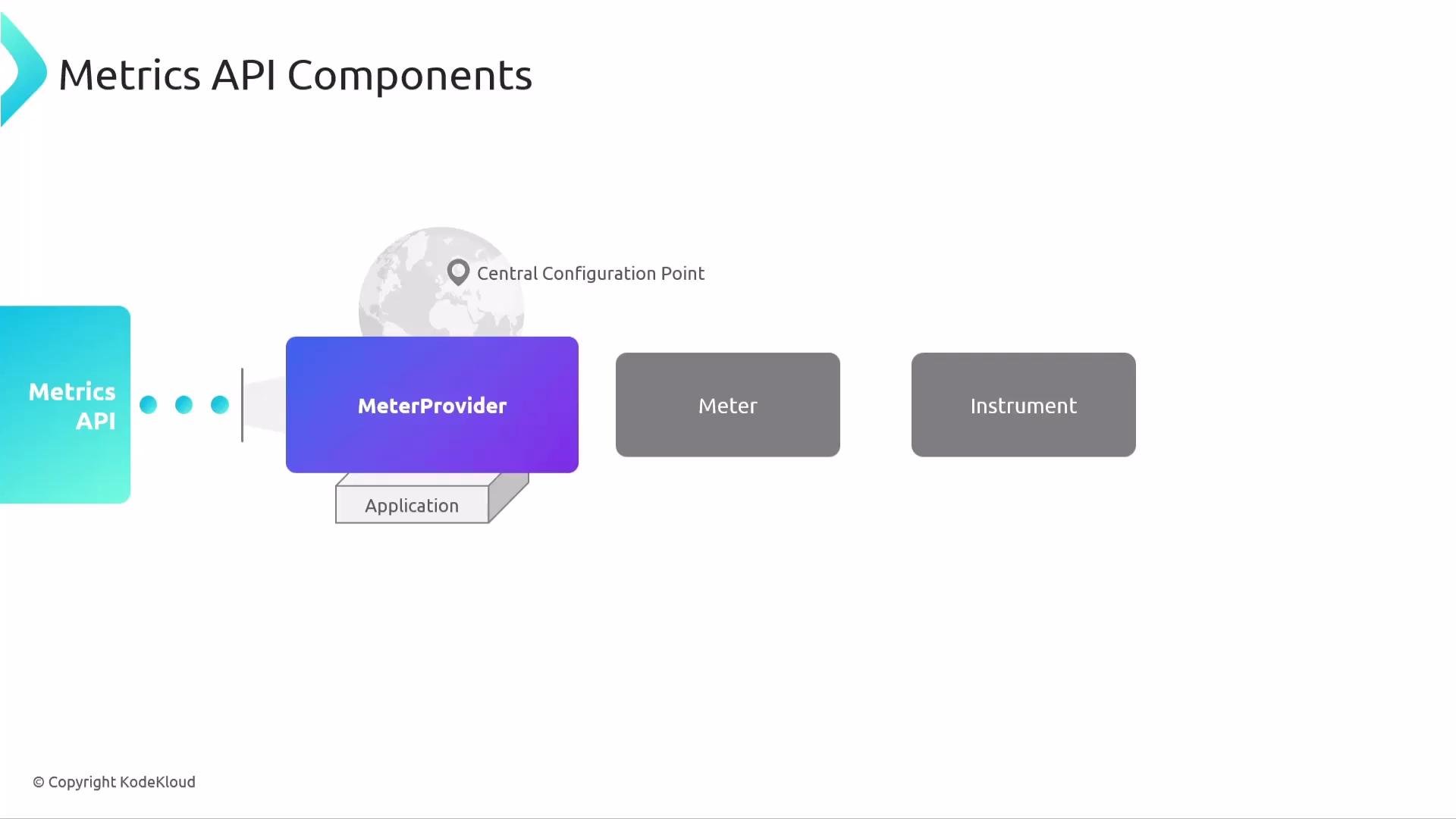
Think of the MeterProvider as the top-level factory and configuration point; it produces Meters for each instrumentation scope. Each Meter then creates and owns Instruments that your code uses to record telemetry.
This separation between API and SDK mirrors the tracing model: it keeps a stable public API for instrumentation while allowing multiple SDK implementations and flexible configuration.
## Core components: MeterProvider, Meter, Instrument
Think of the MeterProvider as the top-level factory and configuration point; it produces Meters for each instrumentation scope. Each Meter then creates and owns Instruments that your code uses to record telemetry.
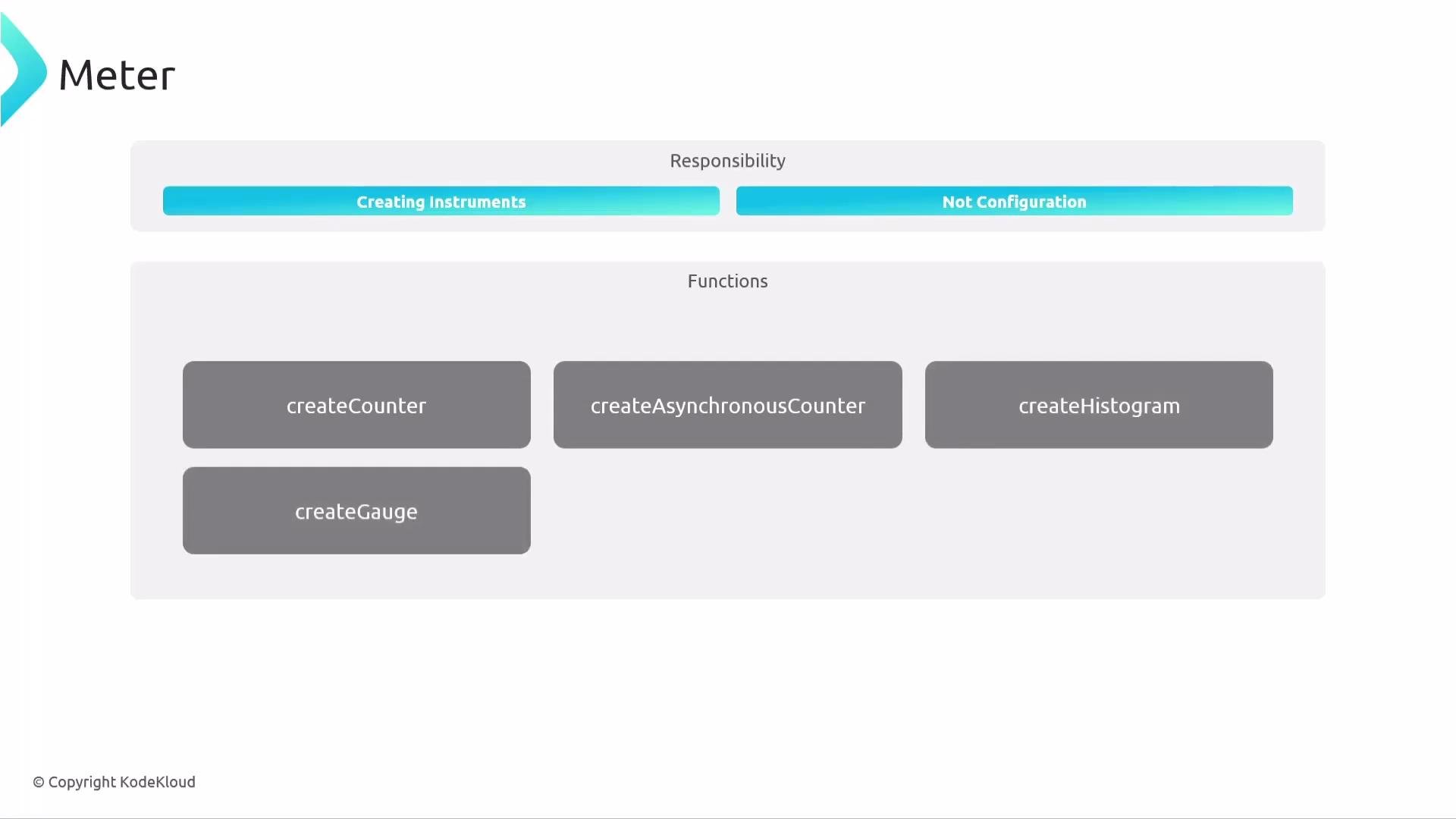
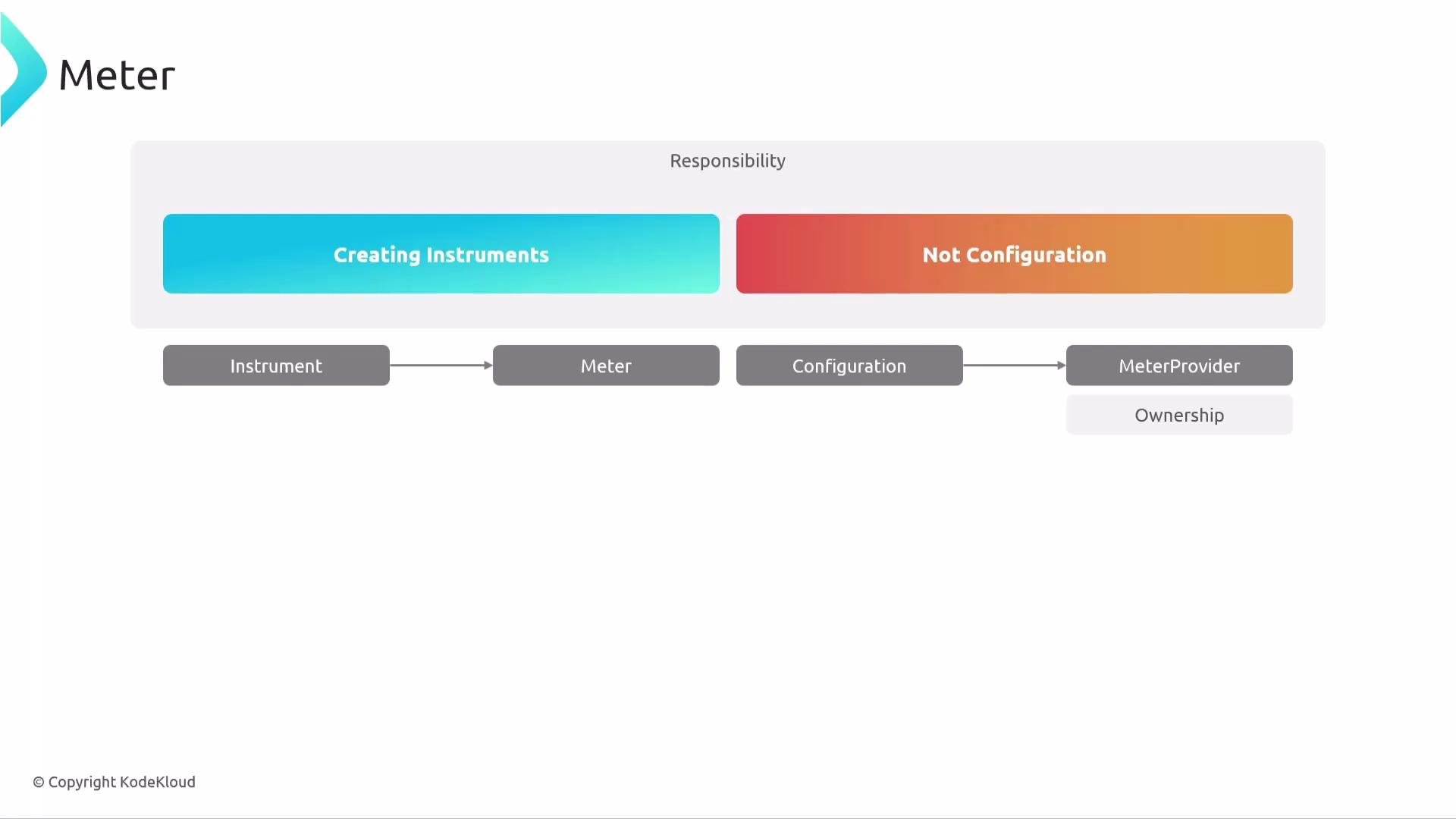
 A Meter focuses only on creating instruments — not on configuration. That separation keeps ownership and configuration consistent: instruments are tied to the Meter that created them, and that Meter is tied to a MeterProvider.
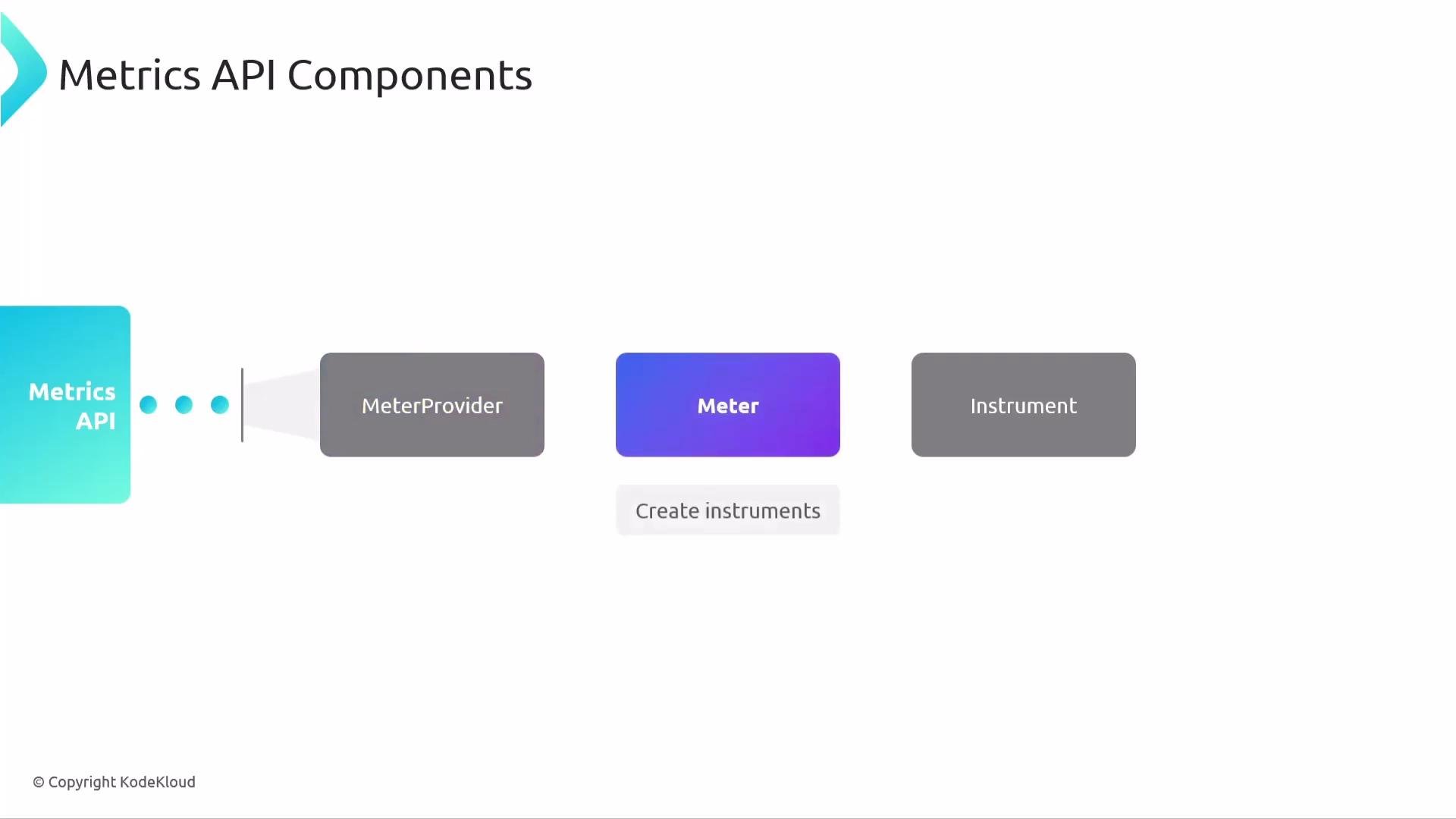 Meters create instruments (counters, histograms, gauges, synchronous and asynchronous instruments) and manage their lifetime.
 Configuration — processors, exporters, views, aggregation rules, resource attributes — is handled by the MeterProvider. Because each instrument is associated with the Meter that created it, and each Meter is associated with a MeterProvider, ownership and configuration linkage remain clear and predictable.
 Using the global default MeterProvider is convenient for most applications. Create a custom MeterProvider only when you need separate configuration or isolation (for example, to separate business metrics from runtime or platform metrics).
## MeterProvider in detail
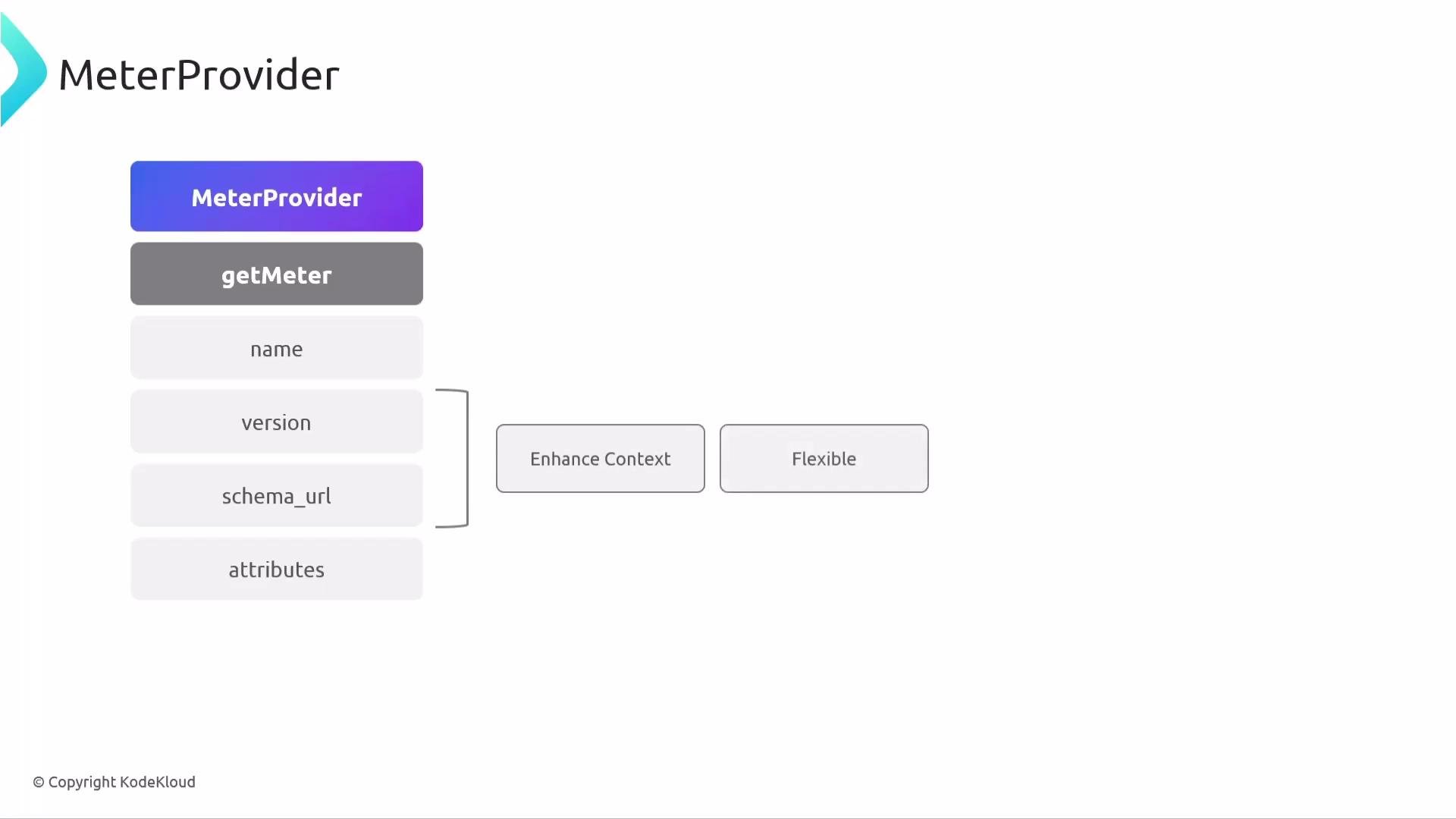
The MeterProvider is the API/SDK entry point that exposes `getMeter(...)` to obtain a Meter for an instrumentation scope. Typical `getMeter` arguments are:
* `name` (required) — identifies the instrumentation scope (usually a library or component name).
* `version` (optional) — the version of the library or component.
* `schema_url` (optional) — the semantic conventions schema URL.
`version` and `schema_url` are optional, but including them gives downstream processors and exporters richer context for interpretation and mapping.
Using the global default MeterProvider is convenient for most applications. Create a custom MeterProvider only when you need separate configuration or isolation (for example, to separate business metrics from runtime or platform metrics).
## MeterProvider in detail
The MeterProvider is the API/SDK entry point that exposes `getMeter(...)` to obtain a Meter for an instrumentation scope. Typical `getMeter` arguments are:
* `name` (required) — identifies the instrumentation scope (usually a library or component name).
* `version` (optional) — the version of the library or component.
* `schema_url` (optional) — the semantic conventions schema URL.
`version` and `schema_url` are optional, but including them gives downstream processors and exporters richer context for interpretation and mapping.
 ## Meter responsibilities
A Meter's role is instrument creation and lifetime management. Common factory methods include:
* Synchronous Counter and UpDownCounter
* Asynchronous counters and gauges (callback-driven)
* Histogram
* Gauge-like instruments
Each instrument stays linked to its Meter, enabling traceability to the instrumentation scope and MeterProvider.
## Instruments: properties and typing
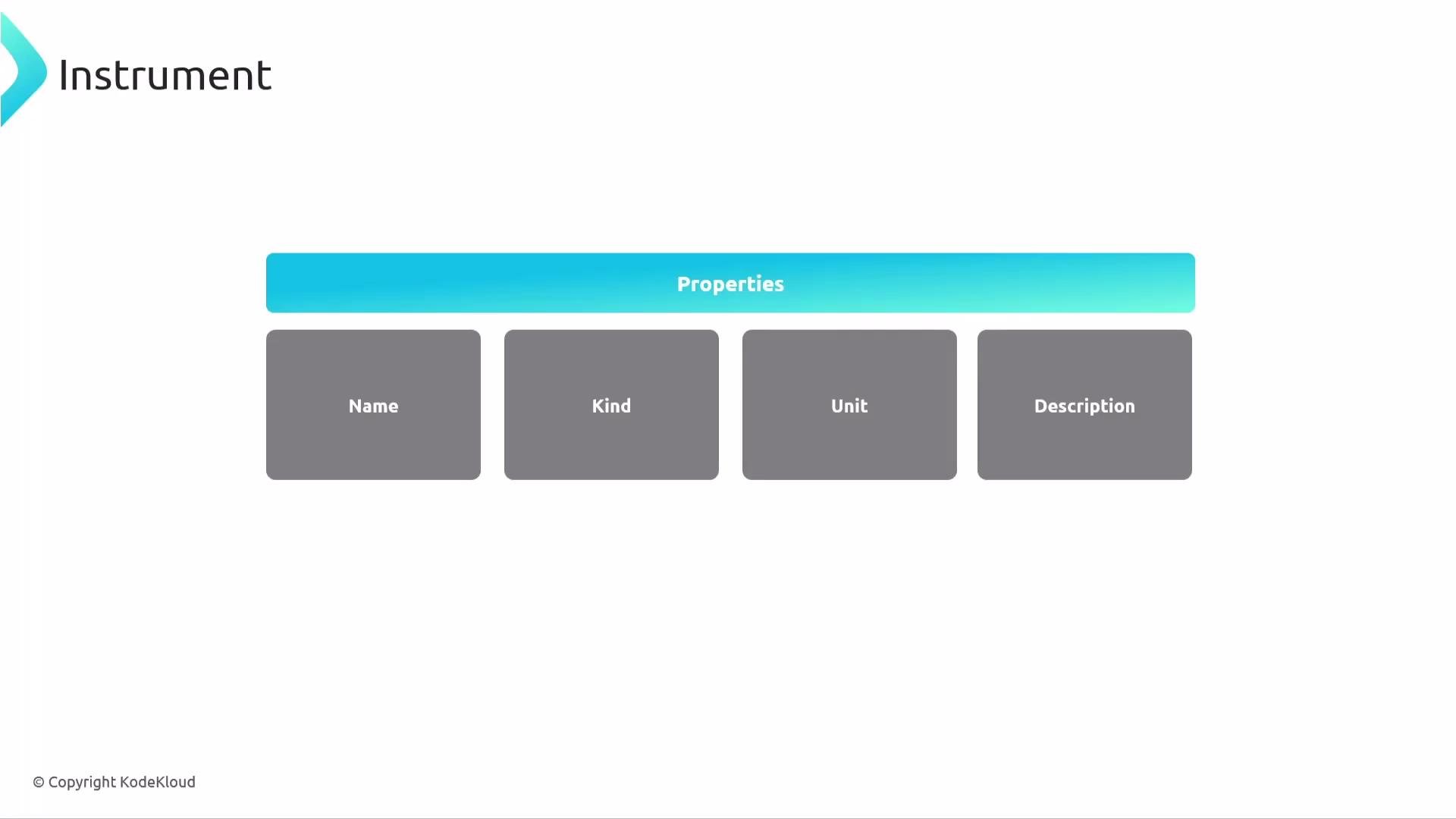
An Instrument represents a metric you record and is defined by several properties:
* Name (for example, `payments.processed_total`, `http.server.duration`)
* Kind (counter, histogram, gauge, asynchronous counter, etc.)
* Unit (for example, `ms`, `kB`, `1`)
* Description (human-readable purpose)
* Data type (integer vs floating point)
Instruments are strongly typed: you must create and use an instrument with the matching data type (e.g., integer Counter vs. double Histogram). This guarantees type safety and consistent aggregation semantics.
## Meter responsibilities
A Meter's role is instrument creation and lifetime management. Common factory methods include:
* Synchronous Counter and UpDownCounter
* Asynchronous counters and gauges (callback-driven)
* Histogram
* Gauge-like instruments
Each instrument stays linked to its Meter, enabling traceability to the instrumentation scope and MeterProvider.
## Instruments: properties and typing
An Instrument represents a metric you record and is defined by several properties:
* Name (for example, `payments.processed_total`, `http.server.duration`)
* Kind (counter, histogram, gauge, asynchronous counter, etc.)
* Unit (for example, `ms`, `kB`, `1`)
* Description (human-readable purpose)
* Data type (integer vs floating point)
Instruments are strongly typed: you must create and use an instrument with the matching data type (e.g., integer Counter vs. double Histogram). This guarantees type safety and consistent aggregation semantics.
 ### Typical instrument types and use cases
| Instrument type | Typical use case | Notes |
| -------------------- | ---------------------------------------------------------------- | -------------------------------- |
| Counter | Count events that only increase (e.g., requests processed) | Monotonic |
| UpDownCounter | Track values that can increase/decrease (e.g., concurrent users) | Non-monotonic |
| Histogram | Measure distributions (e.g., request latency) | Produces buckets & summary |
| Asynchronous Gauge | Periodic measurements (e.g., free memory) | Uses callbacks to observe values |
| Asynchronous Counter | Periodic monotonic totals (e.g., cumulative bytes sent) | Uses callbacks |
## Example process hierarchy
Below is a concrete example of how a MeterProvider can produce multiple Meters, each with typed, named Instruments. This structure isolates metrics by instrumentation scope and makes them traceable to their origin.
```yaml theme={null}
MeterProvider (default)
├── Meter (name="io.opentelemetry.runtime", version="1.0.0")
│ ├── Instrument
│ │ ├── - name: "cpython.gc"
│ │ ├── attributes: ["generation"]
│ │ └── unit: "kB"
│ └── ...
├── Meter (name="io.opentelemetry.contrib.mongodb.client", version="2.3.0")
│ ├── Instrument
│ │ ├── - name: "client.exception"
│ │ ├── attributes: ["type"]
│ │ └── unit: "1"
│ └── Instrument
│ ├── - name: "client.duration"
│ ├── attributes: ["server.address", "server.port"]
│ └── unit: "ms"
MeterProvider (custom)
│
├── Meter (name="bank.payment", version="23.3.5")
└── ...
```
Because each instrument is strongly typed, retrieving and using it in code requires matching its declared type and name.
## How metrics flow (SDK responsibilities)
Once your application records measurements, the SDK handles:
* Aggregation (via Aggregators) — summarizing raw measurement points (sum, last value, histograms)
* Views — a configuration layer that can rename metrics, change aggregation, or filter instruments without changing instrumentation code
* Exporting — shipping metrics to a backend using exporters (commonly OTLP)
* Resource detection — adding contextual attributes (service name, host, container)
* Optional sampling and filters — used to reduce cardinality or volume when necessary
Common export flow:
instrumentation -> Meter -> MeterProvider (SDK config) -> Collector (receivers → processors → exporters) -> backend
Recap: core components and their purpose
* OpenTelemetry API: stable interfaces for metrics, traces, and logs.
* SDK: concrete implementation that collects, aggregates, and exports telemetry.
* MeterProvider: factory + central configuration for metrics.
* Meter: instrumentation scope and instrument factory.
* Instruments: the primitives used to record measurements.
* View: configuration layer to reshape metrics collection and aggregation without changing the code.
* Aggregator: converts raw measurements into summarized metrics.
* Exporter: ships metrics to backends (see OTLP for a common protocol).
* Resource detectors: capture environment/contextual attributes.
* Sampling/filters: reduce cardinality or volume when needed.
That covers the Metrics API and SDK: how Meters and Instruments are structured, how the MeterProvider configures behavior, and how the SDK aggregates and exports the telemetry you record.
## Links and references
* [OTLP Protocol](https://opentelemetry.io/docs/reference/specification/protocol/otlp/)
* [OpenTelemetry Metrics SDK & API docs](https://opentelemetry.io/docs/)
### Typical instrument types and use cases
| Instrument type | Typical use case | Notes |
| -------------------- | ---------------------------------------------------------------- | -------------------------------- |
| Counter | Count events that only increase (e.g., requests processed) | Monotonic |
| UpDownCounter | Track values that can increase/decrease (e.g., concurrent users) | Non-monotonic |
| Histogram | Measure distributions (e.g., request latency) | Produces buckets & summary |
| Asynchronous Gauge | Periodic measurements (e.g., free memory) | Uses callbacks to observe values |
| Asynchronous Counter | Periodic monotonic totals (e.g., cumulative bytes sent) | Uses callbacks |
## Example process hierarchy
Below is a concrete example of how a MeterProvider can produce multiple Meters, each with typed, named Instruments. This structure isolates metrics by instrumentation scope and makes them traceable to their origin.
```yaml theme={null}
MeterProvider (default)
├── Meter (name="io.opentelemetry.runtime", version="1.0.0")
│ ├── Instrument
│ │ ├── - name: "cpython.gc"
│ │ ├── attributes: ["generation"]
│ │ └── unit: "kB"
│ └── ...
├── Meter (name="io.opentelemetry.contrib.mongodb.client", version="2.3.0")
│ ├── Instrument
│ │ ├── - name: "client.exception"
│ │ ├── attributes: ["type"]
│ │ └── unit: "1"
│ └── Instrument
│ ├── - name: "client.duration"
│ ├── attributes: ["server.address", "server.port"]
│ └── unit: "ms"
MeterProvider (custom)
│
├── Meter (name="bank.payment", version="23.3.5")
└── ...
```
Because each instrument is strongly typed, retrieving and using it in code requires matching its declared type and name.
## How metrics flow (SDK responsibilities)
Once your application records measurements, the SDK handles:
* Aggregation (via Aggregators) — summarizing raw measurement points (sum, last value, histograms)
* Views — a configuration layer that can rename metrics, change aggregation, or filter instruments without changing instrumentation code
* Exporting — shipping metrics to a backend using exporters (commonly OTLP)
* Resource detection — adding contextual attributes (service name, host, container)
* Optional sampling and filters — used to reduce cardinality or volume when necessary
Common export flow:
instrumentation -> Meter -> MeterProvider (SDK config) -> Collector (receivers → processors → exporters) -> backend
Recap: core components and their purpose
* OpenTelemetry API: stable interfaces for metrics, traces, and logs.
* SDK: concrete implementation that collects, aggregates, and exports telemetry.
* MeterProvider: factory + central configuration for metrics.
* Meter: instrumentation scope and instrument factory.
* Instruments: the primitives used to record measurements.
* View: configuration layer to reshape metrics collection and aggregation without changing the code.
* Aggregator: converts raw measurements into summarized metrics.
* Exporter: ships metrics to backends (see OTLP for a common protocol).
* Resource detectors: capture environment/contextual attributes.
* Sampling/filters: reduce cardinality or volume when needed.
That covers the Metrics API and SDK: how Meters and Instruments are structured, how the MeterProvider configures behavior, and how the SDK aggregates and exports the telemetry you record.
## Links and references
* [OTLP Protocol](https://opentelemetry.io/docs/reference/specification/protocol/otlp/)
* [OpenTelemetry Metrics SDK & API docs](https://opentelemetry.io/docs/)