> ## Documentation Index
> Fetch the complete documentation index at: https://notes.kodekloud.com/llms.txt
> Use this file to discover all available pages before exploring further.
# Receivers Notifiers
> Explains how Alertmanager receivers and notifiers configure and group alerts, format notifications with templates, and integrate with platforms like Slack, email, and VictorOps.
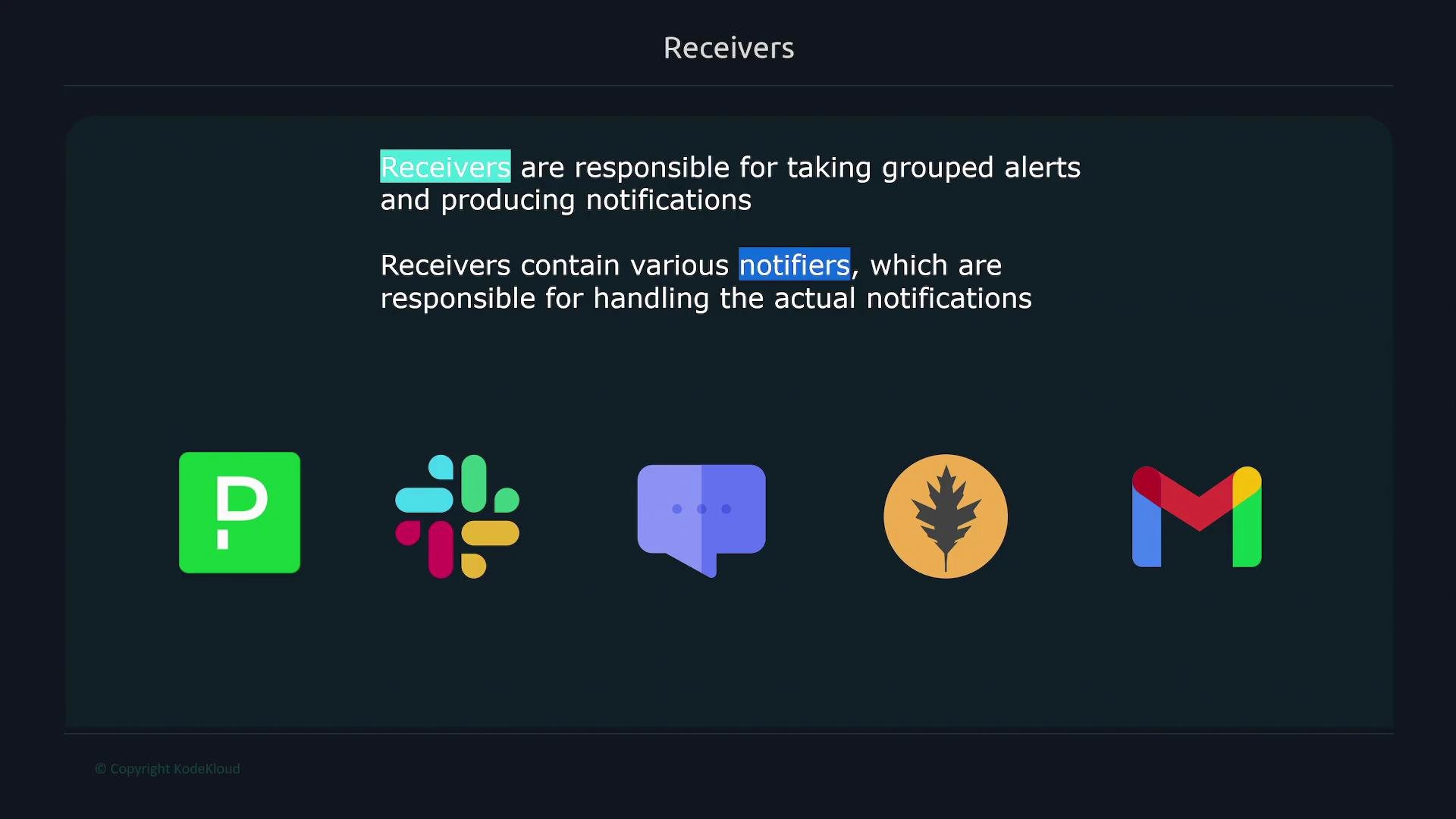
Receivers take grouped alerts from Alertmanager and produce notifications. Each receiver contains one or more notifiers that integrate with external platforms such as Slack, email, or [VictorOps](https://prometheus.io/docs/alerting/latest/configuration/#victorops_config). Receivers map Alertmanager routes to the appropriate notification backends and format the alert payloads sent to those systems.
 ## Configuring receivers in Alertmanager
A minimal Alertmanager configuration forwards alerts to a receiver named `infra-pager` like this:
```yaml theme={null}
route:
receiver: infra-pager
receivers:
- name: infra-pager
slack_configs:
- api_url: https://hooks.slack.com/services/XXXXXXXXX
channel: "#pages"
email_configs:
- to: "receiver_mail_id@gmail.com"
from: "mail_id@gmail.com"
smarthost: smtp.gmail.com:587
auth_username: "mail_id@gmail.com"
auth_identity: "mail_id@gmail.com"
auth_password: "password"
```
The `receivers` list may contain multiple receivers. Each receiver defines one or more notifier blocks (for example `slack_configs`, `email_configs`, `victorops_configs`, etc.). The precise fields required depend on the notifier; consult the notifier documentation when in doubt.
Common notifier examples and the typical fields they require:
| Notifier | Typical fields | Notes / Example |
| --------: | ----------------------------------------------------------- | ------------------------------------------------------------------------------------------------- |
| Slack | `api_url`, `channel`, `title`, `text` | Use `slack_configs` to post messages to channels. |
| Email | `to`, `from`, `smarthost`, `auth_username`, `auth_password` | Use `email_configs` for SMTP delivery. |
| VictorOps | `routing_key`, `message_type` | See [VictorOps docs](https://prometheus.io/docs/alerting/latest/configuration/#victorops_config). |
If multiple receivers use the same secrets (API keys, SMTP credentials, etc.), move shared values into the `global` section to avoid duplication and simplify maintenance.
For example, moving a VictorOps API key into `global`:
```yaml theme={null}
global:
victorops_api_key: "XXX"
receivers:
- name: infra-pager
victorops_configs:
- routing_key: some-route
```
This way, each receiver can reference global credentials instead of duplicating secrets across entries.
Never commit API keys, passwords, or other secrets in plaintext to public repositories. Use secret management tools or environment injection when deploying Alertmanager configuration.
## Templating the notification content
Alertmanager uses Go templates to format notification content. Templates can access the alert group and individual alert metadata, letting you create concise, informative messages targeted to each notifier.
Common template fields:
| Field | Description |
| ------------------- | -------------------------------------------------------------------------------------------------------------- |
| `GroupLabels` | Labels used to group the notification (e.g., `severity`, `region`). |
| `CommonLabels` | Labels common across all alerts in the group. |
| `CommonAnnotations` | Annotations common to the grouped alerts. |
| `ExternalURL` | Alertmanager UI URL — useful as a link back to the UI. |
| `Status` | `firing` if any alert is firing, otherwise `resolved`. |
| `Receiver` | Receiver name handling the notification. |
| `Alerts` | Array of alerts in the group. Each alert contains `Labels`, `Annotations`, `Status`, `StartsAt`, and `EndsAt`. |
Always present templates inside fenced code blocks. Example Slack notifier with a custom title and message body:
```yaml theme={null}
route:
receiver: 'slack'
receivers:
- name: slack
slack_configs:
- api_url: https://hooks.slack.com/xxx
channel: '#alerts'
title: '{{ .GroupLabels.severity }} alerts in region {{ .GroupLabels.region }}'
text: >
{{ .Alerts | len }} alerts:
{{ range .Alerts }}
{{ .Annotations.description }}{{ "\n" }}{{ end }}
```
How the template works:
* `title` uses `{{ .GroupLabels.severity }}` and `{{ .GroupLabels.region }}` to surface grouped label values (for example: `critical alerts in region west`).
* `text` uses the `len` function to show the number of alerts and `range .Alerts` to iterate through every alert, printing the `description` annotation for each.
When template strings are long, prefer YAML’s folded scalar `>` for readability while preserving the final output format.
## Grouping alerts
Alert grouping is controlled by the `route` configuration. Grouping determines which alerts are merged into a single notification.
Example: group alerts by `severity` and `region`:
```yaml theme={null}
route:
group_by: ['severity', 'region']
```
Alerts that share the same values for those labels (for example `severity=warning` and `region=us-west`) are bundled into a single notification. Different label combinations produce separate notifications (for example, `severity=warning, region=us-west` and `severity=critical, region=us-east` become two notifications).
Grouping behavior examples:
| Grouping labels | Result |
| ----------------------- | ---------------------------------------------------------- |
| `severity`, `region` | Alerts with the same `severity` and `region` are combined. |
| `[:__name__]` (default) | Group by alert rule name. |
## Configuring receivers in Alertmanager
A minimal Alertmanager configuration forwards alerts to a receiver named `infra-pager` like this:
```yaml theme={null}
route:
receiver: infra-pager
receivers:
- name: infra-pager
slack_configs:
- api_url: https://hooks.slack.com/services/XXXXXXXXX
channel: "#pages"
email_configs:
- to: "receiver_mail_id@gmail.com"
from: "mail_id@gmail.com"
smarthost: smtp.gmail.com:587
auth_username: "mail_id@gmail.com"
auth_identity: "mail_id@gmail.com"
auth_password: "password"
```
The `receivers` list may contain multiple receivers. Each receiver defines one or more notifier blocks (for example `slack_configs`, `email_configs`, `victorops_configs`, etc.). The precise fields required depend on the notifier; consult the notifier documentation when in doubt.
Common notifier examples and the typical fields they require:
| Notifier | Typical fields | Notes / Example |
| --------: | ----------------------------------------------------------- | ------------------------------------------------------------------------------------------------- |
| Slack | `api_url`, `channel`, `title`, `text` | Use `slack_configs` to post messages to channels. |
| Email | `to`, `from`, `smarthost`, `auth_username`, `auth_password` | Use `email_configs` for SMTP delivery. |
| VictorOps | `routing_key`, `message_type` | See [VictorOps docs](https://prometheus.io/docs/alerting/latest/configuration/#victorops_config). |
If multiple receivers use the same secrets (API keys, SMTP credentials, etc.), move shared values into the `global` section to avoid duplication and simplify maintenance.
For example, moving a VictorOps API key into `global`:
```yaml theme={null}
global:
victorops_api_key: "XXX"
receivers:
- name: infra-pager
victorops_configs:
- routing_key: some-route
```
This way, each receiver can reference global credentials instead of duplicating secrets across entries.
Never commit API keys, passwords, or other secrets in plaintext to public repositories. Use secret management tools or environment injection when deploying Alertmanager configuration.
## Templating the notification content
Alertmanager uses Go templates to format notification content. Templates can access the alert group and individual alert metadata, letting you create concise, informative messages targeted to each notifier.
Common template fields:
| Field | Description |
| ------------------- | -------------------------------------------------------------------------------------------------------------- |
| `GroupLabels` | Labels used to group the notification (e.g., `severity`, `region`). |
| `CommonLabels` | Labels common across all alerts in the group. |
| `CommonAnnotations` | Annotations common to the grouped alerts. |
| `ExternalURL` | Alertmanager UI URL — useful as a link back to the UI. |
| `Status` | `firing` if any alert is firing, otherwise `resolved`. |
| `Receiver` | Receiver name handling the notification. |
| `Alerts` | Array of alerts in the group. Each alert contains `Labels`, `Annotations`, `Status`, `StartsAt`, and `EndsAt`. |
Always present templates inside fenced code blocks. Example Slack notifier with a custom title and message body:
```yaml theme={null}
route:
receiver: 'slack'
receivers:
- name: slack
slack_configs:
- api_url: https://hooks.slack.com/xxx
channel: '#alerts'
title: '{{ .GroupLabels.severity }} alerts in region {{ .GroupLabels.region }}'
text: >
{{ .Alerts | len }} alerts:
{{ range .Alerts }}
{{ .Annotations.description }}{{ "\n" }}{{ end }}
```
How the template works:
* `title` uses `{{ .GroupLabels.severity }}` and `{{ .GroupLabels.region }}` to surface grouped label values (for example: `critical alerts in region west`).
* `text` uses the `len` function to show the number of alerts and `range .Alerts` to iterate through every alert, printing the `description` annotation for each.
When template strings are long, prefer YAML’s folded scalar `>` for readability while preserving the final output format.
## Grouping alerts
Alert grouping is controlled by the `route` configuration. Grouping determines which alerts are merged into a single notification.
Example: group alerts by `severity` and `region`:
```yaml theme={null}
route:
group_by: ['severity', 'region']
```
Alerts that share the same values for those labels (for example `severity=warning` and `region=us-west`) are bundled into a single notification. Different label combinations produce separate notifications (for example, `severity=warning, region=us-west` and `severity=critical, region=us-east` become two notifications).
Grouping behavior examples:
| Grouping labels | Result |
| ----------------------- | ---------------------------------------------------------- |
| `severity`, `region` | Alerts with the same `severity` and `region` are combined. |
| `[:__name__]` (default) | Group by alert rule name. |
 ## Inspecting alerts in the Alertmanager UI
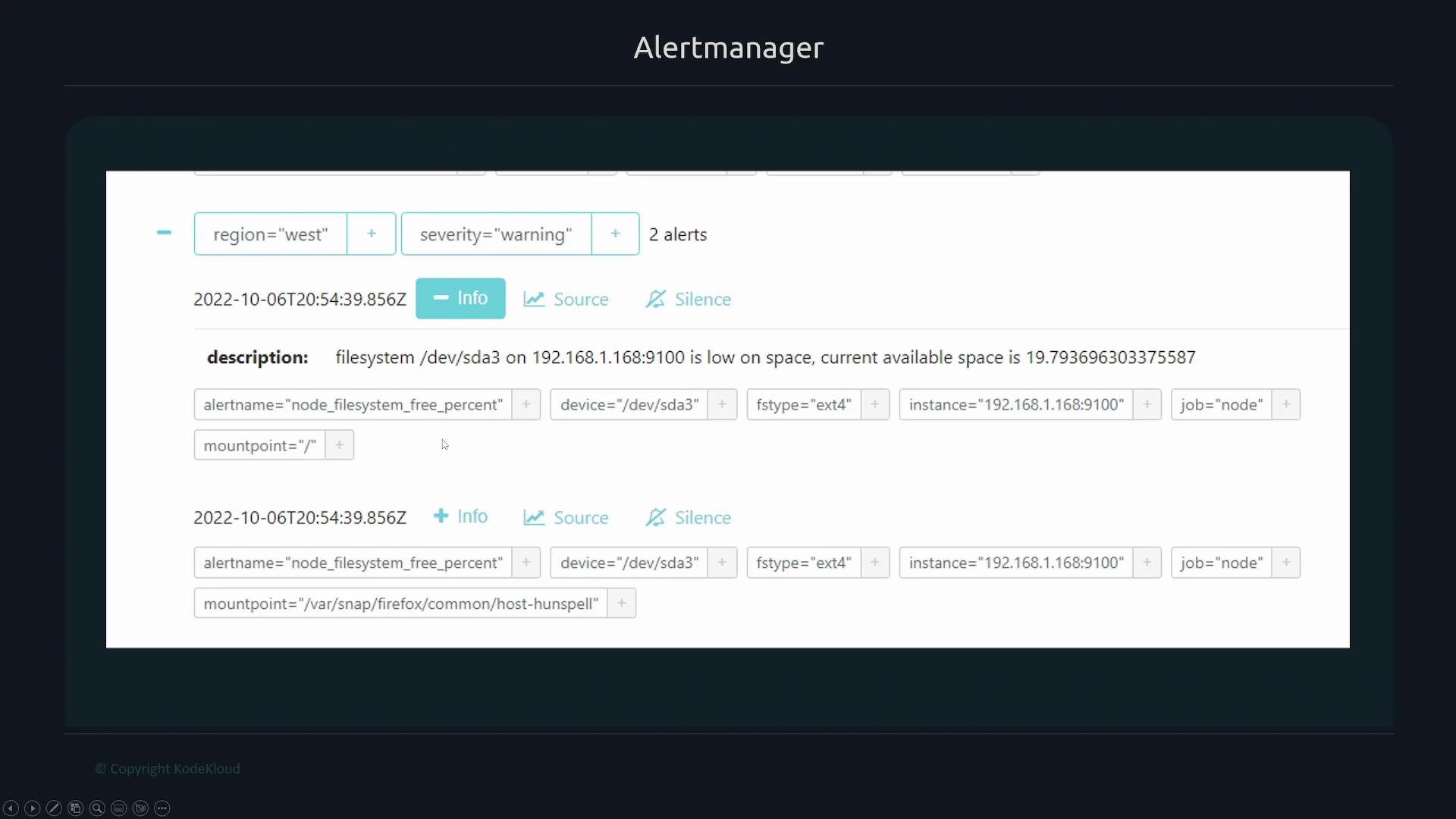
The Alertmanager UI lets you expand groups to view individual alerts, inspect labels, and follow links to the source Prometheus expressions that triggered them. Click the "Source" button to navigate to the Prometheus expression. Example alerting rule expression:
```plaintext theme={null}
up{job="node"} == 0
```
You can filter alerts in the UI by label key-value pairs (for example: `region="east" severity="critical"`). A typical alert label set might look like:
```plaintext theme={null}
region="east"
severity="critical"
alertname="Multiple Nodes down"
env="dev"
job="node"
org="infra"
team="infra"
```
Use label filters and the templated `ExternalURL` links in notifications to quickly jump from an alert to the Prometheus graph or rule that generated it, speeding up triage and remediation.
Further reading and references
* [Alertmanager configuration — grouping and routing](https://prometheus.io/docs/alerting/latest/configuration/)
* [VictorOps notifier docs](https://prometheus.io/docs/alerting/latest/configuration/#victorops_config)
## Inspecting alerts in the Alertmanager UI
The Alertmanager UI lets you expand groups to view individual alerts, inspect labels, and follow links to the source Prometheus expressions that triggered them. Click the "Source" button to navigate to the Prometheus expression. Example alerting rule expression:
```plaintext theme={null}
up{job="node"} == 0
```
You can filter alerts in the UI by label key-value pairs (for example: `region="east" severity="critical"`). A typical alert label set might look like:
```plaintext theme={null}
region="east"
severity="critical"
alertname="Multiple Nodes down"
env="dev"
job="node"
org="infra"
team="infra"
```
Use label filters and the templated `ExternalURL` links in notifications to quickly jump from an alert to the Prometheus graph or rule that generated it, speeding up triage and remediation.
Further reading and references
* [Alertmanager configuration — grouping and routing](https://prometheus.io/docs/alerting/latest/configuration/)
* [VictorOps notifier docs](https://prometheus.io/docs/alerting/latest/configuration/#victorops_config)