> ## Documentation Index
> Fetch the complete documentation index at: https://notes.kodekloud.com/llms.txt
> Use this file to discover all available pages before exploring further.
# Selectors Matchers
> Explains PromQL selectors and label matchers for filtering time series using exact, negation and regex operators, combining matchers, and range vector queries.
This lesson explains how to use selectors and label matchers in PromQL to filter Prometheus time series. When you request a metric by name without any labels, Prometheus returns every time series for that metric:
```promql theme={null}
node_filesystem_avail_bytes
```
Example result (all time series for that metric):
```text theme={null}
node_filesystem_avail_bytes{device="/dev/sda2", fstype="vfat", instance="node1", mountpoint="/boot/efi"}
node_filesystem_avail_bytes{device="/dev/sda2", fstype="vfat", instance="node2", mountpoint="/boot/efi"}
node_filesystem_avail_bytes{device="/dev/sda3", fstype="ext4", instance="node1", mountpoint="/"}
node_filesystem_avail_bytes{device="/dev/sda3", fstype="ext4", instance="node2", mountpoint="/"}
node_filesystem_avail_bytes{device="tmpfs", fstype="tmpfs", instance="node1", mountpoint="/run"}
node_filesystem_avail_bytes{device="tmpfs", fstype="tmpfs", instance="node1", mountpoint="/run/lock"}
node_filesystem_avail_bytes{device="tmpfs", fstype="tmpfs", instance="node1", mountpoint="/run/snapd/ns"}
node_filesystem_avail_bytes{device="tmpfs", fstype="tmpfs", instance="node1", mountpoint="/run/user/1000"}
node_filesystem_avail_bytes{device="tmpfs", fstype="tmpfs", instance="node2", mountpoint="/run"}
node_filesystem_avail_bytes{device="tmpfs", fstype="tmpfs", instance="node2", mountpoint="/run/lock"}
node_filesystem_avail_bytes{device="tmpfs", fstype="tmpfs", instance="node2", mountpoint="/run/snapd/ns"}
node_filesystem_avail_bytes{device="tmpfs", fstype="tmpfs", instance="node2", mountpoint="/run/user/1000"}
```
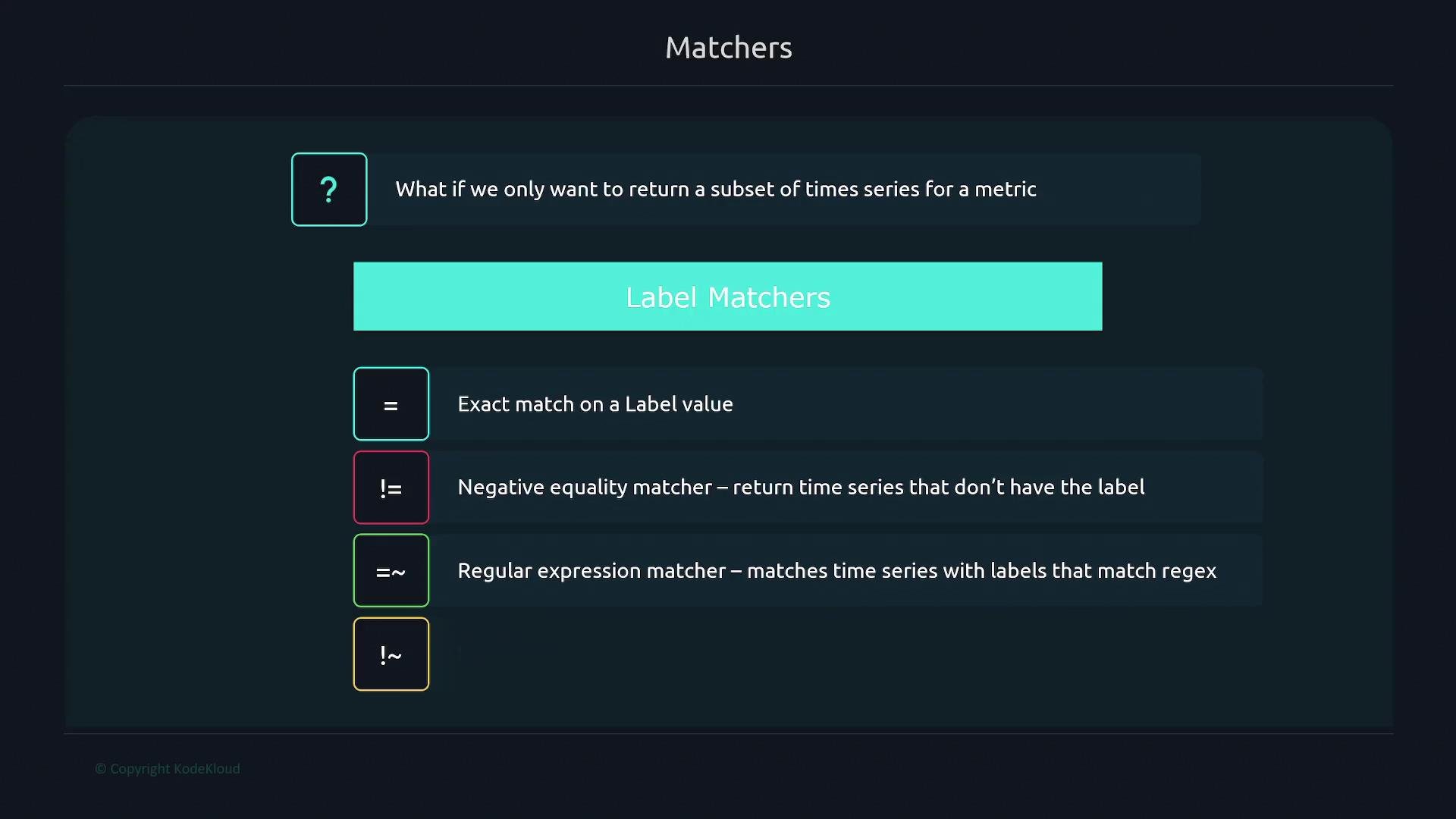
To narrow results, apply label matchers inside braces after the metric name. Prometheus supports four matcher types:
| Operator | Meaning | Example |
| -------- | --------------------------------: | ----------------------------------------------------- |
| `=` | Equality (exact match) | `node_filesystem_avail_bytes{instance="node1"}` |
| `!=` | Inequality (exclude exact value) | `node_filesystem_avail_bytes{device!="tmpfs"}` |
| `=~` | Regular expression match | `node_filesystem_avail_bytes{device=~"/dev/sda.*"}` |
| `!~` | Negative regular expression match | `node_filesystem_avail_bytes{mountpoint!~"^/boot.*"}` |
 Below are concise examples demonstrating each matcher and the expected filtered results.
Equality matcher
* Use `=` to select series with an exact label value. Example: get filesystem availability for `node1` only.
```promql theme={null}
node_filesystem_avail_bytes{instance="node1"}
```
Result (only series with `instance="node1"`):
```text theme={null}
node_filesystem_avail_bytes{device="/dev/sda2", fstype="vfat", instance="node1", mountpoint="/boot/efi"}
node_filesystem_avail_bytes{device="/dev/sda3", fstype="ext4", instance="node1", mountpoint="/"}
node_filesystem_avail_bytes{device="tmpfs", fstype="tmpfs", instance="node1", mountpoint="/run"}
node_filesystem_avail_bytes{device="tmpfs", fstype="tmpfs", instance="node1", mountpoint="/run/lock"}
node_filesystem_avail_bytes{device="tmpfs", fstype="tmpfs", instance="node1", mountpoint="/run/snapd/ns"}
node_filesystem_avail_bytes{device="tmpfs", fstype="tmpfs", instance="node1", mountpoint="/run/user/1000"}
```
Negative equality matcher
* Use `!=` to remove series matching a specific label value. Example: exclude `tmpfs` devices.
```promql theme={null}
node_filesystem_avail_bytes{device!="tmpfs"}
```
Result (series with `device` not equal to `tmpfs`):
```text theme={null}
node_filesystem_avail_bytes{device="/dev/sda2", fstype="vfat", instance="node1", mountpoint="/boot/efi"}
node_filesystem_avail_bytes{device="/dev/sda2", fstype="vfat", instance="node2", mountpoint="/boot/efi"}
node_filesystem_avail_bytes{device="/dev/sda3", fstype="ext4", instance="node1", mountpoint="/"}
node_filesystem_avail_bytes{device="/dev/sda3", fstype="ext4", instance="node2", mountpoint="/"}
```
Regular expression matcher
* Use `=~` to match label values with a regex. Example: match devices that start with `/dev/sda`.
```promql theme={null}
node_filesystem_avail_bytes{device=~"/dev/sda.*"}
```
Result (series with `device` matching `/dev/sda.*`):
```text theme={null}
node_filesystem_avail_bytes{device="/dev/sda2", fstype="vfat", instance="node1", mountpoint="/boot/efi"}
node_filesystem_avail_bytes{device="/dev/sda2", fstype="vfat", instance="node2", mountpoint="/boot/efi"}
node_filesystem_avail_bytes{device="/dev/sda3", fstype="ext4", instance="node1", mountpoint="/"}
node_filesystem_avail_bytes{device="/dev/sda3", fstype="ext4", instance="node2", mountpoint="/"}
```
Regular expressions are powerful but can impact performance if overused. Test and keep regex patterns as simple and specific as possible. For a regex reference, see [Regular-Expressions.info](https://www.regular-expressions.info/).
Negative regular expression matcher
* Use `!~` to exclude series whose label values match a regex. Example: exclude mount points beginning with `/boot`.
```promql theme={null}
node_filesystem_avail_bytes{mountpoint!~"^/boot.*"}
```
Result (all series except those whose `mountpoint` starts with `/boot`):
```text theme={null}
node_filesystem_avail_bytes{device="/dev/sda3", fstype="ext4", instance="node1", mountpoint="/"}
node_filesystem_avail_bytes{device="/dev/sda3", fstype="ext4", instance="node2", mountpoint="/"}
node_filesystem_avail_bytes{device="tmpfs", fstype="tmpfs", instance="node1", mountpoint="/run"}
node_filesystem_avail_bytes{device="tmpfs", fstype="tmpfs", instance="node1", mountpoint="/run/lock"}
node_filesystem_avail_bytes{device="tmpfs", fstype="tmpfs", instance="node1", mountpoint="/run/snapd/ns"}
node_filesystem_avail_bytes{device="tmpfs", fstype="tmpfs", instance="node1", mountpoint="/run/user/1000"}
node_filesystem_avail_bytes{device="tmpfs", fstype="tmpfs", instance="node2", mountpoint="/run"}
node_filesystem_avail_bytes{device="tmpfs", fstype="tmpfs", instance="node2", mountpoint="/run/lock"}
node_filesystem_avail_bytes{device="tmpfs", fstype="tmpfs", instance="node2", mountpoint="/run/snapd/ns"}
node_filesystem_avail_bytes{device="tmpfs", fstype="tmpfs", instance="node2", mountpoint="/run/user/1000"}
```
Combining selectors
* Combine multiple label matchers by separating them with commas inside the braces. Example: series on `node1` excluding `tmpfs` devices.
```promql theme={null}
node_filesystem_avail_bytes{instance="node1", device!="tmpfs"}
```
Result (series on `node1` excluding `tmpfs` devices):
```text theme={null}
node_filesystem_avail_bytes{device="/dev/sda2", fstype="vfat", instance="node1", mountpoint="/boot/efi"}
node_filesystem_avail_bytes{device="/dev/sda3", fstype="ext4", instance="node1", mountpoint="/"}
```
Range vector selector
* An instant vector returns the latest sample per series. A range vector returns the sequence of samples for each matching series over a specified duration. Use square brackets with a duration to request a range vector. Example: last 2 minutes for `node_arp_entries` on `node1`.
```promql theme={null}
node_arp_entries{instance="node1"}[2m]
```
Sample result (a range vector contains multiple timestamped samples per series):
```text theme={null}
node_arp_entries{instance="node1"}: [8 @1669253129.609, 2 @1669253144.609, 3 @1669253159.609, 1 @1669253174.609, 7 @1669253189.609, 7 @1669253204.609, 7 @1669253219.609, 6 @1669253234.609]
```
You can use any PromQL duration (for example `5m`, `1h`, `5d`) depending on how far back you need data.
Additional resources
* Prometheus documentation: [https://prometheus.io/docs/prometheus/latest/querying/basics/](https://prometheus.io/docs/prometheus/latest/querying/basics/)
* Regex reference: [https://www.regular-expressions.info/](https://www.regular-expressions.info/)
Make sure label values and regex patterns are quoted correctly. Unquoted or malformed regexes can cause query errors. When in doubt, test queries in the Prometheus UI or Grafana Explore.
Below are concise examples demonstrating each matcher and the expected filtered results.
Equality matcher
* Use `=` to select series with an exact label value. Example: get filesystem availability for `node1` only.
```promql theme={null}
node_filesystem_avail_bytes{instance="node1"}
```
Result (only series with `instance="node1"`):
```text theme={null}
node_filesystem_avail_bytes{device="/dev/sda2", fstype="vfat", instance="node1", mountpoint="/boot/efi"}
node_filesystem_avail_bytes{device="/dev/sda3", fstype="ext4", instance="node1", mountpoint="/"}
node_filesystem_avail_bytes{device="tmpfs", fstype="tmpfs", instance="node1", mountpoint="/run"}
node_filesystem_avail_bytes{device="tmpfs", fstype="tmpfs", instance="node1", mountpoint="/run/lock"}
node_filesystem_avail_bytes{device="tmpfs", fstype="tmpfs", instance="node1", mountpoint="/run/snapd/ns"}
node_filesystem_avail_bytes{device="tmpfs", fstype="tmpfs", instance="node1", mountpoint="/run/user/1000"}
```
Negative equality matcher
* Use `!=` to remove series matching a specific label value. Example: exclude `tmpfs` devices.
```promql theme={null}
node_filesystem_avail_bytes{device!="tmpfs"}
```
Result (series with `device` not equal to `tmpfs`):
```text theme={null}
node_filesystem_avail_bytes{device="/dev/sda2", fstype="vfat", instance="node1", mountpoint="/boot/efi"}
node_filesystem_avail_bytes{device="/dev/sda2", fstype="vfat", instance="node2", mountpoint="/boot/efi"}
node_filesystem_avail_bytes{device="/dev/sda3", fstype="ext4", instance="node1", mountpoint="/"}
node_filesystem_avail_bytes{device="/dev/sda3", fstype="ext4", instance="node2", mountpoint="/"}
```
Regular expression matcher
* Use `=~` to match label values with a regex. Example: match devices that start with `/dev/sda`.
```promql theme={null}
node_filesystem_avail_bytes{device=~"/dev/sda.*"}
```
Result (series with `device` matching `/dev/sda.*`):
```text theme={null}
node_filesystem_avail_bytes{device="/dev/sda2", fstype="vfat", instance="node1", mountpoint="/boot/efi"}
node_filesystem_avail_bytes{device="/dev/sda2", fstype="vfat", instance="node2", mountpoint="/boot/efi"}
node_filesystem_avail_bytes{device="/dev/sda3", fstype="ext4", instance="node1", mountpoint="/"}
node_filesystem_avail_bytes{device="/dev/sda3", fstype="ext4", instance="node2", mountpoint="/"}
```
Regular expressions are powerful but can impact performance if overused. Test and keep regex patterns as simple and specific as possible. For a regex reference, see [Regular-Expressions.info](https://www.regular-expressions.info/).
Negative regular expression matcher
* Use `!~` to exclude series whose label values match a regex. Example: exclude mount points beginning with `/boot`.
```promql theme={null}
node_filesystem_avail_bytes{mountpoint!~"^/boot.*"}
```
Result (all series except those whose `mountpoint` starts with `/boot`):
```text theme={null}
node_filesystem_avail_bytes{device="/dev/sda3", fstype="ext4", instance="node1", mountpoint="/"}
node_filesystem_avail_bytes{device="/dev/sda3", fstype="ext4", instance="node2", mountpoint="/"}
node_filesystem_avail_bytes{device="tmpfs", fstype="tmpfs", instance="node1", mountpoint="/run"}
node_filesystem_avail_bytes{device="tmpfs", fstype="tmpfs", instance="node1", mountpoint="/run/lock"}
node_filesystem_avail_bytes{device="tmpfs", fstype="tmpfs", instance="node1", mountpoint="/run/snapd/ns"}
node_filesystem_avail_bytes{device="tmpfs", fstype="tmpfs", instance="node1", mountpoint="/run/user/1000"}
node_filesystem_avail_bytes{device="tmpfs", fstype="tmpfs", instance="node2", mountpoint="/run"}
node_filesystem_avail_bytes{device="tmpfs", fstype="tmpfs", instance="node2", mountpoint="/run/lock"}
node_filesystem_avail_bytes{device="tmpfs", fstype="tmpfs", instance="node2", mountpoint="/run/snapd/ns"}
node_filesystem_avail_bytes{device="tmpfs", fstype="tmpfs", instance="node2", mountpoint="/run/user/1000"}
```
Combining selectors
* Combine multiple label matchers by separating them with commas inside the braces. Example: series on `node1` excluding `tmpfs` devices.
```promql theme={null}
node_filesystem_avail_bytes{instance="node1", device!="tmpfs"}
```
Result (series on `node1` excluding `tmpfs` devices):
```text theme={null}
node_filesystem_avail_bytes{device="/dev/sda2", fstype="vfat", instance="node1", mountpoint="/boot/efi"}
node_filesystem_avail_bytes{device="/dev/sda3", fstype="ext4", instance="node1", mountpoint="/"}
```
Range vector selector
* An instant vector returns the latest sample per series. A range vector returns the sequence of samples for each matching series over a specified duration. Use square brackets with a duration to request a range vector. Example: last 2 minutes for `node_arp_entries` on `node1`.
```promql theme={null}
node_arp_entries{instance="node1"}[2m]
```
Sample result (a range vector contains multiple timestamped samples per series):
```text theme={null}
node_arp_entries{instance="node1"}: [8 @1669253129.609, 2 @1669253144.609, 3 @1669253159.609, 1 @1669253174.609, 7 @1669253189.609, 7 @1669253204.609, 7 @1669253219.609, 6 @1669253234.609]
```
You can use any PromQL duration (for example `5m`, `1h`, `5d`) depending on how far back you need data.
Additional resources
* Prometheus documentation: [https://prometheus.io/docs/prometheus/latest/querying/basics/](https://prometheus.io/docs/prometheus/latest/querying/basics/)
* Regex reference: [https://www.regular-expressions.info/](https://www.regular-expressions.info/)
Make sure label values and regex patterns are quoted correctly. Unquoted or malformed regexes can cause query errors. When in doubt, test queries in the Prometheus UI or Grafana Explore.