> ## Documentation Index
> Fetch the complete documentation index at: https://notes.kodekloud.com/llms.txt
> Use this file to discover all available pages before exploring further.
# Conditionals and Loops
> Explains Bash conditionals and loops with examples, comparison operators, pattern matching, arithmetic tests, best practices and portability considerations for writing robust shell scripts.
So far our scripts have been linear lists of commands. Conditionals and loops make shell scripts smarter and far more useful for real-world automation.
* Conditionals let a script choose between actions (do X if a condition is true, otherwise do Y).
* Loops let a script repeat actions over collections of items without duplicating commands.
 Below are compact, practical examples showing a `for` loop and an `if` conditional. These illustrate how you can iterate over items and branch logic for each item.
```bash theme={null}
#!/usr/bin/env bash
# Loop example: iterate over three usernames
for user in user1 user2 user3; do
echo "$user"
done
# Conditional example: numeric test
test=1
if [[ $test -eq 1 ]]; then
echo "$test"
else
echo "none"
fi
```
Key points from the examples:
* The `for` loop repeats the commands in its body for each value in the list (`user1`, `user2`, `user3`), avoiding repeated manual commands.
* The `if` statement evaluates the test expression and executes the appropriate branch.
* Always quote variables (for example, `"$user"`) to avoid word-splitting and unexpected glob expansion.
Always include spaces around the brackets and operators in conditional expressions (for example: `if [[ $a -eq 1 ]]; then`), and quote variables when you expect string values (for example: `echo "$var"`).
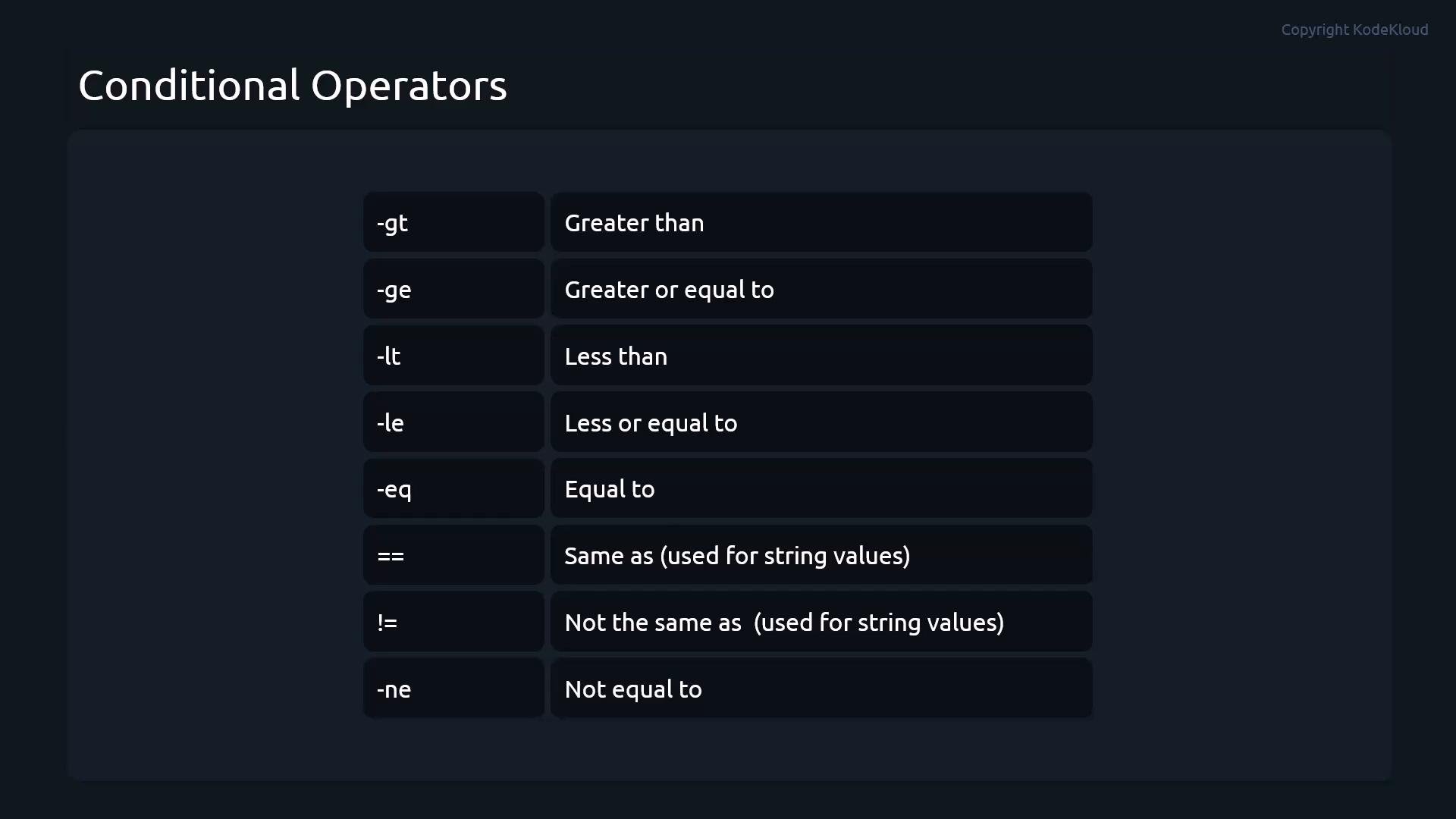
When writing conditionals in Bash, you’ll use a small set of comparison operators for numeric and string comparisons. The following table summarizes the most common numeric operators used inside `[ ]` or `[[ ]]`:
| Operator | Meaning |
| - | - |
| `-eq` | equal to |
| `-ne` | not equal to |
| `-gt` | greater than |
| `-lt` | less than |
| `-ge` | greater than or equal to |
| `-le` | less than or equal to |
Below are compact, practical examples showing a `for` loop and an `if` conditional. These illustrate how you can iterate over items and branch logic for each item.
```bash theme={null}
#!/usr/bin/env bash
# Loop example: iterate over three usernames
for user in user1 user2 user3; do
echo "$user"
done
# Conditional example: numeric test
test=1
if [[ $test -eq 1 ]]; then
echo "$test"
else
echo "none"
fi
```
Key points from the examples:
* The `for` loop repeats the commands in its body for each value in the list (`user1`, `user2`, `user3`), avoiding repeated manual commands.
* The `if` statement evaluates the test expression and executes the appropriate branch.
* Always quote variables (for example, `"$user"`) to avoid word-splitting and unexpected glob expansion.
Always include spaces around the brackets and operators in conditional expressions (for example: `if [[ $a -eq 1 ]]; then`), and quote variables when you expect string values (for example: `echo "$var"`).
When writing conditionals in Bash, you’ll use a small set of comparison operators for numeric and string comparisons. The following table summarizes the most common numeric operators used inside `[ ]` or `[[ ]]`:
| Operator | Meaning |
| - | - |
| `-eq` | equal to |
| `-ne` | not equal to |
| `-gt` | greater than |
| `-lt` | less than |
| `-ge` | greater than or equal to |
| `-le` | less than or equal to |
 String comparisons and pattern matching
* In `[[ ... ]]` you may use `==` (or `=`) for equality and `!=` for inequality. `[[` supports glob-style pattern matching on the right-hand side of `==`:
```bash theme={null}
name="alice"
if [[ $name == "alice" ]]; then
echo "Hello, Alice"
fi
# Glob-style match
if [[ $name == a* ]]; then
echo "$name starts with 'a'"
fi
```
* In POSIX `[...]` form, prefer `=` for equality to stay portable (`==` is supported by many shells but not universally portable).
Arithmetic comparisons with (( ... ))
* The arithmetic evaluation form `(( ... ))` lets you use familiar C-like operators: `==`, `!=`, `<`, `>`, `<=`, `>=`. It treats variables as arithmetic values and is convenient for numeric logic:
```bash theme={null}
a=3
b=5
if (( a < b )); then
echo "a is less than b"
fi
```
Best practices and common pitfalls
* Quote variables when expanding strings: `"$var"`.
* Always put spaces around brackets and operators: `if [[ $x -eq 1 ]]; then`.
* Prefer `[[ ... ]]` in Bash for safer and more flexible tests (pattern matches, no pathname expansion, logical operators within).
* Use `(( ... ))` for arithmetic: clearer and more concise for numeric comparisons.
Be careful with portability: `[[ ... ]]` and `(( ... ))` are Bash extensions. Scripts intended for POSIX sh should use `[...]` and `expr`/`awk` or POSIX-compliant arithmetic expansion.
Combining loops and conditionals
* The real power of shell scripting comes from combining loops with conditionals to process lists of files, users, or other resources and make decisions per-item:
```bash theme={null}
for file in /var/log/*.log; do
if [[ -s $file ]]; then
echo "Non-empty log: $file"
else
echo "Empty or missing: $file"
fi
done
```
Further reading and references
* Bash Reference Manual: [https://www.gnu.org/software/bash/manual/](https://www.gnu.org/software/bash/manual/)
* ShellCheck (static analysis and style): [https://www.shellcheck.net/](https://www.shellcheck.net/)
* Advanced Bash-Scripting Guide: [https://tldp.org/LDP/abs/html/](https://tldp.org/LDP/abs/html/)
This documentation is built and hosted on [Mintlify](https://mintlify.com), a developer documentation platform.
String comparisons and pattern matching
* In `[[ ... ]]` you may use `==` (or `=`) for equality and `!=` for inequality. `[[` supports glob-style pattern matching on the right-hand side of `==`:
```bash theme={null}
name="alice"
if [[ $name == "alice" ]]; then
echo "Hello, Alice"
fi
# Glob-style match
if [[ $name == a* ]]; then
echo "$name starts with 'a'"
fi
```
* In POSIX `[...]` form, prefer `=` for equality to stay portable (`==` is supported by many shells but not universally portable).
Arithmetic comparisons with (( ... ))
* The arithmetic evaluation form `(( ... ))` lets you use familiar C-like operators: `==`, `!=`, `<`, `>`, `<=`, `>=`. It treats variables as arithmetic values and is convenient for numeric logic:
```bash theme={null}
a=3
b=5
if (( a < b )); then
echo "a is less than b"
fi
```
Best practices and common pitfalls
* Quote variables when expanding strings: `"$var"`.
* Always put spaces around brackets and operators: `if [[ $x -eq 1 ]]; then`.
* Prefer `[[ ... ]]` in Bash for safer and more flexible tests (pattern matches, no pathname expansion, logical operators within).
* Use `(( ... ))` for arithmetic: clearer and more concise for numeric comparisons.
Be careful with portability: `[[ ... ]]` and `(( ... ))` are Bash extensions. Scripts intended for POSIX sh should use `[...]` and `expr`/`awk` or POSIX-compliant arithmetic expansion.
Combining loops and conditionals
* The real power of shell scripting comes from combining loops with conditionals to process lists of files, users, or other resources and make decisions per-item:
```bash theme={null}
for file in /var/log/*.log; do
if [[ -s $file ]]; then
echo "Non-empty log: $file"
else
echo "Empty or missing: $file"
fi
done
```
Further reading and references
* Bash Reference Manual: [https://www.gnu.org/software/bash/manual/](https://www.gnu.org/software/bash/manual/)
* ShellCheck (static analysis and style): [https://www.shellcheck.net/](https://www.shellcheck.net/)
* Advanced Bash-Scripting Guide: [https://tldp.org/LDP/abs/html/](https://tldp.org/LDP/abs/html/)
This documentation is built and hosted on [Mintlify](https://mintlify.com), a developer documentation platform.