> ## Documentation Index
> Fetch the complete documentation index at: https://notes.kodekloud.com/llms.txt
> Use this file to discover all available pages before exploring further.
# Flatpak Introduction
> Introduction to Flatpak, its sandboxed cross distribution application packaging, shared runtimes and remotes, comparing it to distro package managers and showing installation and common commands
In this lesson we introduce Flatpak: a modern, distribution-agnostic way to package, distribute, and run desktop applications on Linux. Flatpak provides sandboxed application environments, shared runtimes, and a remote-based distribution model (for example, Flathub) so apps run consistently across different distributions and versions.
 Why Flatpak exists
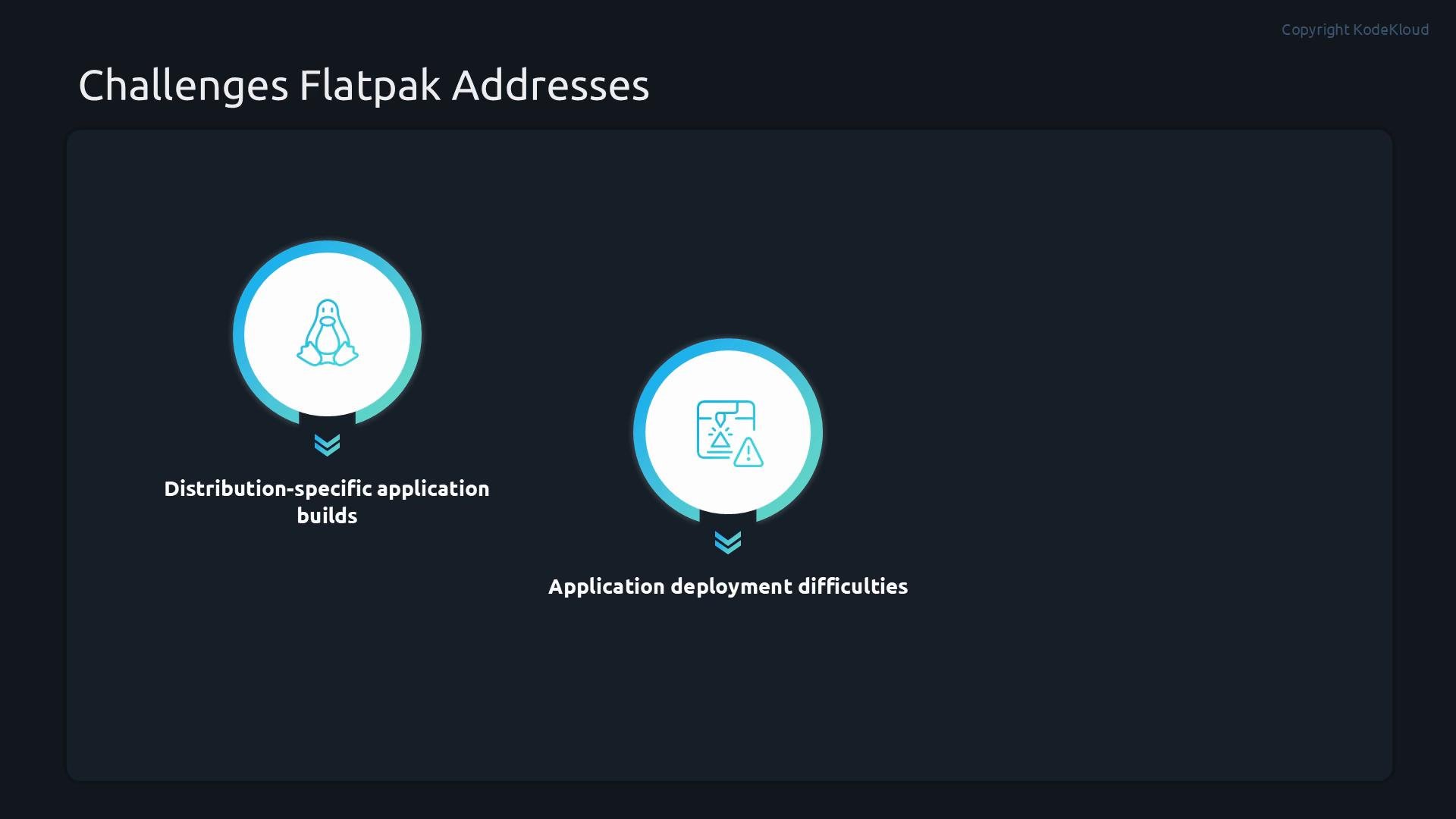
Developers commonly build apps for a specific distribution and version. Differences in library versions and system components can cause apps to fail when run on other distributions. Flatpak solves this by packaging the application together with the libraries it needs (or by reusing a shared runtime), and by isolating the app in a sandbox so it behaves consistently and securely across environments.
Why Flatpak exists
Developers commonly build apps for a specific distribution and version. Differences in library versions and system components can cause apps to fail when run on other distributions. Flatpak solves this by packaging the application together with the libraries it needs (or by reusing a shared runtime), and by isolating the app in a sandbox so it behaves consistently and securely across environments.
 How Flatpak sandboxing works
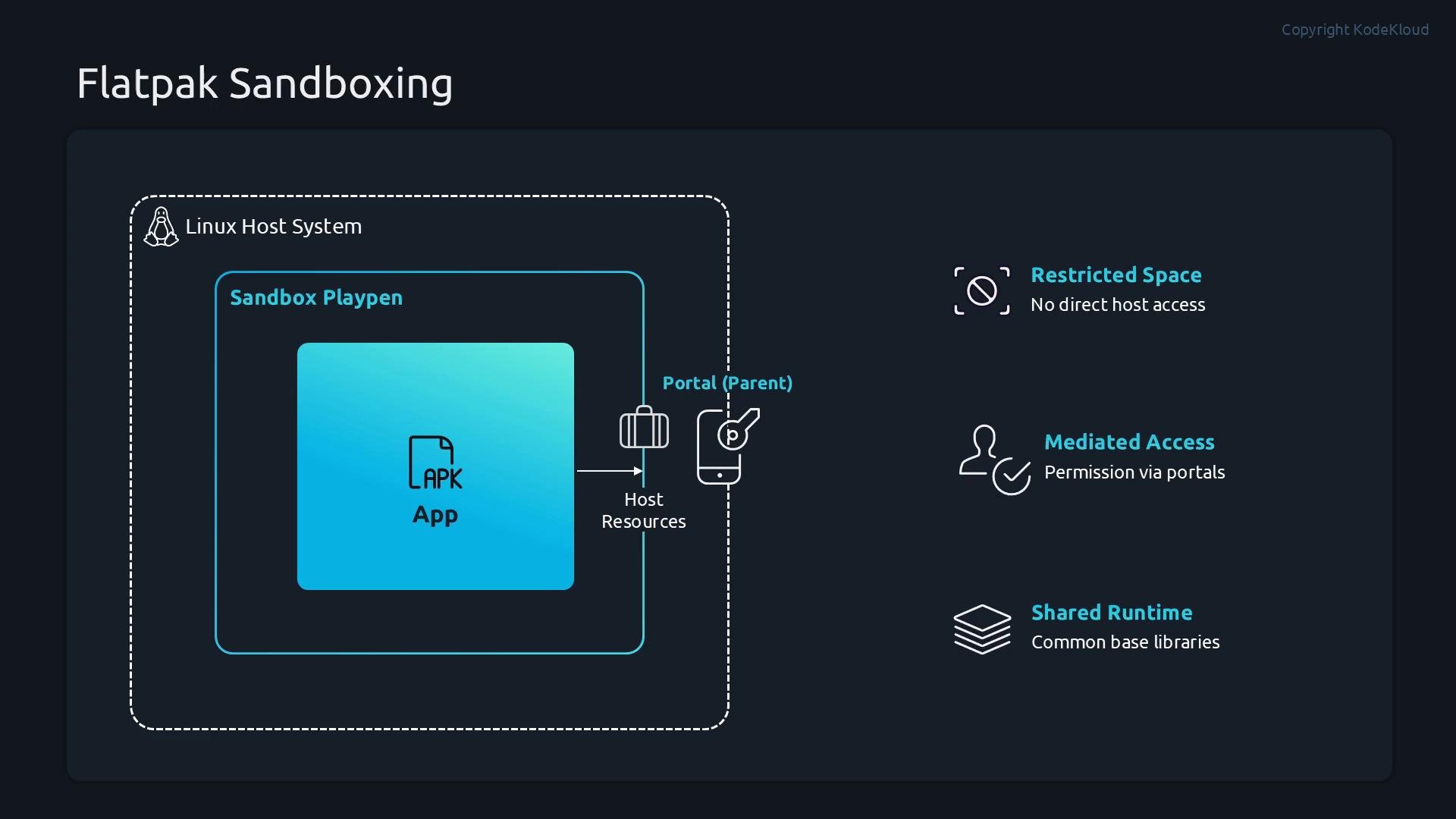
Flatpak applies container-like isolation to desktop applications:
* Each Flatpak app runs inside its own sandbox, separated from the host filesystem and other processes by default.
* If an app needs external resources (files, network, devices), it must request permission through the portal system; portal mediation grants or denies access.
* Common libraries are provided via shared runtimes so apps don’t need to duplicate every library, reducing disk usage while preserving isolation.
Think of an app as living in a playpen. To use the host’s files, network, or hardware (camera, printer), it must ask the parent (the portal system) for access. Some capabilities (like access to the user’s Downloads folder) may be commonly granted; others require explicit approval.
How Flatpak sandboxing works
Flatpak applies container-like isolation to desktop applications:
* Each Flatpak app runs inside its own sandbox, separated from the host filesystem and other processes by default.
* If an app needs external resources (files, network, devices), it must request permission through the portal system; portal mediation grants or denies access.
* Common libraries are provided via shared runtimes so apps don’t need to duplicate every library, reducing disk usage while preserving isolation.
Think of an app as living in a playpen. To use the host’s files, network, or hardware (camera, printer), it must ask the parent (the portal system) for access. Some capabilities (like access to the user’s Downloads folder) may be commonly granted; others require explicit approval.
 When to use Flatpak vs your distribution package manager (DNF)
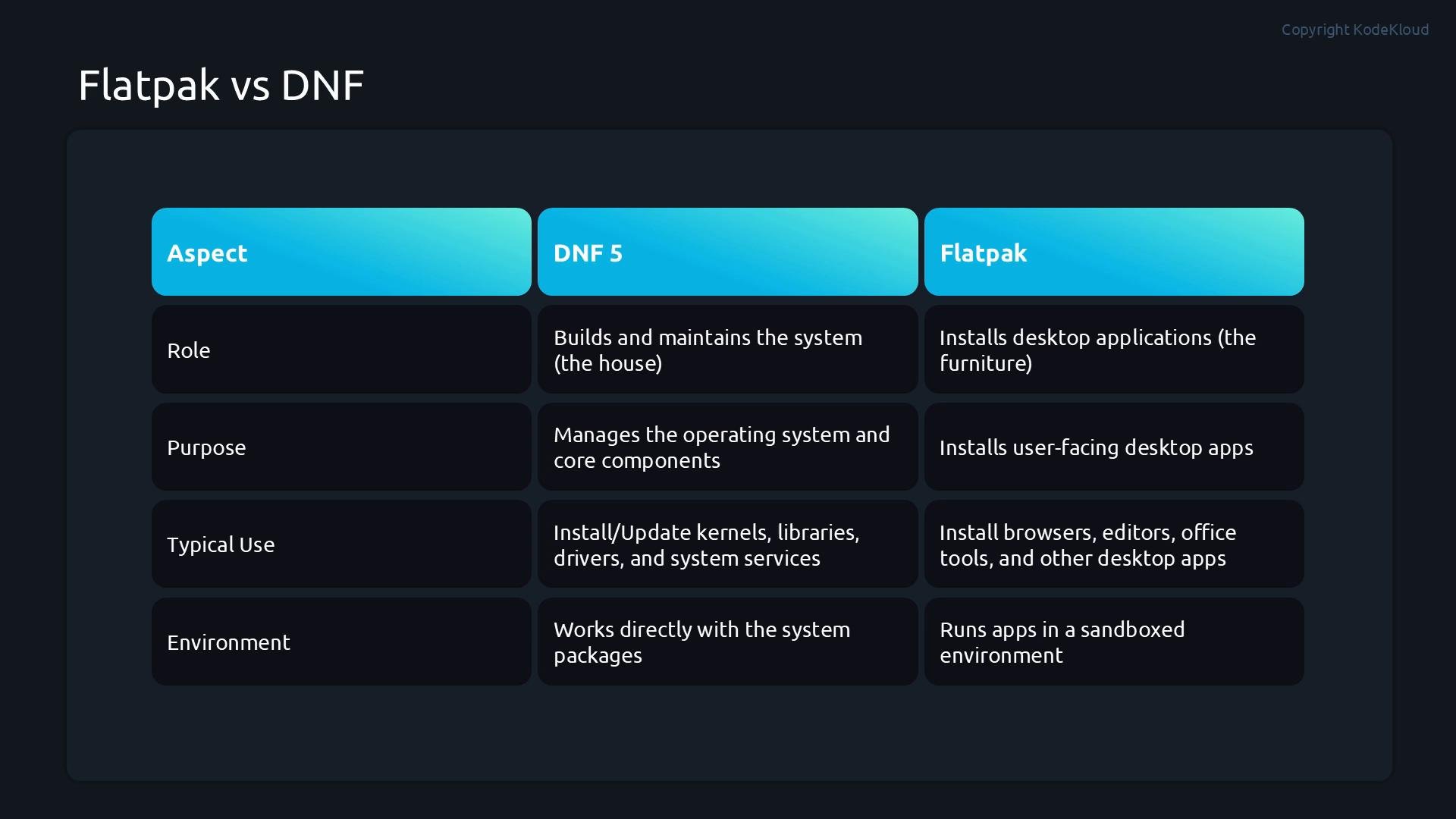
A simple analogy: DNF maintains the house (the operating system)—kernel, system libraries, drivers, and services—while Flatpak brings portable furniture (sandboxed desktop applications) into the house without changing its structure.
Use cases:
* Use Flatpak for sandboxed desktop applications that need portability and consistent behavior across distributions (browsers, editors, multimedia apps).
* Use DNF (or the distro package manager) to manage system-level software, kernels, system libraries, and services.
Comparison at a glance:
| Aspect | DNF / Distribution packages | Flatpak |
| - | - | - |
| Purpose | System management (kernels, system libraries, services) | Sandboxed desktop applications |
| Scope | System-wide packages and dependencies | Per-app sandboxes with optional shared runtimes |
| Use case | OS updates, system services, server packages | Desktop apps that must run across distributions |
| Updates | Distribution-governed repositories | Remotes such as Flathub; independent of distro |
When to use Flatpak vs your distribution package manager (DNF)
A simple analogy: DNF maintains the house (the operating system)—kernel, system libraries, drivers, and services—while Flatpak brings portable furniture (sandboxed desktop applications) into the house without changing its structure.
Use cases:
* Use Flatpak for sandboxed desktop applications that need portability and consistent behavior across distributions (browsers, editors, multimedia apps).
* Use DNF (or the distro package manager) to manage system-level software, kernels, system libraries, and services.
Comparison at a glance:
| Aspect | DNF / Distribution packages | Flatpak |
| - | - | - |
| Purpose | System management (kernels, system libraries, services) | Sandboxed desktop applications |
| Scope | System-wide packages and dependencies | Per-app sandboxes with optional shared runtimes |
| Use case | OS updates, system services, server packages | Desktop apps that must run across distributions |
| Updates | Distribution-governed repositories | Remotes such as Flathub; independent of distro |
 Flatpak remotes (repositories)
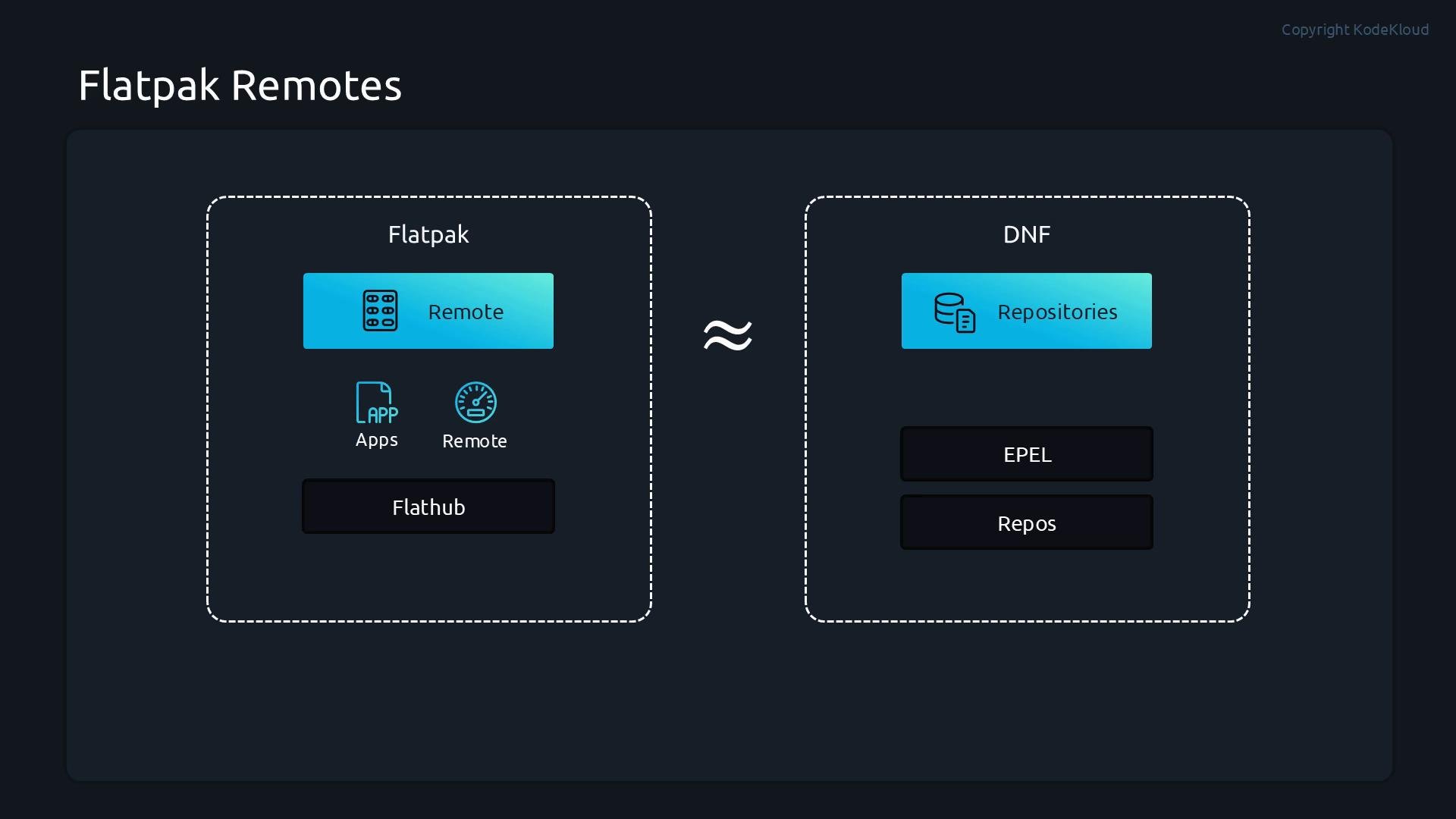
Flatpak downloads apps and runtimes from remotes—analogous to distribution repositories for DNF. Remotes host catalogs of applications and runtimes; Flathub is the most popular public remote. On many enterprise distributions (for example RHEL), Flathub is not enabled by default, so adding a remote is the Flatpak equivalent of enabling a repository.
Remotes like Flathub provide a broad catalog of runtimes and applications. On RHEL-derived systems, you typically add Flathub explicitly to access that catalog.
Flatpak remotes (repositories)
Flatpak downloads apps and runtimes from remotes—analogous to distribution repositories for DNF. Remotes host catalogs of applications and runtimes; Flathub is the most popular public remote. On many enterprise distributions (for example RHEL), Flathub is not enabled by default, so adding a remote is the Flatpak equivalent of enabling a repository.
Remotes like Flathub provide a broad catalog of runtimes and applications. On RHEL-derived systems, you typically add Flathub explicitly to access that catalog.
 Install Flatpak and add remotes — recommended workflow
1. Install the Flatpak client (system-wide or per-user).
2. Verify Flatpak is available.
3. Inspect configured remotes.
4. Add remotes (for example, Flathub).
5. Search, install, update, list, and remove apps as needed.
Example commands (use `sudo` for system-wide operations):
```bash theme={null}
# Install Flatpak (system-wide)
sudo dnf install flatpak
# Verify Flatpak is installed
flatpak --version
# List configured remotes
flatpak remotes
# List apps available in a remote (example: flathub)
flatpak remote-ls --app flathub
# Add Flathub (if not already added)
sudo flatpak remote-add --if-not-exists flathub https://flathub.org/repo/flathub.flatpakrepo
# Remove or disable remotes if needed
flatpak remote-delete fedora
flatpak remote-modify --disable rhel
```
Common Flatpak commands (quick reference)
| Command | What it does |
| - | - |
| `flatpak search ` | Search local index of remotes for an app (e.g. `flatpak search thunderbird`) |
| `flatpak install
Install Flatpak and add remotes — recommended workflow
1. Install the Flatpak client (system-wide or per-user).
2. Verify Flatpak is available.
3. Inspect configured remotes.
4. Add remotes (for example, Flathub).
5. Search, install, update, list, and remove apps as needed.
Example commands (use `sudo` for system-wide operations):
```bash theme={null}
# Install Flatpak (system-wide)
sudo dnf install flatpak
# Verify Flatpak is installed
flatpak --version
# List configured remotes
flatpak remotes
# List apps available in a remote (example: flathub)
flatpak remote-ls --app flathub
# Add Flathub (if not already added)
sudo flatpak remote-add --if-not-exists flathub https://flathub.org/repo/flathub.flatpakrepo
# Remove or disable remotes if needed
flatpak remote-delete fedora
flatpak remote-modify --disable rhel
```
Common Flatpak commands (quick reference)
| Command | What it does |
| - | - |
| `flatpak search ` | Search local index of remotes for an app (e.g. `flatpak search thunderbird`) |
| `flatpak install [` | Install an app from a remote (e.g. `flatpak install flathub org.mozilla.Thunderbird`) |
| `flatpak list` | List installed Flatpak applications and runtimes |
| `flatpak info ][` | Show details about an installed app (e.g. `flatpak info org.videolan.VLC`) |
| `flatpak remote-info ][` | Show info about a remote reference (runtime/app) |
| `flatpak update [ref]` | Update a specific runtime/app or all if no argument |
| `flatpak mask ][` | Prevent an app or runtime from being used |
| `flatpak uninstall ][` | Uninstall an installed app |
Important install/update flags
| Flag | Description |
| - | - |
| `--system` | Install system-wide (requires root) |
| `--user` | Install for current user only (no root required) |
| `--runtime` | Install only the runtime, not the application |
Demo walkthrough (example session)
1. Install Flatpak and verify the version:
```bash theme={null}
student@control:~$ sudo dnf install flatpak
# (confirm prompts)
student@control:~$ flatpak --version
Flatpak 1.16.0
```
2. Add Flathub and confirm configured remotes:
```bash theme={null}
student@control:~$ sudo flatpak remote-add --if-not-exists flathub https://flathub.org/repo/flathub.flatpakrepo
student@control:~$ flatpak remotes
Name Options
flathub system
rhel system,oci,no-gpg-verify
```
3. Search for VLC across remotes:
```bash theme={null}
student@control:~$ flatpak search vlc
Name Description Application ID Version Branch Remotes
Pause Click plugi… VLC plugin that allows to pause/play a video by c… org.videolan.VLC.Plugin.pause_click 2.2.0 3-25.08 flathub
Bluray Java menus… Provides Bluray Java menus (BDJ) support in VLC. org.videolan.VLC.Plugin.bdj 3-25.08 flathub
VLC VLC media player, the open-source multimedia play… org.videolan.VLC 3.0.23 stable flathub
# (additional results omitted for brevity)
```
4. Install VLC from Flathub (system-wide):
```bash theme={null}
student@control:~$ sudo flatpak install flathub org.videolan.VLC
# confirm prompts to proceed with installation
```
5. Verify installed Flatpak items:
```bash theme={null}
student@control:~$ flatpak list
Name Application ID Version Branch Installation
Mesa org.freedesktop.Platform.GL.default 26.0.5 25.08 system
Mesa (Extra) org.freedesktop.Platform.GL.default 26.0.5 25.08-extra system
Codecs Extra Extension org.freedesktop.Platform.codecs-extra 25.08-extra system
Adwaita theme org.kde.KStyle.Adwaita 5.15-25.08 system
KDE Application Platform org.kde.Platform 5.15-25.08 system
QAdwaitaDecorations org.kde.WaylandDecoration.QAdwaitaDecorations 5.15-25.08 system
VLC org.videolan.VLC 3.0.23 stable system
```
6. Update Flatpak applications and runtimes:
```bash theme={null}
student@control:~$ flatpak update
Looking for updates...
Nothing to do.
```
7. Run an installed Flatpak app:
```bash theme={null}
student@control:~$ flatpak run org.videolan.VLC
# VLC launches
```
8. Inspect detailed information about an installed app:
```bash theme={null}
student@control:~$ flatpak info org.videolan.VLC
```
Typical `flatpak info` output includes fields such as `ID`, `Ref`, `Arch`, `Branch`, `Version`, `License`, `Origin`, `Collection`, `Installation`, installed size, runtime, sdk, commit IDs, subject, and date. Example (truncated):
```text theme={null}
VLC - VLC media player, the open-source multimedia player
ID: org.videolan.VLC
Ref: app/org.videolan.VLC/x86_64/stable
Arch: x86_64
Branch: stable
Version: 3.0.23
License: GPL-2.0+
Origin: flathub
Collection: org.flathub.Stable
Installation: system
Installed: 139.3 MB
Runtime: org.kde.Platform/x86_64/5.15-25.08
Sdk: org.kde.Sdk/x86_64/5.15-25.08
Commit: de98ec3b4066f7428620128da1612641b05a2f59d13326a89c84bbaca7577d62
Parent: 746425e7df3ef829f4accf82fbc6cdfb83c81e5a4c060c001db04637685863cb
Subject: Update libupnp, smbclient and srt modules (#305)
Date: 2026-05-03 14:46:23 +0000
```
9. Uninstall an application:
```bash theme={null}
student@control:~$ flatpak uninstall org.videolan.VLC
ID Branch Op
1. [-] org.videolan.VLC stable r
2. [-] org.videolan.VLC.Locale stable r
Uninstall complete.
```
] Summary
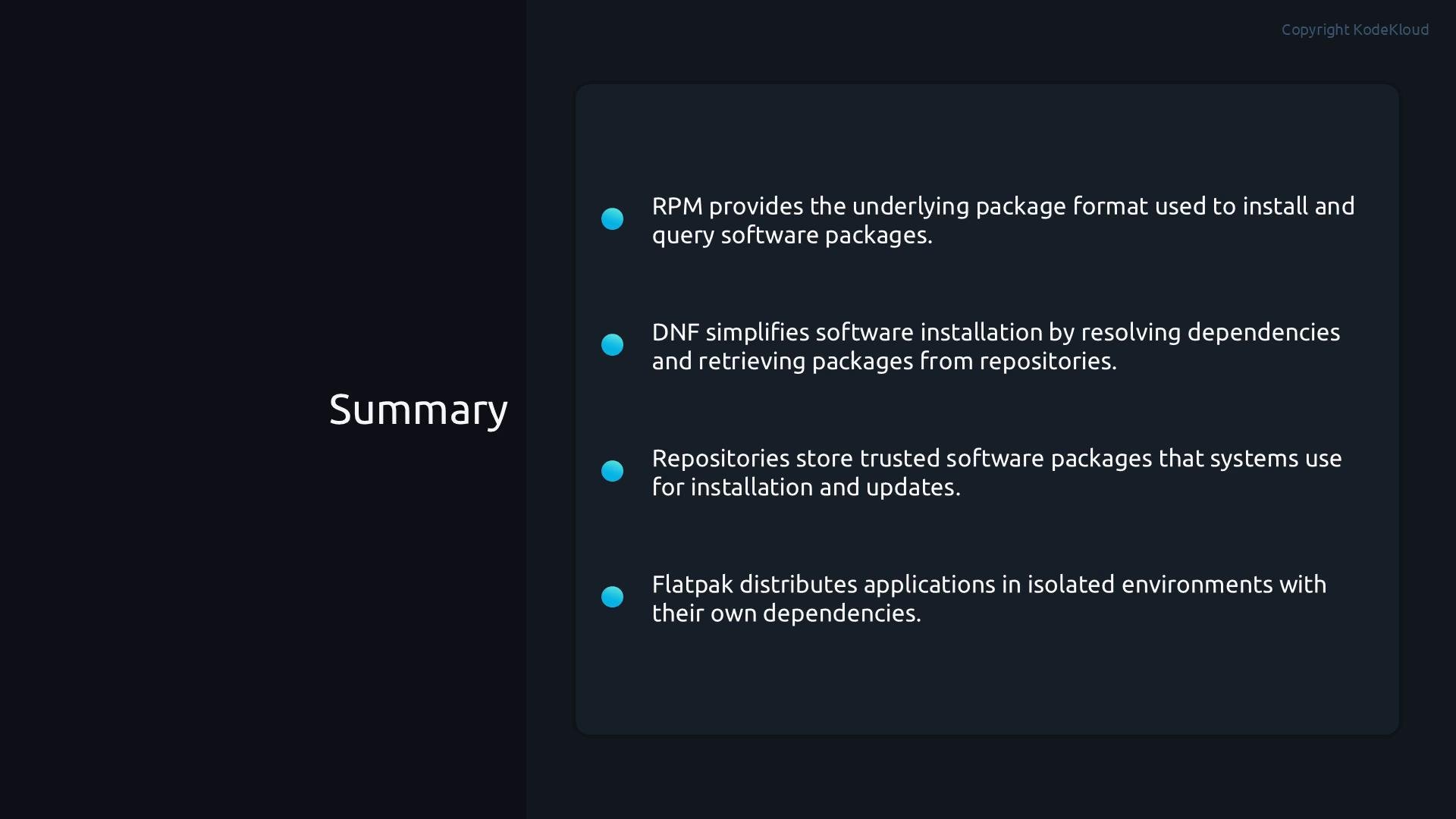
* RPM is the package format used for distribution packages.
* DNF is the distribution package manager responsible for system-level software, dependencies, and updates.
* Repositories (repos) provide trusted sources for distribution packages—Flatpak’s equivalent is remotes.
* Flatpak is a cross-distribution application distribution system that bundles apps with runtimes and runs them in sandboxes to provide portability and isolation.
Together, DNF/repos and Flatpak/remotes let administrators and users manage both system software and sandboxed desktop applications effectively.
Further reading and references
* Flathub: [https://flathub.org/](https://flathub.org/)
* Flatpak documentation: [https://docs.flatpak.org/](https://docs.flatpak.org/)
* RHEL Flatpak guidance and enterprise considerations: consult your distribution’s documentation for best practices on enabling and managing remotes on RHEL-derived systems.
This documentation is built and hosted on [Mintlify](https://mintlify.com), a developer documentation platform.
Summary
* RPM is the package format used for distribution packages.
* DNF is the distribution package manager responsible for system-level software, dependencies, and updates.
* Repositories (repos) provide trusted sources for distribution packages—Flatpak’s equivalent is remotes.
* Flatpak is a cross-distribution application distribution system that bundles apps with runtimes and runs them in sandboxes to provide portability and isolation.
Together, DNF/repos and Flatpak/remotes let administrators and users manage both system software and sandboxed desktop applications effectively.
Further reading and references
* Flathub: [https://flathub.org/](https://flathub.org/)
* Flatpak documentation: [https://docs.flatpak.org/](https://docs.flatpak.org/)
* RHEL Flatpak guidance and enterprise considerations: consult your distribution’s documentation for best practices on enabling and managing remotes on RHEL-derived systems.
This documentation is built and hosted on [Mintlify](https://mintlify.com), a developer documentation platform.