> ## Documentation Index
> Fetch the complete documentation index at: https://notes.kodekloud.com/llms.txt
> Use this file to discover all available pages before exploring further.
# Managing Software With DNF
> Guide to using DNF for managing packages on Red Hat based Linux systems, including searching, installing, updating, removing packages, handling dependencies, and managing package groups
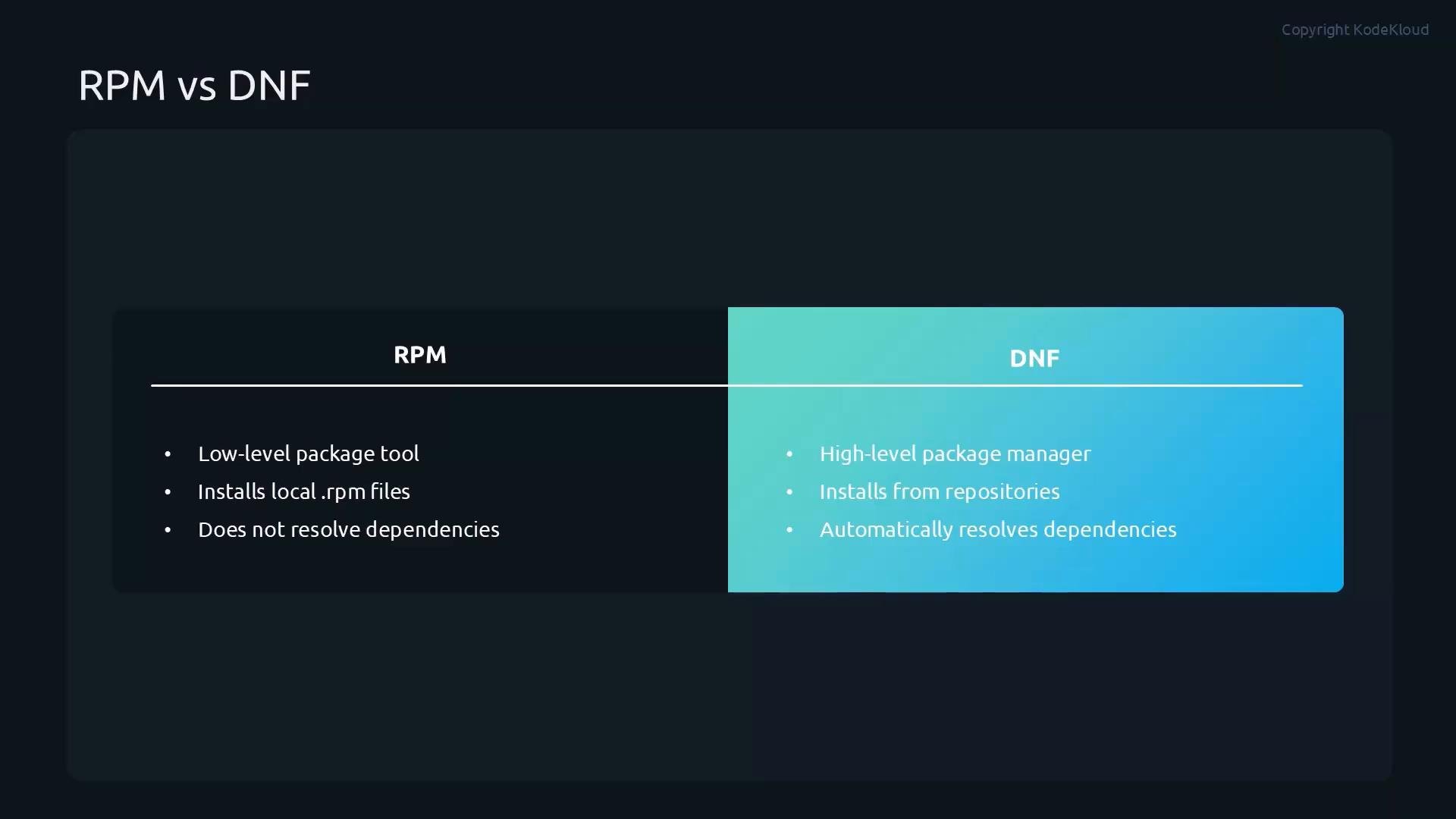
This lesson covers managing software with DNF — the primary package manager for modern Red Hat–based Linux distributions (RHEL, CentOS Stream, Fedora). Use DNF for day-to-day package management: searching repositories, installing/removing packages, handling dependencies, applying updates, and managing package groups. RPM remains the low-level tool that performs the actual install/remove operations on `.rpm` files; DNF operates on top of RPM and resolves dependencies automatically.
 DNF commands generally require root privileges — prepend `sudo` or run as root when performing installs, updates, or removals.
## RPM vs DNF — quick comparison
| Tool | Purpose | Typical usage |
| - | - | - |
| RPM | Low-level package utility | Install individual `.rpm` files, verify packages, query package metadata |
| DNF | High-level package manager built on RPM | Install packages from repositories, resolve and install dependencies, update and remove packages, manage groups |
## Common DNF operations (cheat sheet)
| Task | Command |
| - | - |
| Search packages | `sudo dnf search ` |
| Install package | `sudo dnf install ` |
| Reinstall package | `sudo dnf reinstall ` |
| Remove package | `sudo dnf remove ` |
| Install local RPM (with deps) | `sudo dnf install ./package.rpm` |
| List packages | `dnf list` / `dnf list installed` / `dnf list available` |
| Check for updates | `sudo dnf check-update` |
| Update system | `sudo dnf update` |
| Remove orphaned deps | `sudo dnf autoremove` |
| Manage groups | `sudo dnf group list` / `sudo dnf group install "Group Name"` |
## Searching for packages
Use `dnf search` to locate packages in enabled repositories. It performs word-based matching by default:
```bash theme={null}
sudo dnf search web server
```
The above will match packages that contain either `web` or `server`. Example output might include:
```text theme={null}
$ sudo dnf search web server
Last metadata expiration check: 0:00:10 ago on ...
cockpit.x86_64 : Web Console for Linux servers
```
To search for an exact phrase (both terms together), wrap the phrase in quotes:
```bash theme={null}
sudo dnf search 'web server'
```
This returns packages matching the phrase, for example:
```text theme={null}
$ sudo dnf search 'web server'
Last metadata expiration check: 0:00:10 ago on ...
nginx.x86_64 : A high-performance web server and reverse proxy server
```
## Installing, reinstalling, and removing packages
Install a package from enabled repositories:
```bash theme={null}
sudo dnf install nginx
```
If configuration files or package files become corrupted and you want to restore the installed package files, use:
```bash theme={null}
sudo dnf reinstall nginx
```
To remove a package and its primary files:
```bash theme={null}
sudo dnf remove nginx
```
If you have a downloaded `.rpm` file, prefer installing it with DNF so dependencies are resolved for you:
```bash theme={null}
sudo wget https://download.nomachine.com/download/7.7/Linux/nomachine_7.7.4_1_x86_64.rpm
sudo dnf install ./nomachine_7.7.4_1_x86_64.rpm
```
After removing packages, run `dnf autoremove` to purge orphaned dependencies that are no longer required:
```bash theme={null}
sudo dnf autoremove
```
## Checking for updates and applying them
Check for available updates without applying them:
```bash theme={null}
sudo dnf check-update
```
Apply all available package updates from enabled repositories:
```bash theme={null}
sudo dnf update
```
If a kernel or other core component is updated, a reboot may be required to load the new components.
Reboot after kernel updates or other critical system updates when prompted to ensure the running system uses the new components.
## Listing packages
List all packages (installed and available from enabled repos):
```bash theme={null}
dnf list
```
List only installed packages:
```bash theme={null}
dnf list installed
```
List only packages available from enabled repositories:
```bash theme={null}
dnf list available
```
Sample `dnf list` output (truncated):
```text theme={null}
xorg-x11-fonts-ethiopic.noarch 7.5-40.el10 rhel-10-for-x86_64-appstream-rpms
xorg-x11-fonts-misc.noarch 7.5-40.el10 rhel-10-for-x86_64-appstream-rpms
xorg-x11-proto-devel.noarch 2024.1-3.el10 rhel-10-for-x86_64-appstream-rpms
...
zstd.x86_64 1.5.5-9.el10 rhel-10-for-x86_64-baseos-rpms
```
## Example: Installing and removing Apache HTTP Server (httpd)
Search to verify the package is available:
```bash theme={null}
sudo dnf search httpd
```
Example search output (truncated):
```text theme={null}
Last metadata expiration check: 0:09:21 ago on ...
===================================== Name Exactly Matched: httpd =====================================
httpd.x86_64 : Apache HTTP Server
===================================== Name & Summary Matched: httpd =====================================
httpd-core.x86_64 : httpd minimal core
keycloak-httpd-client-install.noarch : Tools to configure Apache HTTPD as Keycloak client
...
```
Install the Apache package:
```bash theme={null}
sudo dnf install httpd
```
Get detailed package information after installation:
```bash theme={null}
sudo dnf info httpd
```
Example `dnf info` output:
```text theme={null}
Last metadata expiration check: 0:09:52 ago on ...
Installed Packages
Name : httpd
Version : 2.4.63
Release : 4.el10_1.3
Architecture: x86_64
Size : 56 k
Source : httpd-2.4.63-4.el10_1.3.src.rpm
Repository : @System
From repo : rhel-10-for-x86_64-appstream-rpms
Summary : Apache HTTP Server
URL : https://httpd.apache.org/
License : Apache-2.0 AND (BSD-3-Clause AND metmail AND HPND-sell-variant AND Spencer-94)
Description : The Apache HTTP Server is a powerful, efficient, and extensible
: web server.
```
If `httpd` is up-to-date, running an update will indicate there is nothing to do:
```bash theme={null}
sudo dnf update httpd
# Dependencies resolved.
# Nothing to do.
# Complete!
```
To remove Apache and its package components:
```bash theme={null}
sudo dnf remove httpd
```
Sample removal transaction (truncated):
```text theme={null}
Running transaction
Preparing : 1/1
Running scriptlet: httpd-2.4.63-4.el10_1.3.x86_64 1/11
Erasing : httpd-2.4.63-4.el10_1.3.x86_64 1/11
Erasing : mod_lua-2.4.63-4.el10_1.3.x86_64 2/11
Erasing : mod_http2-2.0.29-3.el10.x86_64 3/11
...
Removed:
apr-1.7.5-2.el10.x86_64 apr-util-1.6.3-23.el10_1.x86_64
httpd-2.4.63-4.el10_1.3.x86_64 httpd-core-2.4.63-4.el10_1.3.x86_64
...
Complete!
```
## Managing package groups
DNF supports installing/removing predefined groups (environment groups and comps). This is useful for installing a set of related packages like container toolchains, development environments, or server roles.
List groups:
```bash theme={null}
sudo dnf group list
```
Show hidden groups too:
```bash theme={null}
sudo dnf group list --hidden
```
Get detailed information about a group (wrap group names with spaces in quotes):
```bash theme={null}
sudo dnf group info "Container Management"
```
Example output:
```text theme={null}
Last metadata expiration check: 0:00:10 ago on ...
Group: Container Management
Description: Tools for managing Linux containers
Mandatory Packages:
buildah
podman
Optional Packages:
python3-psutil
toolbox
```
Install a group:
```bash theme={null}
sudo dnf group install "Container Management"
```
Remove a group:
```bash theme={null}
sudo dnf group remove "Container Management"
```
Confirm the removal when prompted.
## Summary
DNF is the recommended day-to-day package manager for Red Hat–based systems. It:
* Installs and removes packages from repositories.
* Resolves and installs dependencies automatically.
* Updates packages and the system.
* Manages predefined package groups.
* Uses RPM under the hood to perform low-level package operations.
Using DNF simplifies package management workflows, reduces dependency errors, and aligns with modern RHEL administration best practices.
## Links and references
* [DNF manual (dnf(8))](https://dnf.readthedocs.io/)
* [Red Hat Enterprise Linux documentation](https://access.redhat.com/documentation/en-us/)
* [RPM package manager reference](https://rpm.org/)
This documentation is built and hosted on [Mintlify](https://mintlify.com), a developer documentation platform.
DNF commands generally require root privileges — prepend `sudo` or run as root when performing installs, updates, or removals.
## RPM vs DNF — quick comparison
| Tool | Purpose | Typical usage |
| - | - | - |
| RPM | Low-level package utility | Install individual `.rpm` files, verify packages, query package metadata |
| DNF | High-level package manager built on RPM | Install packages from repositories, resolve and install dependencies, update and remove packages, manage groups |
## Common DNF operations (cheat sheet)
| Task | Command |
| - | - |
| Search packages | `sudo dnf search ` |
| Install package | `sudo dnf install ` |
| Reinstall package | `sudo dnf reinstall ` |
| Remove package | `sudo dnf remove ` |
| Install local RPM (with deps) | `sudo dnf install ./package.rpm` |
| List packages | `dnf list` / `dnf list installed` / `dnf list available` |
| Check for updates | `sudo dnf check-update` |
| Update system | `sudo dnf update` |
| Remove orphaned deps | `sudo dnf autoremove` |
| Manage groups | `sudo dnf group list` / `sudo dnf group install "Group Name"` |
## Searching for packages
Use `dnf search` to locate packages in enabled repositories. It performs word-based matching by default:
```bash theme={null}
sudo dnf search web server
```
The above will match packages that contain either `web` or `server`. Example output might include:
```text theme={null}
$ sudo dnf search web server
Last metadata expiration check: 0:00:10 ago on ...
cockpit.x86_64 : Web Console for Linux servers
```
To search for an exact phrase (both terms together), wrap the phrase in quotes:
```bash theme={null}
sudo dnf search 'web server'
```
This returns packages matching the phrase, for example:
```text theme={null}
$ sudo dnf search 'web server'
Last metadata expiration check: 0:00:10 ago on ...
nginx.x86_64 : A high-performance web server and reverse proxy server
```
## Installing, reinstalling, and removing packages
Install a package from enabled repositories:
```bash theme={null}
sudo dnf install nginx
```
If configuration files or package files become corrupted and you want to restore the installed package files, use:
```bash theme={null}
sudo dnf reinstall nginx
```
To remove a package and its primary files:
```bash theme={null}
sudo dnf remove nginx
```
If you have a downloaded `.rpm` file, prefer installing it with DNF so dependencies are resolved for you:
```bash theme={null}
sudo wget https://download.nomachine.com/download/7.7/Linux/nomachine_7.7.4_1_x86_64.rpm
sudo dnf install ./nomachine_7.7.4_1_x86_64.rpm
```
After removing packages, run `dnf autoremove` to purge orphaned dependencies that are no longer required:
```bash theme={null}
sudo dnf autoremove
```
## Checking for updates and applying them
Check for available updates without applying them:
```bash theme={null}
sudo dnf check-update
```
Apply all available package updates from enabled repositories:
```bash theme={null}
sudo dnf update
```
If a kernel or other core component is updated, a reboot may be required to load the new components.
Reboot after kernel updates or other critical system updates when prompted to ensure the running system uses the new components.
## Listing packages
List all packages (installed and available from enabled repos):
```bash theme={null}
dnf list
```
List only installed packages:
```bash theme={null}
dnf list installed
```
List only packages available from enabled repositories:
```bash theme={null}
dnf list available
```
Sample `dnf list` output (truncated):
```text theme={null}
xorg-x11-fonts-ethiopic.noarch 7.5-40.el10 rhel-10-for-x86_64-appstream-rpms
xorg-x11-fonts-misc.noarch 7.5-40.el10 rhel-10-for-x86_64-appstream-rpms
xorg-x11-proto-devel.noarch 2024.1-3.el10 rhel-10-for-x86_64-appstream-rpms
...
zstd.x86_64 1.5.5-9.el10 rhel-10-for-x86_64-baseos-rpms
```
## Example: Installing and removing Apache HTTP Server (httpd)
Search to verify the package is available:
```bash theme={null}
sudo dnf search httpd
```
Example search output (truncated):
```text theme={null}
Last metadata expiration check: 0:09:21 ago on ...
===================================== Name Exactly Matched: httpd =====================================
httpd.x86_64 : Apache HTTP Server
===================================== Name & Summary Matched: httpd =====================================
httpd-core.x86_64 : httpd minimal core
keycloak-httpd-client-install.noarch : Tools to configure Apache HTTPD as Keycloak client
...
```
Install the Apache package:
```bash theme={null}
sudo dnf install httpd
```
Get detailed package information after installation:
```bash theme={null}
sudo dnf info httpd
```
Example `dnf info` output:
```text theme={null}
Last metadata expiration check: 0:09:52 ago on ...
Installed Packages
Name : httpd
Version : 2.4.63
Release : 4.el10_1.3
Architecture: x86_64
Size : 56 k
Source : httpd-2.4.63-4.el10_1.3.src.rpm
Repository : @System
From repo : rhel-10-for-x86_64-appstream-rpms
Summary : Apache HTTP Server
URL : https://httpd.apache.org/
License : Apache-2.0 AND (BSD-3-Clause AND metmail AND HPND-sell-variant AND Spencer-94)
Description : The Apache HTTP Server is a powerful, efficient, and extensible
: web server.
```
If `httpd` is up-to-date, running an update will indicate there is nothing to do:
```bash theme={null}
sudo dnf update httpd
# Dependencies resolved.
# Nothing to do.
# Complete!
```
To remove Apache and its package components:
```bash theme={null}
sudo dnf remove httpd
```
Sample removal transaction (truncated):
```text theme={null}
Running transaction
Preparing : 1/1
Running scriptlet: httpd-2.4.63-4.el10_1.3.x86_64 1/11
Erasing : httpd-2.4.63-4.el10_1.3.x86_64 1/11
Erasing : mod_lua-2.4.63-4.el10_1.3.x86_64 2/11
Erasing : mod_http2-2.0.29-3.el10.x86_64 3/11
...
Removed:
apr-1.7.5-2.el10.x86_64 apr-util-1.6.3-23.el10_1.x86_64
httpd-2.4.63-4.el10_1.3.x86_64 httpd-core-2.4.63-4.el10_1.3.x86_64
...
Complete!
```
## Managing package groups
DNF supports installing/removing predefined groups (environment groups and comps). This is useful for installing a set of related packages like container toolchains, development environments, or server roles.
List groups:
```bash theme={null}
sudo dnf group list
```
Show hidden groups too:
```bash theme={null}
sudo dnf group list --hidden
```
Get detailed information about a group (wrap group names with spaces in quotes):
```bash theme={null}
sudo dnf group info "Container Management"
```
Example output:
```text theme={null}
Last metadata expiration check: 0:00:10 ago on ...
Group: Container Management
Description: Tools for managing Linux containers
Mandatory Packages:
buildah
podman
Optional Packages:
python3-psutil
toolbox
```
Install a group:
```bash theme={null}
sudo dnf group install "Container Management"
```
Remove a group:
```bash theme={null}
sudo dnf group remove "Container Management"
```
Confirm the removal when prompted.
## Summary
DNF is the recommended day-to-day package manager for Red Hat–based systems. It:
* Installs and removes packages from repositories.
* Resolves and installs dependencies automatically.
* Updates packages and the system.
* Manages predefined package groups.
* Uses RPM under the hood to perform low-level package operations.
Using DNF simplifies package management workflows, reduces dependency errors, and aligns with modern RHEL administration best practices.
## Links and references
* [DNF manual (dnf(8))](https://dnf.readthedocs.io/)
* [Red Hat Enterprise Linux documentation](https://access.redhat.com/documentation/en-us/)
* [RPM package manager reference](https://rpm.org/)
This documentation is built and hosted on [Mintlify](https://mintlify.com), a developer documentation platform.