

ls -l frequently to verify changes.
Overview — the access metaphor
Think of a Linux system as a large office building:- Each file or directory is a room.
- The owner is the person responsible for that room.
- The group is a department that may share access.
- Others are everyone else in the building. Permissions determine what each of these entities can do in a room: read, write, or enter/execute.
Reading permissions with ls -l
Thels -l command gives a long listing that reveals file type, permissions, ownership, size, and timestamps.
What each field means:
- First field: file type and permission bits
- First character: file type (
d= directory,-= regular file,l= symlink). - Next nine characters: three triplets (owner, group, others).
- First character: file type (
- Second field: number of hard links.
- Third and fourth fields: user owner and group owner.
- Following fields: file size, modification time, and name.
- The owner triplet (first 3 permission characters after the file type) applies to the user owner.
- The group triplet applies to members of the file’s group.
- The others triplet applies to everyone else.
Ownership basics
- User owner: typically the account that created the file. They get the owner triplet.
- Group owner: determines access for members of that group. Use groups to implement shared access across team members.
developers and group write permission is enabled, any member of developers can modify files in that directory (subject to directory entry permissions).
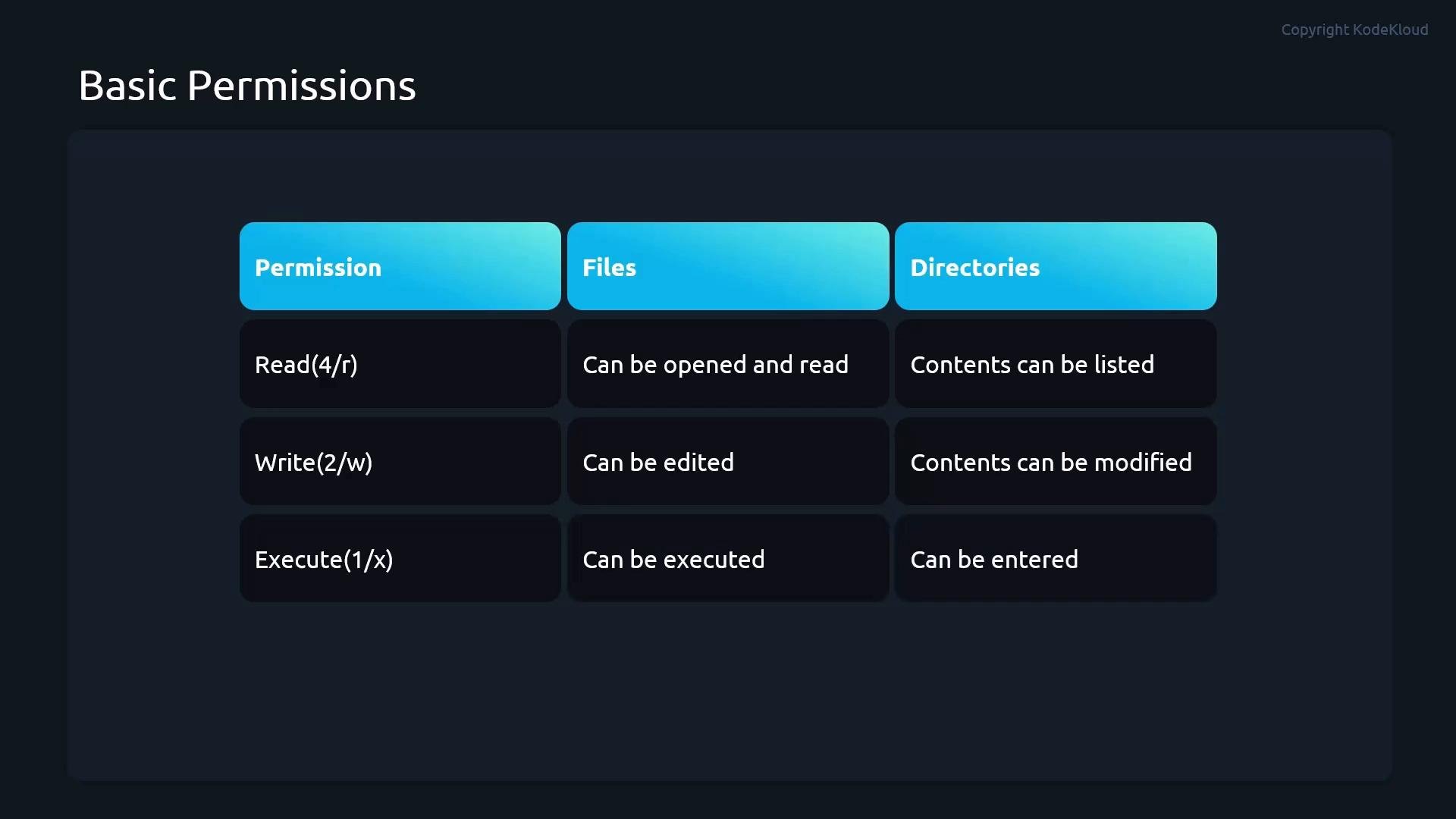
Basic permissions (r, w, x)
- Read (
r): For files, allows reading contents. For directories, allows listing contents. - Write (
w): For files, allows modifying the file. For directories, allows creating or deleting entries. - Execute (
x): For files, allows running the file (if executable). For directories, allows entering the directory (cd) and resolving inodes.
- Is the accessing user the file owner? If yes, use the owner triplet.
- Else, is the accessing user a member of the file’s group? If yes, use the group triplet.
- Else, use the others triplet.
Numeric (octal) and symbolic permission modes (chmod)
Usechmod to change permission bits.
Octal mode:
- Each permission triplet (owner/group/others) is a digit 0–7.
- Each digit is a sum of read (4), write (2), execute (1).
Examples:
- Entities:
u= user (owner),g= group,o= others,a= all - Operators:
+= add,-= remove,== set exactly
Special permissions: SUID, SGID, sticky bit
Special bits affect how executables run or how directories behave.- Set-user-ID (SUID): when set on an executable, processes launched run with the file owner’s effective user ID. Set with
u+s. - Set-group-ID (SGID):
- On executables: runs with the file’s group ID (
g+s). - On directories: new files created inside inherit the directory’s group.
- On executables: runs with the file’s group ID (
- Sticky bit: on a directory, prevents users from deleting or renaming files they don’t own. Commonly used on
/tmp(e.g.,chmod 1777 /tmp).
4= setuid2= setgid1= sticky
Changing ownership: chown and chgrp
chownchanges user owner, optionally the group owner.chgrpchanges only the group owner.- Both support
-Rfor recursive changes.
chmod with chown/chgrp to fully control access.
Demo: users, groups, ownership, and permissions
This example walks through creating users and a group, assigning group membership, creating a project directory, and applying ownership and permissions. Run as root (or usesudo where needed):
- Creating users and a group.
- Granting supplementary group membership.
- Creating files and directories.
- Assigning ownership and permissions.
- Using both symbolic and octal modes.
ls -l after each change to confirm results.
When designing access control, follow the principle of least privilege: grant only the minimum permissions required. Prefer using groups for shared access instead of broad “others” permissions.
Quick reference table
Links and references
- Linux file permissions overview (The Linux Documentation Project)
- chmod manual (man7.org)
- chown manual (man7.org)
- useradd/usermod manual pages (man7.org)
- Understanding SUID, SGID and sticky bit (Red Hat)