One of the most common problems Linux administrators face is a service that stops working even though traditional file ownership and permissions look correct. Typical symptoms include a web server that cannot read content files or a daemon that fails to start with no obvious permission issue. In many such cases the cause is SELinux — not the standard Unix permission model. SELinux enforces system-wide Mandatory Access Control (MAC) policies that can deny actions even when file owner, group, and mode appear correct. Understanding SELinux is essential for diagnosing unexpected access failures and for configuring services securely without disabling the kernel protection layer. This article covers:
  • SELinux enforcement modes (enforcing, permissive, disabled)
  • File contexts (security labels)
  • SELinux booleans
  • SELinux port rules
  • Troubleshooting and investigation techniques
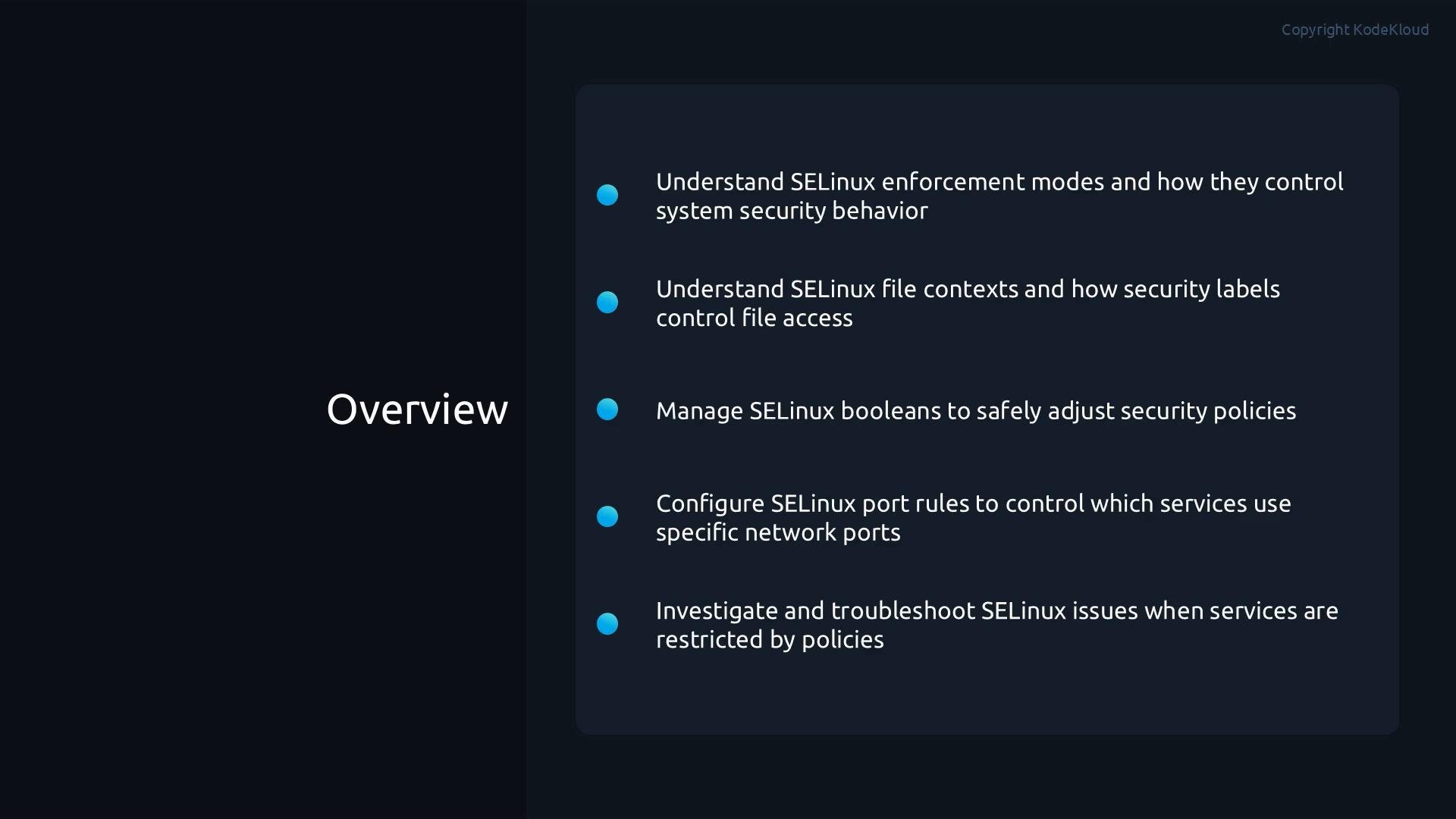
A dark-themed presentation slide titled "Overview" with bullet points listing SELinux topics such as enforcement modes, file contexts, booleans, port rules, and troubleshooting. The points are shown with blue circular bullets on a navy background.
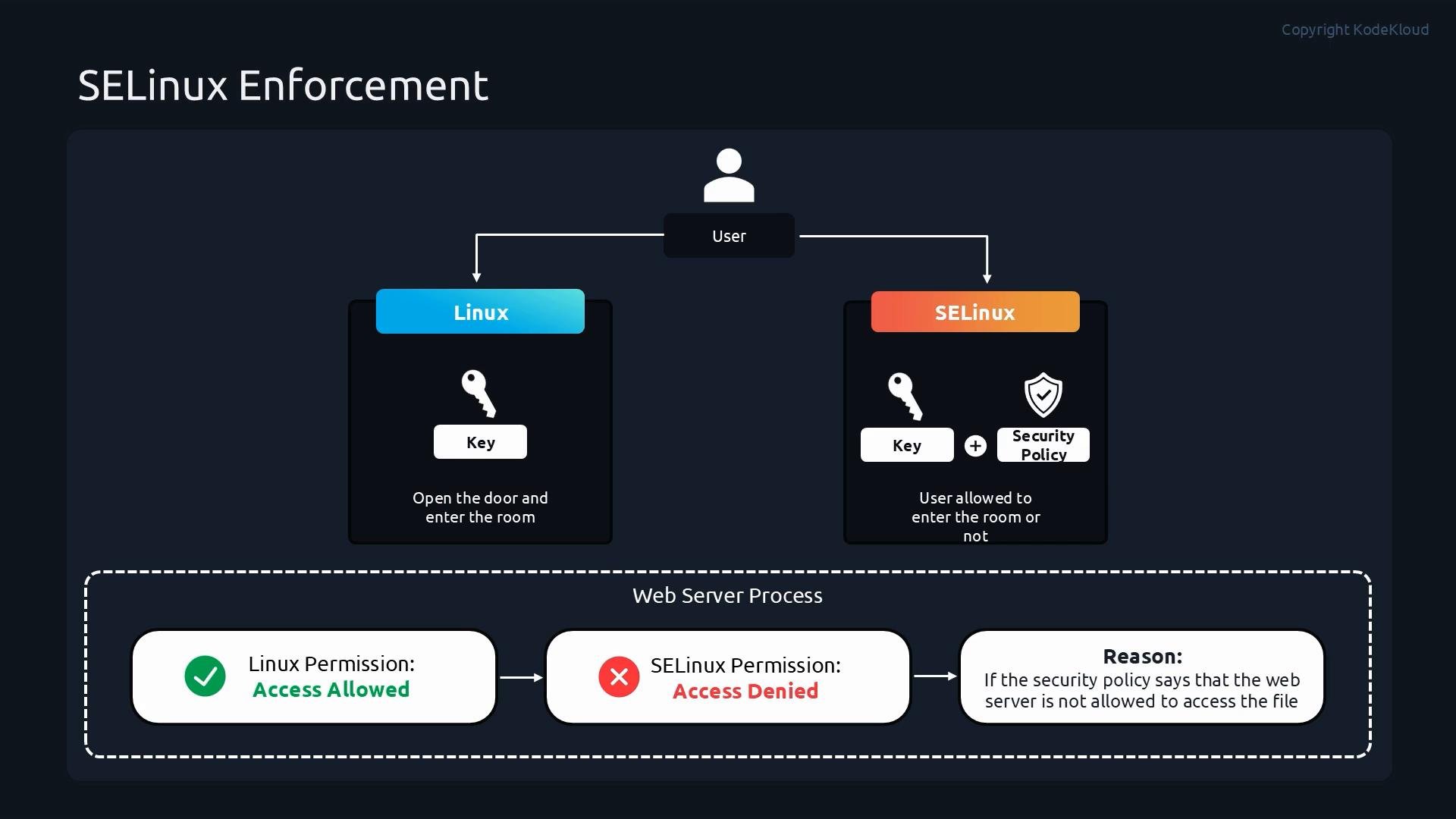
Why SELinux matters for troubleshooting SELinux provides a second layer of access control on top of the classic Unix model. Think of file permissions as keys for rooms. SELinux adds a building-wide security policy that determines whether the person (or process) carrying the key is allowed to enter a room. Even if the key fits the lock, the policy may still deny entry. This explains why services sometimes behave as if “permissions are wrong” even when file ownership and chmod look correct: the process context or file context differs from what the SELinux policy allows for that service.
A dark-themed infographic titled "SELinux Enforcement" that contrasts Linux's simple key-based access (open the door) with SELinux's key plus security policy determining whether a user or web server process can enter. It also shows a flow where Linux permission allows access but SELinux can deny it based on policy.
What SELinux provides SELinux (Security-Enhanced Linux) is a kernel-integrated framework implementing Mandatory Access Control. It labels every process and object (files, sockets, ports) with a security context and enforces policy rules that govern allowed interactions between those contexts. Key benefits:
  • Reduced blast radius for compromised services
  • Confinement of processes to only the resources they need
  • Centralized, system-wide policy enforcement
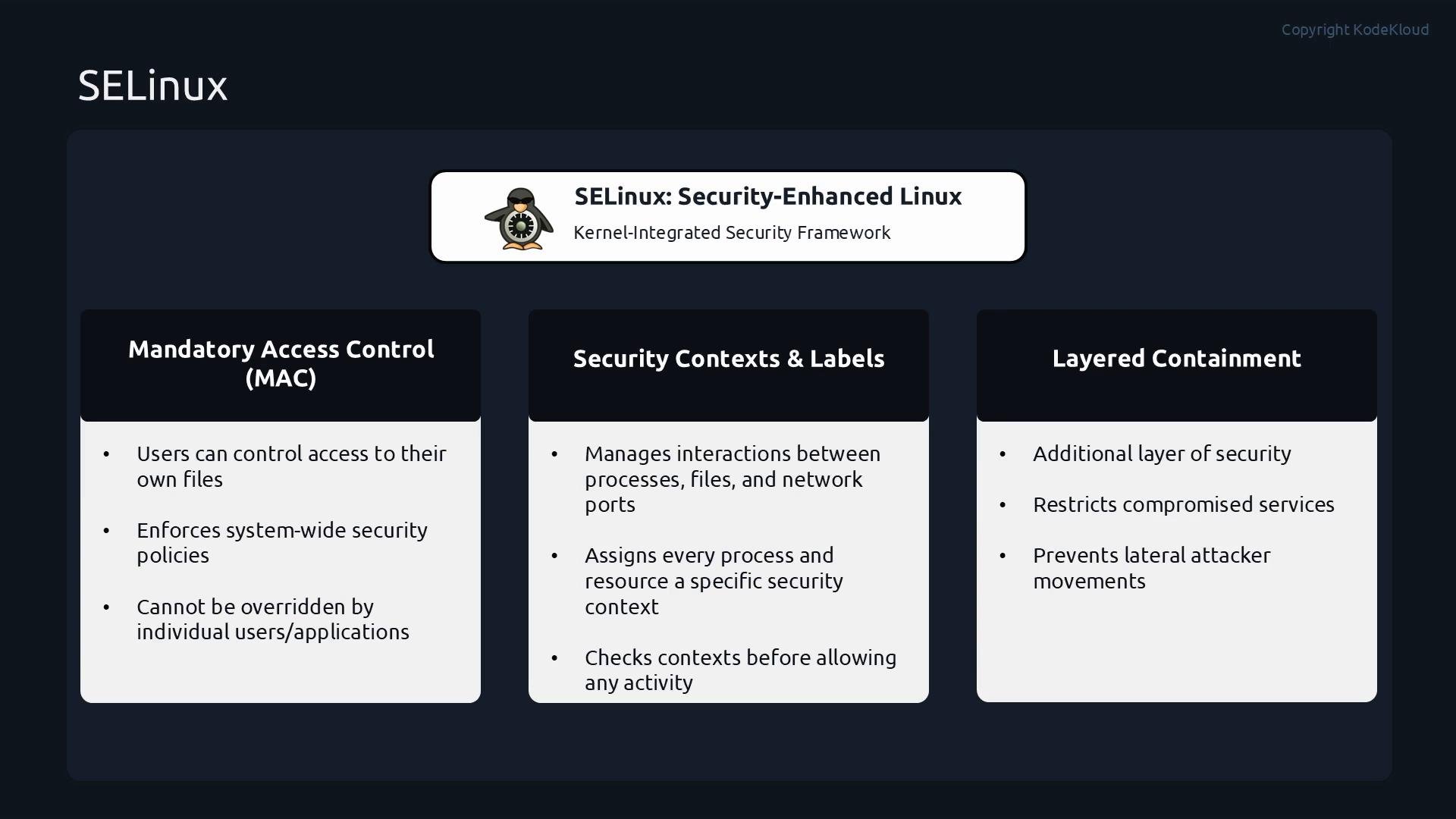
An infographic titled "SELinux: Security-Enhanced Linux" summarizing its kernel-integrated security features. It shows three panels describing Mandatory Access Control (MAC), Security Contexts & Labels, and Layered Containment with brief bullet points about how SELinux enforces policies, labels resources, and confines services.
How SELinux enforces policy When a process attempts an action (open a file, bind a port, connect to a socket), SELinux evaluates the process context and the object context against the active policy. The policy determines whether the operation is allowed. Typical rules restrict:
  • Which files a daemon may read/write (via file contexts)
  • Which ports a service may bind
  • Whether one process may send signals or trace another
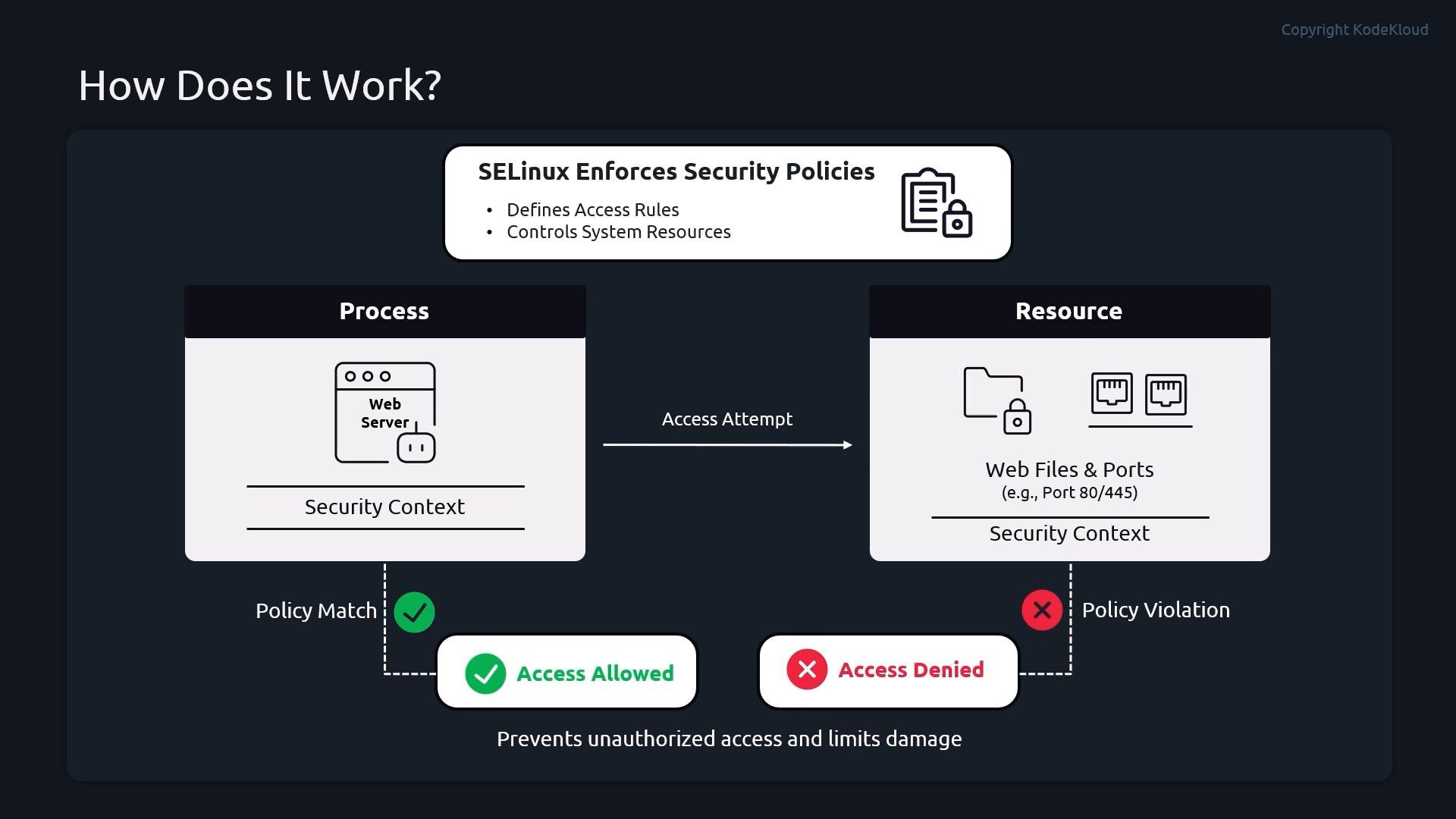
Understanding the relevant contexts and rules is essential for diagnosing denials and creating safe exceptions when needed.
An infographic showing how SELinux enforces security policies: a web server process with a security context attempts to access web files/ports, and the policy either allows access (green) or denies it (red) based on the security contexts.
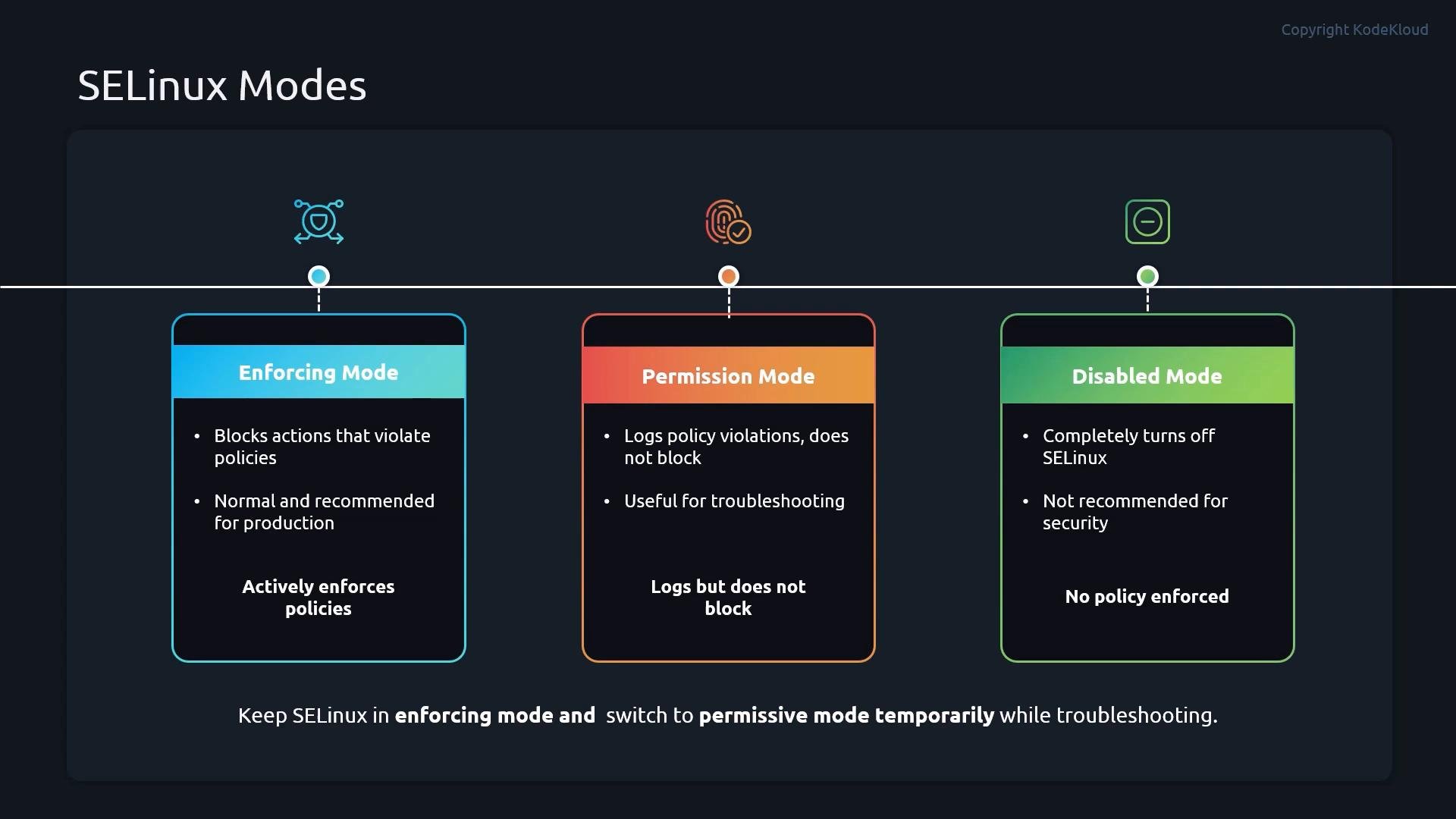
SELinux modes SELinux supports three runtime modes that affect how policy is applied:
An infographic titled "SELinux Modes" showing three columns: Enforcing, Permissive, and Disabled. It explains that Enforcing blocks policy violations, Permissive only logs them, and Disabled completely turns off SELinux.
Common commands and quick reference Example: check current mode and detailed status
Change the runtime mode
Persistently change the mode Edit /etc/selinux/config and set SELINUX to one of enforcing, permissive, or disabled. Example:
After editing /etc/selinux/config, reboot the system for persistent changes to take effect. Controlling SELinux via kernel boot parameters You can control SELinux at boot time using kernel arguments. Common kernel parameters:
  • selinux=0 — disable SELinux entirely at kernel level
  • enforcing=0 — start in permissive mode at boot
  • enforcing=1 — enforce at boot
  • autorelabel=1 — force a full filesystem relabel on next boot (useful after changing policies or contexts)
Use grubby to add or remove kernel arguments persistently:
Warning: Fully disabling SELinux (selinux=0) removes a critical protection layer from the kernel. Prefer using permissive when diagnosing problems, then return to enforcing and fix the underlying configuration (contexts, booleans, or policy) rather than leaving the system permissive or disabled.
Keep SELinux enabled and in enforcing mode in production. Use permissive mode temporarily to collect denial logs, then fix the root cause — adjust file contexts, update booleans, or modify policy — instead of leaving the system permissive or disabled.
Next steps for troubleshooting (high level)
  • Check audit logs: examine /var/log/audit/audit.log (or journalctl on systems forwarding logs) for AVC denials.
  • Use ausearch and audit2why/audit2allow to understand the denial and generate policy suggestions.
  • Verify file contexts with ls -Z and correct them with restorecon -Rv or semanage fcontext -a -t <type> '<path>' followed by restorecon.
  • Inspect SELinux booleans with getsebool -a and toggle them with setsebool -P <boolean> on|off.
  • Confirm port rules with semanage port -l and add custom port mappings if a service binds to a non-standard port.
Useful references Summary
  • SELinux adds Mandatory Access Control to the system by labeling processes and resources and enforcing policy-based access decisions.
  • Use getenforce, setenforce, and sestatus to inspect and control runtime mode.
  • Persist mode changes by editing /etc/selinux/config or adjusting kernel boot arguments.
  • For troubleshooting, prefer permissive temporarily to gather logs, then remediate using context fixes, booleans, or targeted policy updates rather than disabling SELinux permanently.

Watch Video