> ## Documentation Index
> Fetch the complete documentation index at: https://notes.kodekloud.com/llms.txt
> Use this file to discover all available pages before exploring further.
# Managing Swap Space
> Guide to Linux swap space explaining purpose and step by step how to create enable verify and persist swap.
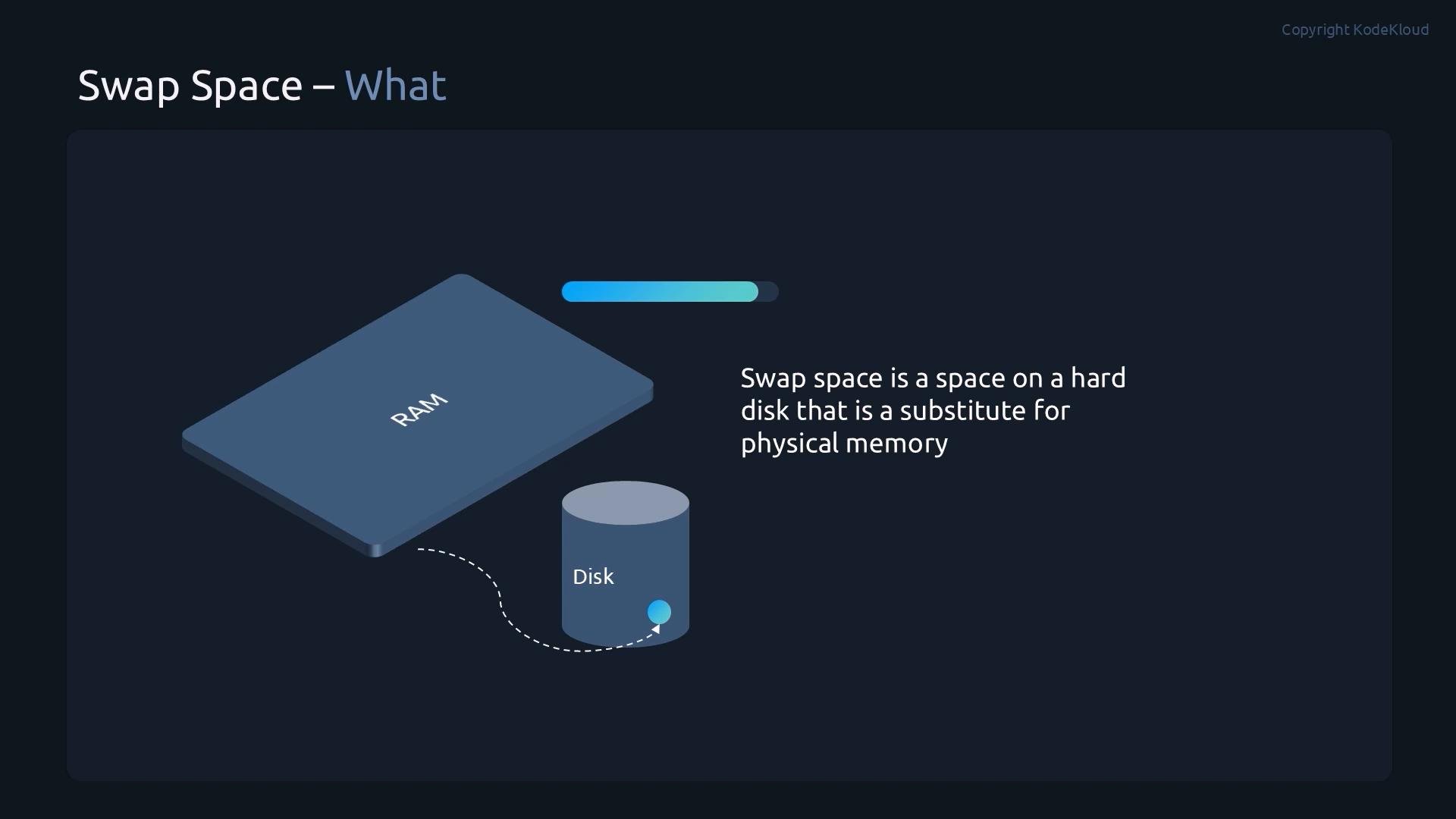
In this lesson we cover swap space on Linux: what it is, when to use it, and how to create, enable, verify, and persist swap devices. Swap provides a safety buffer when physical RAM is exhausted by moving inactive memory pages to disk. It improves stability under heavy memory pressure but is much slower than RAM, so it is not a performance substitute for adding physical memory.
 Key workflow for swap management:
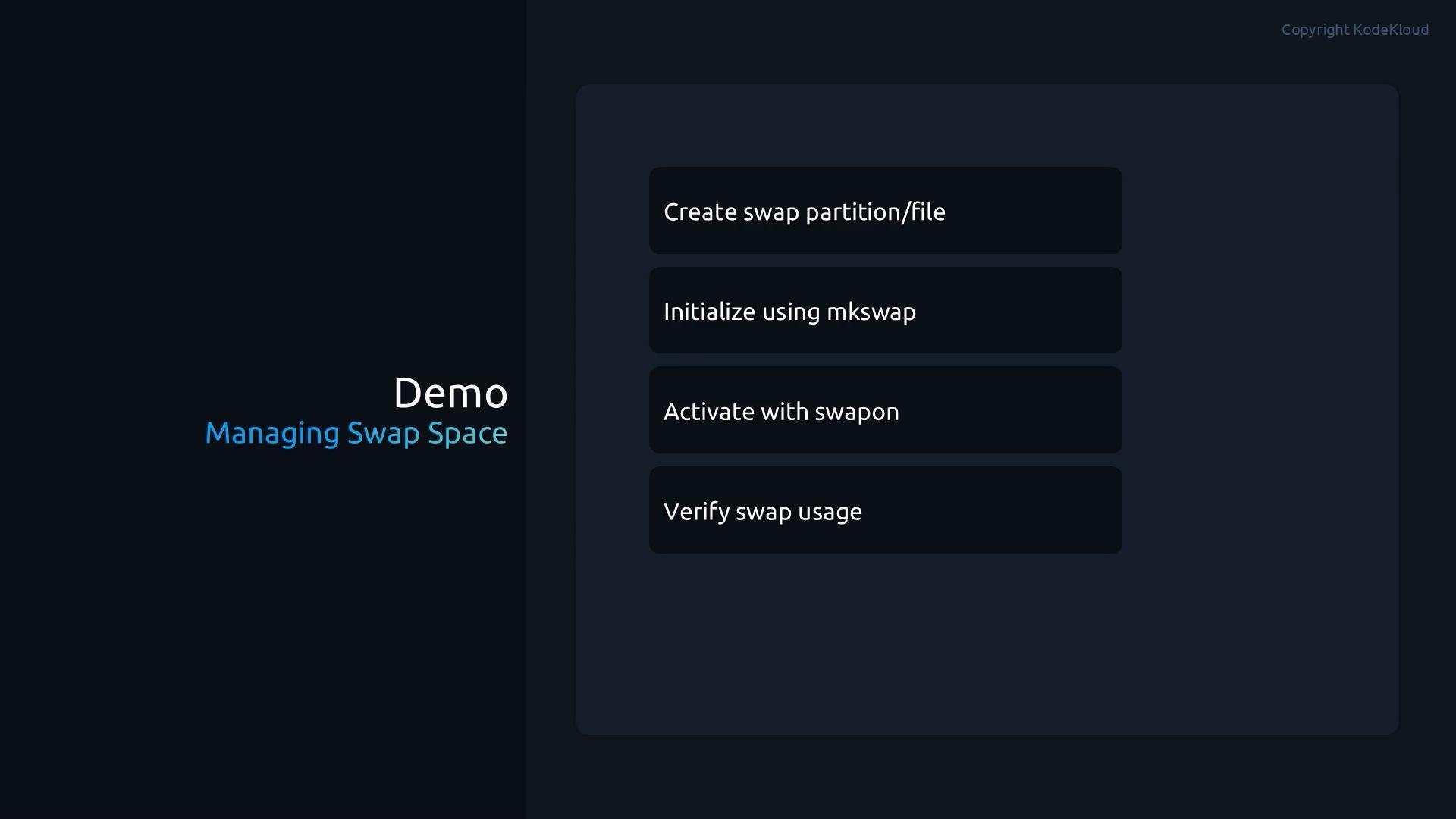
* Prepare the swap area with `mkswap` (on a partition or file).
* Activate it immediately with `swapon`.
* Make it persistent across reboots by adding an entry to `/etc/fstab`.
Swap is useful for system stability, but it is not a replacement for adequate RAM. Disk-backed swap is orders of magnitude slower than RAM.
## Why use swap?
* Prevents out-of-memory (OOM) conditions by giving the kernel somewhere to relocate inactive pages.
* Useful for systems with variable memory loads or for hibernation (swap file/partition must be large enough).
* Note: excessive swapping (thrashing) will degrade performance.
## Demo — create two swap partitions, initialize, enable, and persist
This demo shows creating two swap partitions on a spare disk (`/dev/sdb`), initializing them with `mkswap`, enabling with `swapon`, verifying usage, and making them persistent by adding entries to `/etc/fstab`.
Key workflow for swap management:
* Prepare the swap area with `mkswap` (on a partition or file).
* Activate it immediately with `swapon`.
* Make it persistent across reboots by adding an entry to `/etc/fstab`.
Swap is useful for system stability, but it is not a replacement for adequate RAM. Disk-backed swap is orders of magnitude slower than RAM.
## Why use swap?
* Prevents out-of-memory (OOM) conditions by giving the kernel somewhere to relocate inactive pages.
* Useful for systems with variable memory loads or for hibernation (swap file/partition must be large enough).
* Note: excessive swapping (thrashing) will degrade performance.
## Demo — create two swap partitions, initialize, enable, and persist
This demo shows creating two swap partitions on a spare disk (`/dev/sdb`), initializing them with `mkswap`, enabling with `swapon`, verifying usage, and making them persistent by adding entries to `/etc/fstab`.
 1. Inspect block devices and create two partitions on `/dev/sdb` using `parted`:
```bash theme={null}
root@control:/# lsblk
NAME MAJ:MIN RM SIZE RO TYPE MOUNTPOINTS
sda 8:0 0 20G 0 disk
├─sda2 8:2 0 1G 0 part
└─sda3 8:3 0 19G 0 part
├─rhel-root 253:0 0 17G 0 lvm /
└─rhel-swap 253:1 0 2G 0 lvm [SWAP]
sdb 8:16 0 5.1G 0 disk
sr0 11:0 1 1024M 0 rom
root@control:/# parted /dev/sdb
GNU Parted 3.6
Using /dev/sdb
Welcome to GNU Parted! Type 'help' to view a list of commands.
(parted) mkpart
Partition name? []? swap1
File system type? [ext2]? linux-swap
Start? 2048s
End? 500MB
(parted) mkpart
Partition name? []? swap2
File system type? [ext2]? linux-swap
Start? 501MB
End? 1000MB
(parted) quit
```
2. Verify the newly created partitions and initialize them as swap with `mkswap`:
```bash theme={null}
root@control:/# lsblk
NAME MAJ:MIN RM SIZE RO TYPE MOUNTPOINTS
sda 8:0 0 20G 0 disk
├─sda2 8:2 0 1G 0 part
└─sda3 8:3 0 19G 0 part
├─rhel-root 253:0 0 17G 0 lvm /
└─rhel-swap 253:1 0 2G 0 lvm [SWAP]
sdb 8:16 0 5.1G 0 disk
├─sdb1 8:17 0 476M 0 part
└─sdb2 8:18 0 476M 0 part
sr0 11:0 1 1024M 0 rom
root@control:/# mkswap /dev/sdb1
mkswap: /dev/sdb1: warning: wiping old xfs signature.
Setting up swapspace version 1, size = 476 MiB (499118080 bytes)
no label, UUID=dfce7cd0-a3d2-401d-bec4-a2dc4586f219
root@control:/# mkswap /dev/sdb2
Setting up swapspace version 1, size = 476 MiB (499118080 bytes)
no label, UUID=23402b24-524f-4b10-9d28-71a67fdd662f
```
3. Activate a swap device and verify active swap with `swapon --show` and `free -h`:
```bash theme={null}
root@control:/# swapon /dev/sdb1
root@control:/# swapon --show
NAME TYPE SIZE USED PRIO
/dev/dm-1 partition 2G 0B -2
/dev/sdb1 partition 476M 0B 5
root@control:/# free -h
total used free shared buff/cache available
Mem: 3.9G 1.2G 842M 12M 1.0G 2.2G
Swap: 2.9G 0B 2.9G
```
Notes:
* `swapon --show` lists active swap areas and their priorities.
* `free -h` shows total swap available to the system (existing swap + newly added).
## Make swap persistent across reboots
To persist newly created swap devices, add entries to `/etc/fstab`. You can refer to swap partitions by UUID (recommended) or by device path. Below is an example `fstab` with the two swap devices added using absolute paths and priority values so the kernel prefers one swap area over another:
```bash theme={null}
#
# /etc/fstab
# Created by anaconda on Tue Mar 31 10:50:07 2026
#
# Accessible filesystems, by reference, are maintained under '/dev/disk/'.
# See man pages fstab(5) (https://man7.org/linux/man-pages/man5/fstab.5.html), findfs(8) (https://man7.org/linux/man-pages/man8/findfs.8.html), mount(8) (https://man7.org/linux/man-pages/man8/mount.8.html) and/or blkid(8) (https://man7.org/linux/man-pages/man8/blkid.8.html) for more info.
#
# After editing this file, run 'systemctl daemon-reload' to update systemd
# units generated from this file.
#
UUID=d3b9cb8c-5cf7-45cb-8bef-9dec51747be4 / xfs defaults 0 0
UUID=691cc3c4-617b-46de-88a8-72845adc7636 /boot xfs defaults 0 0
UUID=f7ba6641-f5c1-4503-a64f-c804eda85768 none swap defaults 0 0
/dev/sdb1 swap swap defaults,pri=5 0 0
/dev/sdb2 swap swap defaults,pri=10 0 0
```
After saving `/etc/fstab`, enable all swap entries defined there:
```bash theme={null}
root@control:/# swapon -a
root@control:/# swapon --show
NAME TYPE SIZE USED PRIO
/dev/dm-1 partition 2G 0B -2
/dev/sdb1 partition 476M 0B 5
/dev/sdb2 partition 476M 0B 10
```
## Disable swap temporarily
For maintenance or testing you can turn off all swap with `swapoff -a`:
```bash theme={null}
root@control:/# swapoff -a
root@control:/# swapon --show
NAME TYPE SIZE USED PRIO
# (no output - no swap active)
```
## Quick reference — common swap commands
| Task | Command / File | Description |
| - | - | - |
| Create partitions | `parted /dev/sdX` | Create partition(s) of type `linux-swap`. |
| Initialize swap | `mkswap /dev/sdXn` | Prepare a partition as swap. |
| Enable swap | `swapon /dev/sdXn` or `swapon -a` | Activate a swap device or all `fstab` swap entries. |
| List active swap | `swapon --show` | Show active swap devices and priorities. |
| Check memory | `free -h` | Display RAM and swap usage in human-readable units. |
| Disable swap | `swapoff -a` | Turn off all swap devices. |
| Persist swap | `/etc/fstab` | Add swap entries (by `UUID=` or device path). |
## Checklist / Summary
* You can create swap on a dedicated partition or a file.
* Use `mkswap` to format the partition or file for swap usage.
* Use `swapon` to enable swap immediately and `swapon --show` / `free -h` to verify.
* Add swap entries to `/etc/fstab` to make them persistent across reboots.
* Avoid relying on swap for performance — consider adding RAM if swapping is frequent.
## Links and references
* [fstab(5) manual](https://man7.org/linux/man-pages/man5/fstab.5.html)
* [swapon(8) manual](https://man7.org/linux/man-pages/man8/swapon.8.html)
* [mkswap(8) manual](https://man7.org/linux/man-pages/man8/mkswap.8.html)
* [free(1) manual](https://man7.org/linux/man-pages/man1/free.1.html)
This documentation is built and hosted on [Mintlify](https://mintlify.com), a developer documentation platform.
1. Inspect block devices and create two partitions on `/dev/sdb` using `parted`:
```bash theme={null}
root@control:/# lsblk
NAME MAJ:MIN RM SIZE RO TYPE MOUNTPOINTS
sda 8:0 0 20G 0 disk
├─sda2 8:2 0 1G 0 part
└─sda3 8:3 0 19G 0 part
├─rhel-root 253:0 0 17G 0 lvm /
└─rhel-swap 253:1 0 2G 0 lvm [SWAP]
sdb 8:16 0 5.1G 0 disk
sr0 11:0 1 1024M 0 rom
root@control:/# parted /dev/sdb
GNU Parted 3.6
Using /dev/sdb
Welcome to GNU Parted! Type 'help' to view a list of commands.
(parted) mkpart
Partition name? []? swap1
File system type? [ext2]? linux-swap
Start? 2048s
End? 500MB
(parted) mkpart
Partition name? []? swap2
File system type? [ext2]? linux-swap
Start? 501MB
End? 1000MB
(parted) quit
```
2. Verify the newly created partitions and initialize them as swap with `mkswap`:
```bash theme={null}
root@control:/# lsblk
NAME MAJ:MIN RM SIZE RO TYPE MOUNTPOINTS
sda 8:0 0 20G 0 disk
├─sda2 8:2 0 1G 0 part
└─sda3 8:3 0 19G 0 part
├─rhel-root 253:0 0 17G 0 lvm /
└─rhel-swap 253:1 0 2G 0 lvm [SWAP]
sdb 8:16 0 5.1G 0 disk
├─sdb1 8:17 0 476M 0 part
└─sdb2 8:18 0 476M 0 part
sr0 11:0 1 1024M 0 rom
root@control:/# mkswap /dev/sdb1
mkswap: /dev/sdb1: warning: wiping old xfs signature.
Setting up swapspace version 1, size = 476 MiB (499118080 bytes)
no label, UUID=dfce7cd0-a3d2-401d-bec4-a2dc4586f219
root@control:/# mkswap /dev/sdb2
Setting up swapspace version 1, size = 476 MiB (499118080 bytes)
no label, UUID=23402b24-524f-4b10-9d28-71a67fdd662f
```
3. Activate a swap device and verify active swap with `swapon --show` and `free -h`:
```bash theme={null}
root@control:/# swapon /dev/sdb1
root@control:/# swapon --show
NAME TYPE SIZE USED PRIO
/dev/dm-1 partition 2G 0B -2
/dev/sdb1 partition 476M 0B 5
root@control:/# free -h
total used free shared buff/cache available
Mem: 3.9G 1.2G 842M 12M 1.0G 2.2G
Swap: 2.9G 0B 2.9G
```
Notes:
* `swapon --show` lists active swap areas and their priorities.
* `free -h` shows total swap available to the system (existing swap + newly added).
## Make swap persistent across reboots
To persist newly created swap devices, add entries to `/etc/fstab`. You can refer to swap partitions by UUID (recommended) or by device path. Below is an example `fstab` with the two swap devices added using absolute paths and priority values so the kernel prefers one swap area over another:
```bash theme={null}
#
# /etc/fstab
# Created by anaconda on Tue Mar 31 10:50:07 2026
#
# Accessible filesystems, by reference, are maintained under '/dev/disk/'.
# See man pages fstab(5) (https://man7.org/linux/man-pages/man5/fstab.5.html), findfs(8) (https://man7.org/linux/man-pages/man8/findfs.8.html), mount(8) (https://man7.org/linux/man-pages/man8/mount.8.html) and/or blkid(8) (https://man7.org/linux/man-pages/man8/blkid.8.html) for more info.
#
# After editing this file, run 'systemctl daemon-reload' to update systemd
# units generated from this file.
#
UUID=d3b9cb8c-5cf7-45cb-8bef-9dec51747be4 / xfs defaults 0 0
UUID=691cc3c4-617b-46de-88a8-72845adc7636 /boot xfs defaults 0 0
UUID=f7ba6641-f5c1-4503-a64f-c804eda85768 none swap defaults 0 0
/dev/sdb1 swap swap defaults,pri=5 0 0
/dev/sdb2 swap swap defaults,pri=10 0 0
```
After saving `/etc/fstab`, enable all swap entries defined there:
```bash theme={null}
root@control:/# swapon -a
root@control:/# swapon --show
NAME TYPE SIZE USED PRIO
/dev/dm-1 partition 2G 0B -2
/dev/sdb1 partition 476M 0B 5
/dev/sdb2 partition 476M 0B 10
```
## Disable swap temporarily
For maintenance or testing you can turn off all swap with `swapoff -a`:
```bash theme={null}
root@control:/# swapoff -a
root@control:/# swapon --show
NAME TYPE SIZE USED PRIO
# (no output - no swap active)
```
## Quick reference — common swap commands
| Task | Command / File | Description |
| - | - | - |
| Create partitions | `parted /dev/sdX` | Create partition(s) of type `linux-swap`. |
| Initialize swap | `mkswap /dev/sdXn` | Prepare a partition as swap. |
| Enable swap | `swapon /dev/sdXn` or `swapon -a` | Activate a swap device or all `fstab` swap entries. |
| List active swap | `swapon --show` | Show active swap devices and priorities. |
| Check memory | `free -h` | Display RAM and swap usage in human-readable units. |
| Disable swap | `swapoff -a` | Turn off all swap devices. |
| Persist swap | `/etc/fstab` | Add swap entries (by `UUID=` or device path). |
## Checklist / Summary
* You can create swap on a dedicated partition or a file.
* Use `mkswap` to format the partition or file for swap usage.
* Use `swapon` to enable swap immediately and `swapon --show` / `free -h` to verify.
* Add swap entries to `/etc/fstab` to make them persistent across reboots.
* Avoid relying on swap for performance — consider adding RAM if swapping is frequent.
## Links and references
* [fstab(5) manual](https://man7.org/linux/man-pages/man5/fstab.5.html)
* [swapon(8) manual](https://man7.org/linux/man-pages/man8/swapon.8.html)
* [mkswap(8) manual](https://man7.org/linux/man-pages/man8/mkswap.8.html)
* [free(1) manual](https://man7.org/linux/man-pages/man1/free.1.html)
This documentation is built and hosted on [Mintlify](https://mintlify.com), a developer documentation platform.