> ## Documentation Index
> Fetch the complete documentation index at: https://notes.kodekloud.com/llms.txt
> Use this file to discover all available pages before exploring further.
# SuperUser Access
> Explains sudo-based privilege escalation on RHEL, sudoers syntax, granular delegation, visudo usage, examples and best practices for least privilege and audited administrative access
When a Linux shell replies "permission denied" after you try to install software, restart a service, or edit a system file, it's not a bug — it's privilege enforcement working as intended.
This guide explains how privilege and privilege escalation work on Red Hat Enterprise Linux (RHEL), how to safely grant administrative rights using `sudo`, and why assigning the minimum necessary privileges (least privilege) is critical for security and auditability.
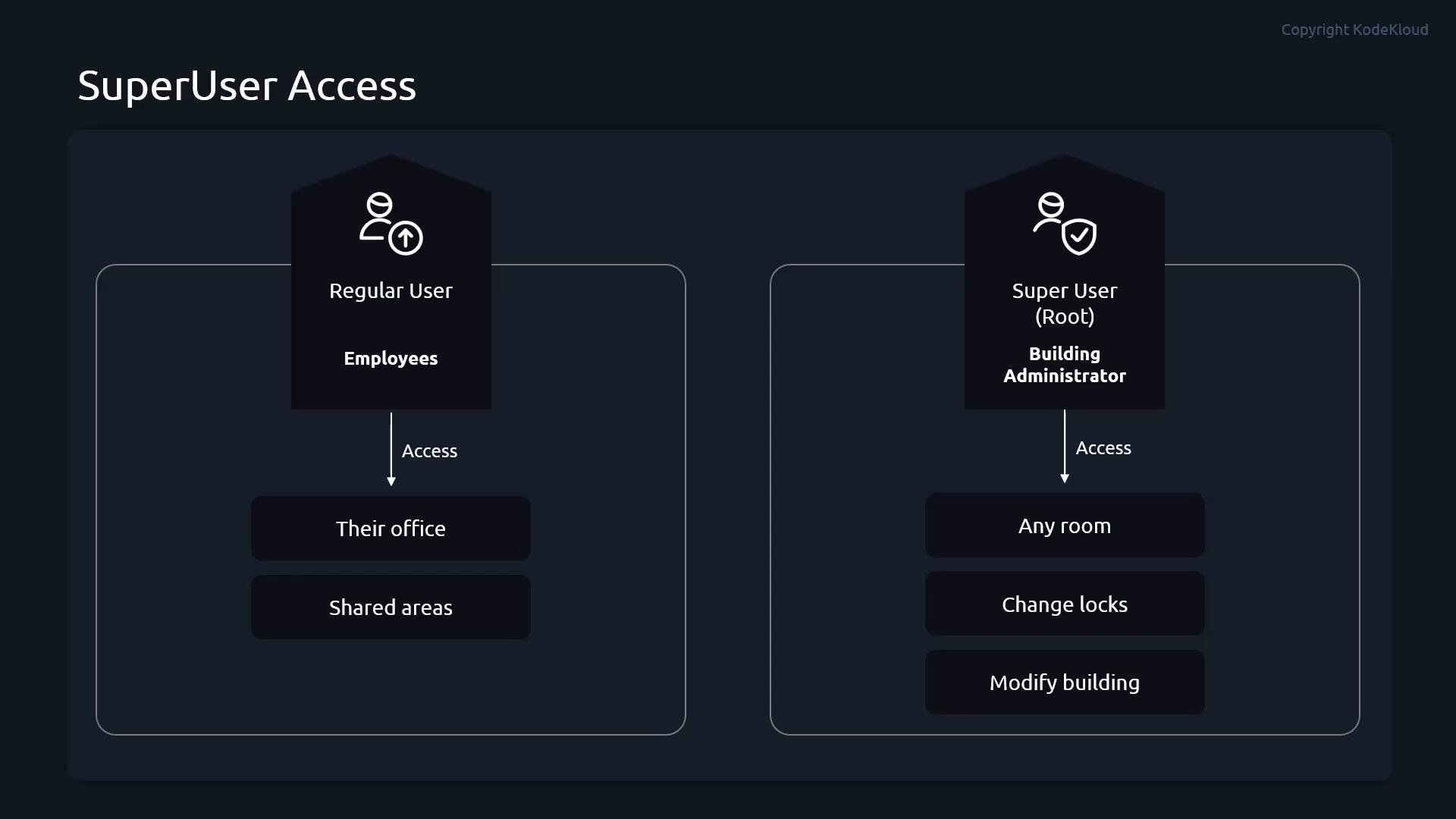
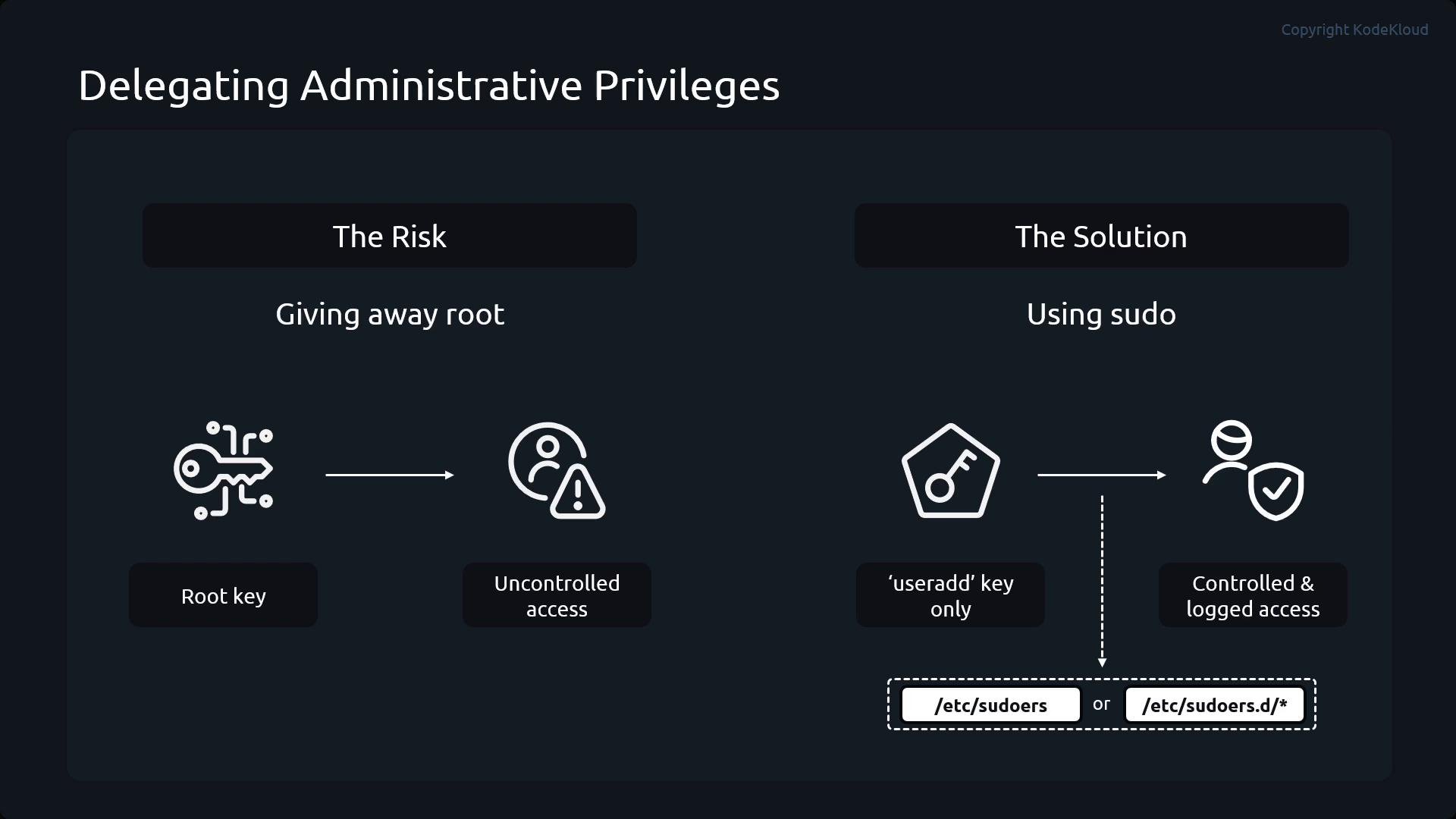
Analogy: regular users are employees with keys to their office and shared areas. The superuser (root) is the building administrator with a master key who can change locks and modify the building. You wouldn't hand out the master key to everyone — instead, delegate only the keys needed for specific tasks. `sudo` is the mechanism that lets you do exactly that: grant specific administrative commands, optionally require a password, and record who ran what.
 Which users can run `sudo`, and which commands they may run, are defined in `/etc/sudoers` and in files under `/etc/sudoers.d/`. Because a malformed sudoers file can break `sudo` for everyone, always edit these files with `visudo`, which validates syntax before saving.
Always use `visudo` (or `visudo -f /etc/sudoers.d/`) to edit `/etc/sudoers` or files under `/etc/sudoers.d/`. `visudo` checks syntax and helps prevent configuration errors that could lock out administrative access.
## Sudoers entry structure
A sudoers entry consists of:
* Subject: a user or a group (groups use a leading `%`)
* Host: which host(s) the rule applies to (often `ALL`)
* Run-as specification: who the command may be run as, e.g. `(ALL)` or `(root)`
* Command list: the allowed commands, or exclusions prefixed with `!`
| Field | Purpose | Example |
| - | - | - |
| Subject | Which user or group the rule applies to | `alice` or `%opsadmins` |
| Host | Hostnames where rule applies | `ALL` |
| Run-as | Which user(s) `sudo` may run the command as | `(ALL)` |
| Commands | Allowed commands or negated commands | `/usr/sbin/useradd, !/usr/sbin/userdel` |
Examples of common sudoers lines:
```text theme={null}
# A user can run all commands via sudo without a password prompt
student ALL=(ALL) NOPASSWD:ALL
# A group is specified with a leading '%' character
%students ALL=(ALL) ALL
# Allow all commands except '/usr/sbin/useradd'
student ALL=(ALL) ALL, !/usr/sbin/useradd
```
Which users can run `sudo`, and which commands they may run, are defined in `/etc/sudoers` and in files under `/etc/sudoers.d/`. Because a malformed sudoers file can break `sudo` for everyone, always edit these files with `visudo`, which validates syntax before saving.
Always use `visudo` (or `visudo -f /etc/sudoers.d/`) to edit `/etc/sudoers` or files under `/etc/sudoers.d/`. `visudo` checks syntax and helps prevent configuration errors that could lock out administrative access.
## Sudoers entry structure
A sudoers entry consists of:
* Subject: a user or a group (groups use a leading `%`)
* Host: which host(s) the rule applies to (often `ALL`)
* Run-as specification: who the command may be run as, e.g. `(ALL)` or `(root)`
* Command list: the allowed commands, or exclusions prefixed with `!`
| Field | Purpose | Example |
| - | - | - |
| Subject | Which user or group the rule applies to | `alice` or `%opsadmins` |
| Host | Hostnames where rule applies | `ALL` |
| Run-as | Which user(s) `sudo` may run the command as | `(ALL)` |
| Commands | Allowed commands or negated commands | `/usr/sbin/useradd, !/usr/sbin/userdel` |
Examples of common sudoers lines:
```text theme={null}
# A user can run all commands via sudo without a password prompt
student ALL=(ALL) NOPASSWD:ALL
# A group is specified with a leading '%' character
%students ALL=(ALL) ALL
# Allow all commands except '/usr/sbin/useradd'
student ALL=(ALL) ALL, !/usr/sbin/useradd
```
 ## Practical demo: granular sudo rules
In this demo we use four pre-created users: Alice, Bob, Carol, and Dave. Dave is a member of the `opsadmins` group. First, verify the users and groups:
```bash theme={null}
root@control:~# id alice
uid=1001(alice) gid=1001(alice) groups=1001(alice)
root@control:~# id bob
uid=1002(bob) gid=1002(bob) groups=1002(bob)
root@control:~# id carol
uid=1003(carol) gid=1003(carol) groups=1003(carol)
root@control:~# id dave
uid=1004(dave) gid=1005(dave) groups=1005(dave),1004(opsadmins)
```
Create a sudoers file for the demo using `visudo -f`:
```bash theme={null}
root@control:~# visudo -f /etc/sudoers.d/demo-sudo
```
Insert the following rules into `/etc/sudoers.d/demo-sudo` to demonstrate common delegation patterns:
```text theme={null}
# alice can run any command as any user (requires password)
alice ALL=(ALL) ALL
# bob may only run useradd and userdel
bob ALL=(ALL) /usr/sbin/useradd, /usr/sbin/userdel
# carol may run any command except userdel
carol ALL=(ALL) ALL, !/usr/sbin/userdel
# opsadmins group may run any command as any user without a password
%opsadmins ALL=(ALL) NOPASSWD:ALL
```
Save and exit. Now test each user's delegated privileges.
### 1) Alice — full sudo access (password required)
```bash theme={null}
alice@control:~$ sudo /usr/sbin/useradd test1
alice@control:~$ sudo /usr/sbin/userdel test1
```
Both commands succeed because Alice is permitted to run any command via `sudo`.
### 2) Bob — limited to `useradd` and `userdel`
```bash theme={null}
bob@control:~$ sudo /usr/sbin/useradd test2
bob@control:~$ sudo /usr/sbin/usermod -u 1999 test2
Sorry, user bob is not allowed to execute '/usr/sbin/usermod -u 1999 test2' as root on control.
bob@control:~$ sudo /usr/sbin/userdel test2
```
Bob may create and delete accounts but cannot run other user-management commands like `usermod` because they are not listed.
### 3) Carol — all commands except `userdel`
```bash theme={null}
carol@control:~$ sudo /usr/sbin/useradd test3
carol@control:~$ sudo /usr/sbin/userdel test3
Sorry, user carol is not allowed to execute '/usr/sbin/userdel test3' as root on control.
```
Carol can perform most administrative tasks but an explicit deny prevents her from deleting users.
### 4) Dave — member of `opsadmins`, passwordless full access
```bash theme={null}
dave@control:~$ sudo /usr/sbin/userdel test3
# command runs without prompting for a password
```
To inspect a user's effective `sudo` privileges, use `sudo -l`:
```bash theme={null}
dave@control:~$ sudo -l
Matching Defaults entries for dave on control:
env_reset, mail_badpass
User dave may run the following commands on control:
(ALL) NOPASSWD: ALL
```
## Best practices
* Follow the principle of least privilege: grant only the commands required for a task.
* Use group aliases and command aliases in sudoers to simplify complex policies.
* Prefer `sudo` over sharing the root password: `sudo` provides per-user accountability and logs commands to the system audit logs.
* Test sudoers changes with `visudo` and validate behavior with `sudo -l` for each user.
Further reading and references:
* visudo manual: [https://man7.org/linux/man-pages/man8/visudo.8.html](https://man7.org/linux/man-pages/man8/visudo.8.html)
* sudoers manual: [https://www.sudo.ws/man/1.8.31/sudoers.man.html](https://www.sudo.ws/man/1.8.31/sudoers.man.html)
* Red Hat documentation: [https://access.redhat.com/documentation/en-us/red\_hat\_enterprise\_linux/](https://access.redhat.com/documentation/en-us/red_hat_enterprise_linux/)
This demo demonstrates how to delegate administrative capabilities safely without handing out the root password. Carefully crafted sudoers entries provide secure, auditable delegation that fits real-world operational needs.
This documentation is built and hosted on [Mintlify](https://mintlify.com), a developer documentation platform.
## Practical demo: granular sudo rules
In this demo we use four pre-created users: Alice, Bob, Carol, and Dave. Dave is a member of the `opsadmins` group. First, verify the users and groups:
```bash theme={null}
root@control:~# id alice
uid=1001(alice) gid=1001(alice) groups=1001(alice)
root@control:~# id bob
uid=1002(bob) gid=1002(bob) groups=1002(bob)
root@control:~# id carol
uid=1003(carol) gid=1003(carol) groups=1003(carol)
root@control:~# id dave
uid=1004(dave) gid=1005(dave) groups=1005(dave),1004(opsadmins)
```
Create a sudoers file for the demo using `visudo -f`:
```bash theme={null}
root@control:~# visudo -f /etc/sudoers.d/demo-sudo
```
Insert the following rules into `/etc/sudoers.d/demo-sudo` to demonstrate common delegation patterns:
```text theme={null}
# alice can run any command as any user (requires password)
alice ALL=(ALL) ALL
# bob may only run useradd and userdel
bob ALL=(ALL) /usr/sbin/useradd, /usr/sbin/userdel
# carol may run any command except userdel
carol ALL=(ALL) ALL, !/usr/sbin/userdel
# opsadmins group may run any command as any user without a password
%opsadmins ALL=(ALL) NOPASSWD:ALL
```
Save and exit. Now test each user's delegated privileges.
### 1) Alice — full sudo access (password required)
```bash theme={null}
alice@control:~$ sudo /usr/sbin/useradd test1
alice@control:~$ sudo /usr/sbin/userdel test1
```
Both commands succeed because Alice is permitted to run any command via `sudo`.
### 2) Bob — limited to `useradd` and `userdel`
```bash theme={null}
bob@control:~$ sudo /usr/sbin/useradd test2
bob@control:~$ sudo /usr/sbin/usermod -u 1999 test2
Sorry, user bob is not allowed to execute '/usr/sbin/usermod -u 1999 test2' as root on control.
bob@control:~$ sudo /usr/sbin/userdel test2
```
Bob may create and delete accounts but cannot run other user-management commands like `usermod` because they are not listed.
### 3) Carol — all commands except `userdel`
```bash theme={null}
carol@control:~$ sudo /usr/sbin/useradd test3
carol@control:~$ sudo /usr/sbin/userdel test3
Sorry, user carol is not allowed to execute '/usr/sbin/userdel test3' as root on control.
```
Carol can perform most administrative tasks but an explicit deny prevents her from deleting users.
### 4) Dave — member of `opsadmins`, passwordless full access
```bash theme={null}
dave@control:~$ sudo /usr/sbin/userdel test3
# command runs without prompting for a password
```
To inspect a user's effective `sudo` privileges, use `sudo -l`:
```bash theme={null}
dave@control:~$ sudo -l
Matching Defaults entries for dave on control:
env_reset, mail_badpass
User dave may run the following commands on control:
(ALL) NOPASSWD: ALL
```
## Best practices
* Follow the principle of least privilege: grant only the commands required for a task.
* Use group aliases and command aliases in sudoers to simplify complex policies.
* Prefer `sudo` over sharing the root password: `sudo` provides per-user accountability and logs commands to the system audit logs.
* Test sudoers changes with `visudo` and validate behavior with `sudo -l` for each user.
Further reading and references:
* visudo manual: [https://man7.org/linux/man-pages/man8/visudo.8.html](https://man7.org/linux/man-pages/man8/visudo.8.html)
* sudoers manual: [https://www.sudo.ws/man/1.8.31/sudoers.man.html](https://www.sudo.ws/man/1.8.31/sudoers.man.html)
* Red Hat documentation: [https://access.redhat.com/documentation/en-us/red\_hat\_enterprise\_linux/](https://access.redhat.com/documentation/en-us/red_hat_enterprise_linux/)
This demo demonstrates how to delegate administrative capabilities safely without handing out the root password. Carefully crafted sudoers entries provide secure, auditable delegation that fits real-world operational needs.
This documentation is built and hosted on [Mintlify](https://mintlify.com), a developer documentation platform.