> ## Documentation Index
> Fetch the complete documentation index at: https://notes.kodekloud.com/llms.txt
> Use this file to discover all available pages before exploring further.
# Working With Logs
> Guide to Linux system log architecture, tools like systemd journal and rsyslog, filtering with journalctl, severity levels, facilities, and best practices for retention and timestamps.
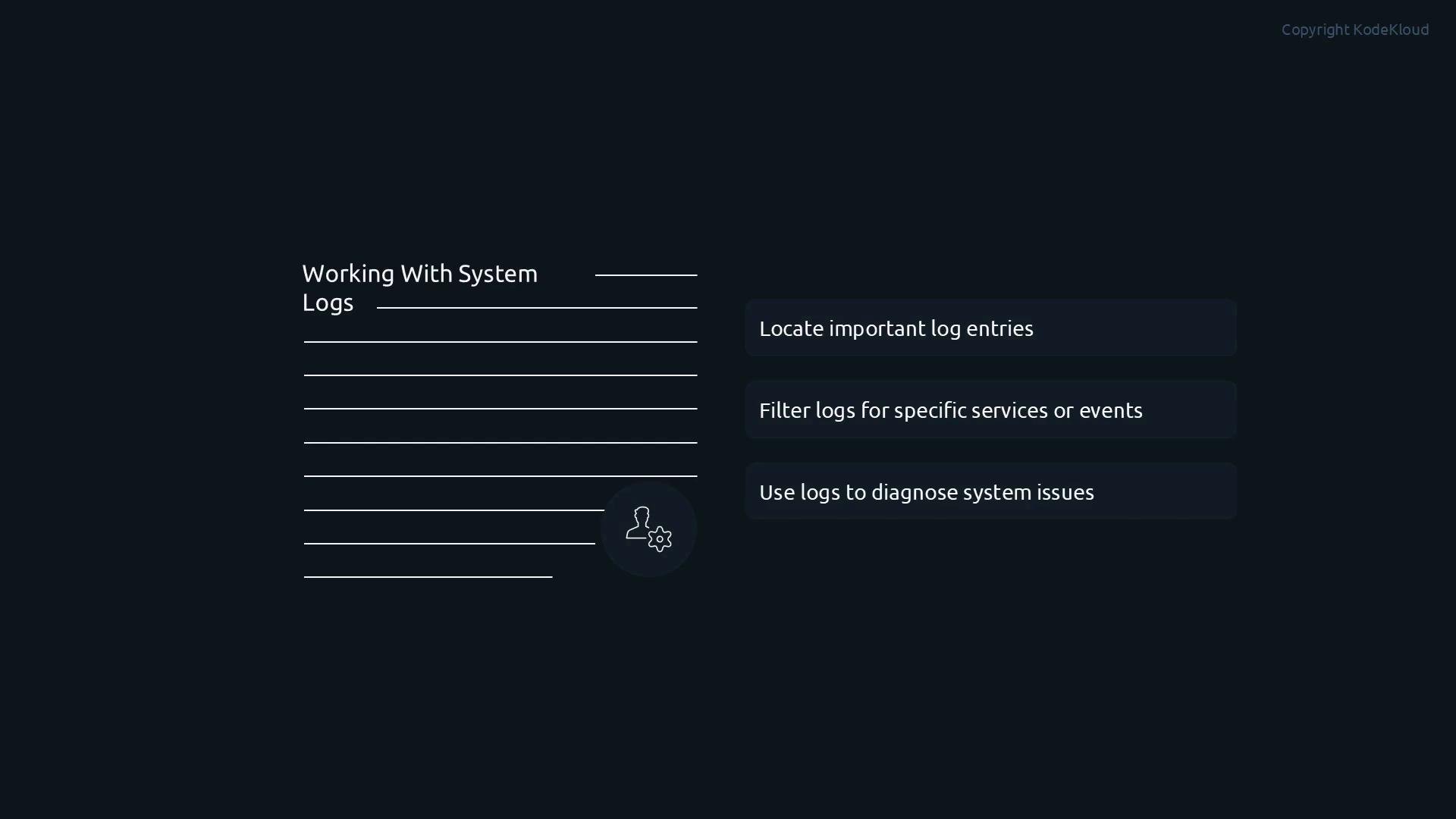
In this lesson we'll cover working with system logs — a core skill for Linux system administrators. Logs record what happened on a system: service start/stop events, user logins, application errors, failed authentications, kernel messages, and hardware events. When troubleshooting, administrators inspect logs first because they show the actual sequence of events.
After completing this lesson you will be able to:
* Locate important log entries quickly.
* Filter logs for specific services, severities, or time ranges.
* Use logs to diagnose and correlate system issues across services or hosts.
 Overview: first we explain the system log architecture (how messages are produced, collected, and stored), then we look at rsyslog and classic /var/log files, and finally we cover the systemd journal and journalctl for querying journald data. We'll finish with best practices for timestamps and retention.
Accurate timestamps are essential. If system time is incorrect or drifting, correlating events across logs or multiple systems becomes unreliable. Ensure NTP or `chrony` is configured so logs carry consistent timestamps across servers.
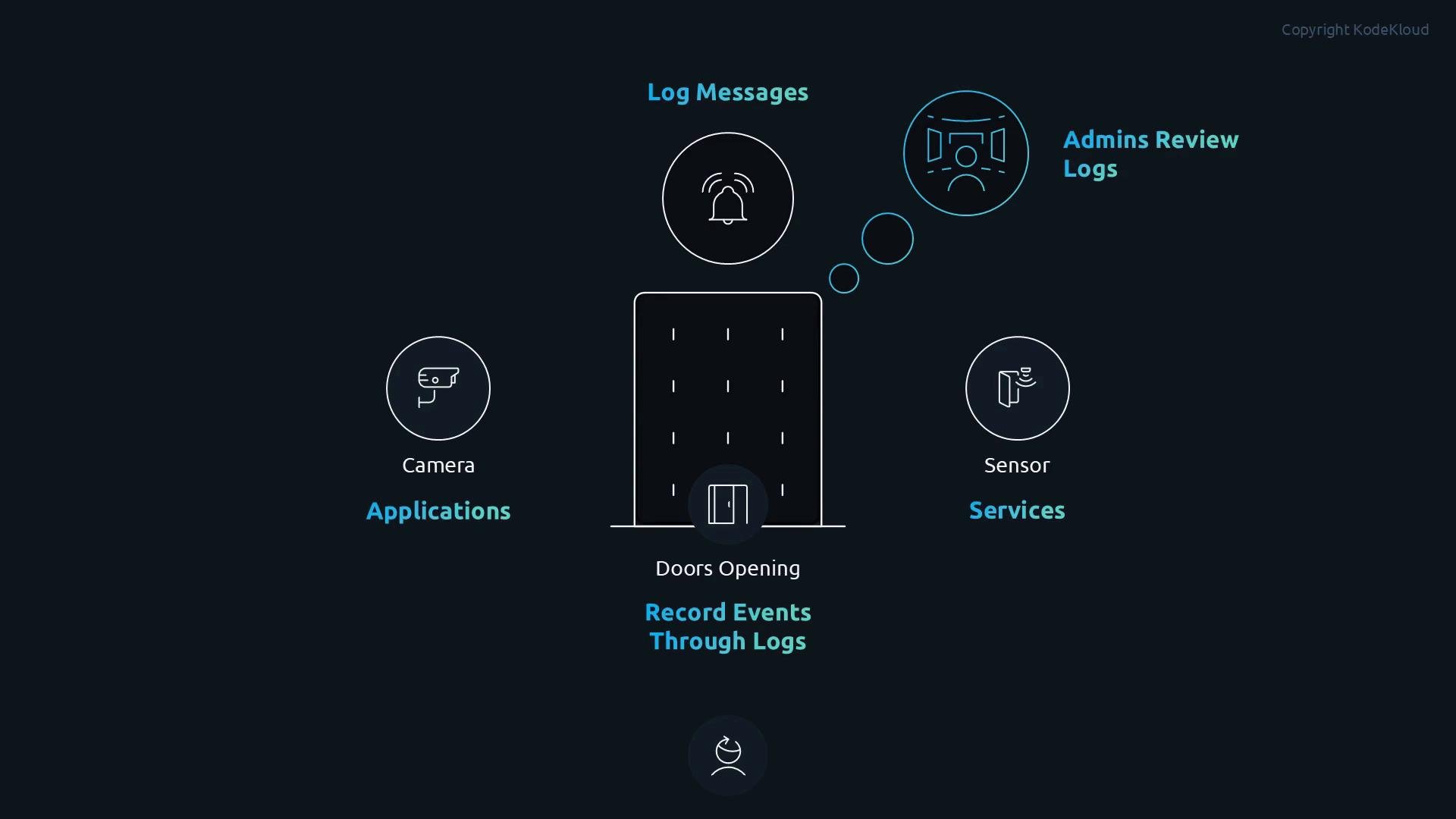
Think of logs like a building with sensors: doors opening, alarms triggering, cameras recording. Each sensor or camera generates events that are sent to a central monitoring room. On Linux, applications, services, and the kernel are the sensors; the logging subsystem collects their messages; and administrators review logs to reconstruct the sequence of events.
Overview: first we explain the system log architecture (how messages are produced, collected, and stored), then we look at rsyslog and classic /var/log files, and finally we cover the systemd journal and journalctl for querying journald data. We'll finish with best practices for timestamps and retention.
Accurate timestamps are essential. If system time is incorrect or drifting, correlating events across logs or multiple systems becomes unreliable. Ensure NTP or `chrony` is configured so logs carry consistent timestamps across servers.
Think of logs like a building with sensors: doors opening, alarms triggering, cameras recording. Each sensor or camera generates events that are sent to a central monitoring room. On Linux, applications, services, and the kernel are the sensors; the logging subsystem collects their messages; and administrators review logs to reconstruct the sequence of events.
 Log sources and flow
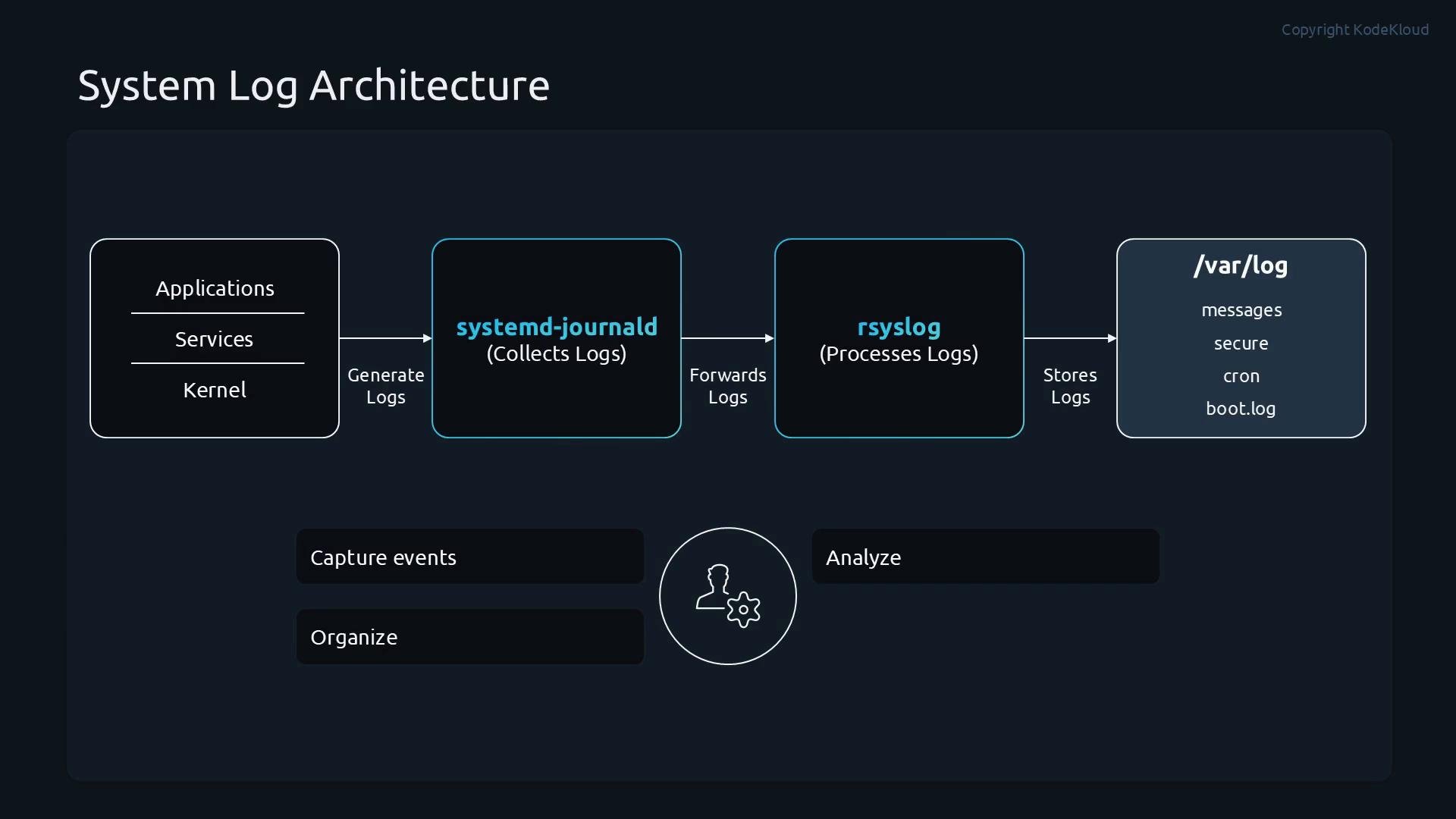
* Sources: kernel, system services (daemons), user applications, and security systems (PAM, auditd).
* Collection: On systemd-based systems, `systemd-journald` collects kernel messages, syslog, and service stdout/stderr into a binary journal.
* Processing & storage: The journal can be queried directly with `journalctl` and may forward messages to a syslog daemon (e.g., `rsyslog`) which writes plain-text logs under `/var/log` for compatibility and archival.
Common operational flow:
1. Applications / kernel produce messages.
2. `systemd-journald` aggregates messages into the journal.
3. `journald` can forward messages to `rsyslog`.
4. `rsyslog` applies filters/formatting and writes to files in `/var/log` or forwards to remote log collectors.
Log sources and flow
* Sources: kernel, system services (daemons), user applications, and security systems (PAM, auditd).
* Collection: On systemd-based systems, `systemd-journald` collects kernel messages, syslog, and service stdout/stderr into a binary journal.
* Processing & storage: The journal can be queried directly with `journalctl` and may forward messages to a syslog daemon (e.g., `rsyslog`) which writes plain-text logs under `/var/log` for compatibility and archival.
Common operational flow:
1. Applications / kernel produce messages.
2. `systemd-journald` aggregates messages into the journal.
3. `journald` can forward messages to `rsyslog`.
4. `rsyslog` applies filters/formatting and writes to files in `/var/log` or forwards to remote log collectors.
 Severity and facilities
Not all log messages require equal attention. Syslog defines severity (priority) levels so you can focus on what's important and route or alert based on severity.
Severity and facilities
Not all log messages require equal attention. Syslog defines severity (priority) levels so you can focus on what's important and route or alert based on severity.
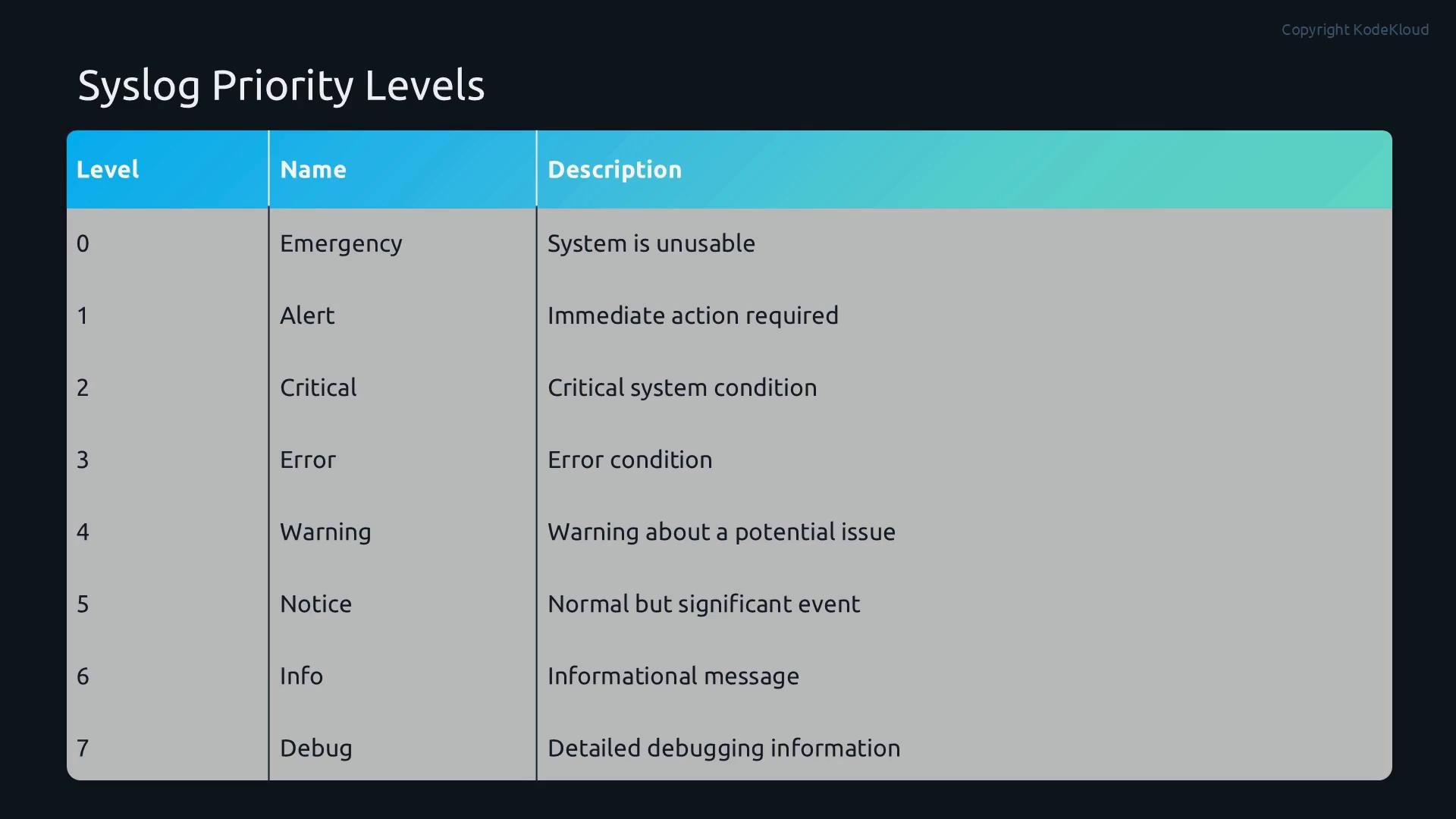 Syslog priority levels (0 = highest severity to 7 = lowest):
| Level | Name | Typical meaning |
| - | - | - |
| 0 | Emergency | System is unusable (e.g., kernel panic) |
| 1 | Alert | Immediate action required (e.g., failing critical hardware) |
| 2 | Critical | Severe conditions that need attention |
| 3 | Error | Error conditions affecting functionality |
| 4 | Warning | Potential issues or important warnings |
| 5 | Notice | Normal but significant events |
| 6 | Info | Informational messages about normal operation |
| 7 | Debug | Verbose debug output for developers/troubleshooting |
You can filter logs by priority (severity) when querying or when creating rsyslog/journald rules to route messages.
Practical journalctl examples
* Tail live journal: `journalctl -f`
* Show messages for a service (e.g., sshd): `journalctl -u sshd.service`
* Show messages since boot with error or higher: `journalctl -b -p err..emerg`
* Time-range query: `journalctl --since "2026-10-01" --until "2026-10-02" -u nginx.service`
* Output with ISO timestamps: `journalctl --output=short-iso -u nginx.service --since today`
Example rsyslog selector rules (in `/etc/rsyslog.conf` or `/etc/rsyslog.d/*.conf`):
```syslog theme={null}
# Write authpriv messages to secure
authpriv.* /var/log/secure
# Forward all logs to a remote TCP syslog server
*.* @@logserver.example.com:514
```
Facilities identify the subsystem that generated a message and can be used to route messages to different files or backends.
Syslog priority levels (0 = highest severity to 7 = lowest):
| Level | Name | Typical meaning |
| - | - | - |
| 0 | Emergency | System is unusable (e.g., kernel panic) |
| 1 | Alert | Immediate action required (e.g., failing critical hardware) |
| 2 | Critical | Severe conditions that need attention |
| 3 | Error | Error conditions affecting functionality |
| 4 | Warning | Potential issues or important warnings |
| 5 | Notice | Normal but significant events |
| 6 | Info | Informational messages about normal operation |
| 7 | Debug | Verbose debug output for developers/troubleshooting |
You can filter logs by priority (severity) when querying or when creating rsyslog/journald rules to route messages.
Practical journalctl examples
* Tail live journal: `journalctl -f`
* Show messages for a service (e.g., sshd): `journalctl -u sshd.service`
* Show messages since boot with error or higher: `journalctl -b -p err..emerg`
* Time-range query: `journalctl --since "2026-10-01" --until "2026-10-02" -u nginx.service`
* Output with ISO timestamps: `journalctl --output=short-iso -u nginx.service --since today`
Example rsyslog selector rules (in `/etc/rsyslog.conf` or `/etc/rsyslog.d/*.conf`):
```syslog theme={null}
# Write authpriv messages to secure
authpriv.* /var/log/secure
# Forward all logs to a remote TCP syslog server
*.* @@logserver.example.com:514
```
Facilities identify the subsystem that generated a message and can be used to route messages to different files or backends.
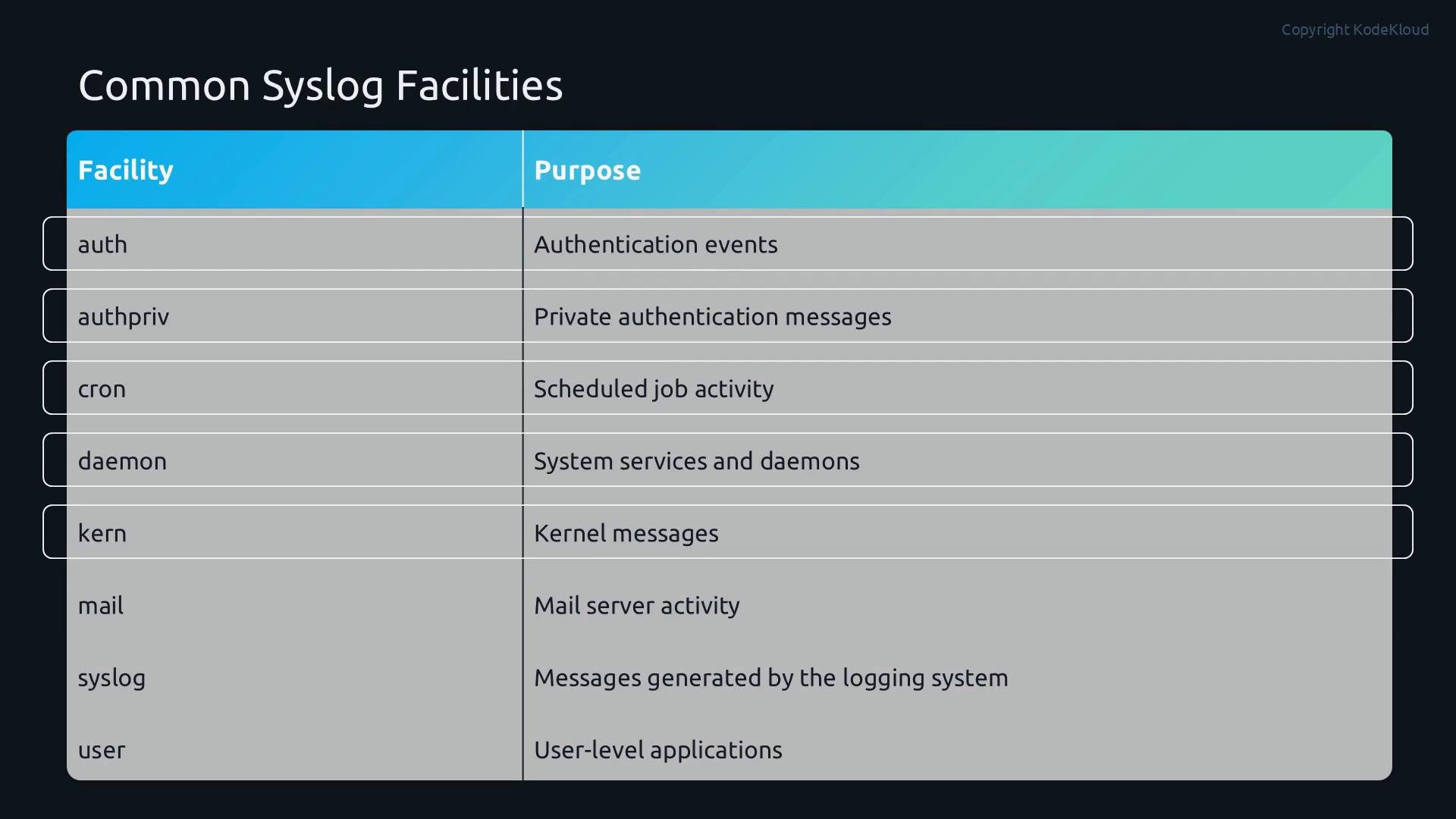 Common syslog facilities
| Facility | Typical purpose |
| - | - |
| auth / authpriv | Authentication and authorization events (`authpriv` contains private auth data) |
| cron | Scheduled job messages from `cron` |
| daemon | Generic background daemons and services |
| kern | Kernel-generated messages |
| mail | Mail server activity (MTA) |
| syslog | Logging subsystem messages |
| user | General user-level application messages |
Using facility + priority you can create granular rules, for example sending `authpriv.*` to `/var/log/secure` and `mail.*` to `/var/log/maillog`.
Retention, persistence, and best practices
* The systemd journal is a binary store queried with `journalctl`. By default some distributions write journal data to volatile storage (`/run/log/journal`), so ensure `Storage=persistent` in `/etc/systemd/journald.conf` if you need on-disk persistence.
* For long-term retention, archival, compliance, or centralized analysis, forward logs from `journald`/`rsyslog` to a remote log server or log aggregation pipeline (e.g., ELK/EFK, Splunk, or a cloud log service).
* Rotate and compress `/var/log` files with `logrotate` to prevent disk exhaustion.
* Correlate events between systems using consistent time: synchronize clocks with NTP or `chrony`.
By default the journal may be stored in volatile memory. Verify `journald` storage settings (`/etc/systemd/journald.conf`) and configure persistent storage or forwarding to avoid losing logs after reboot. Also limit journal size and configure rotation to prevent disk space issues.
References and further reading
* systemd journalctl documentation: [https://www.freedesktop.org/software/systemd/man/journalctl.html](https://www.freedesktop.org/software/systemd/man/journalctl.html)
* systemd-journald: [https://www.freedesktop.org/software/systemd/man/systemd-journald.service.html](https://www.freedesktop.org/software/systemd/man/systemd-journald.service.html)
* rsyslog: [https://www.rsyslog.com/](https://www.rsyslog.com/)
* NTP: [https://www.ntp.org/](https://www.ntp.org/)
* chrony: [https://chrony.tuxfamily.org/](https://chrony.tuxfamily.org/)
* logrotate: [https://linux.die.net/man/8/logrotate](https://linux.die.net/man/8/logrotate)
Use the commands and configuration patterns above to locate, filter, and retain logs efficiently. Properly structured logging, consistent timestamps, and a clear retention strategy make troubleshooting and incident response far more effective.
This documentation is built and hosted on [Mintlify](https://mintlify.com), a developer documentation platform.
Common syslog facilities
| Facility | Typical purpose |
| - | - |
| auth / authpriv | Authentication and authorization events (`authpriv` contains private auth data) |
| cron | Scheduled job messages from `cron` |
| daemon | Generic background daemons and services |
| kern | Kernel-generated messages |
| mail | Mail server activity (MTA) |
| syslog | Logging subsystem messages |
| user | General user-level application messages |
Using facility + priority you can create granular rules, for example sending `authpriv.*` to `/var/log/secure` and `mail.*` to `/var/log/maillog`.
Retention, persistence, and best practices
* The systemd journal is a binary store queried with `journalctl`. By default some distributions write journal data to volatile storage (`/run/log/journal`), so ensure `Storage=persistent` in `/etc/systemd/journald.conf` if you need on-disk persistence.
* For long-term retention, archival, compliance, or centralized analysis, forward logs from `journald`/`rsyslog` to a remote log server or log aggregation pipeline (e.g., ELK/EFK, Splunk, or a cloud log service).
* Rotate and compress `/var/log` files with `logrotate` to prevent disk exhaustion.
* Correlate events between systems using consistent time: synchronize clocks with NTP or `chrony`.
By default the journal may be stored in volatile memory. Verify `journald` storage settings (`/etc/systemd/journald.conf`) and configure persistent storage or forwarding to avoid losing logs after reboot. Also limit journal size and configure rotation to prevent disk space issues.
References and further reading
* systemd journalctl documentation: [https://www.freedesktop.org/software/systemd/man/journalctl.html](https://www.freedesktop.org/software/systemd/man/journalctl.html)
* systemd-journald: [https://www.freedesktop.org/software/systemd/man/systemd-journald.service.html](https://www.freedesktop.org/software/systemd/man/systemd-journald.service.html)
* rsyslog: [https://www.rsyslog.com/](https://www.rsyslog.com/)
* NTP: [https://www.ntp.org/](https://www.ntp.org/)
* chrony: [https://chrony.tuxfamily.org/](https://chrony.tuxfamily.org/)
* logrotate: [https://linux.die.net/man/8/logrotate](https://linux.die.net/man/8/logrotate)
Use the commands and configuration patterns above to locate, filter, and retain logs efficiently. Properly structured logging, consistent timestamps, and a clear retention strategy make troubleshooting and incident response far more effective.
This documentation is built and hosted on [Mintlify](https://mintlify.com), a developer documentation platform.