> ## Documentation Index
> Fetch the complete documentation index at: https://notes.kodekloud.com/llms.txt
> Use this file to discover all available pages before exploring further.
# Working with Rsyslog
> Introduction to using rsyslog for collecting, filtering, storing, and forwarding system logs, configuring selector rules and files, testing with logger, and basic troubleshooting.
Logs are generated by applications and system services, and they are categorized by facility and priority. Generating logs is only part of the story — you also need a reliable mechanism to collect, store, filter, and forward those logs so administrators can review and analyse them. Rsyslog is the common central logging service used to perform these tasks.
Rsyslog receives syslog messages, evaluates them against configured selector rules, and then performs actions such as writing messages to disk, forwarding them to a remote collector, or delivering them to a local user. The two primary configuration locations are:
* `/etc/rsyslog.conf`
* `/etc/rsyslog.d/*.conf`
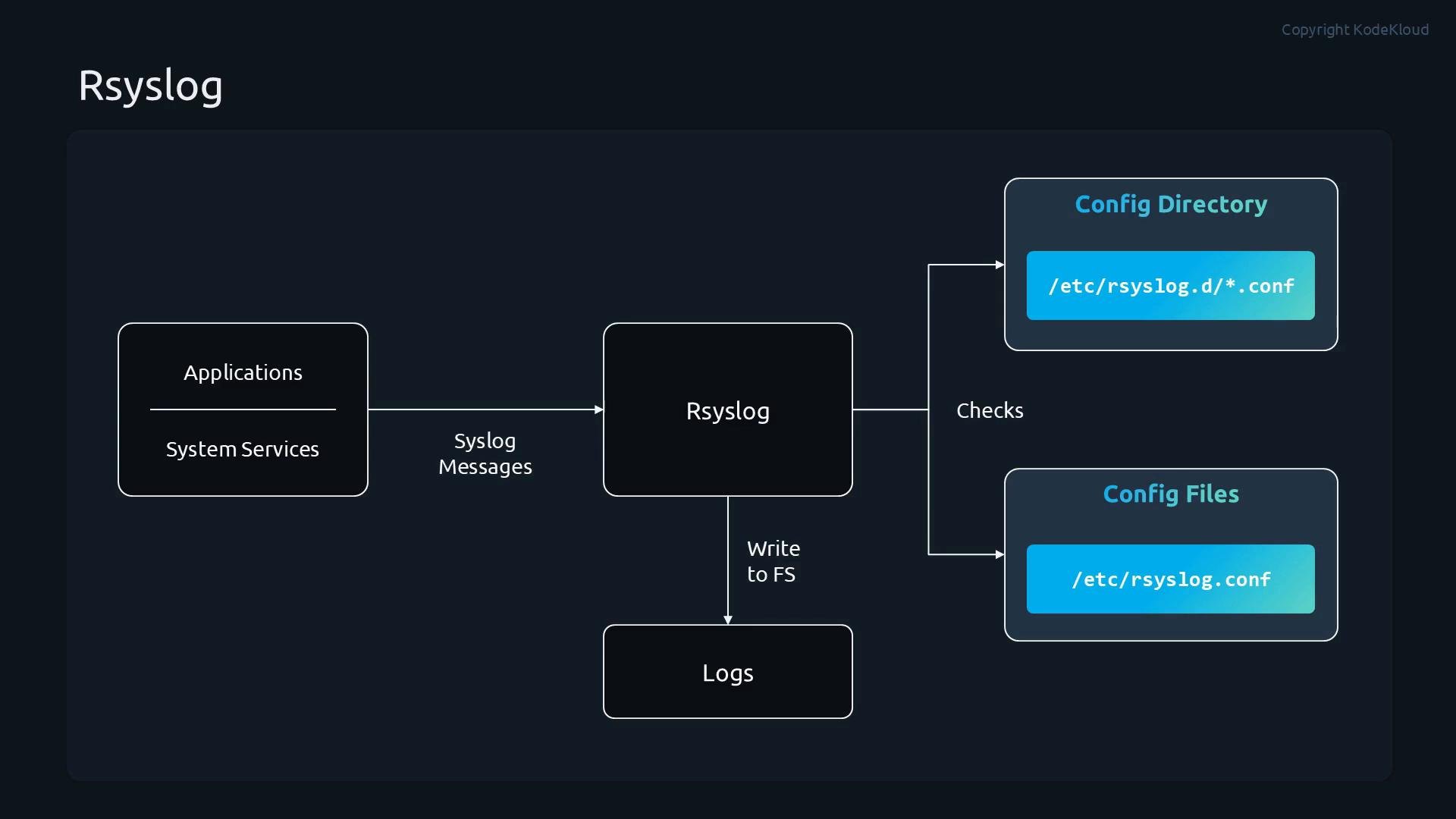 Usually, rsyslog writes messages to files under `/var/log`. Different subsystems are typically recorded to separate files (for example, authentication events to a different file than kernel messages). This separation makes it easier to filter, search and troubleshoot.
## Selectors and priorities
Rsyslog filtering uses selectors formed as `facility.priority`. Explanation:
* Facility — identifies the subsystem that generated the message (e.g., `auth`, `mail`, `cron`, `user`, `kern`, `local0`–`local7`).
* Priority — indicates message severity. Common priorities include: `debug`, `info`, `notice`, `warning`, `err` (or `error`), `crit`, `alert`, `emerg`.
Table: common priorities and numeric equivalents
| Priority name | Numeric value | Typical meaning |
| - | - | - |
| `emerg` / `panic` | 0 | System is unusable |
| `alert` | 1 | Action must be taken immediately |
| `crit` | 2 | Critical conditions |
| `err` / `error` | 3 | Error conditions |
| `warning` | 4 | Warning conditions |
| `notice` | 5 | Normal but significant condition |
| `info` | 6 | Informational messages |
| `debug` | 7 | Debug-level messages |
You can combine selectors and modifiers. Examples:
* `*.info` — log messages of `info` severity and higher from all facilities.
* `mail.none` — exclude `mail` facility messages.
* `authpriv.*` — all messages from the `authpriv` facility.
## Example configuration snippet
Place this in `/etc/rsyslog.d/myconfig.conf` (or another `.conf` file in `/etc/rsyslog.d/`):
```conf theme={null}
# Log anything (except mail) of level info or higher.
# Don't log private authentication messages!
*.info;mail.none;authpriv.none;cron.none /var/log/messages
# The authpriv file has restricted access.
authpriv.* /var/log/secure
# Log all mail messages in one place.
mail.* /var/log/maillog
# Priorities for reference (numeric values):
# 0.emerg 1.alert 2.crit 3.err
# 4.warning 5.notice 6.info 7.debug
```
## Where to look for logs
Common log files and their use cases:
| Log file | Use case |
| - | - |
| `/var/log/messages` | General system events — often the first place to check for troubleshooting |
| `/var/log/secure` (or similar) | Authentication and security-related messages |
| `/var/log/maillog` | Mail subsystem messages |
| `/var/log/firewall` | Firewall rule hits, blocked/allowed packets, etc. |
Usually, rsyslog writes messages to files under `/var/log`. Different subsystems are typically recorded to separate files (for example, authentication events to a different file than kernel messages). This separation makes it easier to filter, search and troubleshoot.
## Selectors and priorities
Rsyslog filtering uses selectors formed as `facility.priority`. Explanation:
* Facility — identifies the subsystem that generated the message (e.g., `auth`, `mail`, `cron`, `user`, `kern`, `local0`–`local7`).
* Priority — indicates message severity. Common priorities include: `debug`, `info`, `notice`, `warning`, `err` (or `error`), `crit`, `alert`, `emerg`.
Table: common priorities and numeric equivalents
| Priority name | Numeric value | Typical meaning |
| - | - | - |
| `emerg` / `panic` | 0 | System is unusable |
| `alert` | 1 | Action must be taken immediately |
| `crit` | 2 | Critical conditions |
| `err` / `error` | 3 | Error conditions |
| `warning` | 4 | Warning conditions |
| `notice` | 5 | Normal but significant condition |
| `info` | 6 | Informational messages |
| `debug` | 7 | Debug-level messages |
You can combine selectors and modifiers. Examples:
* `*.info` — log messages of `info` severity and higher from all facilities.
* `mail.none` — exclude `mail` facility messages.
* `authpriv.*` — all messages from the `authpriv` facility.
## Example configuration snippet
Place this in `/etc/rsyslog.d/myconfig.conf` (or another `.conf` file in `/etc/rsyslog.d/`):
```conf theme={null}
# Log anything (except mail) of level info or higher.
# Don't log private authentication messages!
*.info;mail.none;authpriv.none;cron.none /var/log/messages
# The authpriv file has restricted access.
authpriv.* /var/log/secure
# Log all mail messages in one place.
mail.* /var/log/maillog
# Priorities for reference (numeric values):
# 0.emerg 1.alert 2.crit 3.err
# 4.warning 5.notice 6.info 7.debug
```
## Where to look for logs
Common log files and their use cases:
| Log file | Use case |
| - | - |
| `/var/log/messages` | General system events — often the first place to check for troubleshooting |
| `/var/log/secure` (or similar) | Authentication and security-related messages |
| `/var/log/maillog` | Mail subsystem messages |
| `/var/log/firewall` | Firewall rule hits, blocked/allowed packets, etc. |
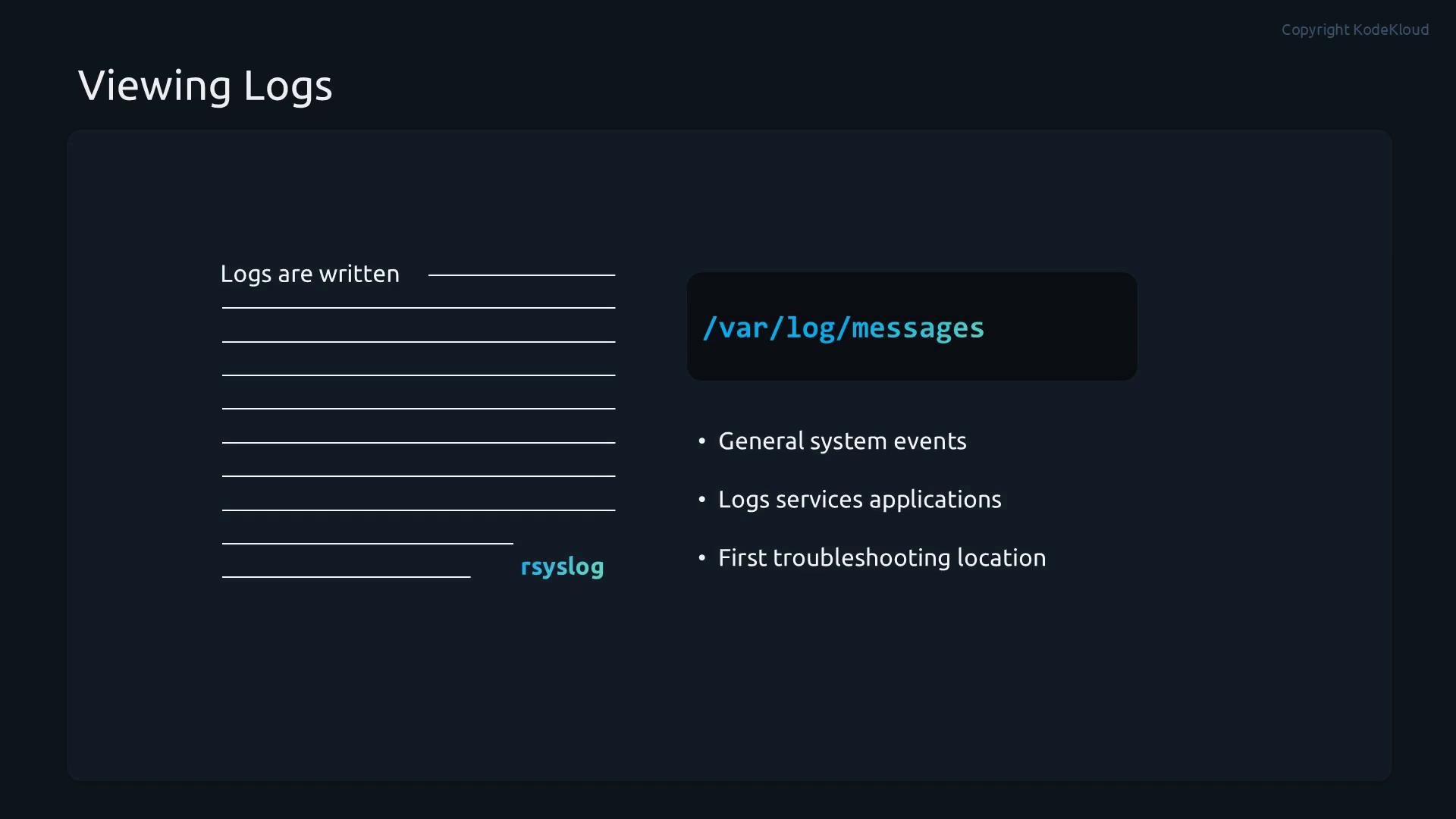 Inspecting these files helps determine system activity, misconfigurations, or suspicious behavior.
Always place custom rsyslog configuration files in `/etc/rsyslog.d/` and ensure the filename ends with `.conf`. After adding or modifying configuration, restart the rsyslog service so the new rules are loaded.
## Demo: Create a custom rsyslog rules file
This demo shows how to create a custom rules file, reload rsyslog, and generate test messages with `logger`.
1. Create `/etc/rsyslog.d/mycustom.conf` with the following content:
```conf theme={null}
# 1) Log all warning and higher severity messages from any facility
*.warning /var/log/warning.log
# 2) Log only error-level messages from any facility
*.=err /var/log/error.log
# 3) Log all info-level messages from any facility except mail
*.info;mail.none /var/log/mail-no.log
# 4) Log user facility notice-level messages to a user log
user.notice /var/log/user.log
```
2. Restart rsyslog to apply the new configuration:
```bash theme={null}
sudo systemctl restart rsyslog.service
```
3. Generate test messages using `logger`:
```bash theme={null}
# Send a user.notice message
logger -p user.notice "testing"
# Send a user.err (error) message
logger -p user.err "test error"
```
4. Verify the log files in `/var/log`:
```bash theme={null}
cd /var/log
ls user.log warning.log mail-no.log error.log
```
View the logged messages:
```bash theme={null}
# Show contents of user.log
cat /var/log/user.log
# Example output (timestamps will vary):
# Apr 23 14:31:16 hostname root[PID]: testing
# Show contents of error.log
cat /var/log/error.log
# Expected output will include the "test error" message logged at error severity.
```
If the messages appear in the expected files, your rules were applied correctly.
Example trimmed session:
```bash theme={null}
sudo vim /etc/rsyslog.d/mycustom.conf
sudo systemctl restart rsyslog.service
logger -p user.notice "testing"
logger -p user.err "test error"
cd /var/log
ls
cat user.log
# Apr 23 14:31:16 control root[4298]: testing
# Apr 23 14:31:29 control root[4300]: test error
```
## Troubleshooting tips
* If rules don't appear to take effect:
* Check rsyslog service status and recent system log entries:
```bash theme={null}
sudo systemctl status rsyslog.service
sudo tail -n 50 /var/log/messages
```
* Confirm your custom file ends with `.conf` in `/etc/rsyslog.d/` and contains valid syntax.
* Use `logger` with different facilities and priorities to test individual rules.
* When forwarding logs to a remote collector, ensure network connectivity and that the remote service accepts the configured transport (TCP/UDP/TLS).
Syntax errors or misconfigured selectors can cause messages to be misplaced or dropped. Always restart rsyslog after changes and verify your rules by generating test messages with `logger`.
## Next steps and resources
With the basics covered, you can extend rsyslog to:
* Forward logs to remote collectors (syslog over UDP/TCP, TLS).
* Use templates for structured/log format customization.
* Configure queues and rate-limiting for high-volume environments.
* Integrate with log management solutions (Elastic Stack, Splunk, Graylog).
Useful references:
* Rsyslog documentation: [https://www.rsyslog.com/doc/](https://www.rsyslog.com/doc/)
* Syslog overview: [https://en.wikipedia.org/wiki/Syslog](https://en.wikipedia.org/wiki/Syslog)
This documentation is built and hosted on [Mintlify](https://mintlify.com), a developer documentation platform.
Inspecting these files helps determine system activity, misconfigurations, or suspicious behavior.
Always place custom rsyslog configuration files in `/etc/rsyslog.d/` and ensure the filename ends with `.conf`. After adding or modifying configuration, restart the rsyslog service so the new rules are loaded.
## Demo: Create a custom rsyslog rules file
This demo shows how to create a custom rules file, reload rsyslog, and generate test messages with `logger`.
1. Create `/etc/rsyslog.d/mycustom.conf` with the following content:
```conf theme={null}
# 1) Log all warning and higher severity messages from any facility
*.warning /var/log/warning.log
# 2) Log only error-level messages from any facility
*.=err /var/log/error.log
# 3) Log all info-level messages from any facility except mail
*.info;mail.none /var/log/mail-no.log
# 4) Log user facility notice-level messages to a user log
user.notice /var/log/user.log
```
2. Restart rsyslog to apply the new configuration:
```bash theme={null}
sudo systemctl restart rsyslog.service
```
3. Generate test messages using `logger`:
```bash theme={null}
# Send a user.notice message
logger -p user.notice "testing"
# Send a user.err (error) message
logger -p user.err "test error"
```
4. Verify the log files in `/var/log`:
```bash theme={null}
cd /var/log
ls user.log warning.log mail-no.log error.log
```
View the logged messages:
```bash theme={null}
# Show contents of user.log
cat /var/log/user.log
# Example output (timestamps will vary):
# Apr 23 14:31:16 hostname root[PID]: testing
# Show contents of error.log
cat /var/log/error.log
# Expected output will include the "test error" message logged at error severity.
```
If the messages appear in the expected files, your rules were applied correctly.
Example trimmed session:
```bash theme={null}
sudo vim /etc/rsyslog.d/mycustom.conf
sudo systemctl restart rsyslog.service
logger -p user.notice "testing"
logger -p user.err "test error"
cd /var/log
ls
cat user.log
# Apr 23 14:31:16 control root[4298]: testing
# Apr 23 14:31:29 control root[4300]: test error
```
## Troubleshooting tips
* If rules don't appear to take effect:
* Check rsyslog service status and recent system log entries:
```bash theme={null}
sudo systemctl status rsyslog.service
sudo tail -n 50 /var/log/messages
```
* Confirm your custom file ends with `.conf` in `/etc/rsyslog.d/` and contains valid syntax.
* Use `logger` with different facilities and priorities to test individual rules.
* When forwarding logs to a remote collector, ensure network connectivity and that the remote service accepts the configured transport (TCP/UDP/TLS).
Syntax errors or misconfigured selectors can cause messages to be misplaced or dropped. Always restart rsyslog after changes and verify your rules by generating test messages with `logger`.
## Next steps and resources
With the basics covered, you can extend rsyslog to:
* Forward logs to remote collectors (syslog over UDP/TCP, TLS).
* Use templates for structured/log format customization.
* Configure queues and rate-limiting for high-volume environments.
* Integrate with log management solutions (Elastic Stack, Splunk, Graylog).
Useful references:
* Rsyslog documentation: [https://www.rsyslog.com/doc/](https://www.rsyslog.com/doc/)
* Syslog overview: [https://en.wikipedia.org/wiki/Syslog](https://en.wikipedia.org/wiki/Syslog)
This documentation is built and hosted on [Mintlify](https://mintlify.com), a developer documentation platform.