> ## Documentation Index
> Fetch the complete documentation index at: https://notes.kodekloud.com/llms.txt
> Use this file to discover all available pages before exploring further.
# Variable Scope
> Explains local versus global variable scope in Python and best practices for passing values between functions, returning results, and avoiding global state.
Welcome back.
When we refactored the dashboard into smaller functions, one immediate benefit was clearer control over where variables live — this is called scope. Understanding scope helps you avoid bugs, write testable code, and keep functions predictable.
In this lesson you'll learn:
* The difference between local and global variables.
* Why returning values from functions is usually better than relying on globals.
* How to pass values between functions to avoid scope-related bugs.
Quick definitions:
* Local scope: variables defined inside a function that exist only while that function runs.
* Global scope: variables defined outside any function and accessible throughout the module.
Let's see these concepts in practice.
## Local variable (NameError)
Create a file named `scope.py` with this code:
```python theme={null}
def calculate():
result = 10 + 5
print(result)
calculate()
print(result)
```
What happens when you run this? The call to `calculate()` prints `15`, but the `print(result)` outside the function raises a `NameError` because `result` is local to `calculate()` and doesn't exist in the global scope.
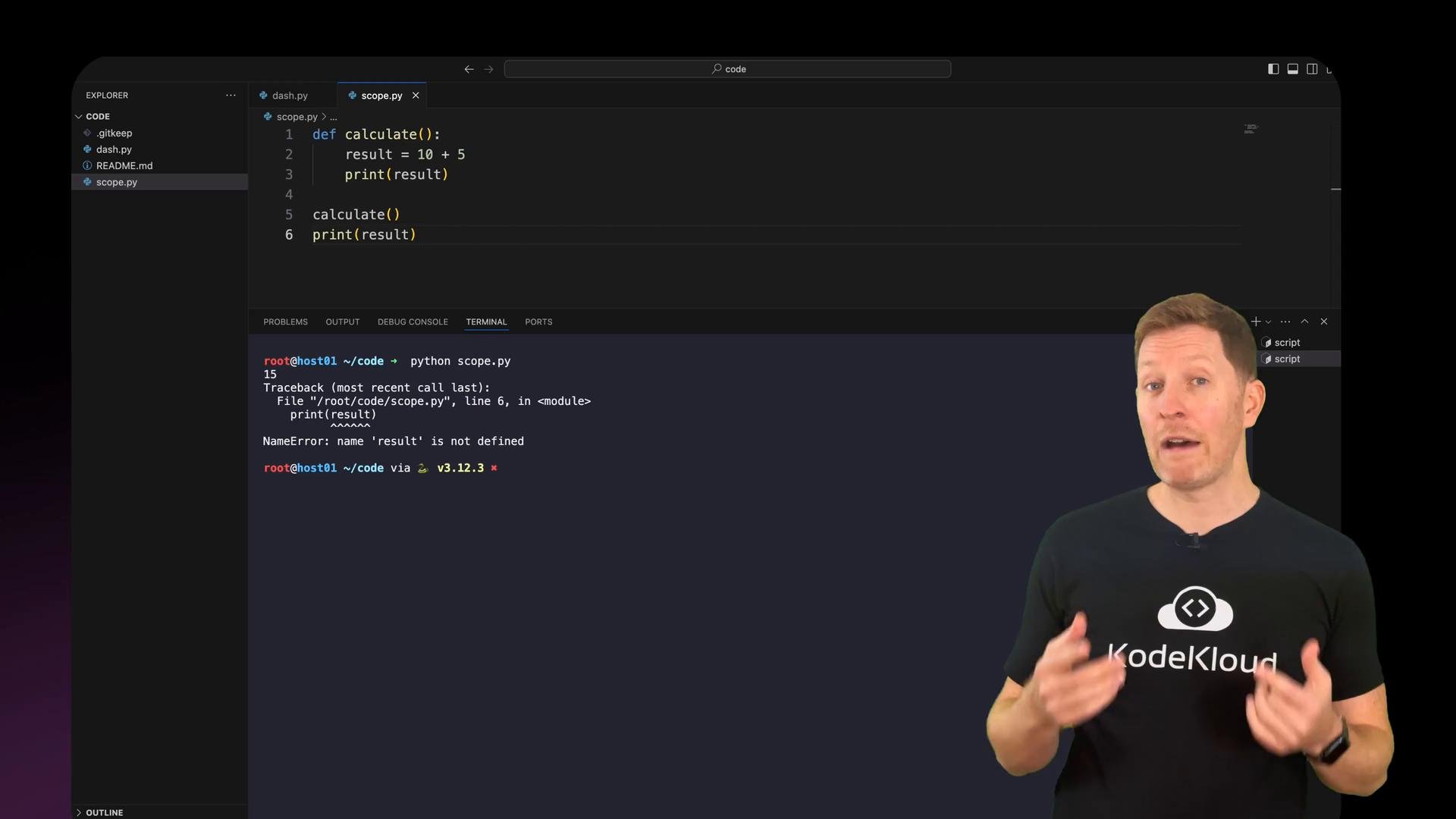 Example run (illustrative):
```Python theme={null}
$ python scope.py
15
Traceback (most recent call last):
File "scope.py", line 6, in
print(result)
NameError: name 'result' is not defined
```
Takeaway: local variables exist only while their function executes.
## Global variable (accessible everywhere)
Move the assignment outside the function so `result` becomes global:
```python theme={null}
result = 10 + 5
def calculate():
print(result)
calculate()
print(result)
```
Output:
```bash theme={null}
$ python scope.py
15
15
```
Now the function can read the global `result` because it exists in the module scope.
## Local variable shadowing a global variable
If you define a variable with the same name inside a function, the local variable shadows the global one within that function:
```python theme={null}
result = 10 + 5 # global: 15
def calculate():
result = 10 # local: 10
print(result)
calculate()
print(result)
```
Output:
```bash theme={null}
$ python scope.py
10
15
```
Inside `calculate()` you see `10` (the local), while the global `result` remains `15`. Shadowing can be confusing — prefer using local variables for temporary work and keep the global namespace minimal.
## Returning values from functions
When you need a value computed inside a function to be used elsewhere, return it and assign it where you call the function:
```python theme={null}
def calculate():
result = 10 + 5
return result
total = calculate()
print(total)
```
Output:
```bash theme={null}
$ python scope.py
15
```
This pattern keeps temporary variables inside the function and only exposes what the caller needs.
Prefer returning values from functions rather than writing to global state. Returning values makes functions easier to test and prevents unintended interactions between different parts of your program.
## Applying scope to the dashboard functions
Apply the same principles to the dashboard: keep logic and intermediate variables local to each function and return or accept values through parameters.
Example `get_mood()` that validates input and returns the user's mood:
```python theme={null}
def get_mood():
while True:
mood = input("How do you feel today (happy/sad)? ").strip().lower()
if mood == "happy":
print("Wonderful, keep smiling!")
return mood
elif mood == "sad":
print("Oh, I'm sorry to hear that.")
return mood
else:
print("Please enter 'happy' or 'sad'.")
```
Example `get_energy()` that validates a numeric energy level and returns it:
```python theme={null}
def get_energy():
while True:
try:
energy = int(input("Enter your energy (0-100): ").strip())
except ValueError:
print("Please enter a number between 0 and 100.")
continue
if 0 <= energy <= 100:
if energy > 80:
print("Great energy!")
return energy
else:
print("Please enter a number between 0 and 100.")
```
Both functions return values so the main program can collect them and pass them to other functions.
`show_wellbeing()` takes `mood` and `energy` as parameters and prints a summary:
```python theme={null}
def show_wellbeing(mood, energy):
if mood == "happy" and energy > 70:
print("You're in great shape — mood and energy are high.")
elif mood == "happy" or energy > 70:
print("Wellbeing is about mood AND energy.")
else:
print("Take care of yourself today.")
```
In the main program you collect values and pass them in:
```python theme={null}
print("===============================")
print("DAILY DASHBOARD")
print("===============================")
print()
print("Welcome back,", "Alice") # example name
print()
print("WELLBEING")
mood = get_mood()
energy = get_energy()
print()
show_wellbeing(mood, energy)
print()
```
Note: `show_wellbeing` only prints output, so it does not need to return anything. We call it with the inputs it requires.
## Goals and completions: passing lists and counts
`get_goals()` should collect a list of goals and return it:
```python theme={null}
def get_goals():
goals = []
print("Enter your goals then 'done' to finish:")
while True:
goal = input("Goal: ").strip()
if goal.lower() == "done":
break
if goal:
goals.append(goal)
print("Total goals:", len(goals))
return goals
```
`get_completions()` accepts the `goals` list, asks the user which goals are completed, and returns the completed count:
```python theme={null}
def get_completions(goals):
completed = 0
if not goals:
print("No goals to complete.")
return completed
print("For each goal, enter 'y' if completed or 'n' if not.")
for goal in goals:
while True:
status = input(f"Completed '{goal}'? (y/n): ").strip().lower()
if status in ("y", "n"):
if status == "y":
completed += 1
break
else:
print("Please enter 'y' or 'n'.")
return completed
```
`show_results()` prints totals and `show_final_message()` gives a closing message:
```python theme={null}
def show_results(goals, completed):
total = len(goals)
remaining = total - completed
print("Total goals:", total)
print("Completed:", completed)
print("Remaining:", remaining)
def show_final_message(goals, completed):
if total := len(goals):
if completed == total:
print("You nailed all your goals today!")
else:
print("Keep going - you're making progress!")
else:
print("No goals set for today.")
```
Note: `show_final_message` uses the number of goals to choose the appropriate final message.
Putting it together in the main flow:
```python theme={null}
print()
show_wellbeing(mood, energy)
print()
print("GOALS")
goals = get_goals()
completed = get_completions(goals)
print()
print("RESULTS")
show_results(goals, completed)
show_final_message(goals, completed)
```
Make sure:
* `get_goals()` returns the list of goals.
* `get_completions()` accepts that list and returns the completed count.
* `show_results()` and `show_final_message()` get the data they need via parameters — no globals required.
## Functions with parameters and different arguments
A simple function shows how a parameter receives different arguments:
```python theme={null}
def greet(name):
print("Hello,", name)
print("Welcome!")
greet("Maria")
greet("John")
greet("Sarah")
```
`name` is a parameter; `"Maria"`, `"John"`, and `"Sarah"` are arguments you pass in.
You can use multiple parameters:
```python theme={null}
def greet(name, mood):
print("Welcome", name)
if mood == "happy":
print("Great to see you smiling!")
else:
print("Hope your day gets better!")
greet("Maria", "happy")
greet("John", "sad")
```
Parameters define what a function expects; arguments are the actual values you pass.
## Common mistakes
| Mistake | What happens | How to avoid it |
| - | - | - |
| Forgetting parentheses when calling a function | Function object is referenced but not executed | Use `greet()` to call the function, not `greet` |
| Passing the wrong number of arguments | Python raises `TypeError` (e.g., `greet() missing 1 required positional argument: 'name'`) | Check function signature and pass the correct number of arguments |
| Forgetting to `return` a needed value | The function returns `None` by default, which may cause bugs later | Return explicit values that callers expect |
| Overusing global variables | Code becomes harder to test and reason about | Pass needed data via parameters and return results |
Avoid relying on mutable global state for communicating between functions. It leads to hidden dependencies and makes unit testing and reasoning about code much harder.
## Recap
* Local variables exist only inside the function that defines them.
* Global variables are visible everywhere, but overusing them leads to fragile code.
* Pass values into functions using parameters, and get results back using `return`.
* Keep functions focused: give them the inputs they need and return the outputs they produce.
* Minimize side effects by avoiding unnecessary global state.
A follow-up lesson will finish polishing the dashboard and encourage you to adapt it to your own needs.
## Links and references
* [Python official docs — Namespaces and scope](https://docs.python.org/3/tutorial/classes.html#python-scopes-and-namespaces)
* [PEP 8 — Style Guide for Python Code (readability and design)](https://peps.python.org/pep-0008/)
This documentation is built and hosted on [Mintlify](https://mintlify.com), a developer documentation platform.
Example run (illustrative):
```Python theme={null}
$ python scope.py
15
Traceback (most recent call last):
File "scope.py", line 6, in
print(result)
NameError: name 'result' is not defined
```
Takeaway: local variables exist only while their function executes.
## Global variable (accessible everywhere)
Move the assignment outside the function so `result` becomes global:
```python theme={null}
result = 10 + 5
def calculate():
print(result)
calculate()
print(result)
```
Output:
```bash theme={null}
$ python scope.py
15
15
```
Now the function can read the global `result` because it exists in the module scope.
## Local variable shadowing a global variable
If you define a variable with the same name inside a function, the local variable shadows the global one within that function:
```python theme={null}
result = 10 + 5 # global: 15
def calculate():
result = 10 # local: 10
print(result)
calculate()
print(result)
```
Output:
```bash theme={null}
$ python scope.py
10
15
```
Inside `calculate()` you see `10` (the local), while the global `result` remains `15`. Shadowing can be confusing — prefer using local variables for temporary work and keep the global namespace minimal.
## Returning values from functions
When you need a value computed inside a function to be used elsewhere, return it and assign it where you call the function:
```python theme={null}
def calculate():
result = 10 + 5
return result
total = calculate()
print(total)
```
Output:
```bash theme={null}
$ python scope.py
15
```
This pattern keeps temporary variables inside the function and only exposes what the caller needs.
Prefer returning values from functions rather than writing to global state. Returning values makes functions easier to test and prevents unintended interactions between different parts of your program.
## Applying scope to the dashboard functions
Apply the same principles to the dashboard: keep logic and intermediate variables local to each function and return or accept values through parameters.
Example `get_mood()` that validates input and returns the user's mood:
```python theme={null}
def get_mood():
while True:
mood = input("How do you feel today (happy/sad)? ").strip().lower()
if mood == "happy":
print("Wonderful, keep smiling!")
return mood
elif mood == "sad":
print("Oh, I'm sorry to hear that.")
return mood
else:
print("Please enter 'happy' or 'sad'.")
```
Example `get_energy()` that validates a numeric energy level and returns it:
```python theme={null}
def get_energy():
while True:
try:
energy = int(input("Enter your energy (0-100): ").strip())
except ValueError:
print("Please enter a number between 0 and 100.")
continue
if 0 <= energy <= 100:
if energy > 80:
print("Great energy!")
return energy
else:
print("Please enter a number between 0 and 100.")
```
Both functions return values so the main program can collect them and pass them to other functions.
`show_wellbeing()` takes `mood` and `energy` as parameters and prints a summary:
```python theme={null}
def show_wellbeing(mood, energy):
if mood == "happy" and energy > 70:
print("You're in great shape — mood and energy are high.")
elif mood == "happy" or energy > 70:
print("Wellbeing is about mood AND energy.")
else:
print("Take care of yourself today.")
```
In the main program you collect values and pass them in:
```python theme={null}
print("===============================")
print("DAILY DASHBOARD")
print("===============================")
print()
print("Welcome back,", "Alice") # example name
print()
print("WELLBEING")
mood = get_mood()
energy = get_energy()
print()
show_wellbeing(mood, energy)
print()
```
Note: `show_wellbeing` only prints output, so it does not need to return anything. We call it with the inputs it requires.
## Goals and completions: passing lists and counts
`get_goals()` should collect a list of goals and return it:
```python theme={null}
def get_goals():
goals = []
print("Enter your goals then 'done' to finish:")
while True:
goal = input("Goal: ").strip()
if goal.lower() == "done":
break
if goal:
goals.append(goal)
print("Total goals:", len(goals))
return goals
```
`get_completions()` accepts the `goals` list, asks the user which goals are completed, and returns the completed count:
```python theme={null}
def get_completions(goals):
completed = 0
if not goals:
print("No goals to complete.")
return completed
print("For each goal, enter 'y' if completed or 'n' if not.")
for goal in goals:
while True:
status = input(f"Completed '{goal}'? (y/n): ").strip().lower()
if status in ("y", "n"):
if status == "y":
completed += 1
break
else:
print("Please enter 'y' or 'n'.")
return completed
```
`show_results()` prints totals and `show_final_message()` gives a closing message:
```python theme={null}
def show_results(goals, completed):
total = len(goals)
remaining = total - completed
print("Total goals:", total)
print("Completed:", completed)
print("Remaining:", remaining)
def show_final_message(goals, completed):
if total := len(goals):
if completed == total:
print("You nailed all your goals today!")
else:
print("Keep going - you're making progress!")
else:
print("No goals set for today.")
```
Note: `show_final_message` uses the number of goals to choose the appropriate final message.
Putting it together in the main flow:
```python theme={null}
print()
show_wellbeing(mood, energy)
print()
print("GOALS")
goals = get_goals()
completed = get_completions(goals)
print()
print("RESULTS")
show_results(goals, completed)
show_final_message(goals, completed)
```
Make sure:
* `get_goals()` returns the list of goals.
* `get_completions()` accepts that list and returns the completed count.
* `show_results()` and `show_final_message()` get the data they need via parameters — no globals required.
## Functions with parameters and different arguments
A simple function shows how a parameter receives different arguments:
```python theme={null}
def greet(name):
print("Hello,", name)
print("Welcome!")
greet("Maria")
greet("John")
greet("Sarah")
```
`name` is a parameter; `"Maria"`, `"John"`, and `"Sarah"` are arguments you pass in.
You can use multiple parameters:
```python theme={null}
def greet(name, mood):
print("Welcome", name)
if mood == "happy":
print("Great to see you smiling!")
else:
print("Hope your day gets better!")
greet("Maria", "happy")
greet("John", "sad")
```
Parameters define what a function expects; arguments are the actual values you pass.
## Common mistakes
| Mistake | What happens | How to avoid it |
| - | - | - |
| Forgetting parentheses when calling a function | Function object is referenced but not executed | Use `greet()` to call the function, not `greet` |
| Passing the wrong number of arguments | Python raises `TypeError` (e.g., `greet() missing 1 required positional argument: 'name'`) | Check function signature and pass the correct number of arguments |
| Forgetting to `return` a needed value | The function returns `None` by default, which may cause bugs later | Return explicit values that callers expect |
| Overusing global variables | Code becomes harder to test and reason about | Pass needed data via parameters and return results |
Avoid relying on mutable global state for communicating between functions. It leads to hidden dependencies and makes unit testing and reasoning about code much harder.
## Recap
* Local variables exist only inside the function that defines them.
* Global variables are visible everywhere, but overusing them leads to fragile code.
* Pass values into functions using parameters, and get results back using `return`.
* Keep functions focused: give them the inputs they need and return the outputs they produce.
* Minimize side effects by avoiding unnecessary global state.
A follow-up lesson will finish polishing the dashboard and encourage you to adapt it to your own needs.
## Links and references
* [Python official docs — Namespaces and scope](https://docs.python.org/3/tutorial/classes.html#python-scopes-and-namespaces)
* [PEP 8 — Style Guide for Python Code (readability and design)](https://peps.python.org/pep-0008/)
This documentation is built and hosted on [Mintlify](https://mintlify.com), a developer documentation platform.