> ## Documentation Index
> Fetch the complete documentation index at: https://notes.kodekloud.com/llms.txt
> Use this file to discover all available pages before exploring further.
# First Revision
> This article demonstrates managing PostgreSQL database changes using Alembic, including creating tables and handling migrations step-by-step.
In this article, we demonstrate how to manage PostgreSQL database changes using Alembic. Initially, our database was empty, with no defined tables:
```sql theme={null}
SELECT * FROM public.posts
ORDER BY id ASC
```
We started building our application by creating tables directly in the PostgreSQL database as required. For instance, during the early stages, we created a "posts" table without handling user creation, password hashing, or establishing user relationships. Later, with the implementation of CRUD operations for posts and the introduction of user registration, we added a "users" table and modified the "posts" table to include a foreign key. Eventually, a "votes" table was added, complete with its own set of foreign keys.
Now, with Alembic integrated into our workflow, we will walk through a controlled, step-by-step process to manage these database migrations.
## Exploring Alembic Commands
Begin by reviewing the available Alembic commands. Running the help command:
```bash theme={null}
alembic --help
```
displays multiple options. One of the most frequently used options is the `revision` command, which is similar to a git commit message. It allows you to attach a human-readable message to each schema change.
For example, to create a revision for the posts table, run:
```bash theme={null}
alembic revision -m "create posts table"
```
This command generates a new file in the Alembic versions folder. The output will resemble:
```plaintext theme={null}
Generating C:\Users\sanje\Documents\Courses\fastapi\alembic\versions\cfcc4fd02d18_create_posts_table.py .
```
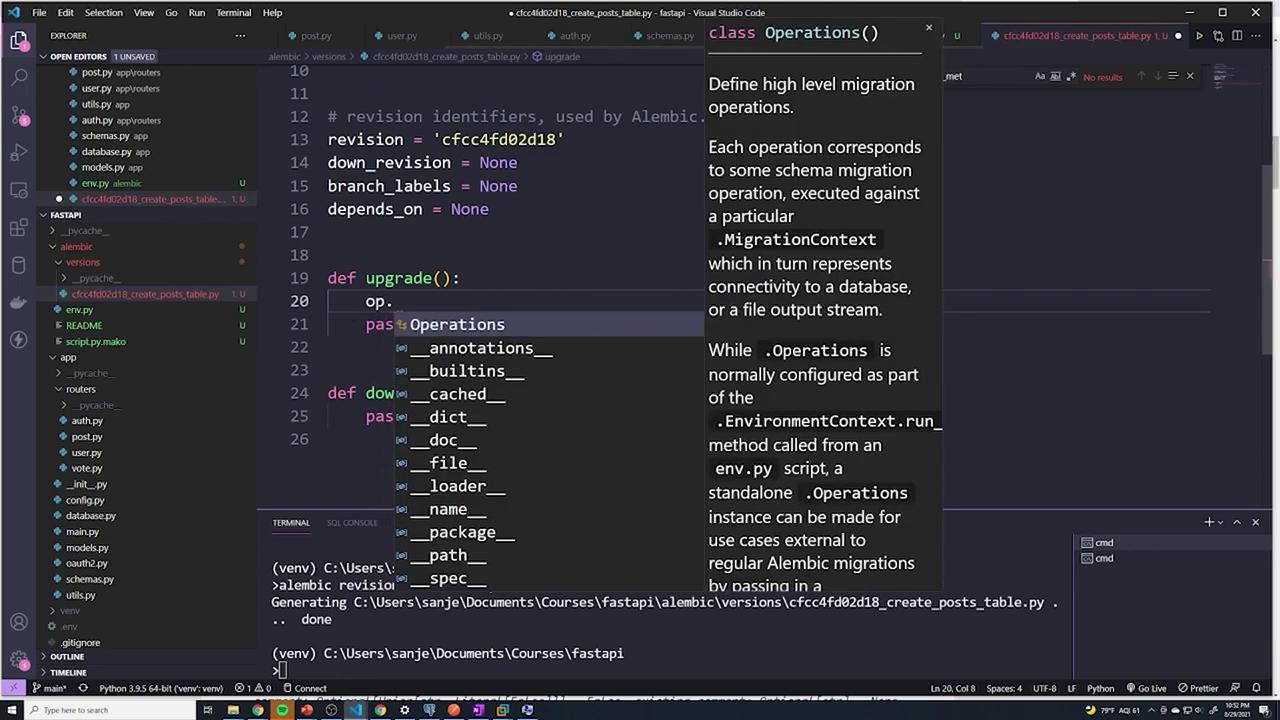
Inside this generated file, you will see a structure similar to the following:
```python theme={null}
from alembic import op
import sqlalchemy as sa
# revision identifiers, used by Alembic.
revision = 'cfcc4fd02d18'
down_revision = None
branch_labels = None
depends_on = None
def upgrade():
pass
def downgrade():
pass
```
The `upgrade()` function is used to apply changes, while the `downgrade()` function allows you to roll back those changes. Always add the necessary logic to these functions based on your migration requirements.
To explore more options for the `alembic revision` command, run:
```bash theme={null}
alembic revision --help
```
Some key options include:
| Option | Description |
| -------------- | ----------------------------------------------- |
| `-m` | Specify the migration message |
| `--rev-id` | Provide a hardcoded revision identifier |
| `--depends-on` | Define dependencies between different revisions |
## Creating the Posts Table
After creating the revision file, add the logic to create the posts table in the `upgrade()` function. We'll define two essential columns:
* An `id` column of type `Integer`, which is non-nullable and serves as the primary key.
* A `title` column of type `String`, also non-nullable.
Below is the updated migration script:
```python theme={null}
from alembic import op
import sqlalchemy as sa
# revision identifiers, used by Alembic.
revision = 'cfcc4fd02d18'
down_revision = None
branch_labels = None
depends_on = None
def upgrade():
op.create_table(
'posts',
sa.Column('id', sa.Integer(), nullable=False, primary_key=True),
sa.Column('title', sa.String(), nullable=False)
)
def downgrade():
op.drop_table('posts')
```
After saving the migration file, apply the latest revision by running:
```bash theme={null}
alembic upgrade
```
Replace `` with your revision identifier (e.g., `cfcc4fd02d18`). Alternatively, you can upgrade to the latest revision using:
```bash theme={null}
alembic upgrade head
```
This command applies the migration, creating the posts table. Verify the changes by refreshing your PostgreSQL interface with:
```sql theme={null}
SELECT * FROM public.posts
ORDER BY id ASC
```
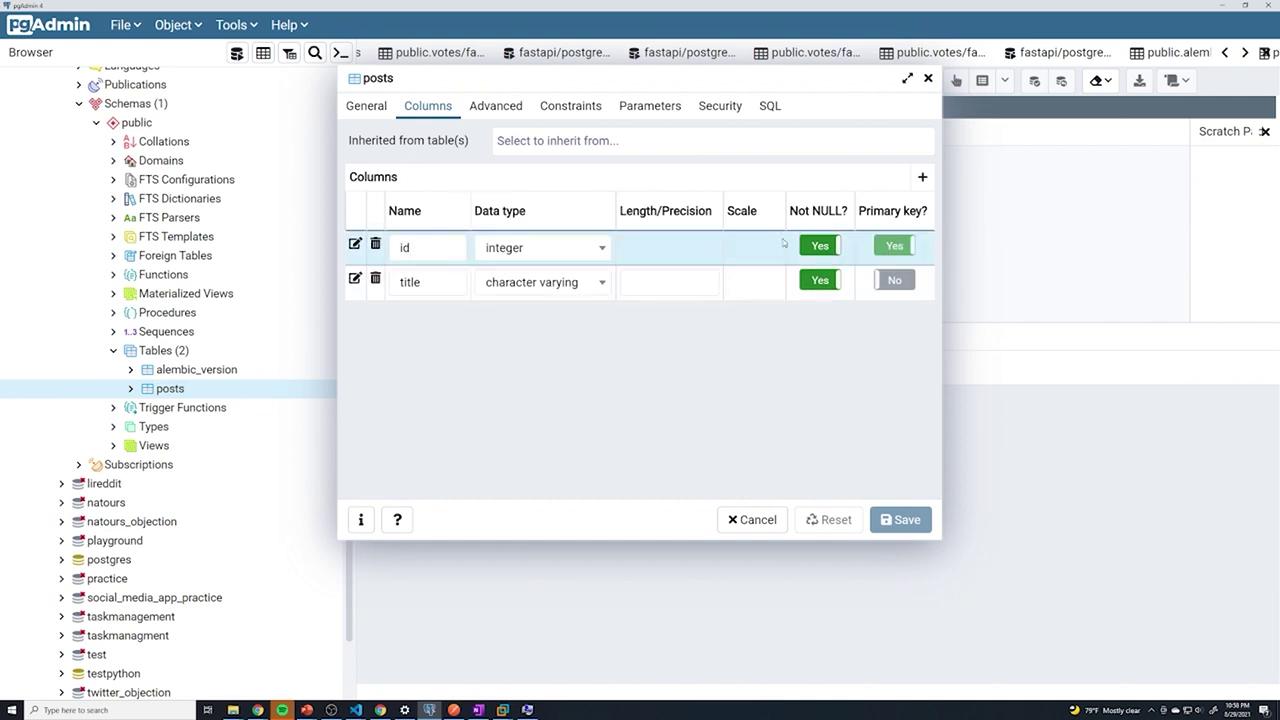
You should now see that the posts table includes two columns: `id` (the primary key, non-nullable) and `title` (non-nullable).
Additionally, when you inspect the table in pgAdmin, the defined columns and associated constraints are clearly visible:
## Tracking Migrations with Alembic
Alembic maintains a version table in your database that keeps track of all applied revisions. To inspect this version table, execute:
```sql theme={null}
SELECT * FROM public.alembic_version
ORDER BY version_num ASC
```
Do not delete the Alembic versioning table. It is crucial for tracking schema changes and ensuring the consistency of your database migrations.
## Conclusion
This guide demonstrated how to create a simple "posts" table using Alembic, including both the upgrade and downgrade migration paths. For additional operations—such as altering columns, adding constraints, or working with computed defaults—refer to the [Alembic API documentation](https://alembic.sqlalchemy.org/en/latest/).
By managing database migrations with Alembic, you ensure a controlled and consistent way to apply schema changes, making your database evolution both predictable and reversible.