> ## Documentation Index
> Fetch the complete documentation index at: https://notes.kodekloud.com/llms.txt
> Use this file to discover all available pages before exploring further.
# Operators
> This guide explores Pythons primary arithmetic operators, their usage, operator precedence, and sub-expressions for effective calculations in programming.
When writing programs in Python, operators are essential for performing calculations. This guide explores the seven primary arithmetic operators: exponentiation, multiplication, division (including true division and floor division), modulo, addition, and subtraction. You will also learn about operator precedence and the use of sub-expressions.
## Arithmetic Operators
Python uses the double asterisk (\*\*) as the exponentiation operator instead of superscripts. For example, to raise a number to a power:

Below are some examples demonstrating exponentiation:
```python theme={null}
print(2 ** 3) # 8
print(2. ** 3.) # 8.0
print(2 ** 3.) # 8.0
print(2. ** 3) # 8.0
```
### Multiplication
To multiply numbers in Python, use the single asterisk (\*) operator. The behavior for integers and floating-point numbers follows the same rules:
```python theme={null}
print(2 * 3) # 6
print(2. * 3.) # 6.0
print(2 * 3.) # 6.0
print(2. * 3) # 6.0
```
### Division
The division operator (/) always returns a floating-point number, even when dividing two integers:
```python theme={null}
print(10 / 2) # 5.0
print(10. / 2.) # 5.0
print(10. / 2) # 5.0
```
### Floor Division
If you require an integer quotient when both operands are integers, use the floor division operator (//). This operator returns the quotient rounded toward the lower integer value:
```python theme={null}
print(10 // 2) # 5
print(10. // 2.) # 5.0
```
Consider the following examples when dividing 6 by 4:
```python theme={null}
print(6 / 4) # 1.5
print(6 // 4) # 1.0
```
And when dividing 6 by -4:
```python theme={null}
print(6 / -4) # -1.5
print(6 // -4) # -2.0
```
Floor division always rounds down to the next lower integer. Positive results round down (e.g., 1.5 to 1.0), while negative results round further away from zero (e.g., -1.5 to -2.0).
### Modulo
The modulo operator (%) returns the remainder from a division:
```python theme={null}
print(4 % 2) # 0
```
For instance, when dividing 5 by 2, there is a remaining part:
```python theme={null}
print(5 % 2) # 1
```
## Binary vs. Unary Operators
In Python, the plus sign (+) functions as an addition operator and the minus sign (−) serves as a subtraction operator. These are examples of binary operators, where an operator takes two operands (one on the left and one on the right). However, the minus sign can also be a unary operator to indicate a negative number.
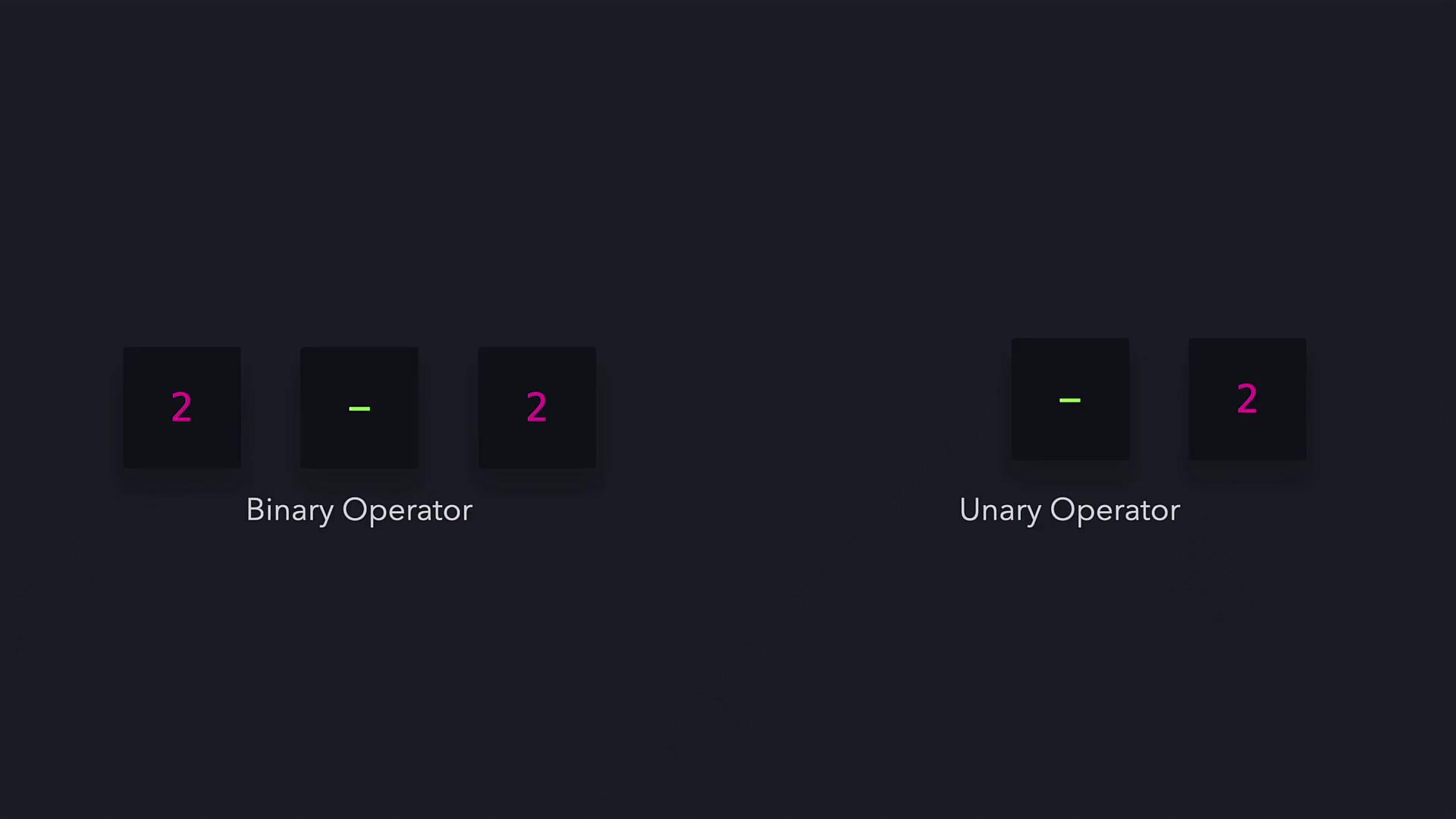
Here are some examples showcasing both usages:
```python theme={null}
print(-6 - 6) # -12
print(10 - -6) # 16
```
## Operator Precedence
Operator precedence determines the order in which parts of an expression are evaluated. The rules are as follows:
1. Unary operators (e.g., the unary minus)
2. Exponentiation (\*\*)
3. Multiplication, true division (/), floor division (//), and modulo (%)
4. Addition and subtraction
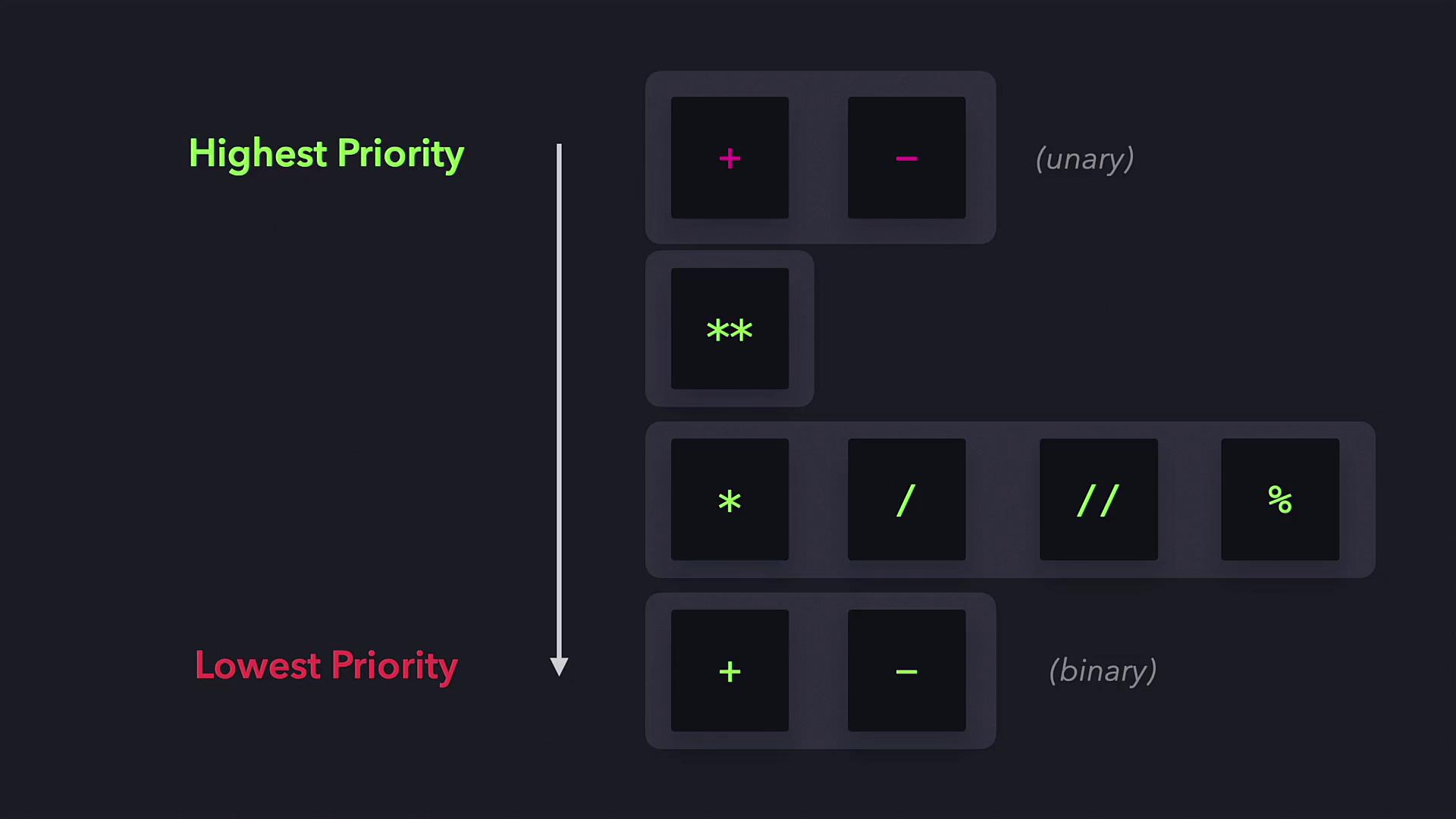
For example, consider the expression:
```python theme={null}
print(10 - 6 ** 2 / 9 * 10 + 1)
```
This expression is evaluated in the following steps:
1. Exponentiation: 6 \*\* 2 → 36.
2. Division and multiplication occur from left to right: 36 / 9 → 4, then 4 \* 10 → 40.
3. Finally, perform addition and subtraction from left to right: 10 - 40 + 1 → -29.
The final result is -29.
## Sub-Expressions
Sub-expressions, defined by parentheses, override the normal operator precedence rules. Operations within parentheses are computed first. For example:
```python theme={null}
print(2 * (2 + 3)) # 10
```
In this case, (2 + 3) is evaluated first to produce 5, and then multiplied by 2 for the final result.
Using parentheses can simplify complex expressions and improve readability within your code.
That’s the essence of Python arithmetic operators. With a solid understanding of these operators, you can now practice and incorporate them into your coding projects for effective computation. Happy coding!
## Additional Resources
* [Python Official Documentation](https://docs.python.org/3/)
* [Learn Python](https://www.python.org/about/gettingstarted/)
* [Arithmetic Operators in Python](https://realpython.com/python-operators-expressions/)