> ## Documentation Index
> Fetch the complete documentation index at: https://notes.kodekloud.com/llms.txt
> Use this file to discover all available pages before exploring further.
# Demo Using Ollama API and Interacting With It
> This tutorial explains how to use the Ollama REST API, covering endpoints, request examples, and integration best practices for local LLMs.
In our previous guide, we covered how to use the Ollama CLI. Ollama also exposes a REST API when you run `ollama surf`. This tutorial walks through each endpoint—showing request examples, sample responses, and best practices for integrating Ollama’s local LLMs into your applications.
## 1. Starting the Ollama REST Server
Launch the API server on your machine:
```bash theme={null}
ollama surf
```
You should see logs like:
```bash theme={null}
time=2025-01-24T12:23:14.335+05:30 level=INFO source=images.go:439 msg="total unused blobs removed: 0"
[GIN-debug] POST /api/generate --> github.com/ollama/ollama/server.(*Server).GenerateHandler-fm (5 handlers)
[GIN-debug] POST /api/chat --> github.com/ollama/ollama/server.(*Server).ChatHandler-fm (5 handlers)
[GIN-debug] POST /api/embeddings --> github.com/ollama/ollama/server.(*Server).EmbedHandler-fm (5 handlers)
[GIN-debug] POST /api/copy --> github.com/ollama/ollama/server.(*Server).CopyHandler-fm (5 handlers)
[GIN-debug] DELETE /api/delete --> github.com/ollama/ollama/server.(*Server).DeleteHandler-fm (5 handlers)
[GIN-debug] GET /api/show --> github.com/ollama/ollama/server.(*Server).ShowHandler-fm (5 handlers)
[GIN-debug] GET /api/ps --> github.com/ollama/ollama/server.(*Server).PSHandler-fm (6 handlers)
time=2025-01-24T12:23:14.337+05:30 level=INFO source=routes.go:1238 msg="Listening on 127.0.0.1:11434 (version 0.5.7)"
```
All endpoints are now accessible at `http://localhost:11434`.
***
## 2. Generating a Single Completion
Send a one-shot prompt to `/api/generate`:
```bash theme={null}
curl http://localhost:11434/api/generate \
-H "Content-Type: application/json" \
-d '{
"model": "llama3.2",
"prompt": "Compose a poem on LLMs",
"stream": false
}'
```
Pipe the response through [jq](https://stedolan.github.io/jq/) for pretty-printed JSON:
```bash theme={null}
… | jq
```
Example response:
```json theme={null}
{
"model": "llama3.2",
"created_at": "2025-01-24T06:55:54.169563Z",
"response": "In silicon halls, a mind is born,\na language model, with knowledge sworn,…",
"done": true,
"done_reason": "stop",
"context": [128006, 9125, 128007, 271, 38766, 1303, …],
"total_duration": 57511115875,
"load_duration": 20878833,
"prompt_eval_count": 32,
"prompt_eval_duration": 1370000000,
"eval_count": 279,
"eval_duration": 5591000000
}
```
Key fields:
* **`response`**: Generated text.
* **`done`** / **`done_reason`**: Completion status.
* **`context`**: Token IDs consumed.
* **Timing metrics**: Diagnose performance.
***
## 3. Streaming Tokens
To receive tokens as they’re generated, enable streaming:
```bash theme={null}
curl http://localhost:11434/api/generate \
-H "Content-Type: application/json" \
-d '{
"model": "llama3.2",
"prompt": "Compose a poem on LLMs",
"stream": true
}'
```
The server emits incremental JSON chunks:
```json theme={null}
{"model":"llama3.2","response":"In","done":false}
{"model":"llama3.2","response":" silicon","done":false}
…
{"model":"llama3.2","response":"","done":true,"done_reason":"stop","context":[128006,9125,…]}
```
Use streaming for real-time UIs or chat interfaces.
***
## 4. Enforcing a JSON Schema
Require a structured output by defining a JSON schema in the `format` field:
```bash theme={null}
curl -X POST http://localhost:11434/api/generate \
-H "Content-Type: application/json" \
-d '{
"model": "llama3.2",
"prompt": "Compose a JSON object that describes a poetic story of an LLM exploring the universe of language.",
"stream": false,
"format": {
"type": "object",
"properties": {
"title": {"type": "string"},
"theme": {"type": "string"},
"lines": {
"type": "array",
"items": {"type": "string"}
}
},
"required": ["title", "theme", "lines"]
}
}' | jq
```
Sample response:
```json theme={null}
{
"model": "llama3.2",
"created_at": "2025-01-24T07:00:58.138378Z",
"response": {
"title": "Cosmic Odyssey",
"theme": "Language Exploration",
"lines": [
"In silicon halls, I wandered free",
"A sea of symbols, my destiny",
"I danced with words in celestial harmony",
"As linguistic rivers, flowed through me"
]
},
"done": true,
"done_reason": "stop"
}
```
Ideal for applications expecting strict data structures.
***
## 5. Multi-Turn Chat Conversations
Use `/api/chat` to maintain context across messages:
```bash theme={null}
curl http://localhost:11434/api/chat \
-H "Content-Type: application/json" \
-d '{
"model": "llama3.2",
"messages": [
{"role": "user", "content": "Compose a short poem about LLMs."},
{"role": "assistant", "content": "In circuits vast, they find their spark,…"},
{"role": "user", "content": "Add alliteration for more impact."}
],
"stream": false
}' | jq
```
Example assistant reply:
```json theme={null}
{
"model": "llama3.2",
"created_at": "2025-01-24T07:03:07.634629Z",
"message": {
"role": "assistant",
"content": "In circuitous caverns, code comes alive,\nLanguage learned in labyrinthine digital strife…"
},
"done": true,
"done_reason": "stop"
}
```
***
## 6. Model Management Endpoints
You can list, copy, show, and delete models via REST:
| Operation | Method | Endpoint | Description |
| ------------ | ------ | ----------- | ------------------------------ |
| List models | GET | /api/ps | Display all local models |
| Show model | GET | /api/show | Get metadata on a single model |
| Copy model | POST | /api/copy | Duplicate an existing model |
| Delete model | DELETE | /api/delete | Remove a model |
**Copy a Model**
```bash theme={null}
curl http://localhost:11434/api/copy \
-H "Content-Type: application/json" \
-d '{
"source": "llama3.2",
"destination": "llama3-copy"
}'
```
Verify in the CLI:
```bash theme={null}
ollama ls
# NAME ID SIZE MODIFIED
# llama3-copy:latest a80c4f17acd5 2.0 GB a few seconds ago
# llama3.2:latest a80c4f17acd5 2.0 GB 24 hours ago
```
**Delete a Model**
```bash theme={null}
curl -X DELETE http://localhost:11434/api/delete \
-H "Content-Type: application/json" \
-d '{
"model": "llama3-copy"
}'
```
Pulling new models via the REST API is not supported. Use the CLI instead:
```bash theme={null}
ollama pull llama3.2
```
***
## 7. API Reference & Further Reading
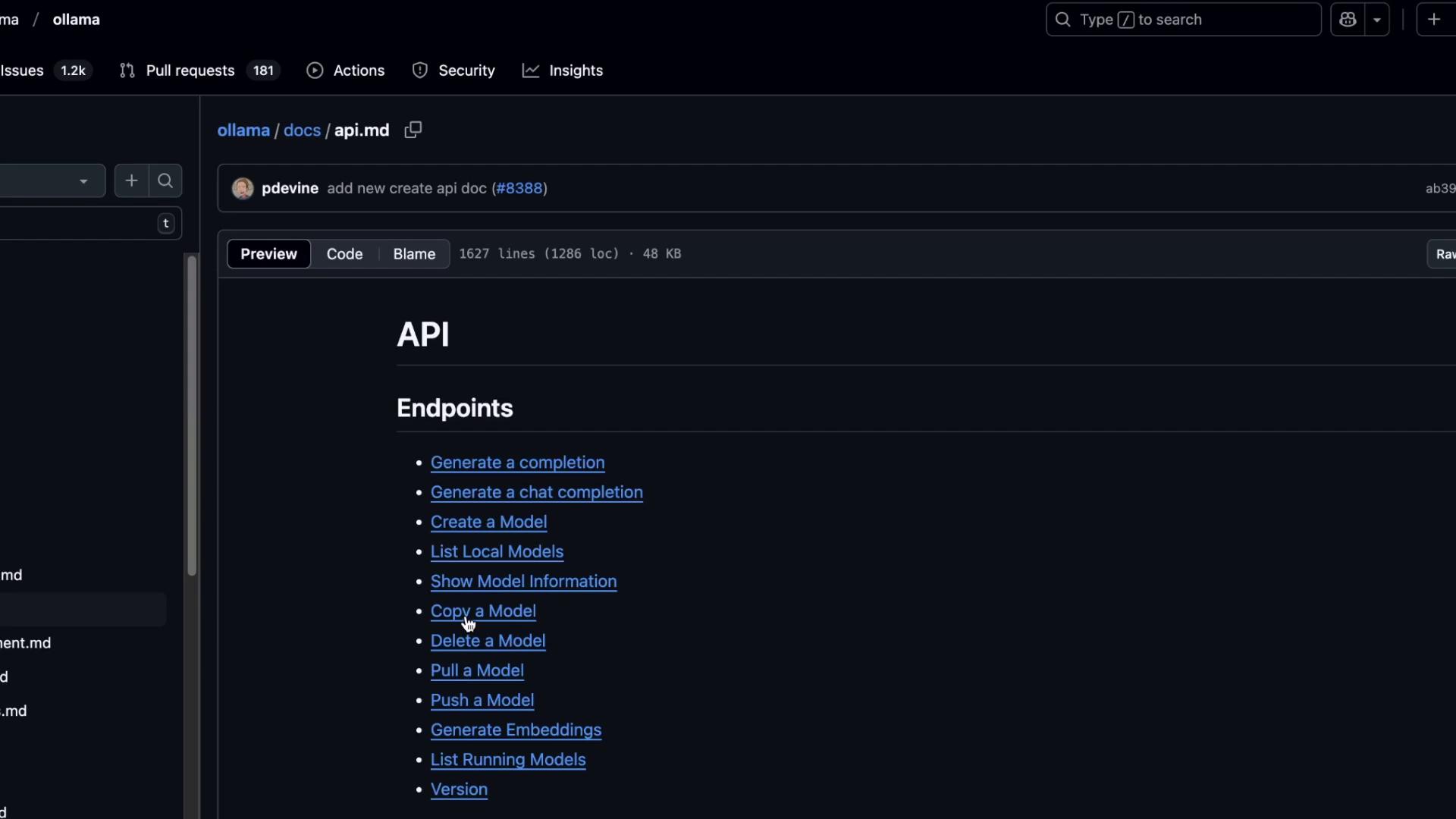
For the full list of endpoints, request/response specifications, and example payloads, see the [Ollama API Documentation on GitHub](https://github.com/ollama/ollama/tree/main/docs).
Links and References
* [Ollama GitHub Repository](https://github.com/ollama/ollama)
* [jq — Command-line JSON Processor](https://stedolan.github.io/jq/)