> ## Documentation Index
> Fetch the complete documentation index at: https://notes.kodekloud.com/llms.txt
> Use this file to discover all available pages before exploring further.
# Demo Essential Ollama CLI Commands
> This guide covers essential Ollama CLI commands for deploying local LLMs with practical examples and usage instructions.
In this guide, we’ll walk through the most common Ollama CLI commands with practical examples. Whether you’re spinning up a model server, inspecting metadata, or managing local models, these commands form the foundation of any AI application workflow.
## Table of Contents
1. [List All Commands](#1-list-all-commands)
2. [Run a Model Interactively](#2-run-a-model-interactively)
3. [Stop a Running Model](#3-stop-a-running-model)
4. [View Local Models](#4-view-local-models)
5. [Remove a Model](#5-remove-a-model)
6. [Download Models Without Running](#6-download-models-without-running)
7. [Show Model Details](#7-show-model-details)
8. [Monitor Active Models](#8-monitor-active-models)
9. [Links and References](#9-links-and-references)
***
## 1. List All Commands
To discover every available Ollama subcommand, simply run:
```bash theme={null}
ollama
```
You’ll see output similar to:
```text theme={null}
Available Commands:
serve Start Ollama model server
create Create a model from a Modelfile
show Show information for a model
run Run a model
stop Stop a running model
pull Pull a model from a registry
push Push a model to a registry
list List local models
ps List running models
cp Copy a model
rm Remove a model
help Help about any command
Flags:
-h, --help Help for ollama
-v, --version Show version information
```
Append `--help` to any command to view detailed usage information, for example:
```bash theme={null}
ollama run --help
```
***
## 2. Run a Model Interactively
Launch an interactive chat session with a model (e.g., `llama3.2`):
```bash theme={null}
ollama run llama3.2
```
Once running, type your queries:
```text theme={null}
>>> What is the time?
I'm not sure what time you are referring to, as I'm a large language model without real-time access...
```
To exit the chat, enter:
```text theme={null}
>>> /bye
```
***
## 3. Stop a Running Model
Models continue running in the background even after you exit the chat interface. To completely terminate:
```bash theme={null}
ollama stop llama3.2
```
Leaving unused models running can consume memory and GPU resources. Always stop models you’re no longer using.
***
## 4. View Local Models
List all models downloaded on your machine:
```bash theme={null}
ollama list
```
| NAME | ID | SIZE | MODIFIED |
| --------------- | ------------ | ------ | ----------------- |
| llava:latest | 8dd30f6b0cb1 | 4.7 GB | 48 minutes ago |
| llama3.2:latest | a80c4f17acd5 | 2.0 GB | About an hour ago |
***
## 5. Remove a Model
Free up disk space by deleting a model:
```bash theme={null}
ollama rm llava
```
Confirm removal:
```bash theme={null}
ollama list
```
| NAME | ID | SIZE | MODIFIED |
| --------------- | ------------ | ------ | ----------------- |
| llama3.2:latest | a80c4f17acd5 | 2.0 GB | About an hour ago |
***
## 6. Download Models Without Running
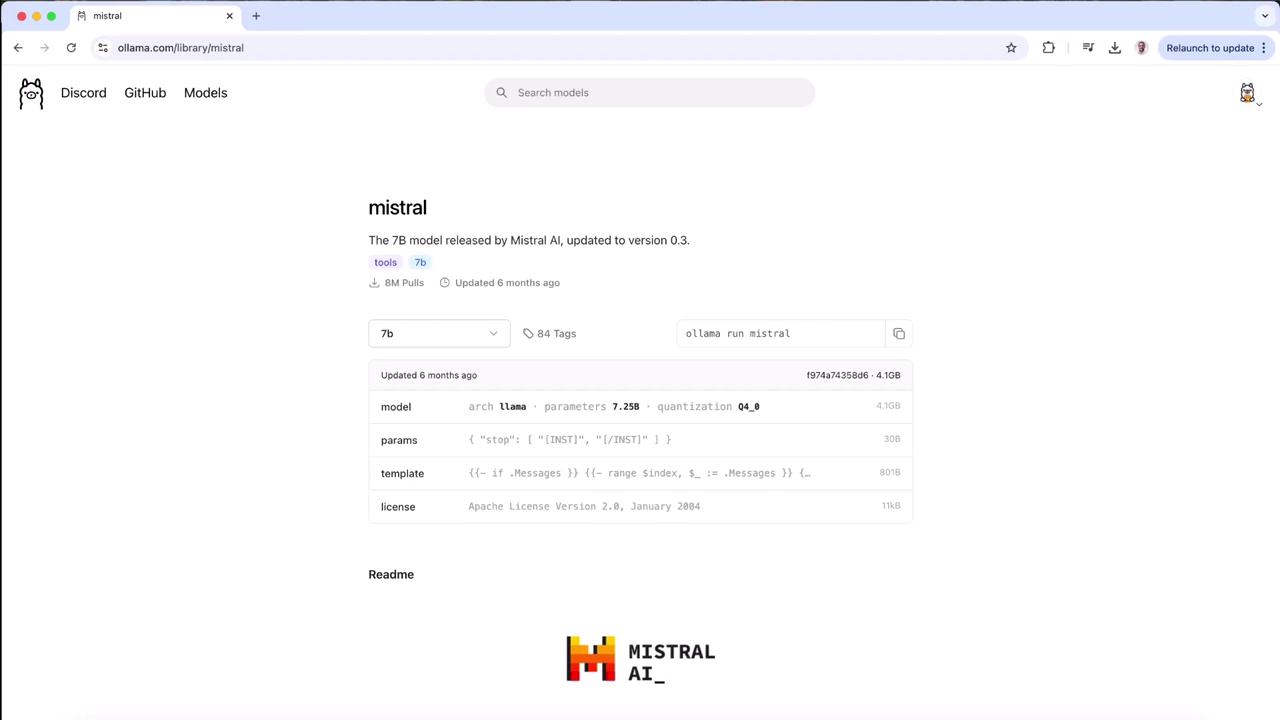
Use `ollama pull` to fetch a model without immediately launching it. For example, to pull Mistral 7B:
```bash theme={null}
ollama pull mistral
```
You’ll see progress bars like:
```text theme={null}
pulling manifest
pulling ff82381e2bea... 28%
```
Press `Ctrl+C` at any point to abort the download.
***
## 7. Show Model Details
Inspect model metadata, architecture, and licensing:
```bash theme={null}
ollama show llama3.2
```
```text theme={null}
Model
architecture llama
parameters 3.2B
context length 131072
embedding length 3072
quantization Q4_K_M
Parameters
stop "<|start_header_id|>"
stop "<|end_header_id|>"
stop "<|eot_id|>"
License
LLAMA 3.2 COMMUNITY LICENSE AGREEMENT
Release Date: March 26, 2024
```
Understanding the license ensures you comply with usage restrictions.
***
## 8. Monitor Active Models
Similar to Docker’s `ps`, this command lists all currently running models:
```bash theme={null}
ollama ps
```
After launching a model in one terminal:
```bash theme={null}
ollama run llama3.2
```
Open another terminal and run:
```bash theme={null}
ollama ps
```
| NAME | ID | SIZE | PROCESSOR | UNTIL |
| --------------- | ------------ | ------ | --------- | ------------------ |
| llama3.2:latest | a80c4f17acd5 | 4.0 GB | 100% GPU | 4 minutes from now |
To stop the model:
```bash theme={null}
ollama stop llama3.2
```
Verify no active models remain:
```bash theme={null}
ollama ps
```
***
## 9. Links and References
* [Ollama CLI Documentation](https://github.com/jmorganca/ollama)
* [Mistral AI Models](https://huggingface.co/mistralai)
* [LLAMA 3.2 License Details](https://example.com/llama3-license)
* [Local LLM Best Practices](https://example.com/local-llm-guide)