> ## Documentation Index
> Fetch the complete documentation index at: https://notes.kodekloud.com/llms.txt
> Use this file to discover all available pages before exploring further.
# Project Manage Docker Containers using Docker Clients in Rust
> Guide to building a Rust CLI that manages Docker containers and images using Bollard and Clap, supporting list start stop and pull commands
Build a compact Rust CLI to manage Docker: list containers/images, start/stop containers, and pull images. This guide walks through scaffolding the project, adding async Docker support with Bollard, parsing commands with Clap, organizing a modular code layout, and implementing the core commands.
 Prerequisites
* Rust toolchain (rustup + cargo)
* Docker running locally (Docker Desktop on macOS/Windows or Docker daemon on Linux)
* Basic familiarity with async/await in Rust
* Optional: VS Code (or your preferred editor)
Create the project
From your projects directory:
```bash theme={null}
# scaffold a new binary crate and open it in your editor
cargo new mydocker
cd mydocker
code . # optional: open in VS Code
```
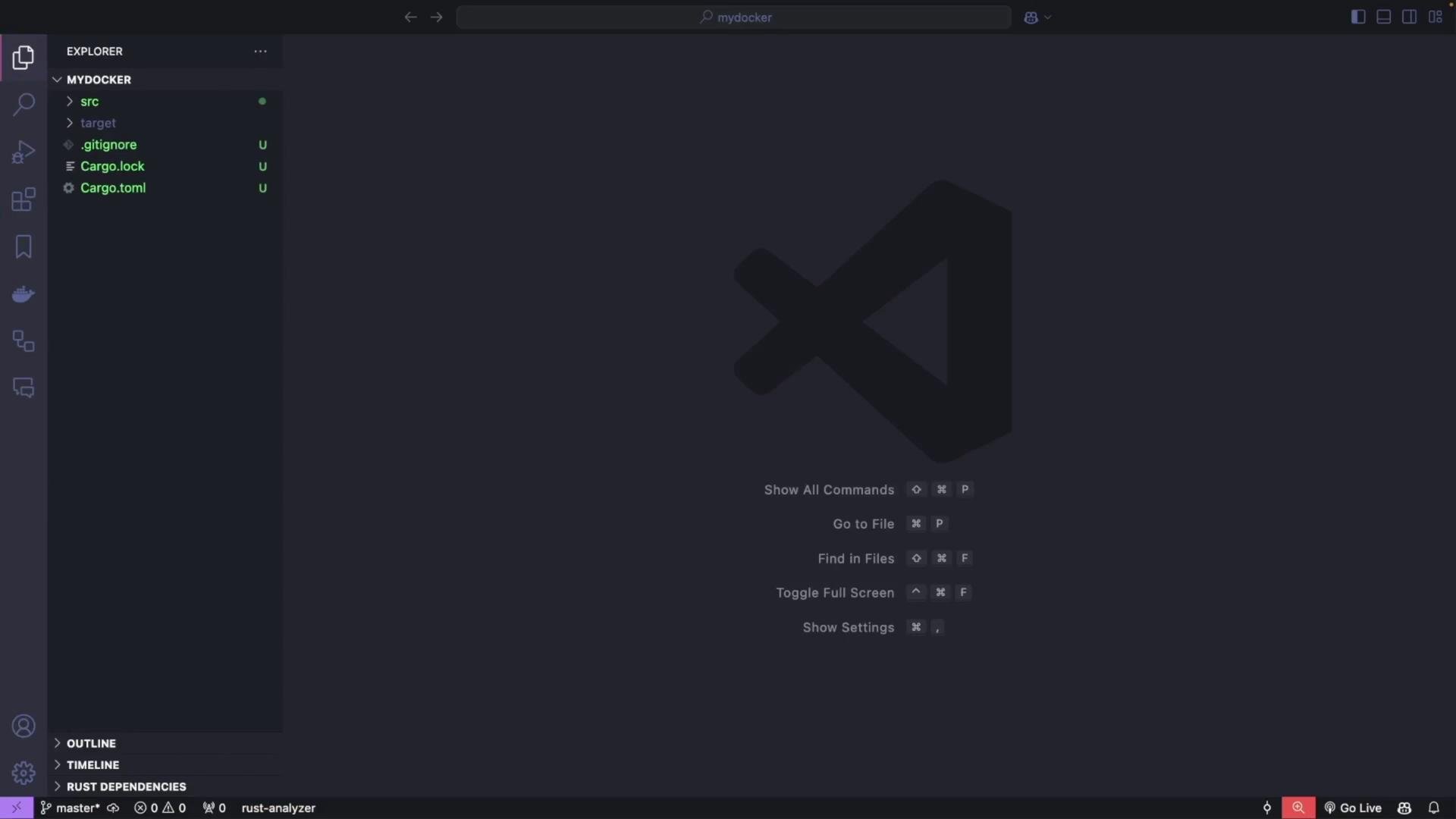
After this, your project will contain the standard Rust layout (Cargo.toml, src/main.rs, etc.).
Prerequisites
* Rust toolchain (rustup + cargo)
* Docker running locally (Docker Desktop on macOS/Windows or Docker daemon on Linux)
* Basic familiarity with async/await in Rust
* Optional: VS Code (or your preferred editor)
Create the project
From your projects directory:
```bash theme={null}
# scaffold a new binary crate and open it in your editor
cargo new mydocker
cd mydocker
code . # optional: open in VS Code
```
After this, your project will contain the standard Rust layout (Cargo.toml, src/main.rs, etc.).
 Add dependencies (Cargo.toml)
Open Cargo.toml and add these dependencies. Bollard provides the async Docker API client, Clap handles CLI parsing, Tokio is the async runtime, and futures-util gives helper utilities.
```toml theme={null}
[package]
name = "mydocker"
version = "0.1.0"
edition = "2021"
[dependencies]
bollard = "0.18.1" # Docker API integration (async)
clap = { version = "4.5.21", features = ["derive"] } # CLI argument parsing
tokio = { version = "1.41.1", features = ["full"] } # Async runtime
futures-util = "0.3" # Async utilities (streams & try_next)
```
Download dependencies once:
```bash theme={null}
cargo build
```
Dependency reference table
| Dependency | Purpose | Docs |
| ------------ | ----------------------------------------------- | ------------------------------------------------------------------------------------------------------- |
| bollard | Async Docker client for interacting with daemon | [https://docs.rs/bollard/latest/bollard/](https://docs.rs/bollard/latest/bollard/) |
| clap | CLI parsing and subcommand support | [https://clap.rs/](https://clap.rs/) |
| tokio | Async runtime for async/await | [https://tokio.rs/](https://tokio.rs/) |
| futures-util | Stream and future utilities | [https://docs.rs/futures-util/latest/futures\_util/](https://docs.rs/futures-util/latest/futures_util/) |
Project structure
We will keep the code modular:
* src/cli.rs — Clap definitions (commands/subcommands)
* src/docker.rs — DockerClient wrapper around Bollard
* src/main.rs — Top-level wiring and command dispatch
CLI: define the command structure (using Clap)
Create src/cli.rs and define a clear subcommand hierarchy for list/start/stop/pull.
```rust theme={null}
use clap::{Parser, Subcommand};
/// A minimal Docker CLI in Rust
#[derive(Parser, Debug)]
#[command(name = "mydocker")]
#[command(about = "A minimal Docker CLI in Rust")]
pub struct Cli {
/// The main command to execute
#[command(subcommand)]
pub command: Command,
}
/// Top-level commands
#[derive(Subcommand, Debug)]
pub enum Command {
/// List resources
List {
/// Subcommands for listing resources
#[command(subcommand)]
list_command: ListCommands,
},
/// Start a container
Start {
/// The container name
container_name: String,
},
/// Stop a container
Stop {
/// The container name
container_name: String,
},
/// Pull an image
Pull {
/// The image name (e.g., "nginx:latest")
image_name: String,
},
}
/// Subcommands under `list`
#[derive(Subcommand, Debug)]
pub enum ListCommands {
/// List containers
Containers {
/// Include stopped containers
#[arg(short, long)]
all: bool,
},
/// List images
Images,
}
```
CLI usage hierarchy
* mydocker list containers \[--all | -a]
* mydocker list images
* mydocker start \
* mydocker stop \
* mydocker pull \
Quick help example:
```bash theme={null}
cargo run -- --help
# or per-subcommand:
cargo run -- list --help
```
Callout — Docker socket and Docker Desktop
Ensure Docker is running ([Docker Desktop](https://www.docker.com/products/docker-desktop) or a daemon on Linux). The typical Docker socket path on Linux is /var/run/docker.sock. On Docker Desktop (macOS/Windows) the socket path may differ — use `docker context inspect` to find the "Host" value and adjust the socket path in DockerClient::new if needed.
Example output of docker context inspect (used to discover socket path):
```bash theme={null}
docker context inspect
[
{
"Name": "desktop-linux",
"Endpoints": {
"docker": {
"Host": "unix:///Users/priyadav/.docker/run/docker.sock",
"SkipTLSVerify": false
}
}
...
}
]
```
Docker client module
Create src/docker.rs. This module wraps Bollard to provide the operations we need: listing containers/images, starting/stopping containers, and pulling images. The implementation uses async functions returning Result types mapped to Bollard errors.
```rust theme={null}
use bollard::Docker;
use bollard::errors::Error;
use bollard::models::{ContainerSummary, ImageSummary, CreateImageInfo};
use bollard::container::{ListContainersOptions, StartContainerOptions, StopContainerOptions};
use bollard::image::{ListImagesOptions, CreateImageOptions};
use futures_util::stream::TryStreamExt;
use std::default::Default;
pub struct DockerClient {
docker: Docker,
}
impl DockerClient {
/// Create a new DockerClient using the default Unix socket.
pub fn new() -> Self {
// You may tweak the socket path if your Docker context uses a different location.
// Common defaults:
// - Linux: "/var/run/docker.sock"
// - Docker Desktop on macOS: "/Users//.docker/run/docker.sock" (see `docker context inspect`)
let docker = Docker::connect_with_unix("/var/run/docker.sock", 120, bollard::API_DEFAULT_VERSION)
.expect("Failed to connect to Docker daemon");
Self { docker }
}
/// List containers.
pub async fn list_containers(&self, all: bool) -> Result, Error> {
let options = Some(ListContainersOptions:: {
all,
..Default::default()
});
let containers = self.docker.list_containers(options).await?;
Ok(containers)
}
/// List images.
pub async fn list_images(&self) -> Result, Error> {
let options = Some(ListImagesOptions:: {
all: true,
..Default::default()
});
let images = self.docker.list_images(options).await?;
Ok(images)
}
/// Start a container by name or ID.
pub async fn start_container(&self, container_name: &str) -> Result<(), Error> {
self.docker
.start_container(container_name, None::>)
.await?;
Ok(())
}
/// Stop a container by name or ID. Wait `t` seconds before killing (here t = 30).
pub async fn stop_container(&self, container_name: &str) -> Result<(), Error> {
let options = Some(StopContainerOptions { t: Some(30) });
self.docker.stop_container(container_name, options).await?;
Ok(())
}
/// Pull an image from a registry (e.g., "nginx:latest").
/// This consumes the streaming progress sent by the daemon and prints statuses.
pub async fn pull_image(&self, image_name: &str) -> Result<(), Error> {
let options = Some(CreateImageOptions {
from_image: image_name,
..Default::default()
});
// create_image returns a stream of CreateImageInfo messages
let mut stream = self.docker.create_image(options, None, None);
while let Some(msg) = stream.try_next().await? {
if let Some(status) = msg.status {
println!("{}", status);
} else if let Some(progress) = msg.progress {
println!("{}", progress);
} else if let Some(id) = msg.id {
println!("{}", id);
}
}
Ok(())
}
}
```
Top-level main
Create or update src/main.rs to wire the CLI and DockerClient together, then dispatch subcommands. We use Tokio for async main.
```rust theme={null}
mod cli;
mod docker;
use clap::Parser;
use cli::{Cli, Command, ListCommands};
use docker::DockerClient;
#[tokio::main]
async fn main() {
// Parse CLI args
let args: Cli = Cli::parse();
// Create Docker client
let docker_client = DockerClient::new();
// Dispatch commands
match args.command {
Command::List { list_command } => match list_command {
ListCommands::Containers { all } => {
println!("Printing containers:");
match docker_client.list_containers(all).await {
Ok(containers) => {
for c in containers {
// many fields in ContainerSummary are Option, so use unwrap_or_default
let id = c.id.unwrap_or_default();
let names = c.names.unwrap_or_default().join(",");
let status = c.status.unwrap_or_default();
println!("{}\t{}\t{}", id, names, status);
}
}
Err(e) => eprintln!("Error listing containers: {}", e),
}
}
ListCommands::Images => {
println!("Printing images:");
match docker_client.list_images().await {
Ok(images) => {
for img in images {
let id = img.id.unwrap_or_default();
let tags = img.repo_tags.unwrap_or_default().join(",");
println!("{}\t{}", id, tags);
}
}
Err(e) => eprintln!("Error listing images: {}", e),
}
}
},
Command::Start { container_name } => {
println!("Starting container: {}", container_name);
match docker_client.start_container(&container_name).await {
Ok(_) => println!("Container started successfully"),
Err(e) => eprintln!("Error starting container: {}", e),
}
}
Command::Stop { container_name } => {
println!("Stopping container {}", container_name);
match docker_client.stop_container(&container_name).await {
Ok(_) => println!("Container stopped successfully"),
Err(e) => eprintln!("Error stopping container: {}", e),
}
}
Command::Pull { image_name } => {
println!("Pulling image {}", image_name);
match docker_client.pull_image(&image_name).await {
Ok(_) => println!("Image pulled successfully"),
Err(e) => eprintln!("Error pulling image: {}", e),
}
}
}
}
```
CLI commands and examples
| Command | Description | Example |
| --------------- | ------------------------------------------------------ | ----------------------------------- |
| list containers | List running containers (use --all to include stopped) | `cargo run -- list containers -a` |
| list images | List local images | `cargo run -- list images` |
| start | Start a container by name or ID | `cargo run -- start my_alpine` |
| stop | Stop a container by name or ID | `cargo run -- stop my_nginx` |
| pull | Pull an image from a registry | `cargo run -- pull postgres:latest` |
Run & test examples
* Show general help:
```bash theme={null}
cargo run -- --help
```
* List running containers:
```bash theme={null}
cargo run -- list containers
# Example output:
Printing containers:
f38a4319459bb201b0875fb9c5b13f91913f3d2e160029b77217cbfe7589da23 /my_nginx Up 36 seconds
```
* List all containers, including stopped:
```bash theme={null}
cargo run -- list containers --all
# or:
cargo run -- list containers -a
```
* List images:
```bash theme={null}
cargo run -- list images
# Example output:
sha256:0c86dddac19f2ce4fd716ac58c0fd87bf69bfd4edabfd6971fb885bafd12a00b nginx:latest
```
* Start a container:
```bash theme={null}
cargo run -- start my_alpine
# Output:
Starting container: my_alpine
Container started successfully
```
* Stop a container:
```bash theme={null}
cargo run -- stop my_nginx
# Output:
Stopping container my_nginx
Container stopped successfully
```
* Pull an image:
```bash theme={null}
cargo run -- pull postgres:latest
# Output: streaming status lines from the daemon, then:
Image pulled successfully
```
Notes and behavior
* Docker returns many optional fields (names, status, IDs). The example code uses unwrap\_or\_default() to avoid panics and print reasonable defaults.
* Bollard's create\_image returns a stream of progress messages — the client consumes and prints these lines to provide visible progress.
* If a resource does not exist, Docker returns an error (often a 404-like response). The CLI forwards the error message returned by the Docker daemon to stderr.
Callout — Permissions and socket path
If you use a Unix socket (e.g., /var/run/docker.sock) your user needs permission to access that socket (membership in the docker group, or run the binary with appropriate privileges). On macOS/Windows with Docker Desktop, the socket path may differ — use `docker context inspect` to find the socket path and adjust DockerClient::new accordingly.
Extending the project
This modular structure makes it straightforward to add features:
* container inspect, remove, exec
* filtering lists by labels, status, or health
* richer output formatting (JSON, table)
* authentication support for pulling from private registries
Summary
* Built a small Rust CLI (mydocker) using Clap for argument parsing and Bollard for Docker API access.
* Organized code into src/cli.rs, src/docker.rs, and src/main.rs for clarity and maintainability.
* Implemented list (containers/images), start, stop, and pull commands with async/await using Tokio.
* The project is a solid foundation to grow into a full-featured Docker management tool in Rust.
Links and references
* Bollard (Docker client for Rust): [https://docs.rs/bollard/](https://docs.rs/bollard/)
* Clap (CLI parsing): [https://clap.rs/](https://clap.rs/)
* Tokio (async runtime): [https://tokio.rs/](https://tokio.rs/)
* Docker documentation: [https://docs.docker.com/](https://docs.docker.com/)
Add dependencies (Cargo.toml)
Open Cargo.toml and add these dependencies. Bollard provides the async Docker API client, Clap handles CLI parsing, Tokio is the async runtime, and futures-util gives helper utilities.
```toml theme={null}
[package]
name = "mydocker"
version = "0.1.0"
edition = "2021"
[dependencies]
bollard = "0.18.1" # Docker API integration (async)
clap = { version = "4.5.21", features = ["derive"] } # CLI argument parsing
tokio = { version = "1.41.1", features = ["full"] } # Async runtime
futures-util = "0.3" # Async utilities (streams & try_next)
```
Download dependencies once:
```bash theme={null}
cargo build
```
Dependency reference table
| Dependency | Purpose | Docs |
| ------------ | ----------------------------------------------- | ------------------------------------------------------------------------------------------------------- |
| bollard | Async Docker client for interacting with daemon | [https://docs.rs/bollard/latest/bollard/](https://docs.rs/bollard/latest/bollard/) |
| clap | CLI parsing and subcommand support | [https://clap.rs/](https://clap.rs/) |
| tokio | Async runtime for async/await | [https://tokio.rs/](https://tokio.rs/) |
| futures-util | Stream and future utilities | [https://docs.rs/futures-util/latest/futures\_util/](https://docs.rs/futures-util/latest/futures_util/) |
Project structure
We will keep the code modular:
* src/cli.rs — Clap definitions (commands/subcommands)
* src/docker.rs — DockerClient wrapper around Bollard
* src/main.rs — Top-level wiring and command dispatch
CLI: define the command structure (using Clap)
Create src/cli.rs and define a clear subcommand hierarchy for list/start/stop/pull.
```rust theme={null}
use clap::{Parser, Subcommand};
/// A minimal Docker CLI in Rust
#[derive(Parser, Debug)]
#[command(name = "mydocker")]
#[command(about = "A minimal Docker CLI in Rust")]
pub struct Cli {
/// The main command to execute
#[command(subcommand)]
pub command: Command,
}
/// Top-level commands
#[derive(Subcommand, Debug)]
pub enum Command {
/// List resources
List {
/// Subcommands for listing resources
#[command(subcommand)]
list_command: ListCommands,
},
/// Start a container
Start {
/// The container name
container_name: String,
},
/// Stop a container
Stop {
/// The container name
container_name: String,
},
/// Pull an image
Pull {
/// The image name (e.g., "nginx:latest")
image_name: String,
},
}
/// Subcommands under `list`
#[derive(Subcommand, Debug)]
pub enum ListCommands {
/// List containers
Containers {
/// Include stopped containers
#[arg(short, long)]
all: bool,
},
/// List images
Images,
}
```
CLI usage hierarchy
* mydocker list containers \[--all | -a]
* mydocker list images
* mydocker start \
* mydocker stop \
* mydocker pull \
Quick help example:
```bash theme={null}
cargo run -- --help
# or per-subcommand:
cargo run -- list --help
```
Callout — Docker socket and Docker Desktop
Ensure Docker is running ([Docker Desktop](https://www.docker.com/products/docker-desktop) or a daemon on Linux). The typical Docker socket path on Linux is /var/run/docker.sock. On Docker Desktop (macOS/Windows) the socket path may differ — use `docker context inspect` to find the "Host" value and adjust the socket path in DockerClient::new if needed.
Example output of docker context inspect (used to discover socket path):
```bash theme={null}
docker context inspect
[
{
"Name": "desktop-linux",
"Endpoints": {
"docker": {
"Host": "unix:///Users/priyadav/.docker/run/docker.sock",
"SkipTLSVerify": false
}
}
...
}
]
```
Docker client module
Create src/docker.rs. This module wraps Bollard to provide the operations we need: listing containers/images, starting/stopping containers, and pulling images. The implementation uses async functions returning Result types mapped to Bollard errors.
```rust theme={null}
use bollard::Docker;
use bollard::errors::Error;
use bollard::models::{ContainerSummary, ImageSummary, CreateImageInfo};
use bollard::container::{ListContainersOptions, StartContainerOptions, StopContainerOptions};
use bollard::image::{ListImagesOptions, CreateImageOptions};
use futures_util::stream::TryStreamExt;
use std::default::Default;
pub struct DockerClient {
docker: Docker,
}
impl DockerClient {
/// Create a new DockerClient using the default Unix socket.
pub fn new() -> Self {
// You may tweak the socket path if your Docker context uses a different location.
// Common defaults:
// - Linux: "/var/run/docker.sock"
// - Docker Desktop on macOS: "/Users//.docker/run/docker.sock" (see `docker context inspect`)
let docker = Docker::connect_with_unix("/var/run/docker.sock", 120, bollard::API_DEFAULT_VERSION)
.expect("Failed to connect to Docker daemon");
Self { docker }
}
/// List containers.
pub async fn list_containers(&self, all: bool) -> Result, Error> {
let options = Some(ListContainersOptions:: {
all,
..Default::default()
});
let containers = self.docker.list_containers(options).await?;
Ok(containers)
}
/// List images.
pub async fn list_images(&self) -> Result, Error> {
let options = Some(ListImagesOptions:: {
all: true,
..Default::default()
});
let images = self.docker.list_images(options).await?;
Ok(images)
}
/// Start a container by name or ID.
pub async fn start_container(&self, container_name: &str) -> Result<(), Error> {
self.docker
.start_container(container_name, None::>)
.await?;
Ok(())
}
/// Stop a container by name or ID. Wait `t` seconds before killing (here t = 30).
pub async fn stop_container(&self, container_name: &str) -> Result<(), Error> {
let options = Some(StopContainerOptions { t: Some(30) });
self.docker.stop_container(container_name, options).await?;
Ok(())
}
/// Pull an image from a registry (e.g., "nginx:latest").
/// This consumes the streaming progress sent by the daemon and prints statuses.
pub async fn pull_image(&self, image_name: &str) -> Result<(), Error> {
let options = Some(CreateImageOptions {
from_image: image_name,
..Default::default()
});
// create_image returns a stream of CreateImageInfo messages
let mut stream = self.docker.create_image(options, None, None);
while let Some(msg) = stream.try_next().await? {
if let Some(status) = msg.status {
println!("{}", status);
} else if let Some(progress) = msg.progress {
println!("{}", progress);
} else if let Some(id) = msg.id {
println!("{}", id);
}
}
Ok(())
}
}
```
Top-level main
Create or update src/main.rs to wire the CLI and DockerClient together, then dispatch subcommands. We use Tokio for async main.
```rust theme={null}
mod cli;
mod docker;
use clap::Parser;
use cli::{Cli, Command, ListCommands};
use docker::DockerClient;
#[tokio::main]
async fn main() {
// Parse CLI args
let args: Cli = Cli::parse();
// Create Docker client
let docker_client = DockerClient::new();
// Dispatch commands
match args.command {
Command::List { list_command } => match list_command {
ListCommands::Containers { all } => {
println!("Printing containers:");
match docker_client.list_containers(all).await {
Ok(containers) => {
for c in containers {
// many fields in ContainerSummary are Option, so use unwrap_or_default
let id = c.id.unwrap_or_default();
let names = c.names.unwrap_or_default().join(",");
let status = c.status.unwrap_or_default();
println!("{}\t{}\t{}", id, names, status);
}
}
Err(e) => eprintln!("Error listing containers: {}", e),
}
}
ListCommands::Images => {
println!("Printing images:");
match docker_client.list_images().await {
Ok(images) => {
for img in images {
let id = img.id.unwrap_or_default();
let tags = img.repo_tags.unwrap_or_default().join(",");
println!("{}\t{}", id, tags);
}
}
Err(e) => eprintln!("Error listing images: {}", e),
}
}
},
Command::Start { container_name } => {
println!("Starting container: {}", container_name);
match docker_client.start_container(&container_name).await {
Ok(_) => println!("Container started successfully"),
Err(e) => eprintln!("Error starting container: {}", e),
}
}
Command::Stop { container_name } => {
println!("Stopping container {}", container_name);
match docker_client.stop_container(&container_name).await {
Ok(_) => println!("Container stopped successfully"),
Err(e) => eprintln!("Error stopping container: {}", e),
}
}
Command::Pull { image_name } => {
println!("Pulling image {}", image_name);
match docker_client.pull_image(&image_name).await {
Ok(_) => println!("Image pulled successfully"),
Err(e) => eprintln!("Error pulling image: {}", e),
}
}
}
}
```
CLI commands and examples
| Command | Description | Example |
| --------------- | ------------------------------------------------------ | ----------------------------------- |
| list containers | List running containers (use --all to include stopped) | `cargo run -- list containers -a` |
| list images | List local images | `cargo run -- list images` |
| start | Start a container by name or ID | `cargo run -- start my_alpine` |
| stop | Stop a container by name or ID | `cargo run -- stop my_nginx` |
| pull | Pull an image from a registry | `cargo run -- pull postgres:latest` |
Run & test examples
* Show general help:
```bash theme={null}
cargo run -- --help
```
* List running containers:
```bash theme={null}
cargo run -- list containers
# Example output:
Printing containers:
f38a4319459bb201b0875fb9c5b13f91913f3d2e160029b77217cbfe7589da23 /my_nginx Up 36 seconds
```
* List all containers, including stopped:
```bash theme={null}
cargo run -- list containers --all
# or:
cargo run -- list containers -a
```
* List images:
```bash theme={null}
cargo run -- list images
# Example output:
sha256:0c86dddac19f2ce4fd716ac58c0fd87bf69bfd4edabfd6971fb885bafd12a00b nginx:latest
```
* Start a container:
```bash theme={null}
cargo run -- start my_alpine
# Output:
Starting container: my_alpine
Container started successfully
```
* Stop a container:
```bash theme={null}
cargo run -- stop my_nginx
# Output:
Stopping container my_nginx
Container stopped successfully
```
* Pull an image:
```bash theme={null}
cargo run -- pull postgres:latest
# Output: streaming status lines from the daemon, then:
Image pulled successfully
```
Notes and behavior
* Docker returns many optional fields (names, status, IDs). The example code uses unwrap\_or\_default() to avoid panics and print reasonable defaults.
* Bollard's create\_image returns a stream of progress messages — the client consumes and prints these lines to provide visible progress.
* If a resource does not exist, Docker returns an error (often a 404-like response). The CLI forwards the error message returned by the Docker daemon to stderr.
Callout — Permissions and socket path
If you use a Unix socket (e.g., /var/run/docker.sock) your user needs permission to access that socket (membership in the docker group, or run the binary with appropriate privileges). On macOS/Windows with Docker Desktop, the socket path may differ — use `docker context inspect` to find the socket path and adjust DockerClient::new accordingly.
Extending the project
This modular structure makes it straightforward to add features:
* container inspect, remove, exec
* filtering lists by labels, status, or health
* richer output formatting (JSON, table)
* authentication support for pulling from private registries
Summary
* Built a small Rust CLI (mydocker) using Clap for argument parsing and Bollard for Docker API access.
* Organized code into src/cli.rs, src/docker.rs, and src/main.rs for clarity and maintainability.
* Implemented list (containers/images), start, stop, and pull commands with async/await using Tokio.
* The project is a solid foundation to grow into a full-featured Docker management tool in Rust.
Links and references
* Bollard (Docker client for Rust): [https://docs.rs/bollard/](https://docs.rs/bollard/)
* Clap (CLI parsing): [https://clap.rs/](https://clap.rs/)
* Tokio (async runtime): [https://tokio.rs/](https://tokio.rs/)
* Docker documentation: [https://docs.docker.com/](https://docs.docker.com/)