> ## Documentation Index
> Fetch the complete documentation index at: https://notes.kodekloud.com/llms.txt
> Use this file to discover all available pages before exploring further.
# Rusts Iterator Ecosystem Custom Iterators
> This article explores Rust iterators, their implementation, advantages, and best practices for using them effectively in programming.
In this lesson, we will explore Rust iterators—a powerful and flexible tool for processing sequences of elements. An iterator in Rust is any object that implements the Iterator trait, providing a standardized way to traverse a sequence of items. The standard library includes numerous iterator methods for mapping, filtering, and reducing collections.
## Why Use Iterators?
Iterators offer a concise and expressive approach to handling collections. They help eliminate common pitfalls associated with manual loop management—such as off-by-one errors—and greatly enhance code readability and maintainability.
## The Iterator Trait
At the core of Rust’s iteration system is the Iterator trait. It requires implementing just one method—the `next` method—which returns the next element in the sequence wrapped in an `Option`.
```rust theme={null}
pub trait Iterator {
type Item;
fn next(&mut self) -> Option;
// Other methods like map, filter, etc., are provided by default.
}
```
Here, `type Item` defines the type of elements yielded by the iterator. The `next` method advances the iterator, returning `Some(value)` when a value is available and `None` when the sequence is exhausted. Many default methods such as `map`, `filter`, and `collect` rely on a correctly implemented `next`.
## Implementing the `next` Method: A Custom Counter
Consider the following example where we define a simple custom iterator named `Counter`. This iterator tracks a count that starts at zero and increments until it reaches 5.
```rust theme={null}
struct Counter {
count: u32,
}
impl Counter {
fn new() -> Counter {
Counter { count: 0 }
}
}
impl Iterator for Counter {
type Item = u32;
fn next(&mut self) -> Option {
self.count += 1;
if self.count <= 5 {
Some(self.count)
} else {
None
}
}
}
fn main() {
let mut counter = Counter::new();
while let Some(n) = counter.next() {
println!("{}", n);
}
}
```
In the `main` function, the while loop continuously calls `next` until it returns `None`, thereby printing the numbers 1 through 5.
## Comparing Iterators and Traditional Loops
Traditional loops in Rust, like `for` and `while`, often require manual management of counters or indices, which can lead to mistakes. For example, a manual loop may look like this:
```rust theme={null}
fn main() {
let numbers: Vec = vec![1, 2, 3, 4, 5];
for i in 0..numbers.len() {
println!("{}", numbers[i]);
}
}
```
```bash theme={null}
cargo run --quiet
1
2
3
4
5
my_first_crate on master [+] is v0.1.0 via v1.82.0 took 4s
```
While this loop functions correctly, it is susceptible to errors such as off-by-one mistakes. For instance, consider this faulty example:
```rust theme={null}
fn main() {
let numbers: Vec = vec![1, 2, 3, 4, 5];
for i in 0..numbers.len() + 1 {
println!("{}", numbers[i]);
}
}
```
```bash theme={null}
cargo run --quiet
1
2
3
4
5
```
Running the above code produces a panic:
```bash theme={null}
cargo run --quiet
1
2
3
4
5
thread 'main' panicked at src/main.rs:6:31:
index out of bounds: the len is 5 but the index is 5
note: run with `RUST_BACKTRACE=1` environment variable to display a backtrace
my_first_crate on master [!+] is v0.1.0 via v1.82.0
```
By contrast, an iterator-based approach abstracts away index management:
```rust theme={null}
fn main() {
let numbers: Vec = vec![1, 2, 3, 4, 5];
for num in numbers.iter() {
println!("{}", num);
}
}
```
```bash theme={null}
cargo run --quiet
my_first_crate on master [!] is v0.1.0 via v1.82.0
```
Iterators in Rust are zero-cost abstractions; the compiled code is as efficient as manually written loops. Additionally, they utilize lazy evaluation where operations such as `map` or `filter` only yield values when the iterator is consumed.
## Consuming Iterators
Iterators are consumed when methods like `for`, `collect`, or `fold` are invoked, taking ownership of the iterator. For example:
```rust theme={null}
fn main() {
let numbers: Vec = vec![1, 2, 3, 4, 5];
let sum: i32 = numbers.iter().sum();
println!("Sum: {}", sum);
}
```
After calling `sum`, the iterator is exhausted and cannot be reused. The following example demonstrates consumption in action:
```rust theme={null}
fn main() {
let numbers: Vec = vec![1, 2, 3, 4, 5];
let mut iter = numbers.iter();
println!("First value: {:?}", iter.next());
let sum: i32 = iter.sum();
println!("Sum: {}", sum);
}
```
```bash theme={null}
cargo run --quiet
First value: Some(1)
Sum: 14
```
Here, calling `next` consumes the first element; subsequently, `sum` consumes the remaining elements.
Another pattern uses a consuming `while let` loop:
```rust theme={null}
fn main() {
let numbers: Vec = vec![1, 2, 3, 4, 5];
let mut iter = numbers.iter();
while let Some(value) = iter.next() {
println!("{}", value);
}
// The iterator is now exhausted:
println!("Next value: {:?}", iter.next()); // This will print `None`
}
```
```bash theme={null}
cargo run --quiet
1
2
3
4
5
Next value: None
my_first_crate on master [✔] is v0.1.0 via v1.82.0
```
Other consuming methods such as `collect`, `fold`, and `for_each` similarly exhaust the iterator as they process each element.
## Iterator Adapters
Iterator adapters allow you to convert one iterator into another without consuming it immediately. Common examples include `map`, `filter`, and `chain`.
### The `map` Adapter
The `map` method applies a function to every element, producing a new iterator. For example:
```rust theme={null}
fn main() {
let numbers: Vec = vec![1, 2, 3, 4, 5];
let doubled: Vec = numbers
.iter()
.map(|x: &i32| x * 2)
.collect();
println!("{:?}", doubled); // Output: [2, 4, 6, 8, 10]
println!("{:?}", numbers);
}
```
```bash theme={null}
cargo run --quiet
[2, 4, 6, 8, 10]
[1, 2, 3, 4, 5]
my_first_crate on master [!+] is 🍄 v0.1.0 via v1.82.0
```
### The `filter` Adapter
The `filter` method selects elements that satisfy a given predicate. Note the use of double dereferencing to handle references returned by `.iter()`:
```rust theme={null}
fn main() {
let numbers: Vec = vec![3, 15, 7, 12, 9, 18, 6];
let filtered_numbers: Vec = numbers
.iter() // Produces an iterator over &i32
.filter(|&&x| x > 10) // Keep only numbers greater than 10
.cloned() // Converts from &i32 to i32
.collect();
println!("{:?}", filtered_numbers); // Output: [15, 12, 18]
}
```
### The `chain` Adapter
The `chain` method combines two iterators into one. In the following example, two vectors are chained. Note that `copied()` is used to convert references to owned values before collection.
```rust theme={null}
fn main() {
let numbers: Vec = vec![3, 15, 7, 12, 9, 18, 6];
let more_numbers: Vec = vec![6, 7, 8];
let combined: Vec = numbers
.iter()
.chain(more_numbers.iter().copied())
.collect();
println!("{:?}", combined); // Output: [3, 15, 7, 12, 9, 18, 6, 6, 7, 8]
}
```
## Lazy Evaluation
Rust iterators are lazy, meaning they do not perform any computation until they are consumed by an operation. Consider the following example:
```rust theme={null}
fn main() {
let numbers: Vec = vec![3, 15, 7, 12, 9, 18, 6];
let mapped: impl Iterator- = numbers.iter().map(|x: &i32| x * 2);
// No computation takes place here.
for value in mapped {
println!("{}", value);
}
}
```
In this case, the mapping function is applied only when the iterator is consumed by the `for` loop.
## Ownership and Borrowing with Iterators
Rust iterators typically borrow the data they traverse, meaning the original collection does not get modified or consumed.
### Using `iter` (Borrowing)
```rust theme={null}
fn main() {
let names: Vec<&str> = vec!["Alice", "Bob", "Carol"];
for name in names.iter() {
println!("{}", name);
}
println!("Names vector is still usable: {:?}", names);
}
```
```bash theme={null}
cargo run --quiet
Alice
Bob
Carol
Names vector is still usable: ["Alice", "Bob", "Carol"]
my_first_crate on master [!] v0.1.0 via v1.82.0
```
### Using `into_iter` (Taking Ownership)
Using `into_iter` transfers ownership of each element:
```rust theme={null}
fn main() {
let names: Vec<&str> = vec!["Alice", "Bob", "Carol"];
for name in names.into_iter() {
println!("{}", name);
}
// Attempting to use `names` here will result in an error
println!("{:?}", names);
}
```
The above code will result in a compile-time error because `names` has been moved.
### Using `iter_mut` (Mutable Borrowing)
Finally, `iter_mut` allows mutable access so that you can modify the elements in the collection:
```rust theme={null}
fn main() {
let mut numbers: Vec = vec![1, 2, 3];
for num in numbers.iter_mut() {
*num *= 2; // Modifies each element
}
println!("Modified numbers: {:?}", numbers); // Output: [2, 4, 6]
}
```
```bash theme={null}
cargo run --quiet
Modified numbers: [2, 4, 6]
```
## Creating a Custom Iterator: Fibonacci Sequence
You can also implement the Iterator trait for your own types to create custom iterators. In this example, we implement a Fibonacci sequence iterator:
```rust theme={null}
struct Fibonacci {
curr: u32,
next: u32,
}
impl Fibonacci {
fn new() -> Fibonacci {
Fibonacci { curr: 0, next: 1 }
}
}
impl Iterator for Fibonacci {
type Item = u32;
fn next(&mut self) -> Option {
let new_next = self.curr + self.next;
self.curr = self.next;
self.next = new_next;
Some(self.curr)
}
}
fn main() {
let fib = Fibonacci::new();
for number in fib.take(10) {
println!("{}", number);
}
}
```
In this custom iterator, the `Fibonacci` struct maintains the state of the current and next numbers. The `next` method updates this state and returns the next number in the Fibonacci sequence, wrapped in `Some`. The iterator is limited to the first 10 elements using the `take` adapter.
## Best Practices for Using Iterators
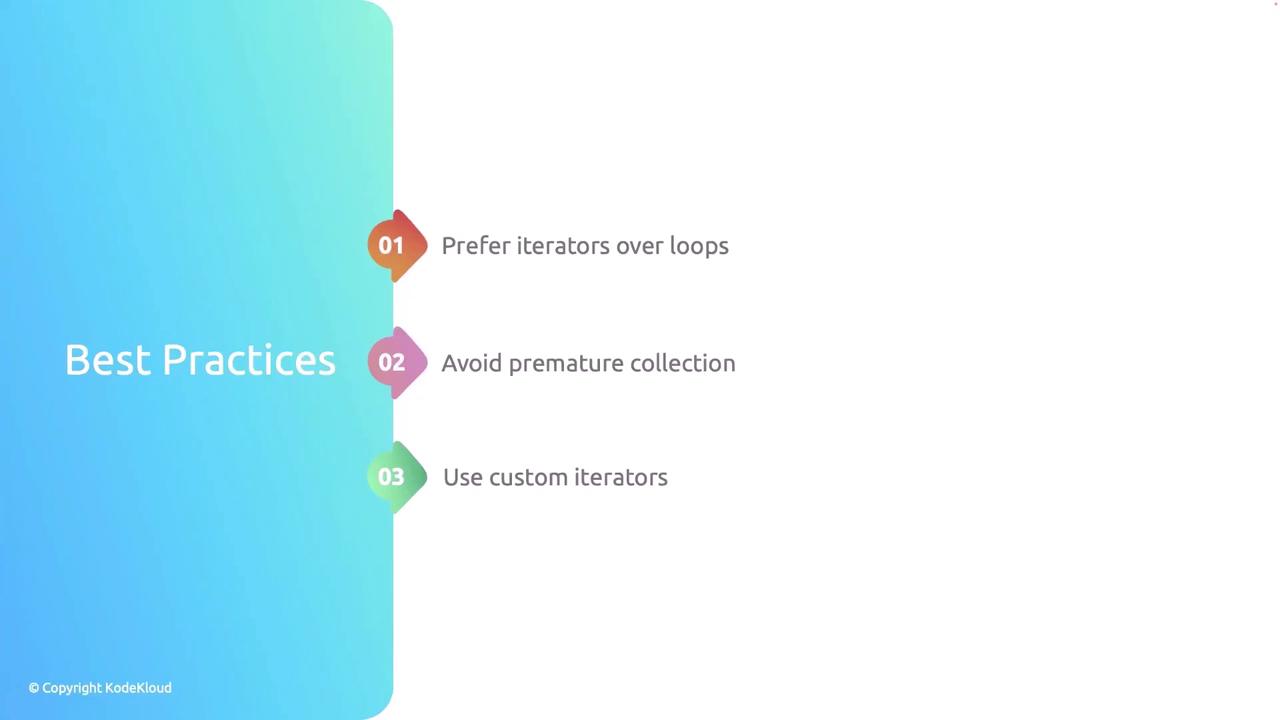
1. **Prefer iterators over manual loops:** Utilize Rust's built-in safety and performance optimizations by relying on iterators rather than manually handling loop counters.
2. **Avoid premature collection:** Take advantage of lazy evaluation to prevent unnecessary memory allocation and computation.
3. **Implement custom iterators when necessary:** For complex iteration logic, create custom iterators to keep the codebase clean and maintainable.
Remember that using iterators can lead to more concise and readable code. Their zero-cost abstraction ensures that you do not sacrifice performance.
This lesson has provided an in-depth overview of Rust iterators, covering how to consume them, how to extend their functionality with adapters, and how to implement custom iterators. By leveraging these techniques, you can write cleaner, more efficient, and highly maintainable Rust programs.