> ## Documentation Index
> Fetch the complete documentation index at: https://notes.kodekloud.com/llms.txt
> Use this file to discover all available pages before exploring further.
# Introduction to Modules
> This article explores how Rust modules help organize code by grouping related items into namespaces, enhancing readability and maintainability.
In this lesson, we'll explore how modules in Rust help you organize your code by grouping related functions, structs, enums, and constants into separate namespaces. This approach improves readability, maintainability, and minimizes naming conflicts.
Modules in Rust offer several key benefits:
* Encapsulation: Control what functionality is exposed to other parts of your program or external crates.
* Namespace Management: Prevent naming conflicts by allowing identical names to be used in different modules.
* Hierarchical Organization: Nest modules within each other to mirror your project’s structure.
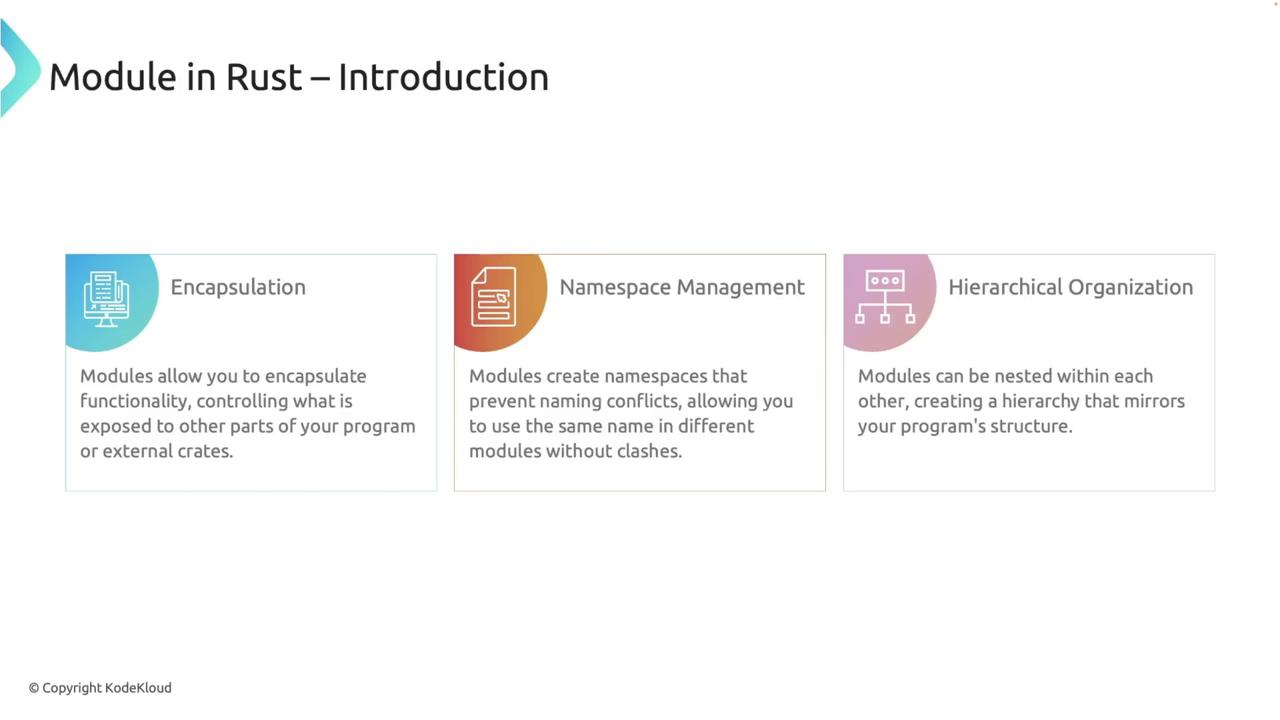
Let’s dive into how you can define and use modules in Rust with two common approaches: defining modules inline within a single file and splitting them across multiple files.
***
## Defining Modules Inline
You can define a module within the same file using the `mod` keyword. For instance, consider a module called `math` that contains two functions: `add` and `subtract` for basic arithmetic operations.
```rust theme={null}
mod math {
pub fn add(a: i32, b: i32) -> i32 {
a + b
}
pub fn subtract(a: i32, b: i32) -> i32 {
a - b
}
}
fn main() {
let sum: i32 = math::add(5, 3);
let difference: i32 = math::subtract(5, 3);
println!("Sum: {}, Difference: {}", sum, difference);
}
```
Here, the `math` module encapsulates the arithmetic functions. Since Rust items are private by default, the `pub` keyword is used to make these functions accessible outside of the module. You then access the functions using the module’s namespace (e.g., `math::add`).
***
## Splitting Modules Across Multiple Files
For larger projects, splitting your code across multiple files enhances organization. To move the `math` module into its own file, create a file named `math.rs` in the same directory as your `main.rs` and place the module’s code in it. In your main file, declare the module with:
```rust theme={null}
mod math;
fn main() {
let sum = math::add(5, 3);
let difference = math::subtract(5, 3);
println!("Sum: {}, Difference: {}", sum, difference);
}
```
After declaring the module, Cargo automatically compiles both `main.rs` and `math.rs`. For example, running:
```bash theme={null}
cargo run --quiet
```
produces the output:
```bash theme={null}
Sum: 8, Difference: 2
```
If the `math.rs` file does not exist, you can create it using the command: `touch src/math.rs`.
***
## Module File Resolution
When you declare a module, Rust’s compiler searches for the module’s code in specific locations:
* **Inline Modules:** Defined within curly braces directly in the file.
* **File Modules:** The compiler searches for a file named after the module (e.g., `math.rs`) in the same directory as the parent module.
* **Submodules:** For nested modules, the compiler looks for a directory named after the module.
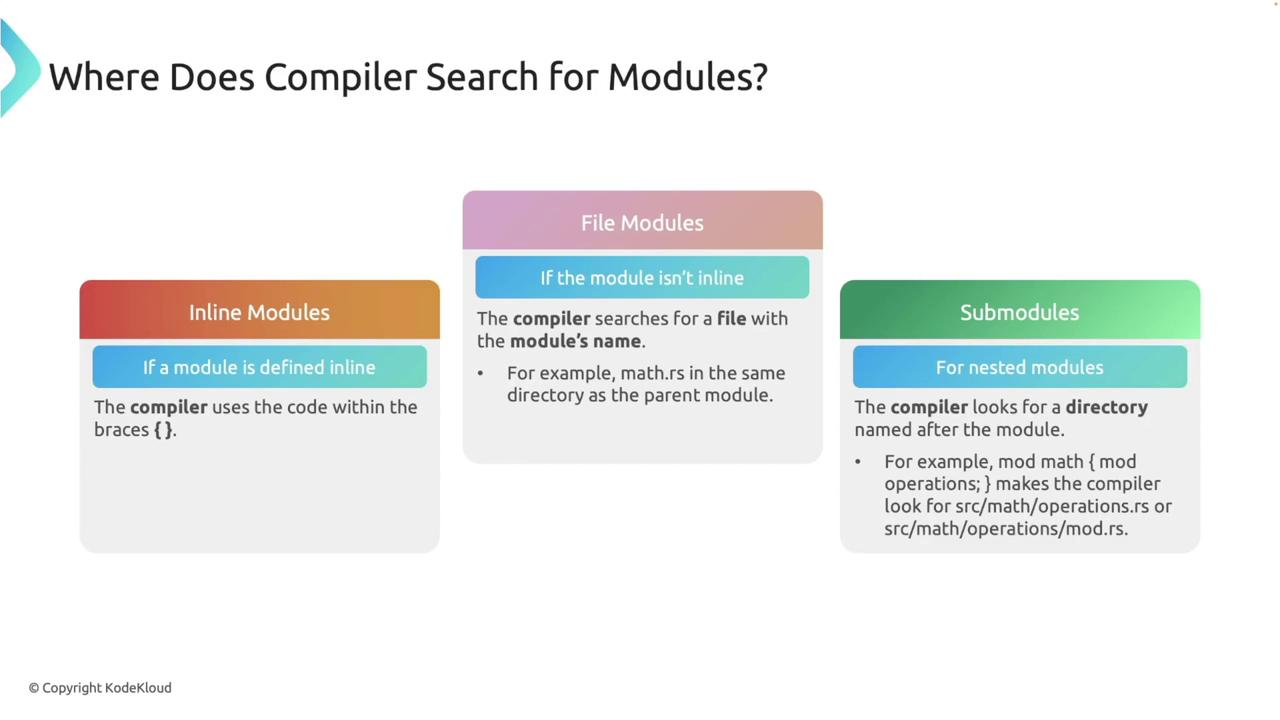
This hierarchy ensures that your modules are organized and accessed according to your project’s structure.
***
## Visibility and the pub Keyword
By default, functions and other items within a module are private. Use the `pub` keyword to expose specific items outside the module. Consider the following example:
```rust theme={null}
mod math {
fn private_function() {
println!("This function is private to the math module.");
}
pub fn public_function() {
println!("This function is public and can be accessed from outside.");
}
}
```
Attempting to call `private_function` from outside the module (for example, in `main`) will result in a compile-time error:
```rust theme={null}
fn main() {
math::private_function(); // Error: function is private
}
```
The error message will typically be:
```bash theme={null}
error[E0603]: function `private_function` is private
--> src/main.rs:14:11
|
14 | math::private_function(); // Error: private function, not accessible here
| ^^^^^^^^^^^^^^^ private function
note: the function `private_function` is defined here
--> src/main.rs:4:5
|
4 | fn private_function() {
| -----------------------
```
This design safeguards your internal implementations from accidental use.
***
## Bringing Items into Scope with use
The `use` keyword simplifies access to module items by bringing them directly into the current scope. For example:
```rust theme={null}
mod math {
pub fn add(a: i32, b: i32) -> i32 {
a + b
}
pub fn subtract(a: i32, b: i32) -> i32 {
a - b
}
}
fn main() {
use math::{add, subtract};
let sum = add(5, 3);
let difference = subtract(5, 3);
println!("Sum: {}, Difference: {}", sum, difference);
}
```
Using `use` eliminates the need to repeatedly type the module path, which is especially advantageous in larger projects.
***
## Absolute and Relative Paths
Rust allows you to access items using either absolute or relative paths.
### Absolute Paths
An absolute path starts from the crate root. For example:
```rust theme={null}
mod math {
pub fn add(a: i32, b: i32) -> i32 {
a + b
}
}
fn main() {
let sum: i32 = crate::math::add(5, 3);
println!("Sum: {}", sum);
}
```
### Relative Paths
Relative paths navigate the module hierarchy based on the current location. Consider this example with a nested module:
```rust theme={null}
mod math {
pub fn add(a: i32, b: i32) -> i32 {
a + b
}
pub mod operations {
pub fn multiply(a: i32, b: i32) -> i32 {
a * b
}
}
}
fn main() {
let sum = math::add(5, 3); // Relative path within the same module
let product = math::operations::multiply(4, 2); // Relative path to a nested module
println!("Sum: {}, Product: {}", sum, product);
}
```
Both absolute and relative paths are essential for accessing functions and items in a way that best suits your project’s structure.
***
## Navigating Up the Module Hierarchy with super
The `super` keyword allows you to move up one level in the module hierarchy, enabling a nested module to access items from its parent. For example:
```rust theme={null}
mod parent {
pub mod child {
pub fn child_function() {
println!("This is the child function.");
}
pub fn call_parent_function() {
super::parent_function();
}
}
pub fn parent_function() {
println!("This is the parent function.");
}
}
fn main() {
parent::child::call_parent_function();
}
```
In this example, the `child` module calls the `parent_function` from its parent module using the `super` keyword. Running the program produces the following output:
```bash theme={null}
This is the parent function.
```
If functions such as `child_function` are not called, the compiler might produce a warning about unused code. These warnings can be safely ignored if the code is intentional.
***
## Re-exporting Items with pub use
Re-exporting simplifies access by exposing items from nested modules at a higher level in your module hierarchy. This is done with `pub use`. Consider the following example:
```rust theme={null}
mod math {
pub mod operations {
pub fn multiply(a: i32, b: i32) -> i32 {
a * b
}
}
pub use operations::multiply;
}
fn main() {
let product = math::multiply(4, 2); // Accessible directly from math
println!("Product: {}", product);
}
```
Here, the `multiply` function is re-exported from the `operations` module, allowing it to be accessed directly via `math::multiply`. Running this program produces:
```bash theme={null}
Product: 8
```
***
## Summary
This lesson explored how Rust modules are used to encapsulate and organize code effectively. Key takeaways include:
* Defining inline modules and splitting them into separate files for better organization.
* Understanding Rust's module file resolution process.
* Controlling visibility with the `pub` keyword.
* Simplification of access using the `use` keyword.
* Navigating module hierarchies with absolute and relative paths, including the use of the `super` keyword.
* Re-exporting items with `pub use` to streamline module interfaces.
These features assist in creating modular, maintainable Rust projects while clearly defining scopes and dependencies.
For further information, consider checking out [Rust's official documentation](https://www.rust-lang.org/learn).