> ## Documentation Index
> Fetch the complete documentation index at: https://notes.kodekloud.com/llms.txt
> Use this file to discover all available pages before exploring further.
# Introduction to Testing in Rust
> Guide to writing and running Rust unit tests with Cargo, using assertion macros, handling panics and Result tests, interpreting output, and following best practices for reliable tests
Welcome to this lesson on testing in Rust.
Testing is an essential practice that verifies code correctness, prevents regressions, and helps maintain a reliable codebase as your project grows. Rust's testing tools—integrated with Cargo—make it straightforward to write unit tests, verify panics, and use concise error handling in tests.
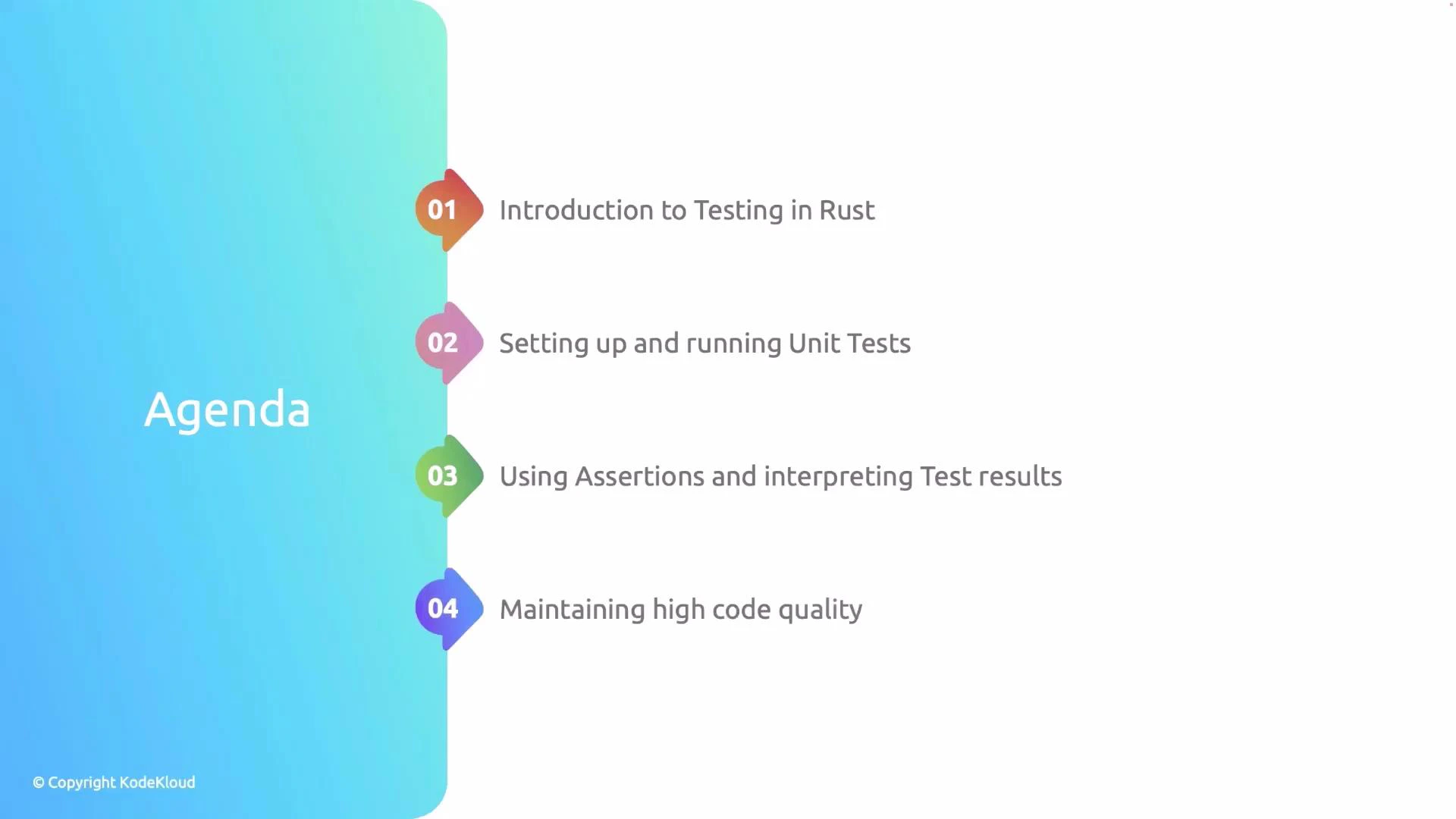
 This lesson covers:
* Creating a library and the built-in test template
* Writing and running unit tests with Cargo
* Using assertion macros and interpreting test output
* Handling panics and returning Result in tests
* Best practices for reliable unit tests
This lesson covers:
* Creating a library and the built-in test template
* Writing and running unit tests with Cargo
* Using assertion macros and interpreting test output
* Handling panics and returning Result in tests
* Best practices for reliable unit tests
 ## Creating a library and the built-in test template
When you create a new Rust library crate, Cargo often includes a small example test module in `lib.rs`. This template demonstrates the typical structure: a public function and a test module guarded by `#[cfg(test)]`.
Example `lib.rs`:
```rust theme={null}
pub fn add(left: u64, right: u64) -> u64 {
left + right
}
#[cfg(test)]
mod tests {
use super::*;
#[test]
fn it_works() {
let result: u64 = add(2, 2);
assert_eq!(result, 4);
}
}
```
Key points:
* `#[cfg(test)]` makes the test module compile only when running `cargo test`.
* `mod tests` is a conventional place to group unit tests.
* `use super::*;` imports parent-module items to make them available to the tests.
* `#[test]` marks functions that Cargo will execute as tests.
## Running tests with Cargo
Run all tests with:
* `cargo test` — compiles the crate in test mode and runs all `#[test]` functions.
* `cargo test --lib` — run only library tests.
* `cargo test ` — run tests matching a substring.
Typical passing output:
```text theme={null}
running 1 test
test tests::it_works ... ok
test result: ok. 1 passed; 0 failed; 0 ignored; 0 measured; 0 filtered out
```
## A simple example: multiply
A small function with a unit test demonstrates the workflow:
```rust theme={null}
pub fn multiply(a: i32, b: i32) -> i32 {
a * b
}
#[cfg(test)]
mod tests {
use super::*;
#[test]
fn test_multiply() {
let result: i32 = multiply(3, 4);
assert_eq!(result, 12);
}
}
```
Running `cargo test` will compile in test mode and execute `test_multiply`. The test harness prints a per-test pass/fail line and a summary.
## Creating a library and the built-in test template
When you create a new Rust library crate, Cargo often includes a small example test module in `lib.rs`. This template demonstrates the typical structure: a public function and a test module guarded by `#[cfg(test)]`.
Example `lib.rs`:
```rust theme={null}
pub fn add(left: u64, right: u64) -> u64 {
left + right
}
#[cfg(test)]
mod tests {
use super::*;
#[test]
fn it_works() {
let result: u64 = add(2, 2);
assert_eq!(result, 4);
}
}
```
Key points:
* `#[cfg(test)]` makes the test module compile only when running `cargo test`.
* `mod tests` is a conventional place to group unit tests.
* `use super::*;` imports parent-module items to make them available to the tests.
* `#[test]` marks functions that Cargo will execute as tests.
## Running tests with Cargo
Run all tests with:
* `cargo test` — compiles the crate in test mode and runs all `#[test]` functions.
* `cargo test --lib` — run only library tests.
* `cargo test ` — run tests matching a substring.
Typical passing output:
```text theme={null}
running 1 test
test tests::it_works ... ok
test result: ok. 1 passed; 0 failed; 0 ignored; 0 measured; 0 filtered out
```
## A simple example: multiply
A small function with a unit test demonstrates the workflow:
```rust theme={null}
pub fn multiply(a: i32, b: i32) -> i32 {
a * b
}
#[cfg(test)]
mod tests {
use super::*;
#[test]
fn test_multiply() {
let result: i32 = multiply(3, 4);
assert_eq!(result, 12);
}
}
```
Running `cargo test` will compile in test mode and execute `test_multiply`. The test harness prints a per-test pass/fail line and a summary.
![A four-step flowchart titled "Understanding Test Output" showing Compile Code → Run Tests → Test Results → Compile Code. Each step notes that Rust/Cargo compiles in test mode, runs functions marked #[test], shows pass/fail status for each test, and displays a summary of passed/failed tests.](https://mintcdn.com/kodekloud-c4ac6d9a/qTPiNmqXKGQjbUh5/images/Rust-Programming/Testing-Continuous-Integration/Introduction-to-Testing-in-Rust/rust-cargo-test-flowchart.jpg?fit=max&auto=format&n=qTPiNmqXKGQjbUh5&q=85&s=a89ef8ed302532c031a2546aec4f6787) ## Demonstrating a failing test
When an assertion fails, Cargo reports a failure with useful context: the test name, a panic message, and the expected vs actual values when available.
Intentional failing example:
```rust theme={null}
#[cfg(test)]
mod tests {
use super::*;
#[test]
fn test_multiply_failure() {
let result: i32 = multiply(3, 4);
assert_eq!(result, 15); // wrong expected value
}
}
```
Example failing output:
```Rust theme={null}
running 1 test
test tests::test_multiply_failure ... FAILED
failures:
---- tests::test_multiply_failure stdout ----
thread 'tests::test_multiply_failure' panicked at 'assertion `left == right` failed: left: 12, right: 15', src/lib.rs:12:9
note: run with `RUST_BACKTRACE=1` environment variable to display a backtrace
failures:
tests::test_multiply_failure
test result: FAILED. 0 passed; 1 failed; 0 ignored; 0 measured; 0 filtered out
error: test failed, to rerun pass `--lib`
```
The output shows both the actual and expected values, making it easier to detect and fix logic errors.
## Common assertion macros
Use these assertion macros inside tests to express expectations clearly.
| Macro | Description | Example |
| ------------------------- | ------------------------------------------------------------ | --------------------------------------- |
| `assert!(cond)` | Asserts a boolean condition is true | `assert!(2 + 2 == 4);` |
| `assert_eq!(left, right)` | Asserts two expressions are equal (prints values on failure) | `assert_eq!(multiply(2, 3), 6);` |
| `assert_ne!(left, right)` | Asserts two expressions are not equal | `assert_ne!(multiply(2, 3), 7);` |
| `assert!(cond, "msg")` | Asserts with a custom failure message | `assert!(x > 0, "x must be positive");` |
Example test demonstrating these assertions:
```rust theme={null}
#[cfg(test)]
mod tests {
use super::*;
#[test]
fn test_assertions() {
// Assert that a condition is true
assert!(2 + 2 == 4);
// Assert that two values are equal
assert_eq!(multiply(2, 3), 6);
// Assert that two values are not equal
assert_ne!(multiply(2, 3), 7);
// Assert with a custom message
assert!(multiply(2, 2) == 4, "Multiplication failed!");
}
}
```
If a custom message assertion fails, the message is printed in the panic output to highlight the intent.
## Testing for panics with #\[should\_panic]
To test that code panics in error conditions, use `#[should_panic]`. Optionally provide `expected = "text"` to match the panic message.
Example: a divide function that panics on division by zero
```rust theme={null}
pub fn divide(a: i32, b: i32) -> i32 {
if b == 0 {
panic!("Division by zero!");
}
a / b
}
#[cfg(test)]
mod tests {
use super::*;
#[test]
#[should_panic(expected = "Division by zero!")]
fn test_divide_by_zero() {
divide(10, 0);
}
}
```
This test passes because the function panics with the expected message.
Use `#[should_panic(expected = "...")]` carefully: matching an expected substring can make tests fragile if panic messages change. Prefer asserting error types or Result-based APIs when possible.
## Writing tests that return Result\
Instead of using panics, test functions may return `Result<(), E>`. This lets you use the `?` operator for concise error handling—tests that return `Ok(())` pass; returning `Err(_)` fails.
!\[A presentation slide titled "Writing Tests With Result\ in tests enables concise error handling with the ? operator." The slide has a © Copyright KodeKloud notice in the bottom-left.]\(/images/Rust-Programming/Testing-Continuous-Integration/Introduction-to-Testing-in-Rust/writing-tests-result-t-e-slide.jpg)
Example: check if a file exists
```rust theme={null}
use std::fs;
#[test]
fn test_file_exists() -> Result<(), String> {
let file_path = "Cargo.toml";
if fs::metadata(file_path).is_ok() {
Ok(())
} else {
Err(format!("File {} does not exist.", file_path))
}
}
```
If `Cargo.toml` exists in the test working directory, this test will pass. Returning `Result` is especially useful when tests perform I/O or use other fallible APIs.
## Interpreting test output
When running tests, Cargo prints:
* a per-test line showing name and status (ok/FAILED/ignored)
* detailed failure reports including backtraces (if `RUST_BACKTRACE=1`)
* a final summary with counts of passed/failed/ignored tests
This output helps you quickly locate failing cases and the code locations that triggered the failures.
## Best practices
## Demonstrating a failing test
When an assertion fails, Cargo reports a failure with useful context: the test name, a panic message, and the expected vs actual values when available.
Intentional failing example:
```rust theme={null}
#[cfg(test)]
mod tests {
use super::*;
#[test]
fn test_multiply_failure() {
let result: i32 = multiply(3, 4);
assert_eq!(result, 15); // wrong expected value
}
}
```
Example failing output:
```Rust theme={null}
running 1 test
test tests::test_multiply_failure ... FAILED
failures:
---- tests::test_multiply_failure stdout ----
thread 'tests::test_multiply_failure' panicked at 'assertion `left == right` failed: left: 12, right: 15', src/lib.rs:12:9
note: run with `RUST_BACKTRACE=1` environment variable to display a backtrace
failures:
tests::test_multiply_failure
test result: FAILED. 0 passed; 1 failed; 0 ignored; 0 measured; 0 filtered out
error: test failed, to rerun pass `--lib`
```
The output shows both the actual and expected values, making it easier to detect and fix logic errors.
## Common assertion macros
Use these assertion macros inside tests to express expectations clearly.
| Macro | Description | Example |
| ------------------------- | ------------------------------------------------------------ | --------------------------------------- |
| `assert!(cond)` | Asserts a boolean condition is true | `assert!(2 + 2 == 4);` |
| `assert_eq!(left, right)` | Asserts two expressions are equal (prints values on failure) | `assert_eq!(multiply(2, 3), 6);` |
| `assert_ne!(left, right)` | Asserts two expressions are not equal | `assert_ne!(multiply(2, 3), 7);` |
| `assert!(cond, "msg")` | Asserts with a custom failure message | `assert!(x > 0, "x must be positive");` |
Example test demonstrating these assertions:
```rust theme={null}
#[cfg(test)]
mod tests {
use super::*;
#[test]
fn test_assertions() {
// Assert that a condition is true
assert!(2 + 2 == 4);
// Assert that two values are equal
assert_eq!(multiply(2, 3), 6);
// Assert that two values are not equal
assert_ne!(multiply(2, 3), 7);
// Assert with a custom message
assert!(multiply(2, 2) == 4, "Multiplication failed!");
}
}
```
If a custom message assertion fails, the message is printed in the panic output to highlight the intent.
## Testing for panics with #\[should\_panic]
To test that code panics in error conditions, use `#[should_panic]`. Optionally provide `expected = "text"` to match the panic message.
Example: a divide function that panics on division by zero
```rust theme={null}
pub fn divide(a: i32, b: i32) -> i32 {
if b == 0 {
panic!("Division by zero!");
}
a / b
}
#[cfg(test)]
mod tests {
use super::*;
#[test]
#[should_panic(expected = "Division by zero!")]
fn test_divide_by_zero() {
divide(10, 0);
}
}
```
This test passes because the function panics with the expected message.
Use `#[should_panic(expected = "...")]` carefully: matching an expected substring can make tests fragile if panic messages change. Prefer asserting error types or Result-based APIs when possible.
## Writing tests that return Result\
Instead of using panics, test functions may return `Result<(), E>`. This lets you use the `?` operator for concise error handling—tests that return `Ok(())` pass; returning `Err(_)` fails.
!\[A presentation slide titled "Writing Tests With Result\ in tests enables concise error handling with the ? operator." The slide has a © Copyright KodeKloud notice in the bottom-left.]\(/images/Rust-Programming/Testing-Continuous-Integration/Introduction-to-Testing-in-Rust/writing-tests-result-t-e-slide.jpg)
Example: check if a file exists
```rust theme={null}
use std::fs;
#[test]
fn test_file_exists() -> Result<(), String> {
let file_path = "Cargo.toml";
if fs::metadata(file_path).is_ok() {
Ok(())
} else {
Err(format!("File {} does not exist.", file_path))
}
}
```
If `Cargo.toml` exists in the test working directory, this test will pass. Returning `Result` is especially useful when tests perform I/O or use other fallible APIs.
## Interpreting test output
When running tests, Cargo prints:
* a per-test line showing name and status (ok/FAILED/ignored)
* detailed failure reports including backtraces (if `RUST_BACKTRACE=1`)
* a final summary with counts of passed/failed/ignored tests
This output helps you quickly locate failing cases and the code locations that triggered the failures.
## Best practices
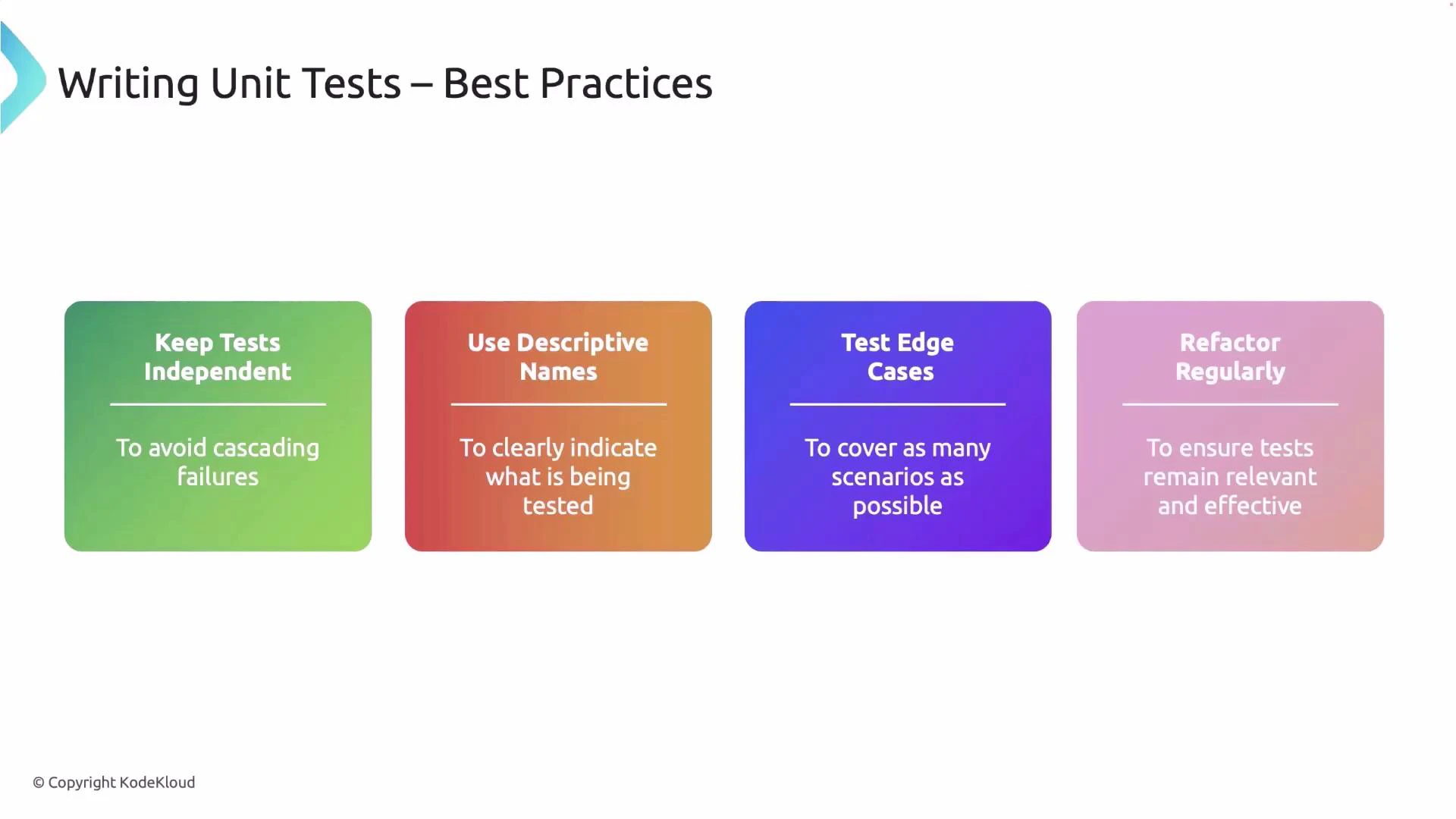 * Keep tests independent: avoid shared mutable state and order-dependent behavior.
* Use descriptive names: a clear test name documents intent and simplifies debugging.
* Test edge cases: include boundary conditions, error paths, and invalid inputs.
* Prefer explicit checks over fragile string matching for panics—use `Result`-based APIs or error types when possible.
* Refactor tests alongside code: remove duplication and keep tests readable and maintainable.
Following these practices results in more reliable tests and a healthier codebase.
## Quick reference
| Topic | Command / Pattern |
| --------------------- | -------------------------------------------------------- |
| Run all tests | `cargo test` |
| Run specific test | `cargo test ` |
| Test module guard | `#[cfg(test)]` |
| Mark test | `#[test]` |
| Expect panic | `#[should_panic]` or `#[should_panic(expected = "...")]` |
| Result-returning test | `fn test() -> Result<(), E>` |
## Links and further reading
* [The Rust Book — Testing](https://doc.rust-lang.org/book/ch11-00-testing.html)
* [Rust Reference — Testing](https://doc.rust-lang.org/reference/attributes/testing.html)
* [Cargo — Running Tests](https://doc.rust-lang.org/cargo/commands/cargo-test.html)
Mocking and integration testing are more advanced topics you can explore next; start there once you're comfortable with unit testing basics and the patterns shown above.
* Keep tests independent: avoid shared mutable state and order-dependent behavior.
* Use descriptive names: a clear test name documents intent and simplifies debugging.
* Test edge cases: include boundary conditions, error paths, and invalid inputs.
* Prefer explicit checks over fragile string matching for panics—use `Result`-based APIs or error types when possible.
* Refactor tests alongside code: remove duplication and keep tests readable and maintainable.
Following these practices results in more reliable tests and a healthier codebase.
## Quick reference
| Topic | Command / Pattern |
| --------------------- | -------------------------------------------------------- |
| Run all tests | `cargo test` |
| Run specific test | `cargo test ` |
| Test module guard | `#[cfg(test)]` |
| Mark test | `#[test]` |
| Expect panic | `#[should_panic]` or `#[should_panic(expected = "...")]` |
| Result-returning test | `fn test() -> Result<(), E>` |
## Links and further reading
* [The Rust Book — Testing](https://doc.rust-lang.org/book/ch11-00-testing.html)
* [Rust Reference — Testing](https://doc.rust-lang.org/reference/attributes/testing.html)
* [Cargo — Running Tests](https://doc.rust-lang.org/cargo/commands/cargo-test.html)
Mocking and integration testing are more advanced topics you can explore next; start there once you're comfortable with unit testing basics and the patterns shown above.