> ## Documentation Index
> Fetch the complete documentation index at: https://notes.kodekloud.com/llms.txt
> Use this file to discover all available pages before exploring further.
# Project Introduction
> This article introduces a course project simulating a rocket launch managed through Shell scripts, focusing on automating the launch sequence.
In this article, we introduce a course project that simulates a rocket launch entirely managed through Shell scripts. As a key member of the launch team, you will develop scripts to automate the rocket launch sequence. Before you start coding, it is essential to understand the processes you are automating to ensure the simulation proceeds without critical errors.
This simulation breaks down the rocket launch into a series of manageable Linux-like commands. No advanced rocket science background is required—just careful attention to the sequence of operations.
## Rocket Launch Sequence
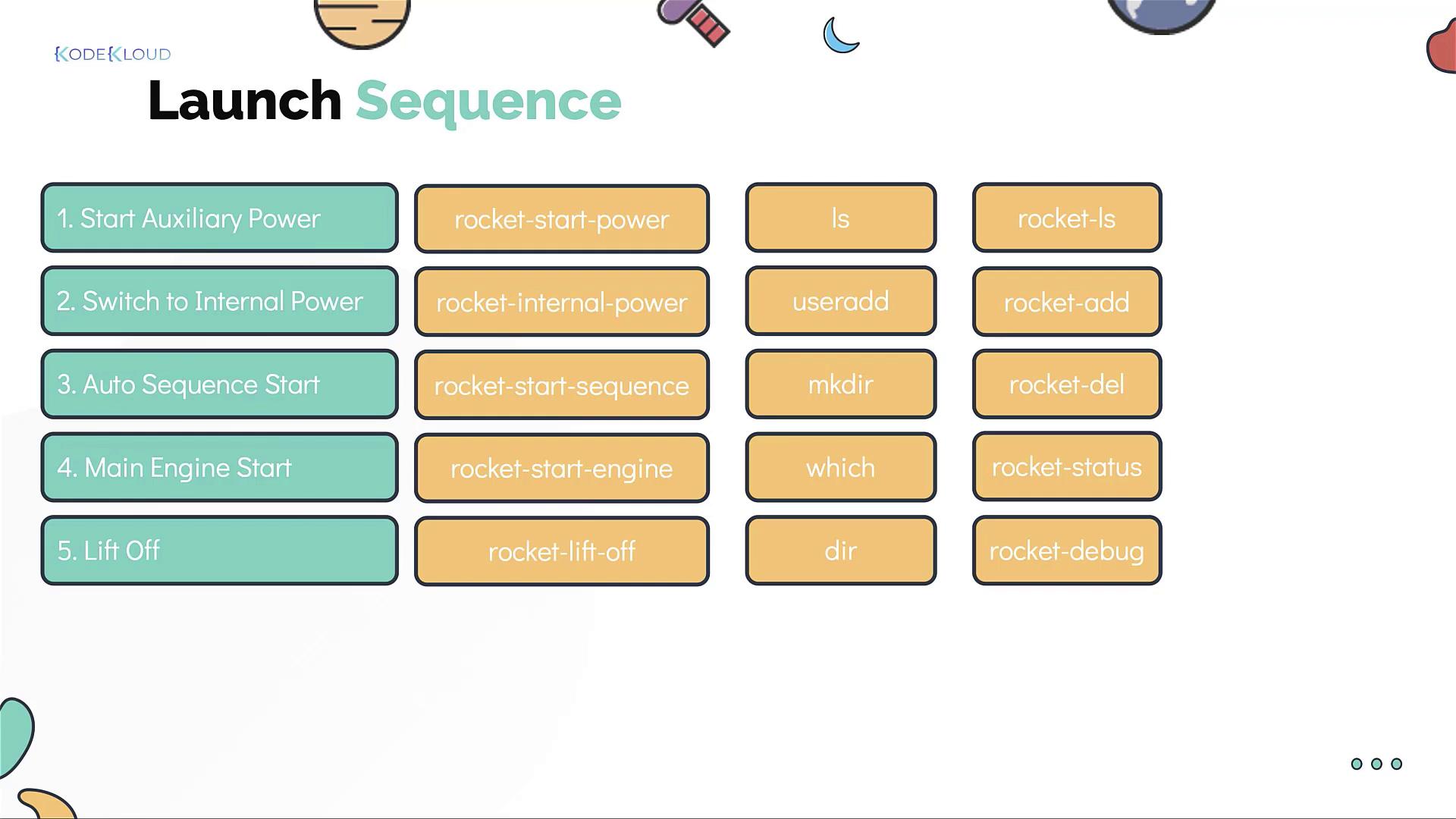
The rocket launch sequence consists of the following steps:
1. **Start the auxiliary power.**
2. **Switch to internal power.**
3. **Initiate the auto sequence.**
4. **Start the main engine.**
5. **Lift off.**
Each step corresponds to a simple command-line instruction. For example:
* To **start the auxiliary power**:
```bash theme={null}
rocket start power
```
* To **switch to internal power**:
```bash theme={null}
rocket internal power
```
* To **initiate the auto sequence**:
```bash theme={null}
rocket start auto sequence
```
* To **start the main engine**:
```bash theme={null}
rocket start engine
```
* To **lift off**:
```bash theme={null}
rocket lift off
```
## Additional Rocket Management Commands
Since you will be launching multiple rockets, a set of additional commands is available to manage them effectively:
* **List all rockets:**
```bash theme={null}
rocket list
```
* **Create a new rocket:**
```bash theme={null}
rocket add
```
* **Destroy a rocket:**
```bash theme={null}
rocket delete
```
* **Check the status of a launched rocket:**
```bash theme={null}
rocket status
```
* **Debug a failed launch:**
```bash theme={null}
rocket debug
```
Don't worry about memorizing these commands right away—they will be thoroughly explained through practical exercises in this course. You will also gain hands-on experience with basic Linux commands and real-world scenarios.
## Next Steps
In the upcoming sections, you will work directly with these shell commands. Our next segment guides you through building your first rocket launch script. Experiment with the provided commands and enjoy discovering this exciting technology.
Happy scripting, and see you in the next segment!