> ## Documentation Index
> Fetch the complete documentation index at: https://notes.kodekloud.com/llms.txt
> Use this file to discover all available pages before exploring further.
# Data Modeling
> Guidance on designing data models and indexing for a photo sharing app emphasizing access patterns, entity relationships, storing images in object storage, and SQL versus NoSQL tradeoffs.
Before choosing a database technology, first decide what your application must do. Data modeling is the process of deciding what information to store, how to break it into pieces, and how those pieces connect. Every downstream decision about schema, indexes, and database choice depends on a clear data model and the access patterns it must support.
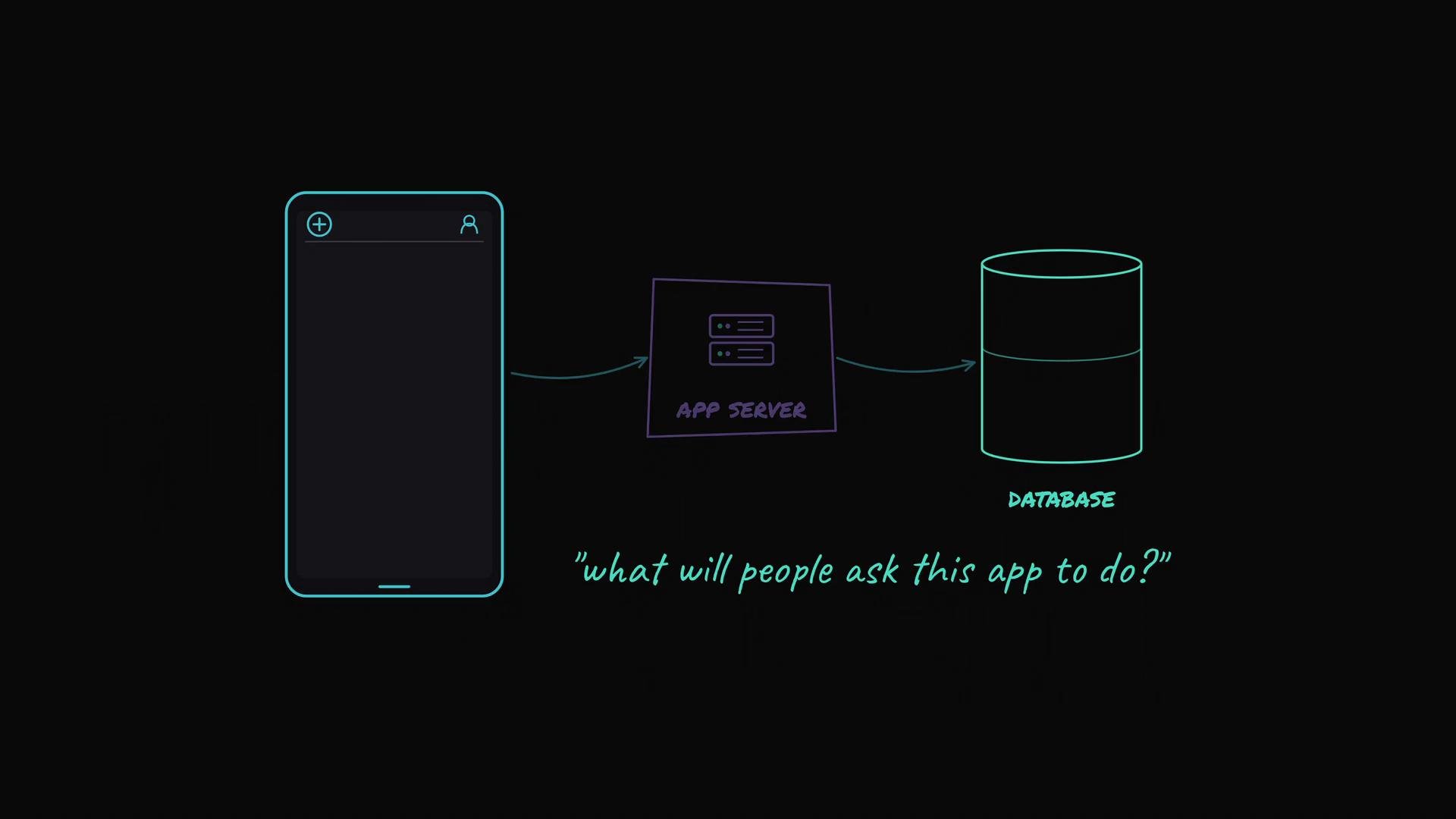
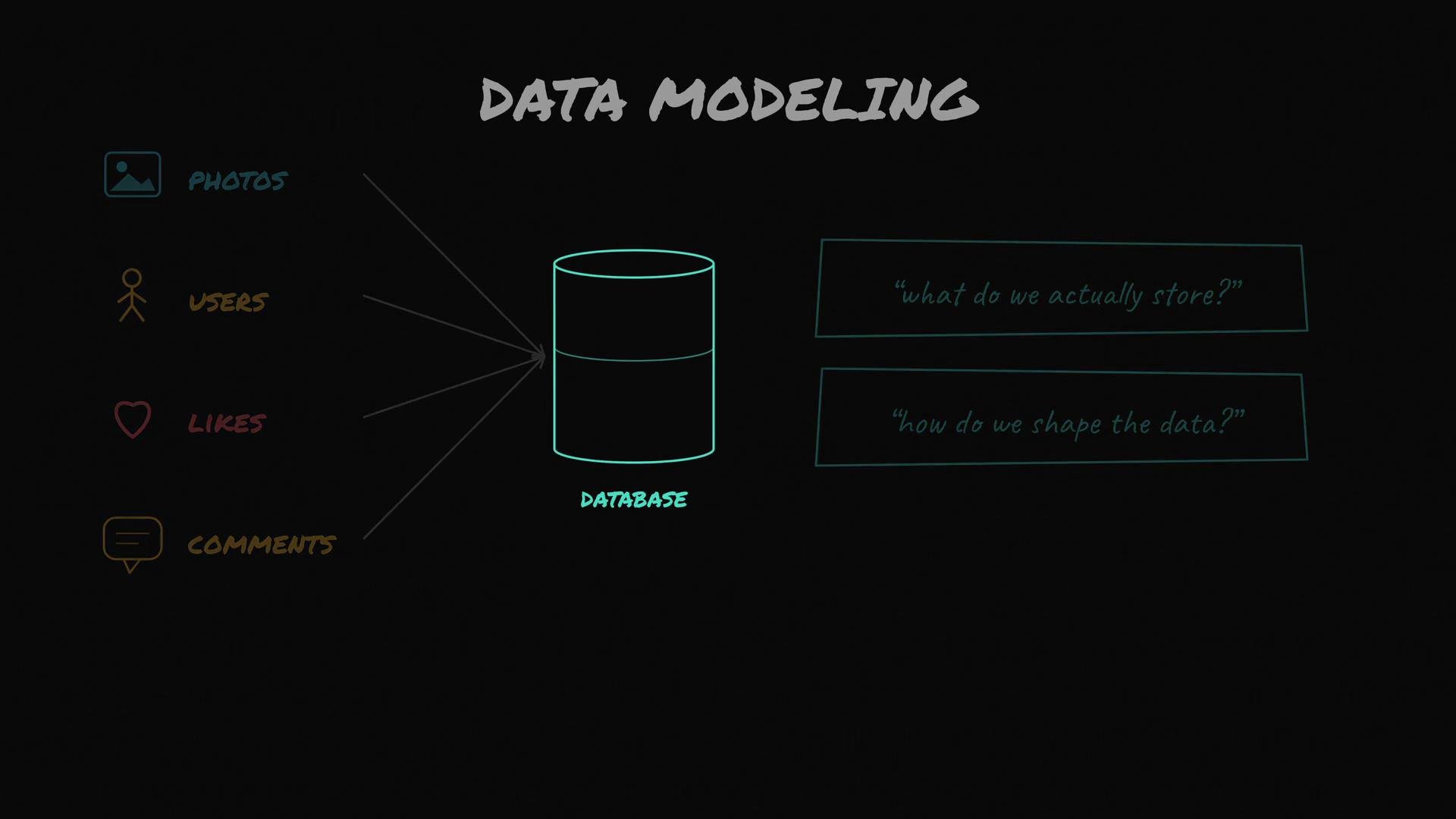 Start with questions—what will users repeatedly ask this app to do? These repeated queries are the access patterns. Only after listing access patterns should you choose how to shape and store data.
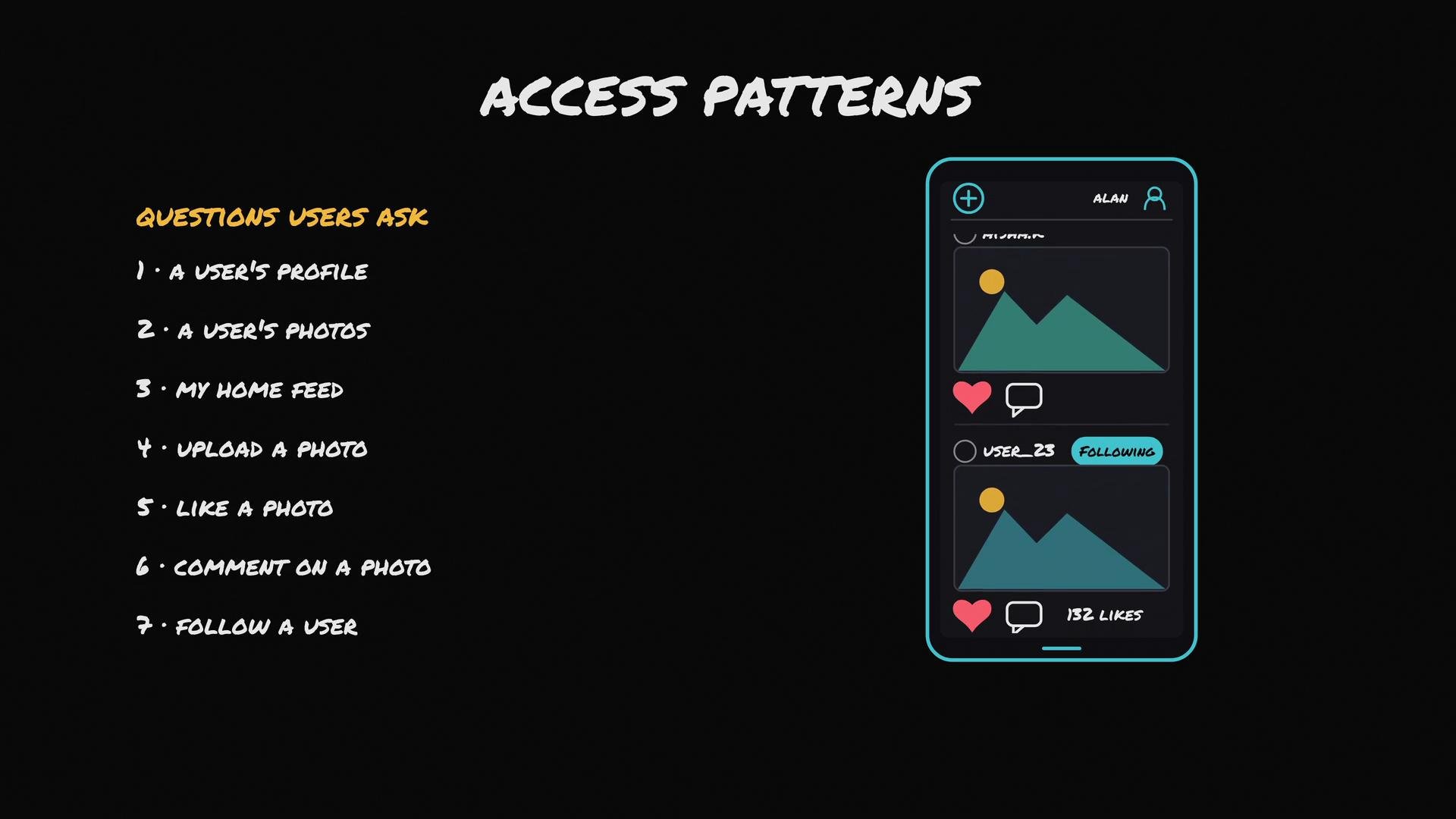
 Common access patterns for a photo-sharing app
* Show me a user’s profile.
* Show me all photos uploaded by a user.
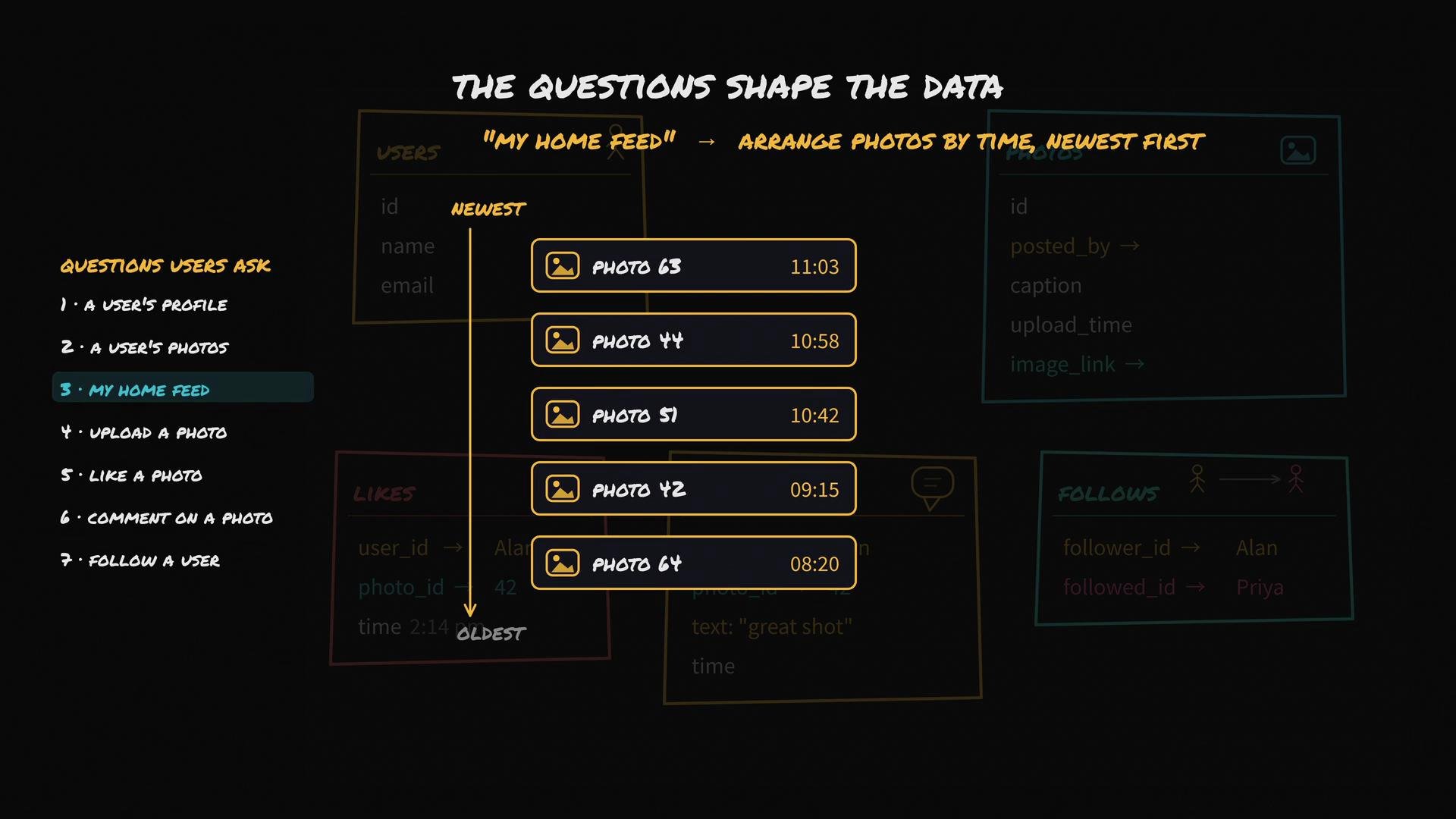
* Show me my home feed (photos from people I follow, newest first).
* Upload a photo.
* Like a photo.
* Comment on a photo.
* Follow another user.
These access patterns are essentially the app’s functional requirements written as data queries. Capturing them up front ensures your schema and indexes are optimized for the most frequent operations.
Common access patterns for a photo-sharing app
* Show me a user’s profile.
* Show me all photos uploaded by a user.
* Show me my home feed (photos from people I follow, newest first).
* Upload a photo.
* Like a photo.
* Comment on a photo.
* Follow another user.
These access patterns are essentially the app’s functional requirements written as data queries. Capturing them up front ensures your schema and indexes are optimized for the most frequent operations.
 Designing the data model: entities and relationships
Below are the primary entities for this app and the minimal fields they need to support the access patterns.
* Users
* When a user signs up (e.g., Alan), create a user record with a unique user ID, name, email, and timestamps.
* Photos
* When a user uploads a photo, create a photo record with a unique photo ID, poster user ID, caption, upload timestamp, and a pointer/URL to the binary image file stored in object storage (e.g., Amazon S3).
* The binary image itself is kept outside the main record in object storage; the photo record stores its URL or object key.
* Connections (relationships)
* Likes: store a record linking user ID and photo ID plus the like timestamp. To get the like count for a photo, count likes where photo ID = X (or maintain a counter if reads are much more frequent than writes).
* Comments: a comment record links commenter user ID, photo ID, comment text, and timestamp.
* Follows: a follow record links follower user ID and followee user ID; query follows by follower ID to find who a user follows.
Notice the pattern: relationships are small records that link unique IDs (user IDs, photo IDs) with minimal metadata like `timestamp` or `text`. Unique IDs are the glue that ties the model together.
Entity summary
| Entity | Purpose | Key fields |
| -------- | -------------------------------- | --------------------------------------------------------------- |
| Users | Identity and profile data | `user_id`, `name`, `email`, `created_at` |
| Photos | Metadata for each uploaded image | `photo_id`, `user_id` (poster), `caption`, `url`, `uploaded_at` |
| Likes | Track who liked what and when | `like_id` (optional), `user_id`, `photo_id`, `liked_at` |
| Comments | Text and metadata for comments | `comment_id`, `user_id`, `photo_id`, `text`, `commented_at` |
| Follows | Who follows whom | `follower_id`, `followee_id`, `followed_at` |
Example schemas
* SQL (relational) example — minimal CREATE TABLE statements
```sql theme={null}
CREATE TABLE users (
user_id BIGSERIAL PRIMARY KEY,
name TEXT NOT NULL,
email TEXT UNIQUE NOT NULL,
created_at TIMESTAMP DEFAULT now()
);
CREATE TABLE photos (
photo_id BIGSERIAL PRIMARY KEY,
user_id BIGINT REFERENCES users(user_id),
caption TEXT,
url TEXT NOT NULL, -- points to object storage (e.g., S3)
uploaded_at TIMESTAMP DEFAULT now()
);
CREATE TABLE likes (
like_id BIGSERIAL PRIMARY KEY,
user_id BIGINT REFERENCES users(user_id),
photo_id BIGINT REFERENCES photos(photo_id),
liked_at TIMESTAMP DEFAULT now()
);
CREATE TABLE comments (
comment_id BIGSERIAL PRIMARY KEY,
user_id BIGINT REFERENCES users(user_id),
photo_id BIGINT REFERENCES photos(photo_id),
text TEXT NOT NULL,
commented_at TIMESTAMP DEFAULT now()
);
CREATE TABLE follows (
follower_id BIGINT REFERENCES users(user_id),
followee_id BIGINT REFERENCES users(user_id),
followed_at TIMESTAMP DEFAULT now(),
PRIMARY KEY (follower_id, followee_id)
);
```
* NoSQL (document) example — a photo document in MongoDB-like style
```json theme={null}
{
"photo_id": "507f1f77bcf86cd799439011",
"user_id": "507f191e810c19729de860ea",
"caption": "Golden hour",
"url": "https://s3.amazonaws.com/bucket/obj-key.jpg",
"uploaded_at": "2024-06-01T15:23:45Z"
}
```
Index strategy driven by access patterns
Because access patterns determine which queries must be efficient, design indexes to match them:
* Show all photos by user: index `photos(user_id, uploaded_at DESC)` to support quick retrieval and ordering.
* Home feed (photos from followed users sorted by time): either
* Query recent photos for each followee (requires index `photos(user_id, uploaded_at)`), then merge in application code, or
* Precompute feeds (fan-out on write) into a per-user feed store to optimize for fast reads at the cost of write amplification.
* Likes count: either `COUNT(*)` on `likes WHERE photo_id = X` (requires index on `likes(photo_id)`), or maintain a denormalized counter on the `photos` row for O(1) reads.
* Follow lookups: index `follows(follower_id)` to find who a user follows, and `follows(followee_id)` to find a user’s followers.
To illustrate the feed assembly for a user who follows 200 people, the system typically:
1. Query follows to list the 200 followees.
2. Query recent photos for those followees (use an index on `photos.user_id` and `uploaded_at`).
3. Merge and sort results by time to build a timeline.
Because “scrolling the feed” is the single most common action, make sure the feed-query path is efficient—this often drives denormalization or precomputed feeds.
Designing the data model: entities and relationships
Below are the primary entities for this app and the minimal fields they need to support the access patterns.
* Users
* When a user signs up (e.g., Alan), create a user record with a unique user ID, name, email, and timestamps.
* Photos
* When a user uploads a photo, create a photo record with a unique photo ID, poster user ID, caption, upload timestamp, and a pointer/URL to the binary image file stored in object storage (e.g., Amazon S3).
* The binary image itself is kept outside the main record in object storage; the photo record stores its URL or object key.
* Connections (relationships)
* Likes: store a record linking user ID and photo ID plus the like timestamp. To get the like count for a photo, count likes where photo ID = X (or maintain a counter if reads are much more frequent than writes).
* Comments: a comment record links commenter user ID, photo ID, comment text, and timestamp.
* Follows: a follow record links follower user ID and followee user ID; query follows by follower ID to find who a user follows.
Notice the pattern: relationships are small records that link unique IDs (user IDs, photo IDs) with minimal metadata like `timestamp` or `text`. Unique IDs are the glue that ties the model together.
Entity summary
| Entity | Purpose | Key fields |
| -------- | -------------------------------- | --------------------------------------------------------------- |
| Users | Identity and profile data | `user_id`, `name`, `email`, `created_at` |
| Photos | Metadata for each uploaded image | `photo_id`, `user_id` (poster), `caption`, `url`, `uploaded_at` |
| Likes | Track who liked what and when | `like_id` (optional), `user_id`, `photo_id`, `liked_at` |
| Comments | Text and metadata for comments | `comment_id`, `user_id`, `photo_id`, `text`, `commented_at` |
| Follows | Who follows whom | `follower_id`, `followee_id`, `followed_at` |
Example schemas
* SQL (relational) example — minimal CREATE TABLE statements
```sql theme={null}
CREATE TABLE users (
user_id BIGSERIAL PRIMARY KEY,
name TEXT NOT NULL,
email TEXT UNIQUE NOT NULL,
created_at TIMESTAMP DEFAULT now()
);
CREATE TABLE photos (
photo_id BIGSERIAL PRIMARY KEY,
user_id BIGINT REFERENCES users(user_id),
caption TEXT,
url TEXT NOT NULL, -- points to object storage (e.g., S3)
uploaded_at TIMESTAMP DEFAULT now()
);
CREATE TABLE likes (
like_id BIGSERIAL PRIMARY KEY,
user_id BIGINT REFERENCES users(user_id),
photo_id BIGINT REFERENCES photos(photo_id),
liked_at TIMESTAMP DEFAULT now()
);
CREATE TABLE comments (
comment_id BIGSERIAL PRIMARY KEY,
user_id BIGINT REFERENCES users(user_id),
photo_id BIGINT REFERENCES photos(photo_id),
text TEXT NOT NULL,
commented_at TIMESTAMP DEFAULT now()
);
CREATE TABLE follows (
follower_id BIGINT REFERENCES users(user_id),
followee_id BIGINT REFERENCES users(user_id),
followed_at TIMESTAMP DEFAULT now(),
PRIMARY KEY (follower_id, followee_id)
);
```
* NoSQL (document) example — a photo document in MongoDB-like style
```json theme={null}
{
"photo_id": "507f1f77bcf86cd799439011",
"user_id": "507f191e810c19729de860ea",
"caption": "Golden hour",
"url": "https://s3.amazonaws.com/bucket/obj-key.jpg",
"uploaded_at": "2024-06-01T15:23:45Z"
}
```
Index strategy driven by access patterns
Because access patterns determine which queries must be efficient, design indexes to match them:
* Show all photos by user: index `photos(user_id, uploaded_at DESC)` to support quick retrieval and ordering.
* Home feed (photos from followed users sorted by time): either
* Query recent photos for each followee (requires index `photos(user_id, uploaded_at)`), then merge in application code, or
* Precompute feeds (fan-out on write) into a per-user feed store to optimize for fast reads at the cost of write amplification.
* Likes count: either `COUNT(*)` on `likes WHERE photo_id = X` (requires index on `likes(photo_id)`), or maintain a denormalized counter on the `photos` row for O(1) reads.
* Follow lookups: index `follows(follower_id)` to find who a user follows, and `follows(followee_id)` to find a user’s followers.
To illustrate the feed assembly for a user who follows 200 people, the system typically:
1. Query follows to list the 200 followees.
2. Query recent photos for those followees (use an index on `photos.user_id` and `uploaded_at`).
3. Merge and sort results by time to build a timeline.
Because “scrolling the feed” is the single most common action, make sure the feed-query path is efficient—this often drives denormalization or precomputed feeds.
 Key takeaways
* Start with access patterns (the questions users ask) before choosing a database engine.
* Model entities (users, photos, likes, comments, follows) and their relationships using unique IDs as links.
* Design indexes and consider denormalization according to the most frequent, latency-sensitive queries (e.g., home feed).
* Store large binaries (images) in object storage (e.g., Amazon S3) and keep only pointers in your records.
With access patterns and data shape defined, you can evaluate SQL vs NoSQL based on consistency, transactional needs, query complexity, and scaling requirements.
Design data shape from access patterns first. Only after you know which queries must be fast should you decide how to store and index the data.
Links and references
* AWS S3 (object storage): [https://aws.amazon.com/s3/](https://aws.amazon.com/s3/)
* Choosing SQL vs NoSQL: [https://www.mongodb.com/nosql-explained](https://www.mongodb.com/nosql-explained) (overview)
* Database index fundamentals: [https://www.postgresql.org/docs/current/indexes.html](https://www.postgresql.org/docs/current/indexes.html)
Key takeaways
* Start with access patterns (the questions users ask) before choosing a database engine.
* Model entities (users, photos, likes, comments, follows) and their relationships using unique IDs as links.
* Design indexes and consider denormalization according to the most frequent, latency-sensitive queries (e.g., home feed).
* Store large binaries (images) in object storage (e.g., Amazon S3) and keep only pointers in your records.
With access patterns and data shape defined, you can evaluate SQL vs NoSQL based on consistency, transactional needs, query complexity, and scaling requirements.
Design data shape from access patterns first. Only after you know which queries must be fast should you decide how to store and index the data.
Links and references
* AWS S3 (object storage): [https://aws.amazon.com/s3/](https://aws.amazon.com/s3/)
* Choosing SQL vs NoSQL: [https://www.mongodb.com/nosql-explained](https://www.mongodb.com/nosql-explained) (overview)
* Database index fundamentals: [https://www.postgresql.org/docs/current/indexes.html](https://www.postgresql.org/docs/current/indexes.html)