> ## Documentation Index
> Fetch the complete documentation index at: https://notes.kodekloud.com/llms.txt
> Use this file to discover all available pages before exploring further.
# Introduction
> Practical step-by-step system design course for beginners building a scalable application while introducing load balancing, caching, indexing, replication and sharding with hands-on labs.
This lesson is tailored for absolute beginners who want a practical, step-by-step introduction to system design. Instead of treating topics in isolation, we'll architect a single real-world application together and iteratively evolve its design. As the application grows, we'll introduce components such as load balancers, caching, indexing, replication, and sharding exactly when the system requires them—so you always understand why a component exists and how it improves scalability, performance, or reliability.
No prior system design experience is required. Basic programming knowledge helps, and each concept is explained from first principles with real-world rationale and examples.
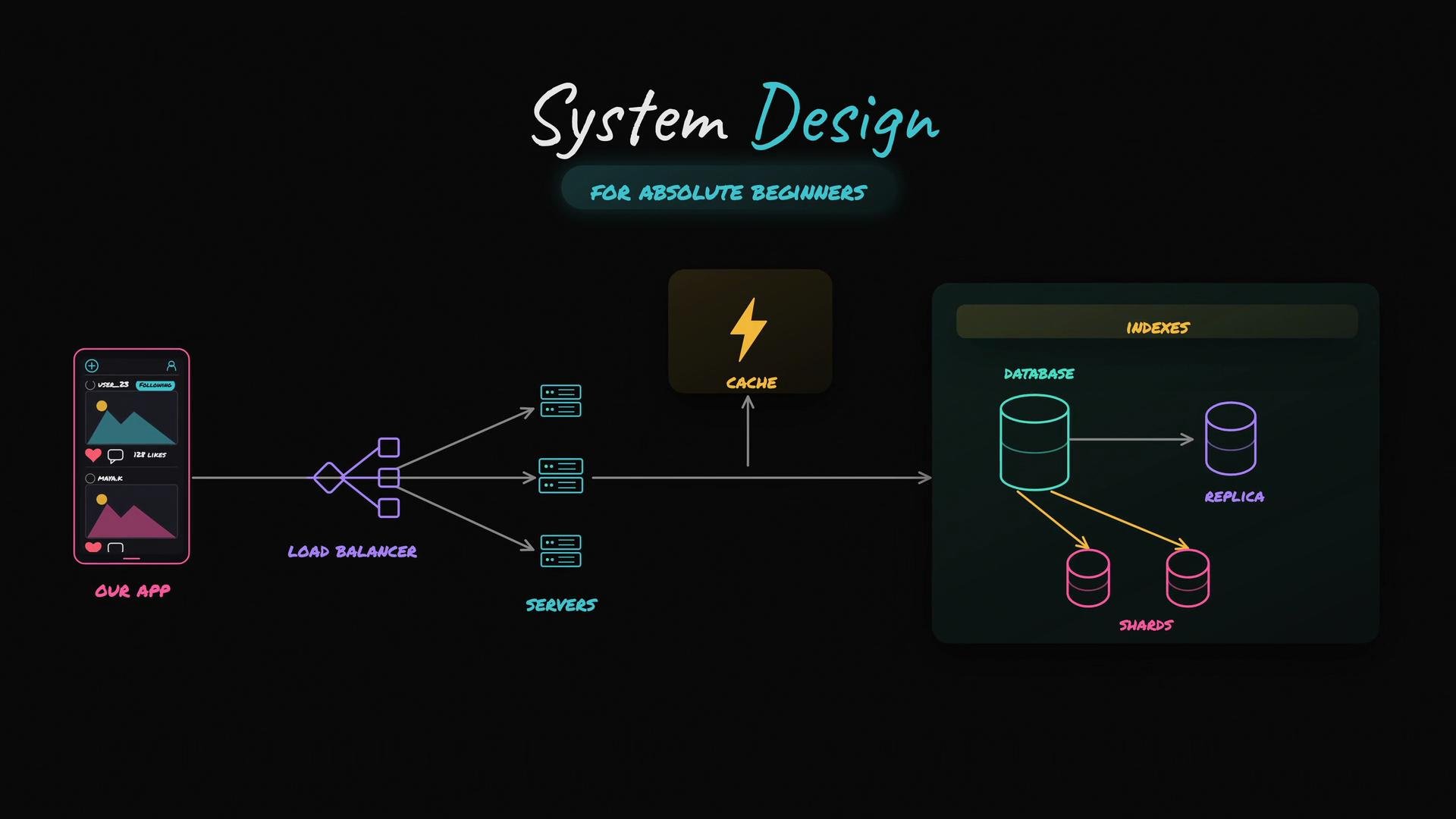 What you'll get from this course:
* A working mental model for building scalable systems.
* Hands-on labs to experiment with components and observe performance changes.
* Clear criteria for when to add complexity (e.g., caching or sharding) versus when to keep the architecture simple.
Key topics and when they appear in the curriculum:
| Topic | When we introduce it | Why it matters |
| ------------- | ----------------------------------------------------- | ---------------------------------------------- |
| Load Balancer | As traffic grows beyond a single server | Distributes requests and improves availability |
| Caching | When response latency or DB load becomes a bottleneck | Reduces read latency and database load |
| Indexing | When query performance degrades on large datasets | Speeds up lookups and range queries |
| Replication | When we need high availability and faster reads | Provides redundancy and read scalability |
| Sharding | When a single database can't store or serve all data | Horizontally partitions data for scale |
Hands-on labs accompany each module so you can modify components (for example, add a cache or enable a replica) and measure the impact. This iterative, use-case-driven approach helps you learn not just what to add to a system, but precisely why and when it’s the right choice.
Further reading and references:
* [System Design Basics (Overview)](https://en.wikipedia.org/wiki/System_design)
* [Scalability Patterns and Principles](https://martinfowler.com/articles/scaling.html)
* [Load Balancing Concepts](https://www.nginx.com/resources/glossary/load-balancer/)
What you'll get from this course:
* A working mental model for building scalable systems.
* Hands-on labs to experiment with components and observe performance changes.
* Clear criteria for when to add complexity (e.g., caching or sharding) versus when to keep the architecture simple.
Key topics and when they appear in the curriculum:
| Topic | When we introduce it | Why it matters |
| ------------- | ----------------------------------------------------- | ---------------------------------------------- |
| Load Balancer | As traffic grows beyond a single server | Distributes requests and improves availability |
| Caching | When response latency or DB load becomes a bottleneck | Reduces read latency and database load |
| Indexing | When query performance degrades on large datasets | Speeds up lookups and range queries |
| Replication | When we need high availability and faster reads | Provides redundancy and read scalability |
| Sharding | When a single database can't store or serve all data | Horizontally partitions data for scale |
Hands-on labs accompany each module so you can modify components (for example, add a cache or enable a replica) and measure the impact. This iterative, use-case-driven approach helps you learn not just what to add to a system, but precisely why and when it’s the right choice.
Further reading and references:
* [System Design Basics (Overview)](https://en.wikipedia.org/wiki/System_design)
* [Scalability Patterns and Principles](https://martinfowler.com/articles/scaling.html)
* [Load Balancing Concepts](https://www.nginx.com/resources/glossary/load-balancer/)