> ## Documentation Index
> Fetch the complete documentation index at: https://notes.kodekloud.com/llms.txt
> Use this file to discover all available pages before exploring further.
# APIs in Plain Words
> Explains APIs as contracts enabling communication between distributed software, illustrating HTTP REST calls, request/response flow, pagination, and practical photo app end-to-end interactions.
So far we’ve built a complete backend for our photo app: servers, databases, caches, object storage, and a [CDN](https://en.wikipedia.org/wiki/Content_delivery_network). The remaining question is practical: how do all these pieces talk to each other, and how does Alan’s phone talk to our servers?
When we say “the phone is talking to the server” (or “the server is talking to the database”), it’s the software on those machines exchanging structured messages — not the hardware itself. Alan’s phone in Sydney and our servers in Virginia are different machines, running different software stacks, possibly written in different languages and built by different teams. To interoperate, they need an agreement on how to exchange data. That agreement is called an API — an Application Programming Interface.
An API is a formal set of rules and formats that lets different software programs communicate and exchange data. Think of an API like a menu shared between two programs: it lists what actions are possible, what inputs are required, and what outputs will be returned.
An API defines the structure and semantics of messages exchanged between programs. Network protocols like [HTTP](https://developer.mozilla.org/en-US/docs/Web/HTTP) and [TCP](https://en.wikipedia.org/wiki/Transmission_Control_Protocol) are the transport layers that actually carry those messages across machines.
You should be clear about one thing: the API only defines what the messages from one program to another should look like.
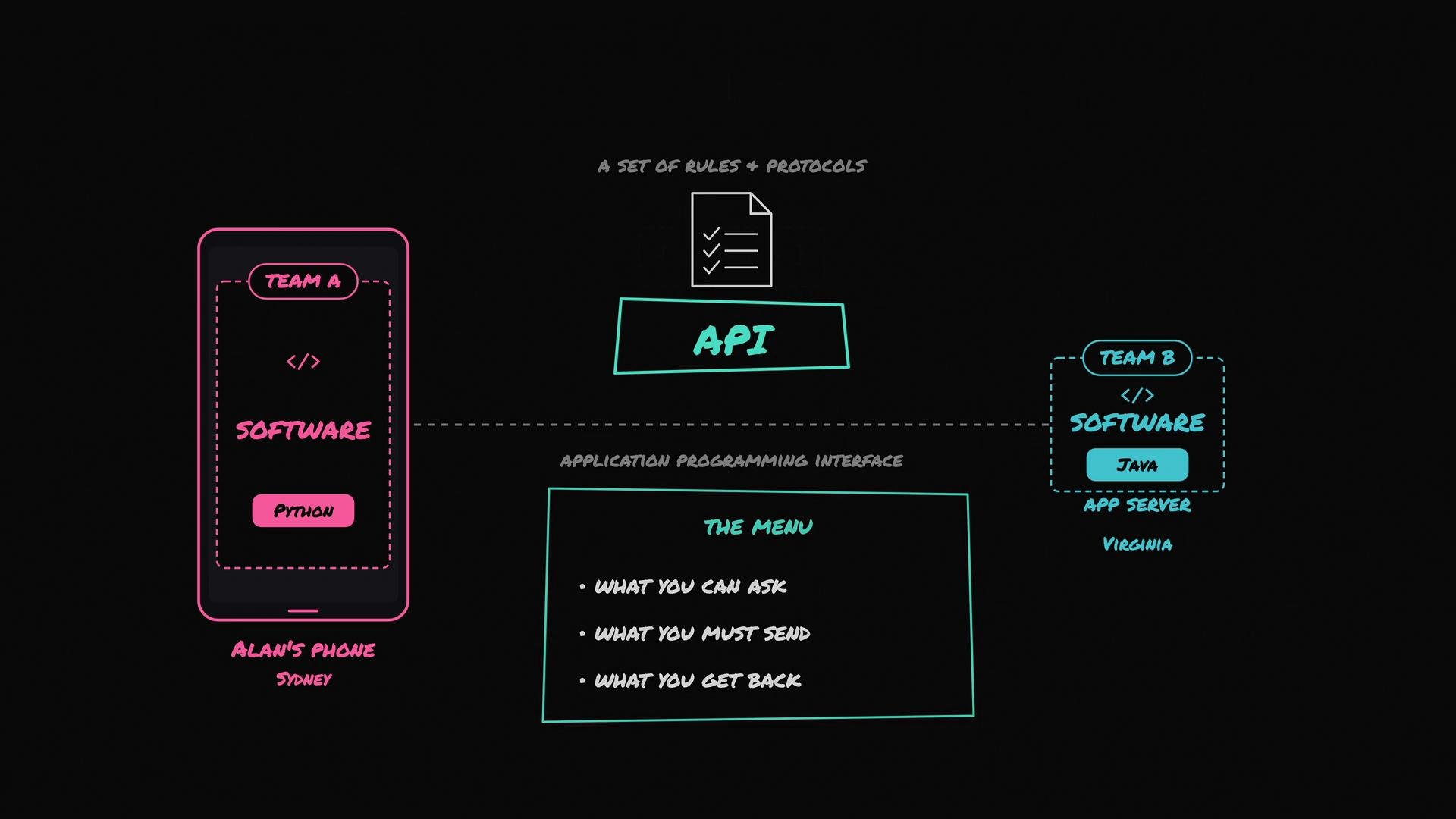 Network protocols such as HTTP and TCP are the mechanisms that actually move those messages between machines. The phone doesn’t need to know which database, cache, or how many servers we run — it only needs to follow the API contract.
Concrete example: Alan opens John’s profile and the phone needs John’s photos. Alan’s phone makes an API call — a request — and the server replies with a response. A simple request can look like this:
```http theme={null}
GET /users/43/photos
```
This request has two main parts:
* `GET` is the HTTP method: it tells the server what action we want (here, read data).
* `/users/43/photos` is the endpoint or resource path: `43` is John’s user ID.
Every API publishes a set of endpoints that clients can call to perform predefined actions. Examples:
```http theme={null}
GET /photos/81 → returns photo 81
GET /feed → returns your personalised feed
GET /users/42 → returns user 42 (Alan)
GET /users/42/photos → returns Alan's photos
```
If the client wants to upload a photo, the method becomes `POST /photos`. To delete a photo: `DELETE /photos/81`. At its simplest, an API request is a method plus an endpoint; real requests also include authentication tokens, query parameters, and bodies for create/update actions.
Common HTTP methods and when to use them:
| Method | Typical use |
| --------------- | -------------------------------------------------------------------------------- |
| `GET` | Read or retrieve data |
| `POST` | Create a new resource or submit data |
| `PUT` / `PATCH` | Update an existing resource (`PUT` for full replace, `PATCH` for partial update) |
| `DELETE` | Remove a resource |
The example above follows the [REST](https://restfulapi.net/) style. There are other API styles — [GraphQL](https://graphql.org/), [gRPC](https://grpc.io/), etc. — but the central idea remains: an API is a contract describing structured messages one program sends to another.
Follow one API call end-to-end (what happens after Alan taps John’s profile):
1. Alan’s phone builds the request `GET /users/43/photos` and sends it over the network.
2. The request hits a [load balancer](https://en.wikipedia.org/wiki/Load_balancing_\(computing\)).
3. The load balancer forwards the request to one of the application servers.
4. The app server inspects the endpoint and recognizes it as a read request for user 43’s photos.
5. The server checks the [cache](https://en.wikipedia.org/wiki/Cache_\(computing\)), possibly consults a read-replica of the database, and gathers the photo metadata.
6. The server prepares an API response: a JSON list of photos where each item includes metadata (caption, like count) and a [CDN](https://en.wikipedia.org/wiki/Content_delivery_network) URL for the image file.
7. The app server sends this response back to Alan’s phone.
8. The phone receives the list, fetches the actual image files from the CDN using the provided URLs, and renders John’s profile on screen.
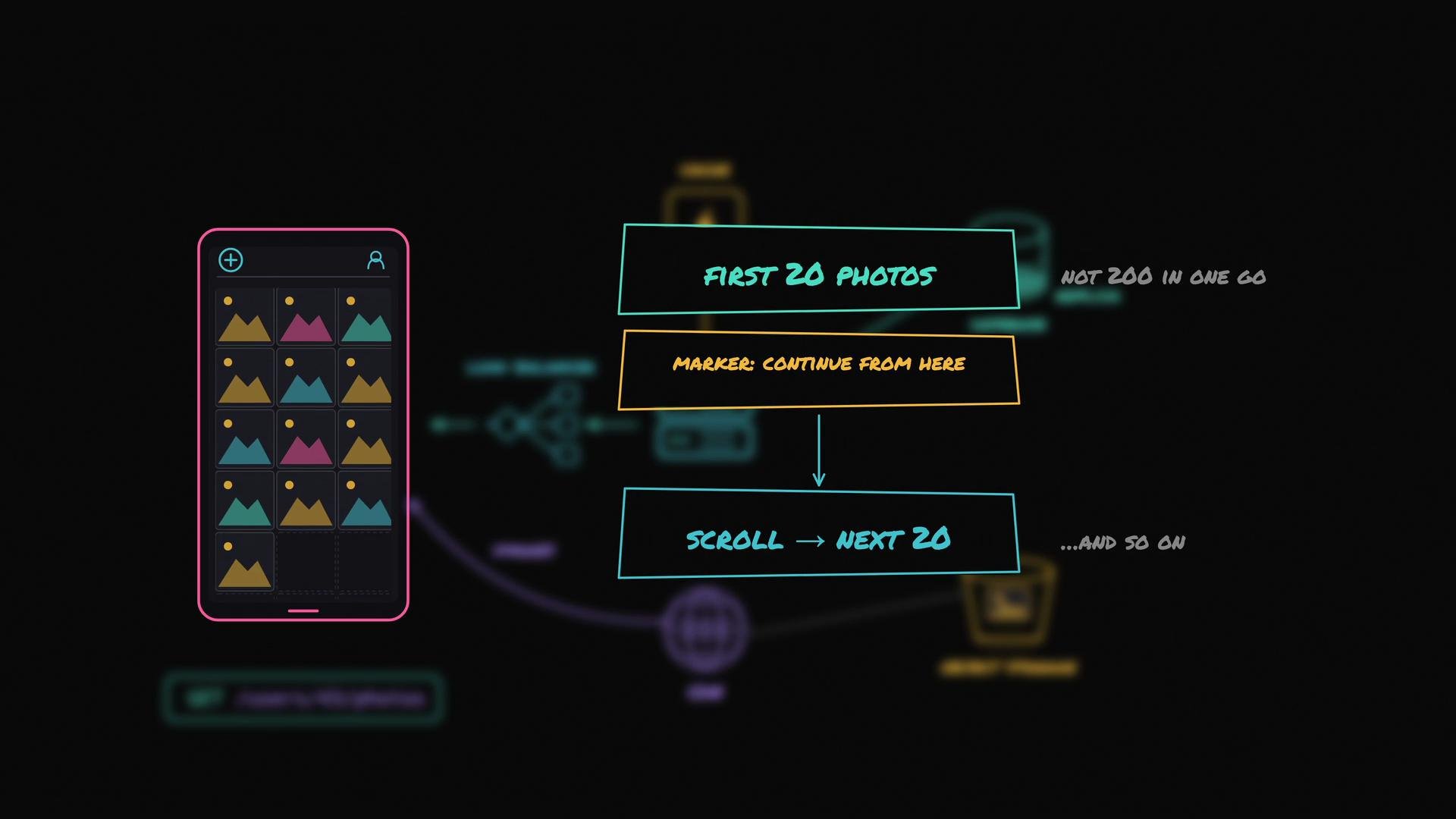
Important: the app server typically returns the first N photos (commonly 20), not every photo John has ever posted. Large responses are inefficient for both clients and servers. The response includes a marker (or token) to indicate where the client can continue on the next request. When Alan scrolls, the phone requests the next batch — this is called pagination. APIs that return long lists almost always implement pagination to limit response sizes and reduce server load.
Building and documenting APIs is a broad topic — authentication, rate limiting, versioning, monitoring, and error handling are all essential — but the flow above gives a practical, end-to-end picture of what an API is and how it enables distributed systems (and devices like Alan’s phone) to work together.
Network protocols such as HTTP and TCP are the mechanisms that actually move those messages between machines. The phone doesn’t need to know which database, cache, or how many servers we run — it only needs to follow the API contract.
Concrete example: Alan opens John’s profile and the phone needs John’s photos. Alan’s phone makes an API call — a request — and the server replies with a response. A simple request can look like this:
```http theme={null}
GET /users/43/photos
```
This request has two main parts:
* `GET` is the HTTP method: it tells the server what action we want (here, read data).
* `/users/43/photos` is the endpoint or resource path: `43` is John’s user ID.
Every API publishes a set of endpoints that clients can call to perform predefined actions. Examples:
```http theme={null}
GET /photos/81 → returns photo 81
GET /feed → returns your personalised feed
GET /users/42 → returns user 42 (Alan)
GET /users/42/photos → returns Alan's photos
```
If the client wants to upload a photo, the method becomes `POST /photos`. To delete a photo: `DELETE /photos/81`. At its simplest, an API request is a method plus an endpoint; real requests also include authentication tokens, query parameters, and bodies for create/update actions.
Common HTTP methods and when to use them:
| Method | Typical use |
| --------------- | -------------------------------------------------------------------------------- |
| `GET` | Read or retrieve data |
| `POST` | Create a new resource or submit data |
| `PUT` / `PATCH` | Update an existing resource (`PUT` for full replace, `PATCH` for partial update) |
| `DELETE` | Remove a resource |
The example above follows the [REST](https://restfulapi.net/) style. There are other API styles — [GraphQL](https://graphql.org/), [gRPC](https://grpc.io/), etc. — but the central idea remains: an API is a contract describing structured messages one program sends to another.
Follow one API call end-to-end (what happens after Alan taps John’s profile):
1. Alan’s phone builds the request `GET /users/43/photos` and sends it over the network.
2. The request hits a [load balancer](https://en.wikipedia.org/wiki/Load_balancing_\(computing\)).
3. The load balancer forwards the request to one of the application servers.
4. The app server inspects the endpoint and recognizes it as a read request for user 43’s photos.
5. The server checks the [cache](https://en.wikipedia.org/wiki/Cache_\(computing\)), possibly consults a read-replica of the database, and gathers the photo metadata.
6. The server prepares an API response: a JSON list of photos where each item includes metadata (caption, like count) and a [CDN](https://en.wikipedia.org/wiki/Content_delivery_network) URL for the image file.
7. The app server sends this response back to Alan’s phone.
8. The phone receives the list, fetches the actual image files from the CDN using the provided URLs, and renders John’s profile on screen.
Important: the app server typically returns the first N photos (commonly 20), not every photo John has ever posted. Large responses are inefficient for both clients and servers. The response includes a marker (or token) to indicate where the client can continue on the next request. When Alan scrolls, the phone requests the next batch — this is called pagination. APIs that return long lists almost always implement pagination to limit response sizes and reduce server load.
Building and documenting APIs is a broad topic — authentication, rate limiting, versioning, monitoring, and error handling are all essential — but the flow above gives a practical, end-to-end picture of what an API is and how it enables distributed systems (and devices like Alan’s phone) to work together.
 Further reading and references:
* [RESTful API Design](https://restfulapi.net/)
* [HTTP — MDN Web Docs](https://developer.mozilla.org/en-US/docs/Web/HTTP)
* [GraphQL](https://graphql.org/)
* [gRPC](https://grpc.io/)
* [Content Delivery Network](https://en.wikipedia.org/wiki/Content_delivery_network)
* [Load Balancing (computing)](https://en.wikipedia.org/wiki/Load_balancing_\(computing\))
Further reading and references:
* [RESTful API Design](https://restfulapi.net/)
* [HTTP — MDN Web Docs](https://developer.mozilla.org/en-US/docs/Web/HTTP)
* [GraphQL](https://graphql.org/)
* [gRPC](https://grpc.io/)
* [Content Delivery Network](https://en.wikipedia.org/wiki/Content_delivery_network)
* [Load Balancing (computing)](https://en.wikipedia.org/wiki/Load_balancing_\(computing\))