> ## Documentation Index
> Fetch the complete documentation index at: https://notes.kodekloud.com/llms.txt
> Use this file to discover all available pages before exploring further.
# Course Introduction
> Beginner-friendly course teaching a six-step framework and hands-on labs to prepare for system design interviews covering trade-offs, APIs, high-level design, and common systems
Welcome to the System Design Interview Prep lesson — a practical, beginner-friendly course that teaches a clear, repeatable approach to solving system design problems under interview constraints.
This lesson is designed for absolute beginners with little or no system design experience. System design interviews require fast, structured thinking about components, trade-offs, scalability, and real-world constraints. This course gives you a six-step framework to organize your answers, practice problems, and hands-on labs to implement key components.
What you'll gain from this lesson:
* A reproducible framework to structure interview responses.
* Practical heuristics for making trade-offs under time pressure.
* Hands-on experience implementing common building blocks used in interviews.
* Sample solutions for common interview problems like URL shorteners and news feeds.
## Six-step Framework
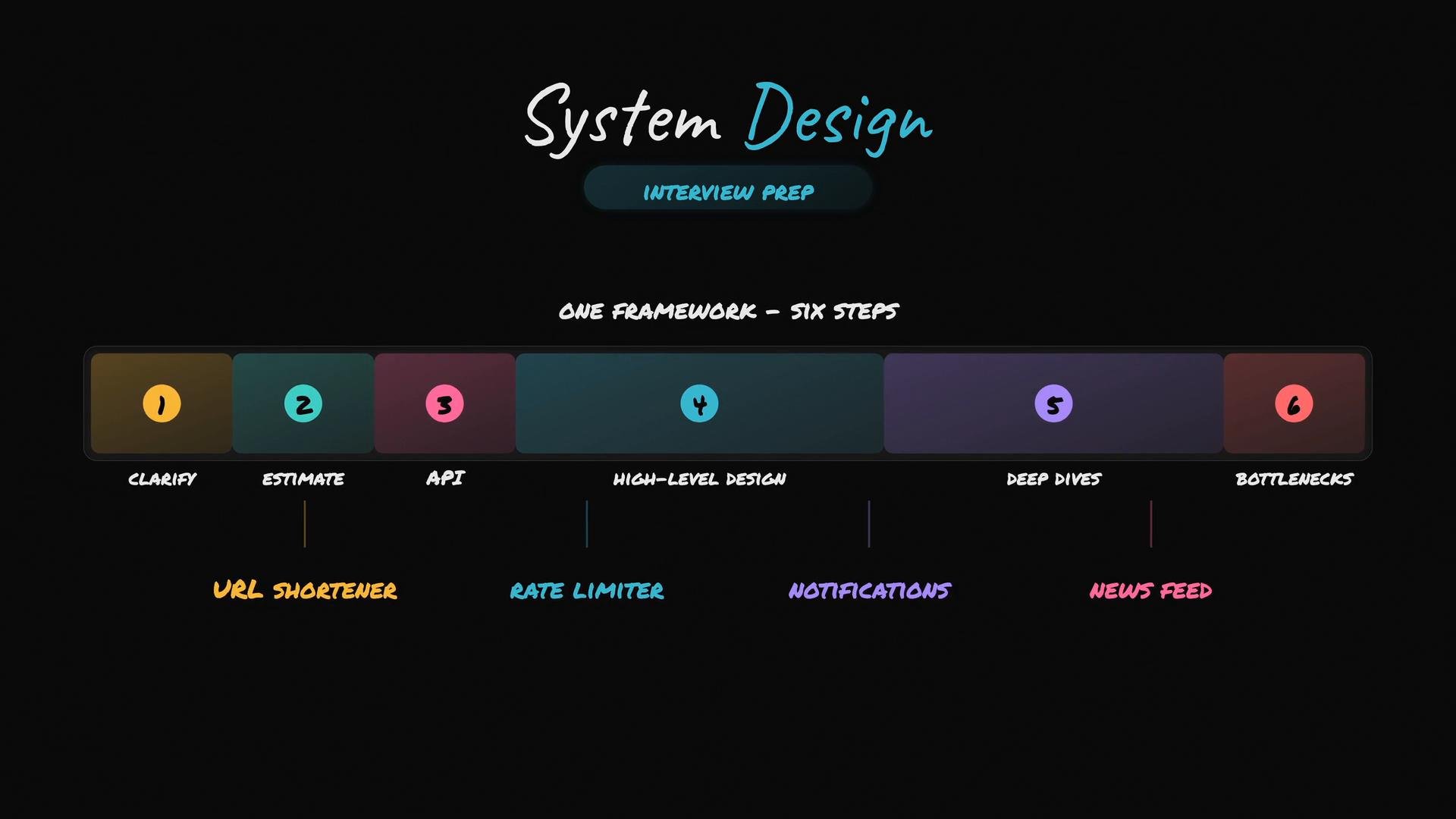
We use a six-step framework that helps you move from vague problem statements to concrete designs you can explain confidently in interviews:
| Step | Purpose | What to produce quickly |
| - | - | - |
| Clarify | Remove ambiguity and surface constraints | Ask questions about scale, read/write ratios, latency, and functional requirements |
| Estimate | Validate feasibility and scope | Rough traffic, storage, and cost estimates to bound your design |
| API | Define interfaces and contracts | Public APIs, input/output examples, and error cases |
| High-Level Design | Sketch major components and data flow | Components diagram showing services, databases, caches, and queues |
| Deep Dives | Detail one or two components | Design the most critical pieces (e.g., data model, cache strategy, replication) |
| Bottlenecks | Identify failure & scaling points | Capacity limits, single points of failure, and mitigation strategies |
Use the framework as a checklist during interviews: ask clarifying questions first, then estimate to show you can reason numerically, define APIs so your design has a contract, draw a high-level system diagram, deep dive into the most important components, and finish by discussing bottlenecks and mitigations.
## Common interview systems covered
* URL Shortener
* Rate Limiter
* Notifications Service
* News Feed / Timeline
## Hands-on Labs
You will complete four practical labs that reinforce the course concepts and give you implementation experience with typical interview building blocks:
1. Implementing a basic URL shortener service (API, data model, storage).
2. Building a distributed rate limiter (token bucket, counters, and storage).
3. Designing a notification delivery pipeline (push vs pull strategies).
4. Creating a simplified news feed pipeline (fan-out vs fan-in approaches).
These labs let you move beyond diagrams and actually implement the core logic and APIs often discussed in interviews.
 Study tips: Practice the six-step framework aloud. Use a whiteboard (or a digital notepad) to sketch high-level diagrams quickly. Timebox each framework step in mock interviews to simulate real constraints.
Interview warning: Interviewers expect trade-off rationale. When you choose a component (e.g., SQL vs NoSQL, cache eviction policy), explain why that choice fits the constraints you established during Clarify and Estimate.
## How to use this lesson
* Start by learning the framework; then apply it to one sample problem end-to-end.
* Complete a lab after each topic to reinforce concepts.
* In mock interviews, narrate your thought process and explicitly follow the framework steps.
## Links and References
* [Grokking the System Design Interview](https://www.educative.io/courses/grokking-the-system-design-interview)
* [Designing Data-Intensive Applications — Martin Kleppmann](https://dataintensive.net/)
* [System Design Primer (GitHub)](https://github.com/donnemartin/system-design-primer)
Good luck — practice consistently, and use the six-step framework to structure clear, confident system design answers.
This documentation is built and hosted on [Mintlify](https://mintlify.com), a developer documentation platform.
Study tips: Practice the six-step framework aloud. Use a whiteboard (or a digital notepad) to sketch high-level diagrams quickly. Timebox each framework step in mock interviews to simulate real constraints.
Interview warning: Interviewers expect trade-off rationale. When you choose a component (e.g., SQL vs NoSQL, cache eviction policy), explain why that choice fits the constraints you established during Clarify and Estimate.
## How to use this lesson
* Start by learning the framework; then apply it to one sample problem end-to-end.
* Complete a lab after each topic to reinforce concepts.
* In mock interviews, narrate your thought process and explicitly follow the framework steps.
## Links and References
* [Grokking the System Design Interview](https://www.educative.io/courses/grokking-the-system-design-interview)
* [Designing Data-Intensive Applications — Martin Kleppmann](https://dataintensive.net/)
* [System Design Primer (GitHub)](https://github.com/donnemartin/system-design-primer)
Good luck — practice consistently, and use the six-step framework to structure clear, confident system design answers.
This documentation is built and hosted on [Mintlify](https://mintlify.com), a developer documentation platform.