> ## Documentation Index
> Fetch the complete documentation index at: https://notes.kodekloud.com/llms.txt
> Use this file to discover all available pages before exploring further.
# Rate Limiter Make It Scale
> Explains scalable distributed rate limiting using Redis Lua scripts to atomically implement token buckets so multiple gateways share authoritative counters and avoid race conditions, with operational trade-offs
In production, API gateways are usually deployed as multiple instances behind a load balancer so requests don't depend on a single gateway. A single gateway is a single point of failure and does not scale. However, naive local in-memory rate limits break in this distributed setup.
Consider two gateways (A and B) and a user (Alan). The load balancer routes some of Alan’s requests to A and some to B. Each gateway only sees the requests routed to it and keeps a separate in-memory token bucket for Alan. That effectively gives Alan multiple buckets (one per gateway) and lets him exceed the intended global limit. Add a third gateway and he can make even more calls. In short: local in-memory counters lie in distributed systems.
The reliable solution is to move buckets out of gateway memory into a single shared, fast store (for example, Redis) so all gateways read and update the same bucket for a given user. This centralization solves the multiple-buckets problem — but introduces another challenge: concurrent access and race conditions.
## Why concurrency breaks naive shared counters
Accessing a token bucket involves three logical steps:
1. Read remaining tokens and the last-update timestamp.
2. Compute tokens to add based on elapsed time.
3. Write the new token count and timestamp.
If two gateways run these steps concurrently against the same Redis key, they can both read the same remaining tokens and both allow requests that should have been blocked. The read–compute–write sequence must be atomic to avoid this race.
## Atomicity with Redis Lua scripts
Redis supports running Lua scripts atomically: while a script executes, no other client can mutate the keys it touches. Encapsulate the read–compute–write sequence in a single Lua script and run it with `EVAL`/`EVALSHA`. This guarantees correctness no matter how many gateways you have.
Below is a compact, practical Lua script that implements a token-bucket check and update atomically. It assumes each bucket is a Redis hash with fields `tokens` and `ts` (timestamp in milliseconds).
```lua theme={null}
-- token_bucket.lua
-- KEYS[1] = bucket key (e.g., "bucket:user:alan")
-- ARGV[1] = capacity (e.g., 50)
-- ARGV[2] = refill_rate_per_millisecond (e.g., 1.67/1000)
-- ARGV[3] = now (milliseconds)
-- ARGV[4] = tokens_requested (usually 1)
local key = KEYS[1]
local capacity = tonumber(ARGV[1])
local rate = tonumber(ARGV[2])
local now = tonumber(ARGV[3])
local req = tonumber(ARGV[4])
local data = redis.call("HMGET", key, "tokens", "ts")
local tokens = tonumber(data[1]) or capacity
local ts = tonumber(data[2]) or now
-- Refill tokens based on elapsed time
local elapsed = math.max(0, now - ts)
local added = elapsed * rate
tokens = math.min(capacity, tokens + added)
local allowed = 0
local retry_after = 0
if tokens >= req then
tokens = tokens - req
allowed = 1
else
-- estimate milliseconds until next token available
local missing = req - tokens
retry_after = math.ceil(missing / rate)
end
-- Persist updated state
redis.call("HSET", key, "tokens", tokens, "ts", now)
return { allowed, tokens, retry_after }
```
A gateway should call this script for every API request. The script returns a three-element array:
* `allowed` — 1 if allowed, 0 if rate-limited.
* `remaining tokens` — the new token count.
* `retry_after` — milliseconds until the next token (0 when `allowed` is 1).
| Return position | Meaning | Example |
| - | -: | - |
| 1 | `allowed` (0 or 1) | `1` |
| 2 | `remaining tokens` | `12.34` |
| 3 | `retry_after` (ms) | `500` |
Note: Use integer millisecond timestamps (`now`) to avoid floating-point drift in production.
Decide and document behavior when the shared store is unavailable: do you fail open (allow traffic) or fail closed (reject traffic)? This is a critical trade-off—prioritize availability for general APIs and stricter protection for security-sensitive endpoints (for example, login or payment flows).
## Operational considerations and trade-offs
| Concern | Impact | Mitigation / Notes |
| - | - | - |
| Latency | Each request requires one Redis round-trip. | Co-locate Redis with gateways (same AZ/region) to keep RTT ≈ 1 ms. Avoid cross-region Redis on the critical path. |
| Throughput | Central Redis must handle script invocations per request. | A single Redis instance can handle ≈100k ops/s (workload dependent). If needed, use Redis Cluster or sharding. |
| High availability | Redis outage affects rate limiting. | Choose fail-open vs fail-closed, use Redis replication, persistence (AOF/RDB), and careful failover planning. |
| Atomicity | Prevents race conditions and double-allowing. | Run read–compute–write in a single Redis Lua script (atomic). |
| Cross-region redundancy | Adds latency if synchronous; eventual consistency if asynchronous. | Consider multi-region architecture carefully; avoid making synchronous cross-region calls in the request path. |
### Quick parameter examples
| Parameter | Example |
| - | - |
| Capacity (burst) | `50` tokens |
| Refill rate | `1.67` tokens/second (≈`1.67/1000` per ms) |
| Typical use | capacity = 50; refill = 1.67/s => 100 req/min sustained |
For security-critical APIs (e.g., login, password reset, anti-abuse paths), prefer failing-closed on store outages. For general product APIs where availability is more important, failing-open might be acceptable. Document and test your chosen mode.
## Deployment and scaling recommendations
* Run the Lua script via `EVALSHA` (load script once, call by SHA) to reduce overhead.
* Keep Redis instances in the same availability zone or region as your gateways to minimize latency.
* Monitor Redis operation latency, script execution time, and ops/s. Alert on degraded performance.
* If you need higher throughput, shard keys by user ID across a Redis Cluster or partition users by consistent hashing.
* Use replication and automated failover (Sentinel or managed Redis offerings). If you need cross-region failover, evaluate read/write latency and consistency implications.
## Interview-friendly summary (talking points)
* Put the rate limiter at the API gateway so you reject work early.
* Count per account for authenticated users and per IP for anonymous traffic.
* Use the token-bucket algorithm: capacity = burst, refill = sustained rate. Example: capacity 50; refill 1.67 tokens/s.
* Store buckets centrally in Redis so all gateways operate on the same counters.
* Make the check and update atomic by running the logic inside Redis as a Lua script. This prevents races when multiple gateways access the same bucket.
* Return `429 Too Many Requests` with a `Retry-After` header when rate-limited.
* Decide and document fail-open vs fail-closed behavior for Redis outages based on endpoint sensitivity.
* Key takeaway: local counters lie in distributed systems — authoritative counters must live in a shared store and be updated atomically.
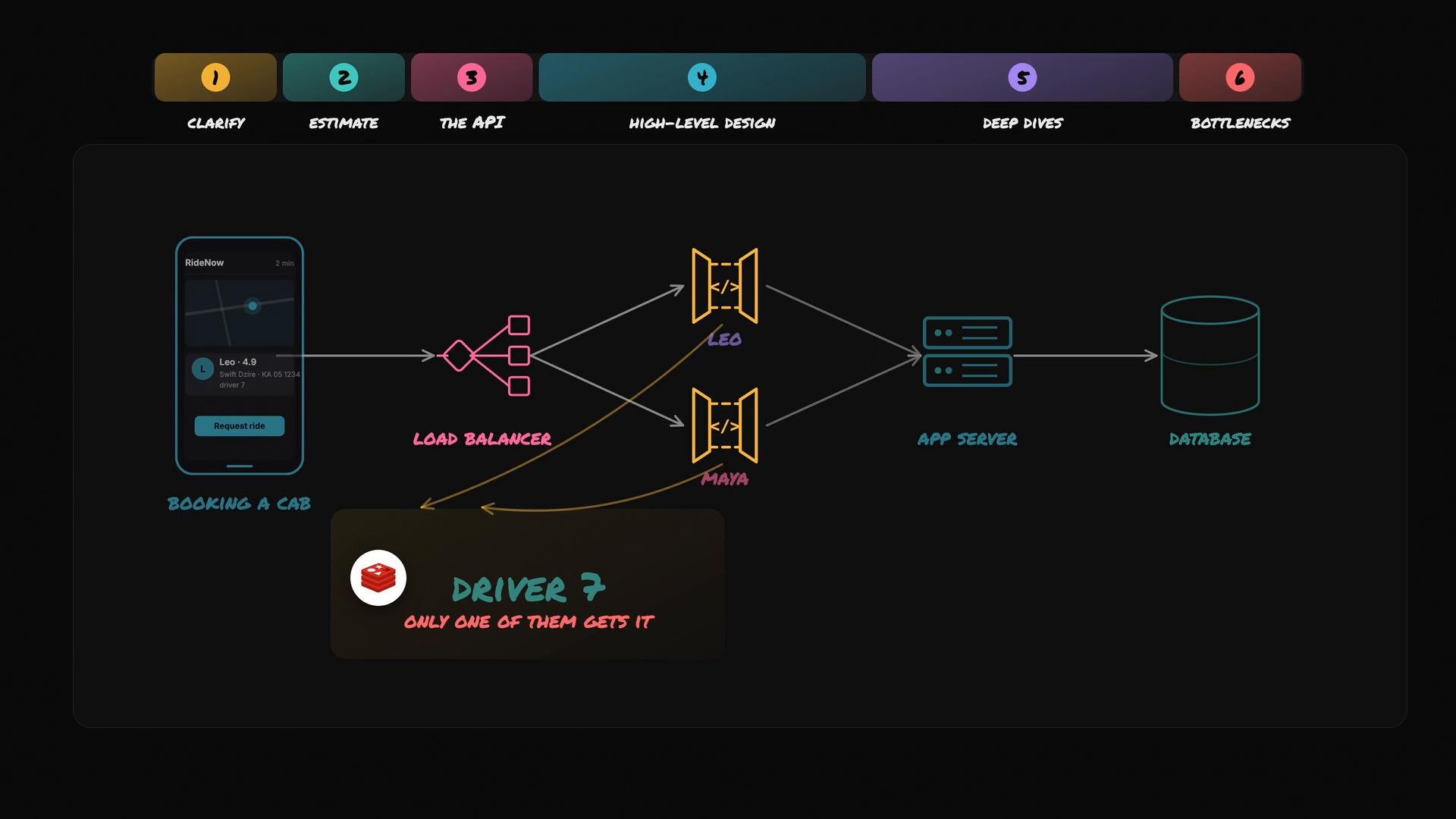
When you need to guarantee a single resource is not double-assigned (concert seat, driver dispatch, etc.), apply the same pattern: keep authoritative state in one shared place and perform atomic updates.
References and further reading:
* Redis scripting: [https://redis.io/docs/manual/programmability/eval-intro/](https://redis.io/docs/manual/programmability/eval-intro/)
* Token bucket algorithm: [https://en.wikipedia.org/wiki/Token\_bucket](https://en.wikipedia.org/wiki/Token_bucket)
* Rate limiting design patterns: [https://blog.cloudflare.com/rate-limiting-best-practices/](https://blog.cloudflare.com/rate-limiting-best-practices/)
 This documentation is built and hosted on [Mintlify](https://mintlify.com), a developer documentation platform.