> ## Documentation Index
> Fetch the complete documentation index at: https://notes.kodekloud.com/llms.txt
> Use this file to discover all available pages before exploring further.
# Telepresence Intercept
> Learn to intercept Kubernetes Service traffic and handle requests locally using Telepresence, covering setup, command syntax, traffic flow, and collaborative development best practices.
Learn how to intercept Kubernetes Service traffic and handle requests locally using Telepresence. This guide covers setup, command syntax, traffic flow, and best practices for collaborative development.
## Prerequisites
* A running Kubernetes cluster with the Telepresence Traffic Manager installed.
* An active Telepresence session:
```bash theme={null}
telepresence connect
```
This establishes a secure tunnel between your local environment and the cluster.
## Creating an Intercept
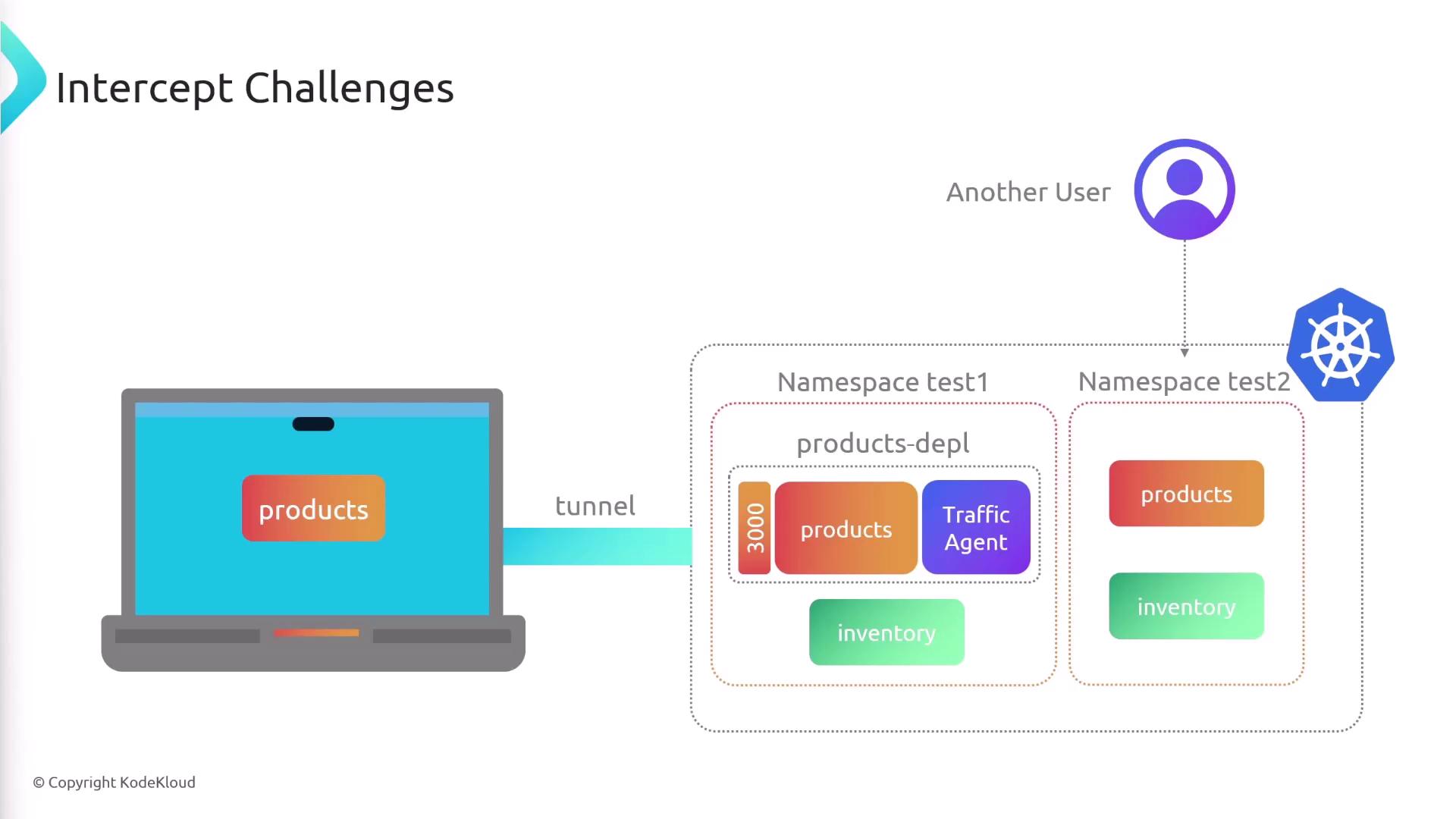
To redirect Service traffic for local debugging, you create an intercept on a Deployment. In this example, a `products-depl` Deployment is exposed on port 3000 in the cluster:
### Command Syntax
| Argument / Flag | Description | Example |
| --------------------- | ----------------------------------------------------------------- | ------------------ |
| products-depl | Name of the Deployment or Service to intercept | `products-depl` |
| `--port LOCAL:REMOTE` | Forward `REMOTE` port in the cluster to `LOCAL` port on your host | `--port 8000:3000` |
Run the intercept:
```bash theme={null}
telepresence intercept products-depl --port 8000:3000
```
If the target Service exposes only one port, you can omit `:REMOTE`.\
For example:
```bash theme={null}
telepresence intercept products-depl -p 8000
```
Once the intercept is established, Telepresence injects a traffic-agent sidecar into the `products-depl` Pod. All calls from other Pods (for example, an `inventory` Service) to port 3000 are proxied through the cluster to your local process on port 8000.
### Intercept Details
After running the command, Telepresence prints status information:
```bash theme={null}
telepresence intercept products-depl -p 8000
Using Deployment products-depl
Intercept name : products-depl
State : ACTIVE
Workload kind : Deployment
Destination : 127.0.0.1:8000
Service Port Identifier : 3000/TCP
Volume Mount Point : /tmp/telfs-1147625726
Intercepting : all TCP connections
```
## Listing and Managing Active Intercepts
View all active intercepts:
```bash theme={null}
telepresence list
```
You can intercept multiple Services in parallel. Just ensure each local port is unique:
```bash theme={null}
telepresence intercept products-depl --port 8000:3000
telepresence intercept inventory-depl --port 9000:3000
```
Each intercept binds a unique local port. Reusing a port will cause the command to fail.
## Traffic Flow with Multiple Intercepts
When one intercepted Service calls another, traffic may loop through the cluster multiple times:
1. Client in cluster → local `products-depl` (port 8000)
2. Local `products-depl` → cluster → local `inventory-depl` (port 9000)
3. Local `inventory-depl` → cluster → local `products-depl` → original caller
This indirect routing can impact performance. While you can manually adjust `/etc/hosts` or use a local proxy to shortcut these hops, Telepresence does not automate intra-local traffic resolution.
## Collaboration Best Practices
Active intercepts route all cluster traffic for a Service to your machine. If multiple developers intercept the same Service in a shared namespace, requests will collide.
* Deploy each developer’s version into a dedicated namespace.
* Instruct teammates to intercept only their namespace’s resources.