> ## Documentation Index
> Fetch the complete documentation index at: https://notes.kodekloud.com/llms.txt
> Use this file to discover all available pages before exploring further.
# Introduction
> Introduces Telepresence for Kubernetes, showing how to run and debug services locally by intercepting cluster traffic, using env files, volumes, and Docker for faster development.
Hello — I'm Sanjeev. Welcome to this Telepresence lesson.
Kubernetes is the backbone of modern cloud-native application deployment. However, developing and debugging services that run inside a cluster often slows down the feedback loop. Telepresence solves this by letting you run and debug services locally while they interact with the live cluster, dramatically reducing development cycle times.
Key benefits of Telepresence:
* Develop a service locally while the rest of the application continues running in Kubernetes.
* Intercept and route traffic from the cluster to a local process for interactive debugging.
* Mount local files or use Docker-based workflows to iterate quickly without rebuilding images in the cluster.
This lesson/article introduces Telepresence, shows how it works, and walks through practical commands and demos so you can speed up development and troubleshooting.
Before you begin, ensure you have a working `kubectl` context and cluster access, and that Telepresence is installed on your workstation. You will need permissions to create and modify resources in the target namespace.
What we'll cover in this lesson/article:
1. Why Telepresence is a game changer for Kubernetes developers — benefits for local development and testing.
2. How Telepresence works — a high-level look at architecture and traffic routing.
3. A hands-on demo to get started quickly with your own projects.
4. Mastering Telepresence intercepts — redirect service traffic to your local machine.
5. Real-world demo scenarios using intercepts.
6. Managing environment configuration using env files.
7. Using volumes with Telepresence to sync files between local and cluster environments.
8. Combining Telepresence with Docker for container-oriented local development.
Example: connect Telepresence to a cluster
This representative console output shows a successful Telepresence connection:
```bash theme={null}
# Example: establish a Telepresence connection (console output)
root@ubuntu-s-4vcpu-8gb-nyc1-01:~/telepresence/auth# telepresence connect
Connected to context arn:aws:eks:us-east-1:195275640053:cluster/telepresence, namespace default
(https://C22C5458C5800FD626C361045762447E.gr7.us-east-1.eks.amazonaws.com)
root@ubuntu-s-4vcpu-8gb-nyc1-01:~/telepresence/auth#
```
Once connected you can create an intercept for a Kubernetes service (or a deployment) so traffic destined for that service is routed to your local process. For example, the following command creates an intercept for a service/deployment named `products-depl`, forwarding local port `8000` to the container port `3000`:
```bash theme={null}
telepresence intercept products-depl --port 8000:3000
```
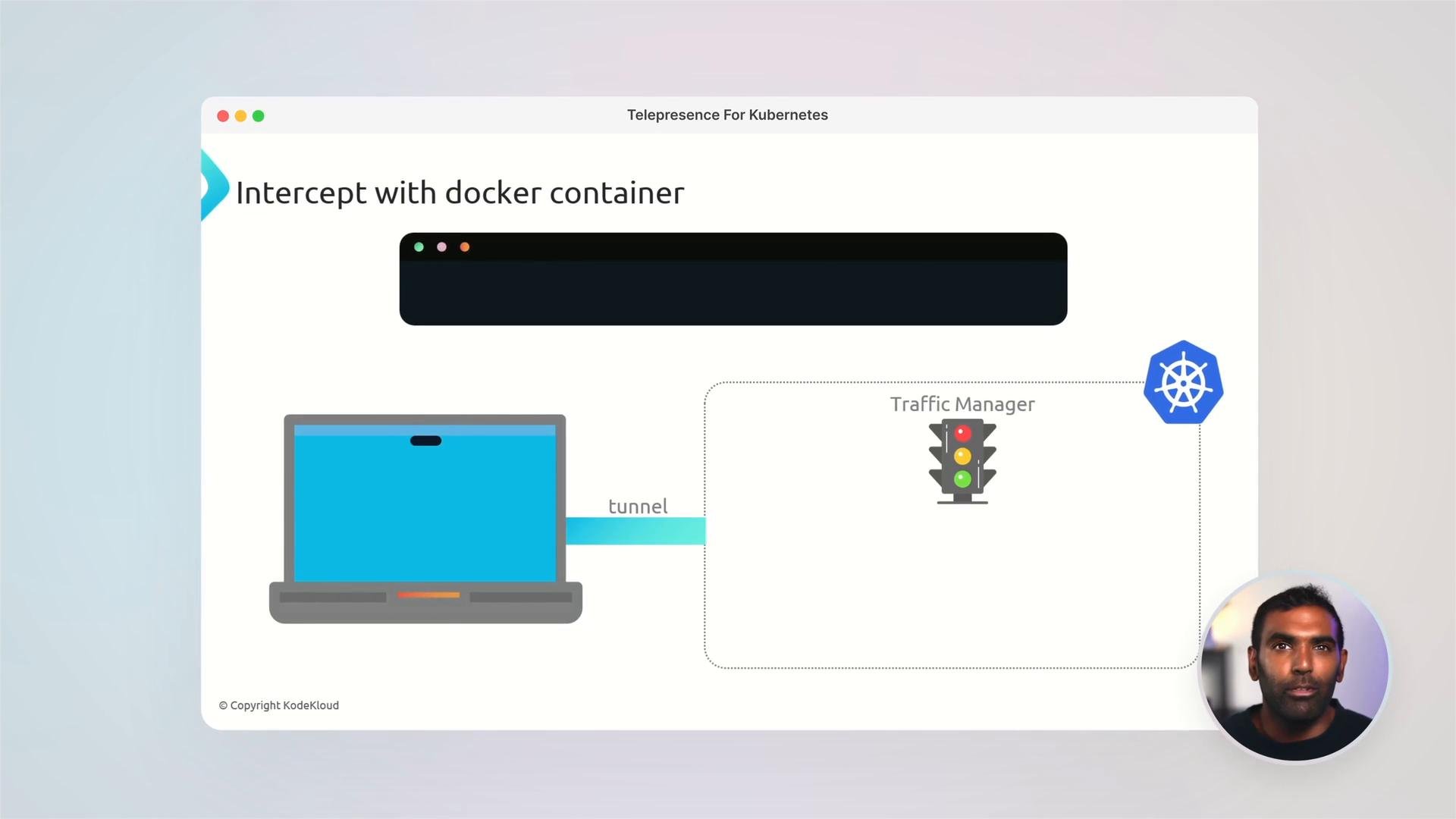 What you’ll see in the demos and examples
* How intercepts let you run a local process (or container) in place of a remote pod.
* Using env files to manage environment variables for local services.
* Mounting or syncing code into the intercepted environment using volumes.
* Using Telepresence with Docker to test containerized workflows locally.
Quick reference: Telepresence capabilities
| Capability | When to use |
| -: | - |
| Local development with live cluster integration | Iterate faster without rebuilding container images for each change |
| Intercepting service traffic | Debug a single service interactively while other services remain in-cluster |
| Env files | Manage environment variables for your local service to match production-like configs |
| Volumes / file mounts | Sync source code from your workstation into an intercepted environment for live edits |
| Docker integration | Test containerized workflows locally before pushing images to a registry |
Important: Avoid intercepting production services or traffic that could impact users. Always verify namespace, permissions, and that the target environment is safe for local debugging.
By the end of this lesson/article you'll be able to:
* Use Telepresence to iterate faster on microservices that depend on in-cluster services.
* Intercept Kubernetes services and route traffic to your local processes or containers.
* Manage environment configuration and sync code with volumes for rapid local testing.
* Combine Telepresence with Docker to validate container behavior locally before deployment.
Resources and further reading
* Telepresence docs: [https://www.telepresence.io/](https://www.telepresence.io/)
* Kubernetes documentation: [https://kubernetes.io/docs/](https://kubernetes.io/docs/)
* KodeKloud community: [https://kodekloud.com/community](https://kodekloud.com/community)
The future of Kubernetes development is faster and more efficient. Ready to transform your workflow? Join the KodeKloud community to continue learning and collaborating.
This documentation is built and hosted on [Mintlify](https://mintlify.com), a developer documentation platform.
What you’ll see in the demos and examples
* How intercepts let you run a local process (or container) in place of a remote pod.
* Using env files to manage environment variables for local services.
* Mounting or syncing code into the intercepted environment using volumes.
* Using Telepresence with Docker to test containerized workflows locally.
Quick reference: Telepresence capabilities
| Capability | When to use |
| -: | - |
| Local development with live cluster integration | Iterate faster without rebuilding container images for each change |
| Intercepting service traffic | Debug a single service interactively while other services remain in-cluster |
| Env files | Manage environment variables for your local service to match production-like configs |
| Volumes / file mounts | Sync source code from your workstation into an intercepted environment for live edits |
| Docker integration | Test containerized workflows locally before pushing images to a registry |
Important: Avoid intercepting production services or traffic that could impact users. Always verify namespace, permissions, and that the target environment is safe for local debugging.
By the end of this lesson/article you'll be able to:
* Use Telepresence to iterate faster on microservices that depend on in-cluster services.
* Intercept Kubernetes services and route traffic to your local processes or containers.
* Manage environment configuration and sync code with volumes for rapid local testing.
* Combine Telepresence with Docker to validate container behavior locally before deployment.
Resources and further reading
* Telepresence docs: [https://www.telepresence.io/](https://www.telepresence.io/)
* Kubernetes documentation: [https://kubernetes.io/docs/](https://kubernetes.io/docs/)
* KodeKloud community: [https://kodekloud.com/community](https://kodekloud.com/community)
The future of Kubernetes development is faster and more efficient. Ready to transform your workflow? Join the KodeKloud community to continue learning and collaborating.
This documentation is built and hosted on [Mintlify](https://mintlify.com), a developer documentation platform.