> ## Documentation Index
> Fetch the complete documentation index at: https://notes.kodekloud.com/llms.txt
> Use this file to discover all available pages before exploring further.
# Azure DevOps Service Connections
> Explains creating and using Azure DevOps service connections to securely authenticate pipelines for Terraform, manage scoped RBAC, and enable backend and ARM operations
In this lesson we cover how Azure DevOps securely connects to Azure to run Terraform. In CI/CD, Terraform runs non-interactively using a service identity rather than a human user. An Azure DevOps service connection provides three essential capabilities:
* Secure non-interactive authentication — Pipelines cannot use interactive browser logins or MFA. A service connection lets the pipeline authenticate non-interactively using a service principal or managed identity, avoiding stored user passwords or manual logins.
* Scoped access — Service connections are scoped to a subscription, resource group, or management group. This enables least-privilege access: pipelines only receive the permissions explicitly granted.
* Identity separation and traceability — Deployments are performed by the service identity, not developer user accounts. Assign RBAC to that identity so all actions are auditable and attributable to the pipeline.
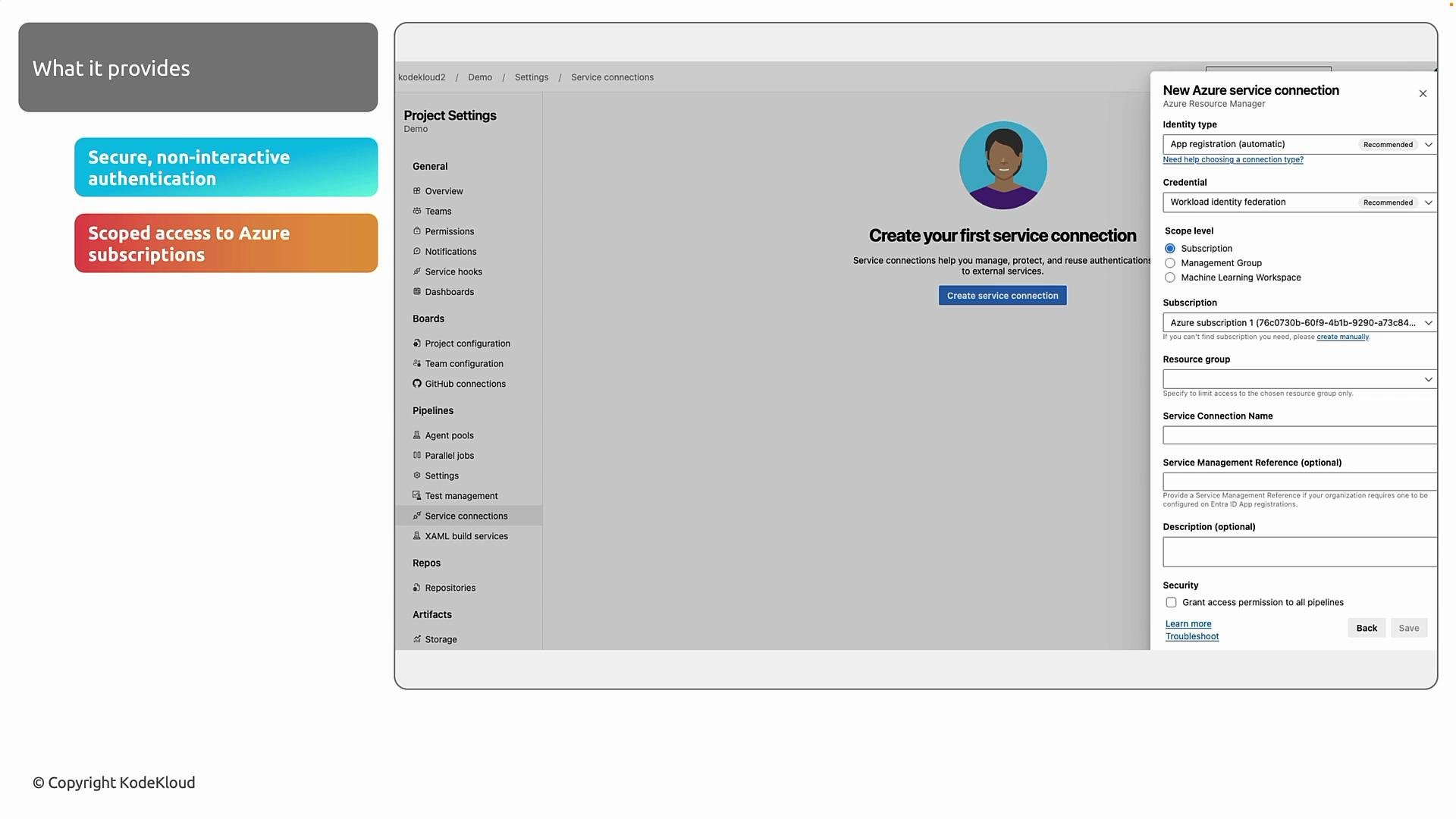 Once you create a service connection, Terraform uses that identity for two primary purposes:
* Backend access — When you use a remote backend (for example, Azure Storage), Terraform requires authentication to read state, acquire locks, and write state. The service connection supplies that access securely.
* ARM operations — During `terraform plan` and `terraform apply`, Terraform calls the Azure Resource Manager API. Using the service connection identity, it can create, update, or destroy resources according to the RBAC permissions granted.
Below is a concise walkthrough for creating a service connection in the Azure DevOps portal.
If you need broader Azure DevOps context (work items, artifacts, pipelines), consider the AZ-400 course: [AZ-400: Designing and Implementing Microsoft DevOps Solutions](https://learn.kodekloud.com/user/courses/az-400). This lesson focuses specifically on service connections used with Terraform.
Prerequisites
1. An Azure DevOps organization.
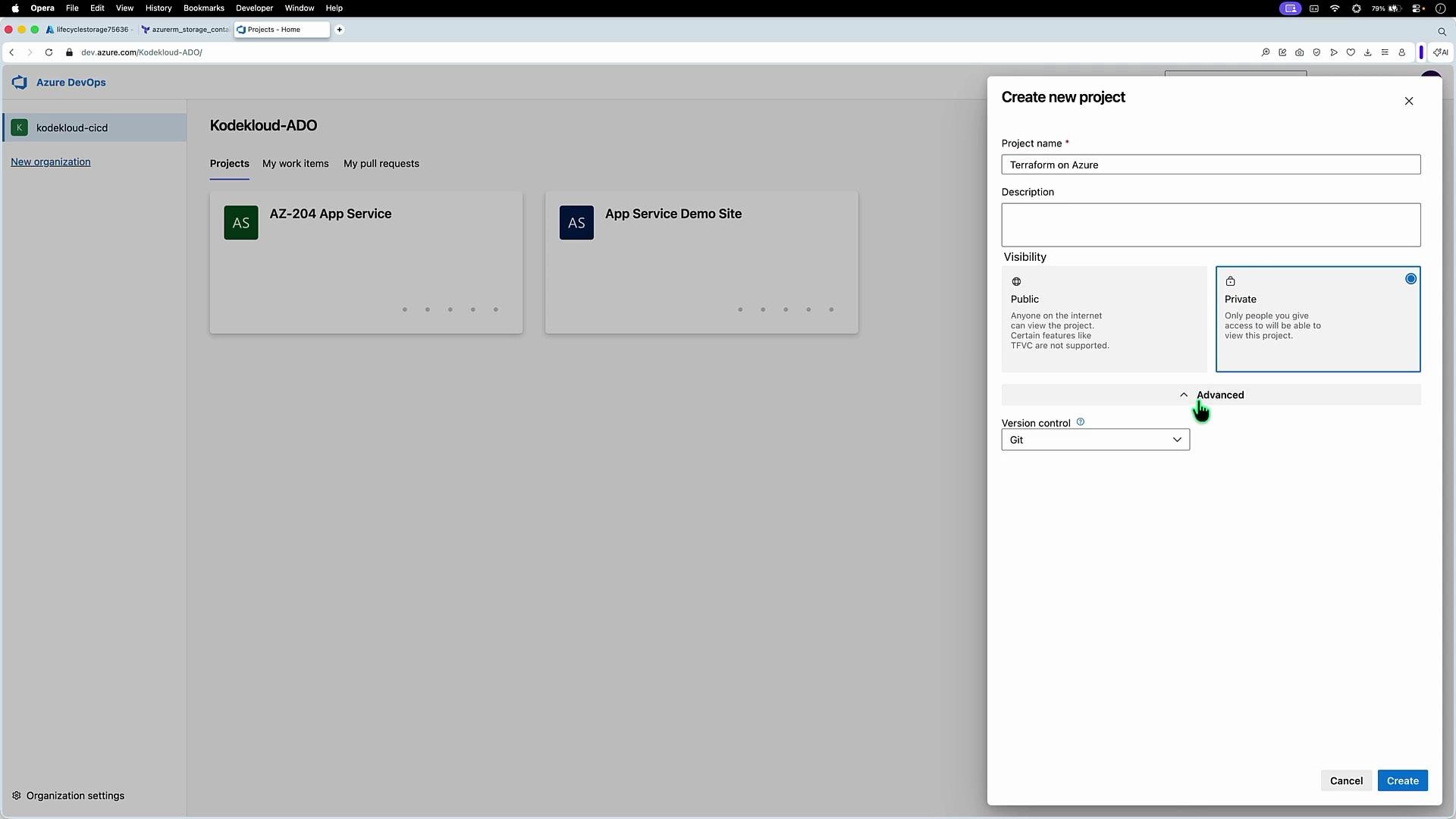
2. At least one project in that organization. Create a new project for this work (for example, "Terraform on Azure"), and set visibility and version control as required.
Once you create a service connection, Terraform uses that identity for two primary purposes:
* Backend access — When you use a remote backend (for example, Azure Storage), Terraform requires authentication to read state, acquire locks, and write state. The service connection supplies that access securely.
* ARM operations — During `terraform plan` and `terraform apply`, Terraform calls the Azure Resource Manager API. Using the service connection identity, it can create, update, or destroy resources according to the RBAC permissions granted.
Below is a concise walkthrough for creating a service connection in the Azure DevOps portal.
If you need broader Azure DevOps context (work items, artifacts, pipelines), consider the AZ-400 course: [AZ-400: Designing and Implementing Microsoft DevOps Solutions](https://learn.kodekloud.com/user/courses/az-400). This lesson focuses specifically on service connections used with Terraform.
Prerequisites
1. An Azure DevOps organization.
2. At least one project in that organization. Create a new project for this work (for example, "Terraform on Azure"), and set visibility and version control as required.
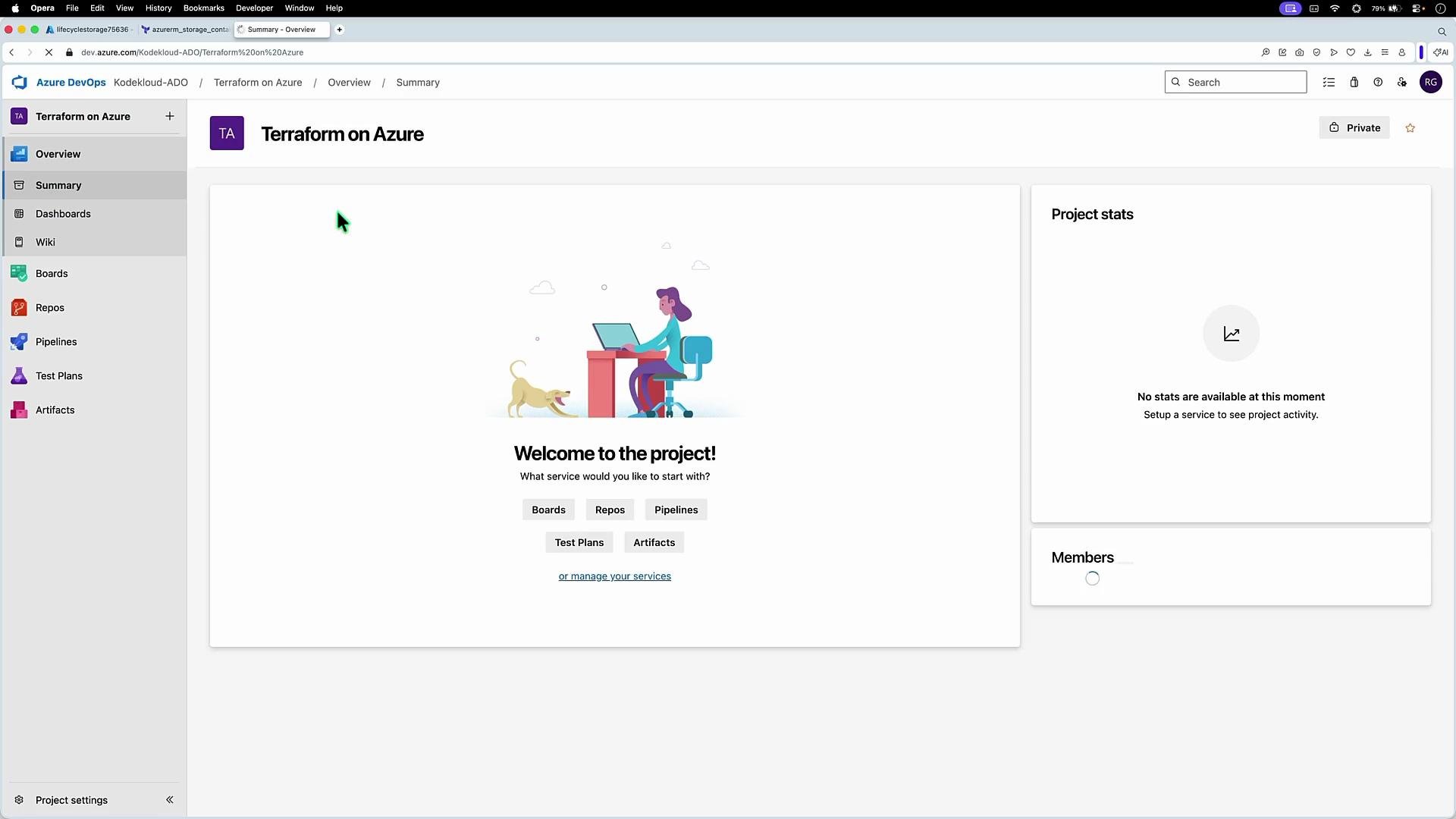
 After creating the project you will land on the project overview (Boards, Repos, Pipelines, etc.). Open Project Settings and navigate to Service connections to create a new connection.
 Step-by-step: Create the service connection
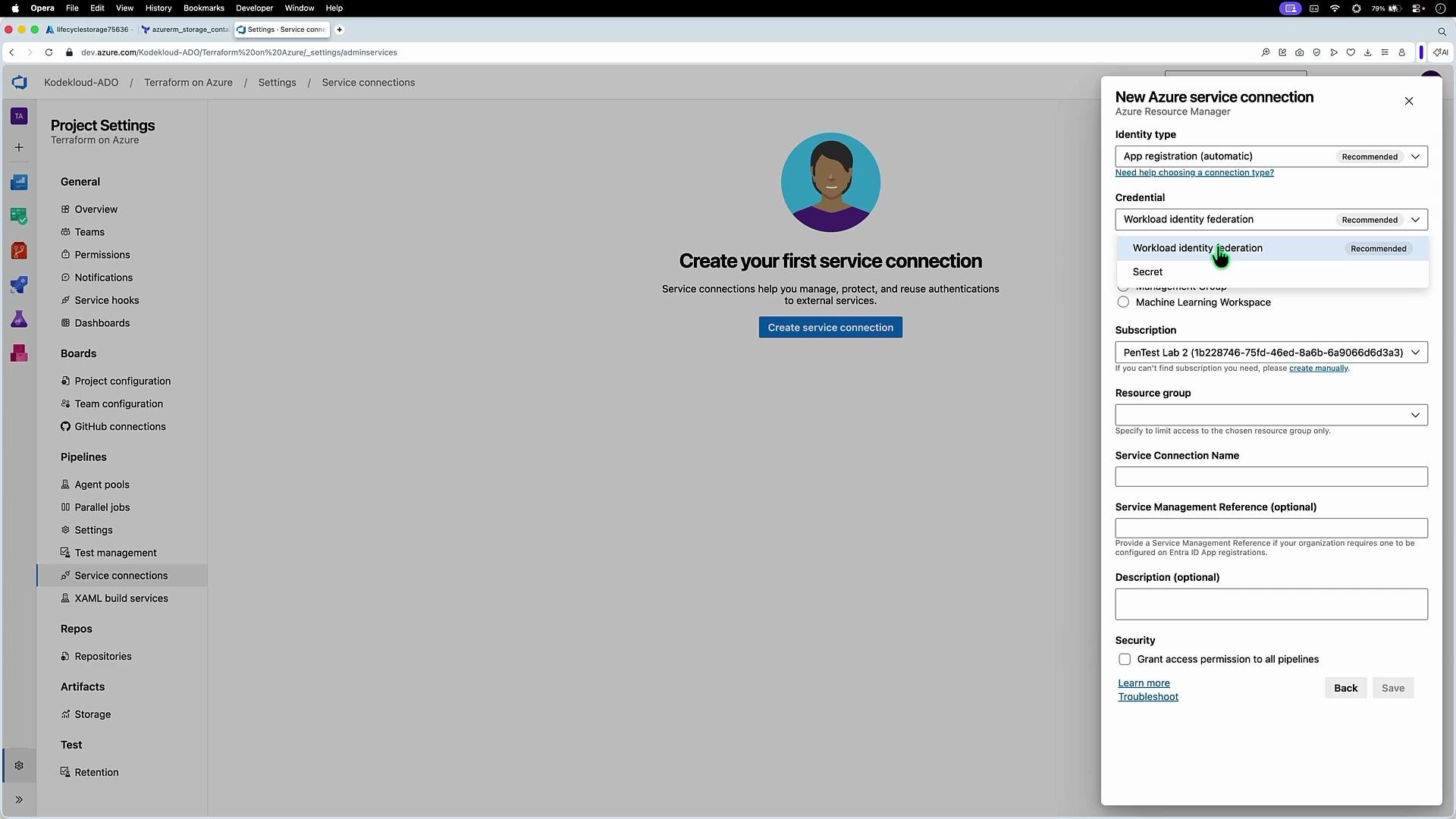
1. Click Create service connection and select **Azure Resource Manager**.
2. Choose the identity and credential options that suit your security and operational needs.
3. Select the scope (management group, subscription, or resource group) — follow least privilege.
4. Give the connection a descriptive name (you will reference this name from pipelines).
5. Save the connection. If you selected automatic app registration with workload identity federation, Azure DevOps will create the app registration and establish the trust relationship automatically.
Key identity and credential options
| Option | When to use | Notes |
| --------------------------------------------------------- | ----------------------------------------------------------------------------- | ------------------------------------------------------------------------------------- |
| Managed identity | When Azure DevOps agents run in Azure and you want to avoid client secrets | Good for Azure-hosted agents; eliminates app registration overhead |
| Automatic app registration + Workload identity federation | Recommended for cloud-hosted pipelines without long-lived secrets | Avoids long-lived client secrets; Azure DevOps creates the app registration and trust |
| Manual app registration with client secret or certificate | When you need full control over the app registration and credential lifecycle | Requires secure secret management and periodic rotation |
Step-by-step: Create the service connection
1. Click Create service connection and select **Azure Resource Manager**.
2. Choose the identity and credential options that suit your security and operational needs.
3. Select the scope (management group, subscription, or resource group) — follow least privilege.
4. Give the connection a descriptive name (you will reference this name from pipelines).
5. Save the connection. If you selected automatic app registration with workload identity federation, Azure DevOps will create the app registration and establish the trust relationship automatically.
Key identity and credential options
| Option | When to use | Notes |
| --------------------------------------------------------- | ----------------------------------------------------------------------------- | ------------------------------------------------------------------------------------- |
| Managed identity | When Azure DevOps agents run in Azure and you want to avoid client secrets | Good for Azure-hosted agents; eliminates app registration overhead |
| Automatic app registration + Workload identity federation | Recommended for cloud-hosted pipelines without long-lived secrets | Avoids long-lived client secrets; Azure DevOps creates the app registration and trust |
| Manual app registration with client secret or certificate | When you need full control over the app registration and credential lifecycle | Requires secure secret management and periodic rotation |
 Scope and naming
* Choose the smallest scope that still allows your pipelines to operate (resource group or single subscription is common).
* Name the service connection clearly (for example, `Terraform-Azure-Prod` or `Terraform-Shared-State`) so pipelines reference the correct connection across environments.
Scope and naming
* Choose the smallest scope that still allows your pipelines to operate (resource group or single subscription is common).
* Name the service connection clearly (for example, `Terraform-Azure-Prod` or `Terraform-Shared-State`) so pipelines reference the correct connection across environments.
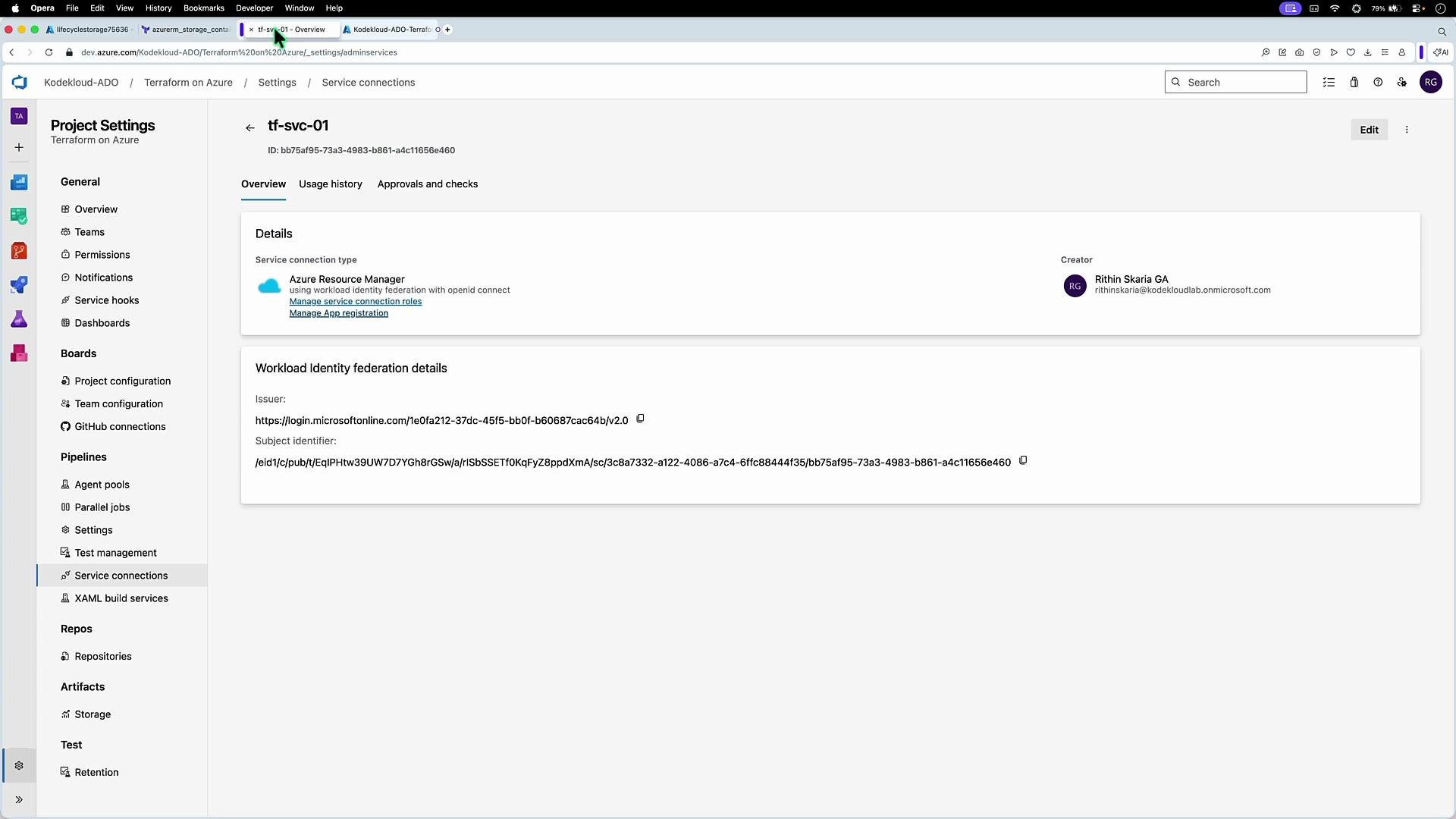 App registration and RBAC
If you open Entra ID and inspect App registrations, you will see the app that acts as the service identity for Azure DevOps (if you allowed automatic registration). Assign RBAC roles to that identity to permit required operations. Typical examples:
* Grant `Storage Blob Data Contributor` to the service identity on the Storage account used for Terraform state.
* Grant `Contributor` or a scoped custom role for resource deployment, limiting permissions to the minimum required.
Workload identity federation is recommended because it avoids long-lived client secrets. If you must use client secrets, plan for regular rotation and update the service connection credentials when they change.
Operational notes
* You can create multiple service connections to support different subscriptions, environments, or third-party integrations. Keep naming and scopes consistent.
* Reference the service connection by name from your pipeline tasks (for example, Azure CLI or Terraform tasks) so the pipeline uses the correct identity at runtime.
* Ensure the service identity has both remote backend access (e.g., Storage account permissions) and sufficient RBAC for the ARM operations your Terraform code performs.
Links and references
* [Azure DevOps service connections — Microsoft Docs](https://learn.microsoft.com/azure/devops/pipelines/library/service-endpoints)
* [Workload identity federation for Azure AD — Microsoft Docs](https://learn.microsoft.com/azure/active-directory/develop/workload-identity-federation-overview)
* [Terraform remote backends — Terraform Docs](https://developer.hashicorp.com/terraform/language/state/remote)
* [Azure RBAC overview — Microsoft Docs](https://learn.microsoft.com/azure/role-based-access-control/overview)
App registration and RBAC
If you open Entra ID and inspect App registrations, you will see the app that acts as the service identity for Azure DevOps (if you allowed automatic registration). Assign RBAC roles to that identity to permit required operations. Typical examples:
* Grant `Storage Blob Data Contributor` to the service identity on the Storage account used for Terraform state.
* Grant `Contributor` or a scoped custom role for resource deployment, limiting permissions to the minimum required.
Workload identity federation is recommended because it avoids long-lived client secrets. If you must use client secrets, plan for regular rotation and update the service connection credentials when they change.
Operational notes
* You can create multiple service connections to support different subscriptions, environments, or third-party integrations. Keep naming and scopes consistent.
* Reference the service connection by name from your pipeline tasks (for example, Azure CLI or Terraform tasks) so the pipeline uses the correct identity at runtime.
* Ensure the service identity has both remote backend access (e.g., Storage account permissions) and sufficient RBAC for the ARM operations your Terraform code performs.
Links and references
* [Azure DevOps service connections — Microsoft Docs](https://learn.microsoft.com/azure/devops/pipelines/library/service-endpoints)
* [Workload identity federation for Azure AD — Microsoft Docs](https://learn.microsoft.com/azure/active-directory/develop/workload-identity-federation-overview)
* [Terraform remote backends — Terraform Docs](https://developer.hashicorp.com/terraform/language/state/remote)
* [Azure RBAC overview — Microsoft Docs](https://learn.microsoft.com/azure/role-based-access-control/overview)