> ## Documentation Index
> Fetch the complete documentation index at: https://notes.kodekloud.com/llms.txt
> Use this file to discover all available pages before exploring further.
# Resources vs Data Sources
> Comparison of Terraform resources versus data sources, explaining roles, lifecycle differences, examples, and guidance on when to create managed resources or perform read-only lookups of existing infrastructure.
In Terraform, understanding the difference between resources and data sources is essential for predictable infrastructure as code. While they can look similar in HCL syntax, their roles, lifecycle behaviors, and impacts on state differ. This guide compares both, shows examples, and gives guidance on when to use each.
Why this matters: resources are objects Terraform creates and manages (tracked in state), whereas data sources are read-only lookups that retrieve information about infrastructure that Terraform does not own.
## Key differences at a glance
| Aspect | Resource | Data Source |
| ----------------- | ------------------------------------------------------------------ | ------------------------------------------------------------------------------------- |
| Keyword | `resource` | `data` |
| Primary action | Creates, updates, destroys infrastructure | Reads existing infrastructure attributes |
| Typical use case | Manage objects Terraform should own (VMs, VNets, storage accounts) | Look up IDs/attributes of existing objects (VNet ID, AMI ID, subscription info) |
| Lifecycle & state | Tracked in Terraform state; part of plan/apply lifecycle | Not created/managed; fetched during planning/apply but not tracked as managed objects |
| Alternate term | Managed resource | Data resource / lookup |
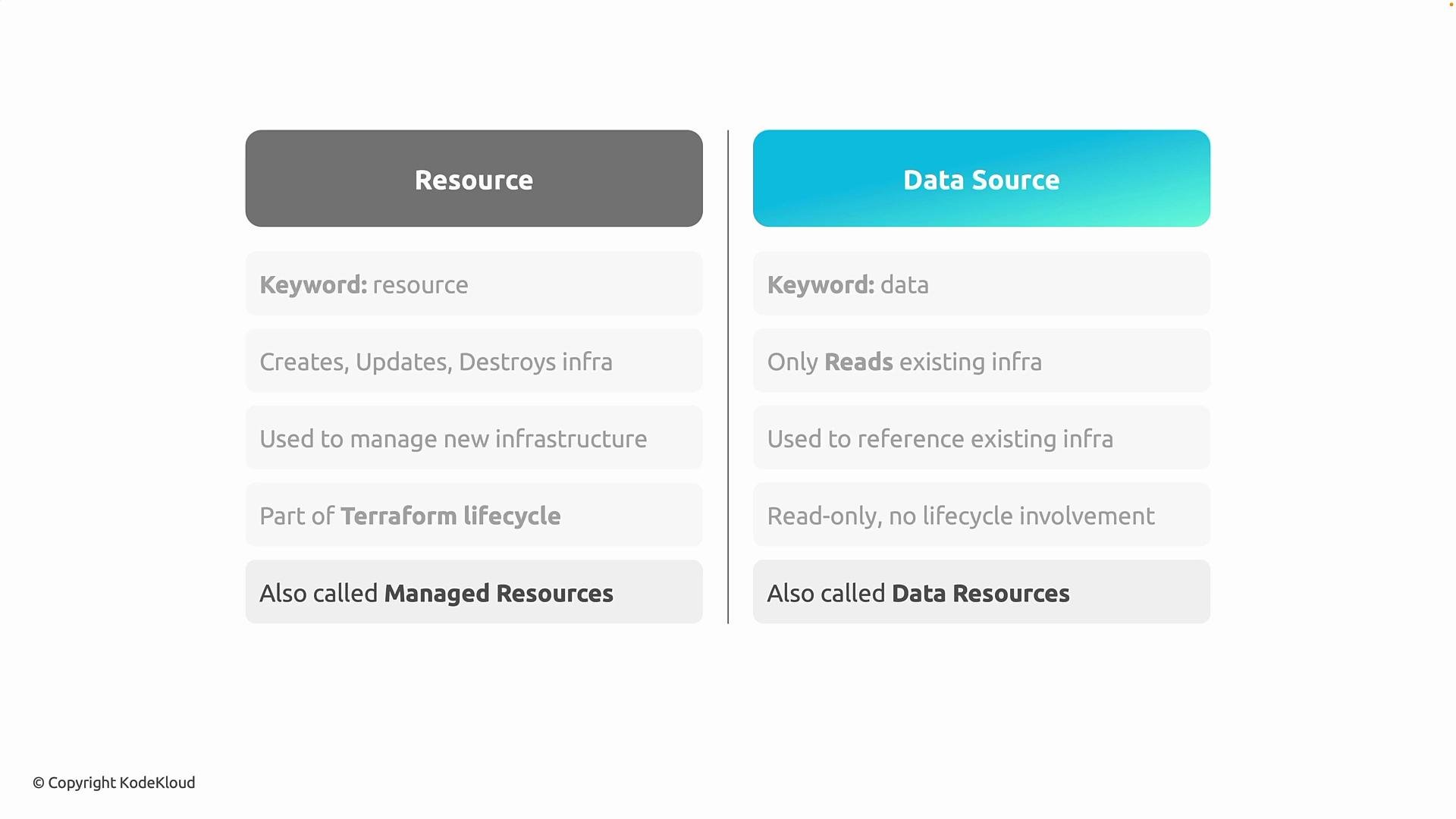 Data sources only provide information about existing infrastructure; they do not modify or take ownership of it. Resources, by contrast, are owned and managed by Terraform.
Use resources when Terraform should own the lifecycle of an object. Use data sources when you only need to look up existing information (for example, a VNet ID or an AMI ID).
## Examples (syntactic comparison)
resource example — Terraform will create and manage this virtual network:
```hcl theme={null}
# resource example — Terraform will create and manage this VNet
resource "azurerm_virtual_network" "example_vnet" {
name = "example-vnet"
location = "eastus"
resource_group_name = "example-rg"
address_space = ["10.0.0.0/16"]
}
```
data source example — Terraform will look up an existing virtual network but will not manage it:
```hcl theme={null}
# data source example — Terraform reads an existing VNet's attributes without managing it
data "azurerm_virtual_network" "existing_vnet" {
name = "existing-vnet"
resource_group_name = "existing-rg"
}
```
## When to use each
* Use `resource` when:
* Terraform should create, update, or delete the object.
* You want the object tracked in Terraform state.
* You need full lifecycle management and drift detection.
* Use `data` when:
* The object is managed outside this Terraform configuration (or by another team).
* You need to reference attributes (IDs, names, subnet lists, AMI IDs).
* You want to avoid Terraform creating duplicate or conflicting infrastructure.
## Practical tips
* Prefer data sources for shared resources (e.g., centrally managed networks, shared subnets).
* Avoid using data sources as a workaround to hide unmanaged drift — if you need to manage something consistently, convert it into a resource.
* Remember that data lookups may introduce dependency ordering; reference them explicitly to ensure correct evaluation.
## References
* [Terraform: Resources](https://www.terraform.io/docs/language/resources/index.html)
* [Terraform: Data Sources](https://www.terraform.io/docs/language/data-sources/index.html)
* [Azure Provider — azurerm Virtual Network](https://registry.terraform.io/providers/hashicorp/azurerm/latest/docs/resources/virtual_network)
Summary: resources manage lifecycle and are tracked in state; data sources read and expose attributes from existing infrastructure without taking ownership.
Data sources only provide information about existing infrastructure; they do not modify or take ownership of it. Resources, by contrast, are owned and managed by Terraform.
Use resources when Terraform should own the lifecycle of an object. Use data sources when you only need to look up existing information (for example, a VNet ID or an AMI ID).
## Examples (syntactic comparison)
resource example — Terraform will create and manage this virtual network:
```hcl theme={null}
# resource example — Terraform will create and manage this VNet
resource "azurerm_virtual_network" "example_vnet" {
name = "example-vnet"
location = "eastus"
resource_group_name = "example-rg"
address_space = ["10.0.0.0/16"]
}
```
data source example — Terraform will look up an existing virtual network but will not manage it:
```hcl theme={null}
# data source example — Terraform reads an existing VNet's attributes without managing it
data "azurerm_virtual_network" "existing_vnet" {
name = "existing-vnet"
resource_group_name = "existing-rg"
}
```
## When to use each
* Use `resource` when:
* Terraform should create, update, or delete the object.
* You want the object tracked in Terraform state.
* You need full lifecycle management and drift detection.
* Use `data` when:
* The object is managed outside this Terraform configuration (or by another team).
* You need to reference attributes (IDs, names, subnet lists, AMI IDs).
* You want to avoid Terraform creating duplicate or conflicting infrastructure.
## Practical tips
* Prefer data sources for shared resources (e.g., centrally managed networks, shared subnets).
* Avoid using data sources as a workaround to hide unmanaged drift — if you need to manage something consistently, convert it into a resource.
* Remember that data lookups may introduce dependency ordering; reference them explicitly to ensure correct evaluation.
## References
* [Terraform: Resources](https://www.terraform.io/docs/language/resources/index.html)
* [Terraform: Data Sources](https://www.terraform.io/docs/language/data-sources/index.html)
* [Azure Provider — azurerm Virtual Network](https://registry.terraform.io/providers/hashicorp/azurerm/latest/docs/resources/virtual_network)
Summary: resources manage lifecycle and are tracked in state; data sources read and expose attributes from existing infrastructure without taking ownership.