> ## Documentation Index
> Fetch the complete documentation index at: https://notes.kodekloud.com/llms.txt
> Use this file to discover all available pages before exploring further.
# HCL Syntax and Building Blocks
> Overview of Terraform HCL syntax, resource block structure, provider roles, and examples for authoring cloud infrastructure configurations across Azure AWS and GCP
In this lesson we start authoring Terraform configuration files and examine the core building blocks of HCL (HashiCorp Configuration Language). HCL is a declarative language designed to describe the desired state of your infrastructure rather than a sequence of imperative steps.
Terraform configuration files use the `.tf` extension. Terraform automatically loads and evaluates all `.tf` files in a single directory as one configuration. File names are for organization only and do not control execution order. This lets you split large projects into logical files (for example, `network.tf`, `storage.tf`, `main.tf`) while Terraform evaluates them together.
Terraform treats all `.tf` files in a directory as a single configuration. Use multiple files to organize resources logically (for example, `network.tf`, `storage.tf`, `main.tf`) without affecting evaluation order.
## Resource block: core structure
A Terraform resource block declares an infrastructure object that Terraform will create and manage. The general pattern is:
resource + provider-specific resource type + local name + arguments
Example: creating an Azure Resource Group
```hcl theme={null}
resource "azurerm_resource_group" "example" {
name = "my-rg"
location = "East US"
}
```
Breakdown:
* `resource` — block type that declares a managed infrastructure object.
* `azurerm_resource_group` — provider-specific resource type (here: AzureRM provider).
* `"example"` — local name (local identifier) used within Terraform to reference this resource.
* The block body contains arguments that describe desired state:
* `name` — the actual resource name in Azure.
* `location` — the Azure region for the resource.
Every Terraform resource follows this same pattern. Once you understand it, reading and writing Terraform is predictable across providers.
## Example: Azure Storage Account
The resource type and arguments will vary by provider and resource. For example, creating an Azure Storage Account:
```hcl theme={null}
resource "azurerm_storage_account" "storage" {
name = "mystorageacct123"
resource_group_name = "my-rg"
location = "East US"
account_tier = "Standard"
account_replication_type = "LRS"
}
```
Notes on the storage account example:
* `azurerm_storage_account` is provided by the AzureRM provider.
* `account_tier` and `account_replication_type` are service-specific settings.
* `resource_group_name` shows how one resource is placed inside another logical resource (the storage account is created inside the resource group named `my-rg`).
Terraform supports explicit references between resources so it can infer dependencies and determine the correct creation order. Reference and dependency management are covered in more detail in later lessons.
Avoid hardcoding sensitive values (credentials, secrets, or provider tokens) directly in `.tf` files. Use `variables`, `terraform.tfvars`, or secret management solutions (for example, HashiCorp Vault or cloud-native secret stores) to keep secrets out of source control.
## Quick reference: resource block components
| Component | Purpose | Example |
| ------------: | -------------------------------------------------------------- | ----------------------------------------- |
| Block type | Declares object type Terraform should manage | `resource` |
| Resource type | Provider-specific resource (resource schema) | `azurerm_resource_group`, `aws_s3_bucket` |
| Local name | Local identifier for referencing the resource within Terraform | `"example"`, `"storage"` |
| Arguments | Key/value settings that describe the desired state | `name`, `location`, `account_tier` |
## Provider responsibility
Terraform itself is provider-agnostic: it does not contain built-in knowledge about Azure, AWS, GCP, or other systems. Providers implement the platform-specific logic:
* Authenticate with APIs for the target platform.
* Expose supported resource types and their arguments.
* Validate configuration fields.
* Translate HCL into platform API calls.
In our examples, the AzureRM provider translates HCL resource blocks into Azure API calls. Each cloud or platform has its own provider and set of resource types. Examples include:
| Cloud / Platform | Example provider resource types |
| ---------------- | ------------------------------------------------------------------------------ |
| Azure | `azurerm_resource_group`, `azurerm_storage_account`, `azurerm_virtual_network` |
| AWS | `aws_instance`, `aws_s3_bucket`, `aws_lambda_function` |
| GCP | `google_compute_instance`, `google_container_cluster` |
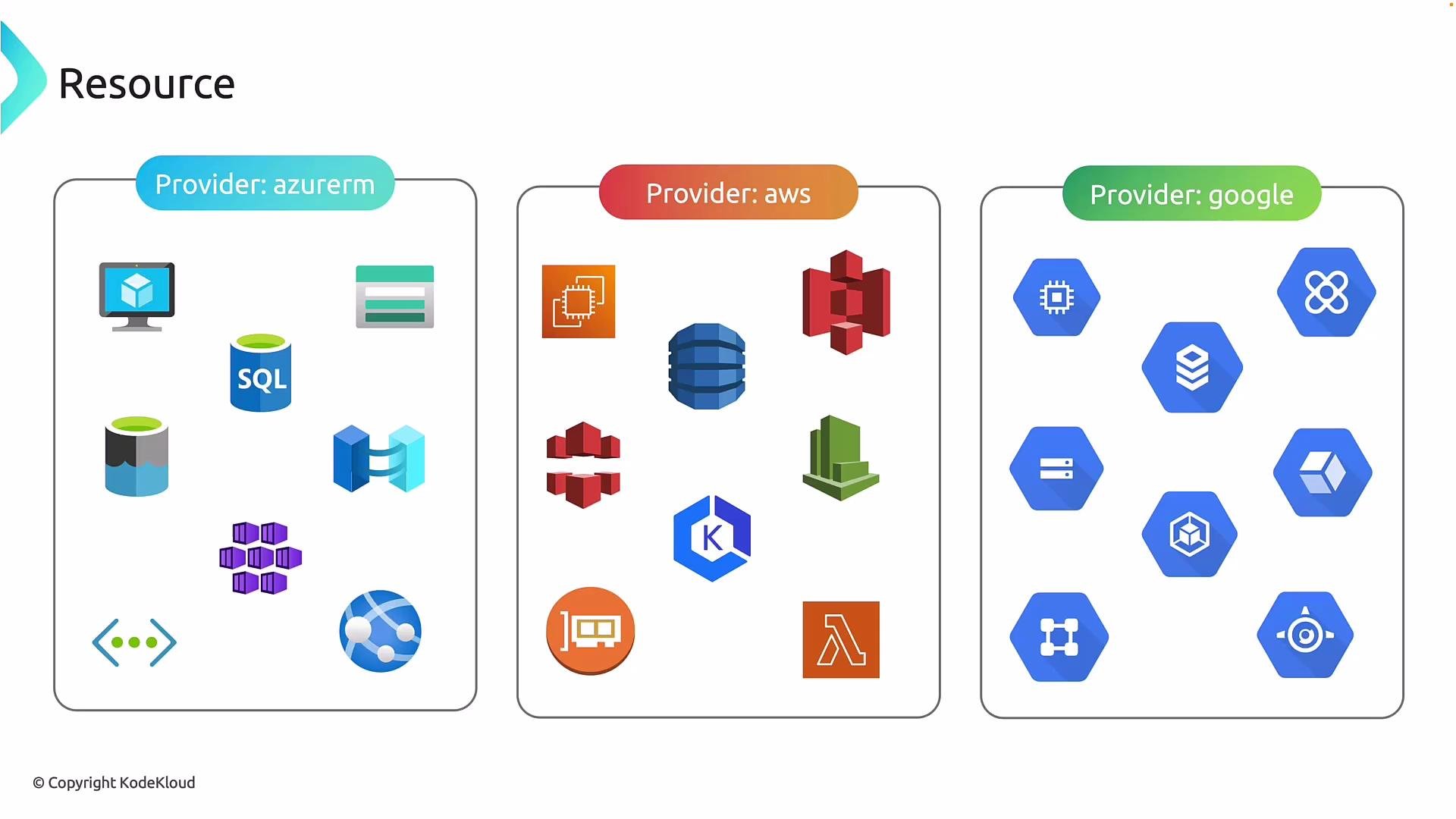 Because providers handle platform-specific details, Terraform provides a consistent authoring workflow across clouds and services. You write HCL resource blocks and provider configurations; the provider translates them to API calls.
## Next steps and references
Now that you understand how a Terraform resource block maps to provider resource types and arguments, the next topics to explore are:
* How to configure and authenticate providers (provider blocks).
* Using `variables` and `outputs`.
* Managing references and implicit/explicit dependencies.
* Organizing large configurations into modules.
Useful references:
* [Terraform Documentation: Configuration Language](https://www.terraform.io/docs/language/index.html)
* [Azure Provider Docs (azurerm)](https://registry.terraform.io/providers/hashicorp/azurerm/latest/docs)
* [AWS Provider Docs (aws)](https://registry.terraform.io/providers/hashicorp/aws/latest/docs)
* [Google Cloud Provider Docs (google)](https://registry.terraform.io/providers/hashicorp/google/latest/docs)
Because providers handle platform-specific details, Terraform provides a consistent authoring workflow across clouds and services. You write HCL resource blocks and provider configurations; the provider translates them to API calls.
## Next steps and references
Now that you understand how a Terraform resource block maps to provider resource types and arguments, the next topics to explore are:
* How to configure and authenticate providers (provider blocks).
* Using `variables` and `outputs`.
* Managing references and implicit/explicit dependencies.
* Organizing large configurations into modules.
Useful references:
* [Terraform Documentation: Configuration Language](https://www.terraform.io/docs/language/index.html)
* [Azure Provider Docs (azurerm)](https://registry.terraform.io/providers/hashicorp/azurerm/latest/docs)
* [AWS Provider Docs (aws)](https://registry.terraform.io/providers/hashicorp/aws/latest/docs)
* [Google Cloud Provider Docs (google)](https://registry.terraform.io/providers/hashicorp/google/latest/docs)