> ## Documentation Index
> Fetch the complete documentation index at: https://notes.kodekloud.com/llms.txt
> Use this file to discover all available pages before exploring further.
# Modular Structure
> Organizing Terraform configurations into a modular file layout with recommended filenames and best practices for maintainability, reuse, and team collaboration
In this lesson we’ll learn how to organize Terraform configurations using a modular file layout that scales from small experiments to production-grade projects. A clear file structure improves readability, reduces merge conflicts, and helps teams reuse and share configuration across environments (dev/test/prod).
Terraform automatically loads all files in a directory with the `.tf` extension and merges them into a single configuration. You can name these files arbitrarily (for example `a.tf`, `b.tf`, `x.tf`), but common naming conventions make the intent of each file obvious to collaborators.
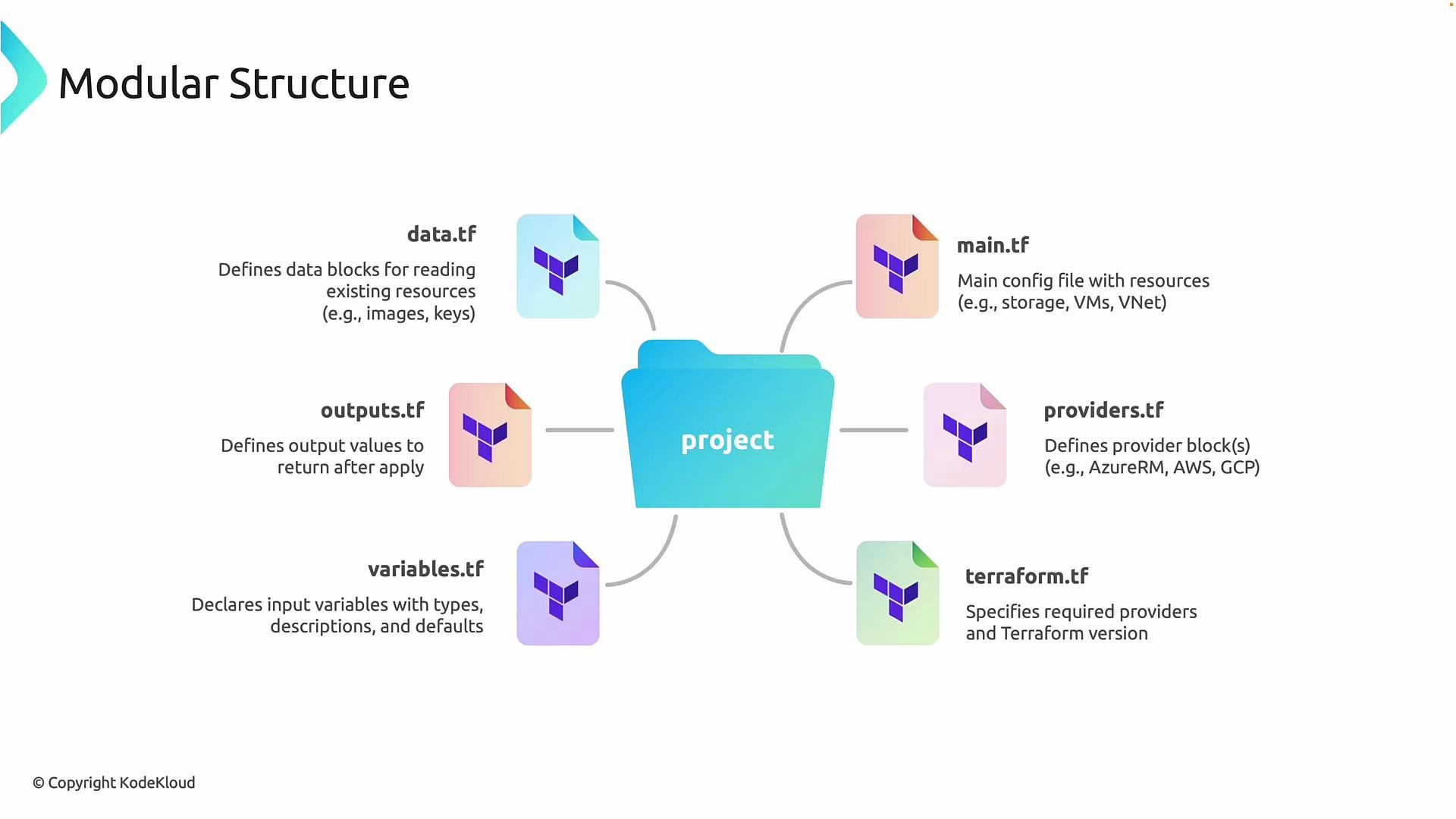
Key file roles and recommended naming conventions:
| File | Purpose | Notes / Example contents |
| ------------------------------- | ---------------------------------------------------------------- | ------------------------------------------------------------------------------- |
| `main.tf` | Primary resource definitions (networks, storage, VMs, etc.) | Keep your resource blocks here. Example: `azurerm_storage_account` resource. |
| `providers.tf` | Provider configuration (for example, `azurerm` for Azure) | Provider blocks (authentication, features). |
| `terraform.tf` or `versions.tf` | Terraform settings — `required_providers` and `required_version` | Use the `terraform` block to pin Terraform CLI and provider versions. |
| `variables.tf` | Input variable declarations | Declare `variable` blocks used to parameterize environments. |
| `outputs.tf` | Exported values after apply | `output` blocks expose resource IDs, IPs, and names for other modules or CI/CD. |
| `data.tf` | Data sources to read existing resources | Use `data` blocks to reference existing RPs, images, or other infra. |
 Below are two common patterns you will encounter: a simple single-file layout for quick demos and the recommended modular layout for maintainable projects.
Single-file (beginner) approach
* Everything—provider configuration and resources—is kept in a single file (for example `main.tf`). This approach is fine for small demos but becomes difficult to maintain as projects grow.
```hcl theme={null}
#----- main.tf -----
provider "azurerm" {
features {}
}
resource "azurerm_storage_account" "storage" {
name = "tfstorageacct123"
resource_group_name = "my-workshop-rg"
location = "East US"
account_tier = "Standard"
account_replication_type = "LRS"
}
```
Modular (recommended) approach
* Split responsibilities into dedicated files (provider config, resource definitions, variables, outputs, etc.). Functionally Terraform behaves the same; this refactor improves maintainability and aligns with enterprise best practices.
```hcl theme={null}
#----- providers.tf -----
provider "azurerm" {
features {}
}
```
```hcl theme={null}
#----- main.tf -----
resource "azurerm_storage_account" "storage" {
name = "tfstorageacct123"
resource_group_name = "my-workshop-rg"
location = "East US"
account_tier = "Standard"
account_replication_type = "LRS"
}
```
Keep in mind provider and version constraints are usually declared in the `terraform` block (commonly placed in `terraform.tf` or `versions.tf`) so teams can pin required provider plugins and Terraform CLI versions for consistency.
Example `terraform` block (place in `terraform.tf` or `versions.tf`):
```hcl theme={null}
terraform {
required_version = ">= 1.5.0"
required_providers {
azurerm = {
source = "hashicorp/azurerm"
version = "~> 3.0"
}
}
}
```
Do not hardcode secrets, credentials, or sensitive data directly in `.tf` files. Use environment variables, the provider's auth mechanisms, or a secrets manager and mark sensitive outputs with `sensitive = true`.
Next steps and best practices
* Group related resources: consider subfolders and modules for logically separate components (networking, compute, security).
* Keep variables and outputs documented inside `variables.tf` and `outputs.tf`.
* Use a `versions.tf` or `terraform.tf` for consistent tooling across the team.
* Use remote state (for example, a backend like Azure Storage, S3, or Terraform Cloud) when collaborating to avoid state conflicts.
Links and references
* [Terraform Documentation — File Layout](https://www.terraform.io/docs/language/files/index.html)
* [Terraform: Providers](https://www.terraform.io/docs/language/providers/index.html)
* [Terraform: Remote State](https://www.terraform.io/docs/language/state/remote.html)
Now that you understand the recommended file layout — `providers.tf`, `main.tf`, `variables.tf`, `outputs.tf`, `data.tf`, and `terraform.tf` — you can begin organizing your code for better collaboration and long-term maintainability.
Below are two common patterns you will encounter: a simple single-file layout for quick demos and the recommended modular layout for maintainable projects.
Single-file (beginner) approach
* Everything—provider configuration and resources—is kept in a single file (for example `main.tf`). This approach is fine for small demos but becomes difficult to maintain as projects grow.
```hcl theme={null}
#----- main.tf -----
provider "azurerm" {
features {}
}
resource "azurerm_storage_account" "storage" {
name = "tfstorageacct123"
resource_group_name = "my-workshop-rg"
location = "East US"
account_tier = "Standard"
account_replication_type = "LRS"
}
```
Modular (recommended) approach
* Split responsibilities into dedicated files (provider config, resource definitions, variables, outputs, etc.). Functionally Terraform behaves the same; this refactor improves maintainability and aligns with enterprise best practices.
```hcl theme={null}
#----- providers.tf -----
provider "azurerm" {
features {}
}
```
```hcl theme={null}
#----- main.tf -----
resource "azurerm_storage_account" "storage" {
name = "tfstorageacct123"
resource_group_name = "my-workshop-rg"
location = "East US"
account_tier = "Standard"
account_replication_type = "LRS"
}
```
Keep in mind provider and version constraints are usually declared in the `terraform` block (commonly placed in `terraform.tf` or `versions.tf`) so teams can pin required provider plugins and Terraform CLI versions for consistency.
Example `terraform` block (place in `terraform.tf` or `versions.tf`):
```hcl theme={null}
terraform {
required_version = ">= 1.5.0"
required_providers {
azurerm = {
source = "hashicorp/azurerm"
version = "~> 3.0"
}
}
}
```
Do not hardcode secrets, credentials, or sensitive data directly in `.tf` files. Use environment variables, the provider's auth mechanisms, or a secrets manager and mark sensitive outputs with `sensitive = true`.
Next steps and best practices
* Group related resources: consider subfolders and modules for logically separate components (networking, compute, security).
* Keep variables and outputs documented inside `variables.tf` and `outputs.tf`.
* Use a `versions.tf` or `terraform.tf` for consistent tooling across the team.
* Use remote state (for example, a backend like Azure Storage, S3, or Terraform Cloud) when collaborating to avoid state conflicts.
Links and references
* [Terraform Documentation — File Layout](https://www.terraform.io/docs/language/files/index.html)
* [Terraform: Providers](https://www.terraform.io/docs/language/providers/index.html)
* [Terraform: Remote State](https://www.terraform.io/docs/language/state/remote.html)
Now that you understand the recommended file layout — `providers.tf`, `main.tf`, `variables.tf`, `outputs.tf`, `data.tf`, and `terraform.tf` — you can begin organizing your code for better collaboration and long-term maintainability.