> ## Documentation Index
> Fetch the complete documentation index at: https://notes.kodekloud.com/llms.txt
> Use this file to discover all available pages before exploring further.
# Output Variables
> Explains Terraform output variables and how to expose runtime values like IPs, IDs, and sensitive data for automation and workflows
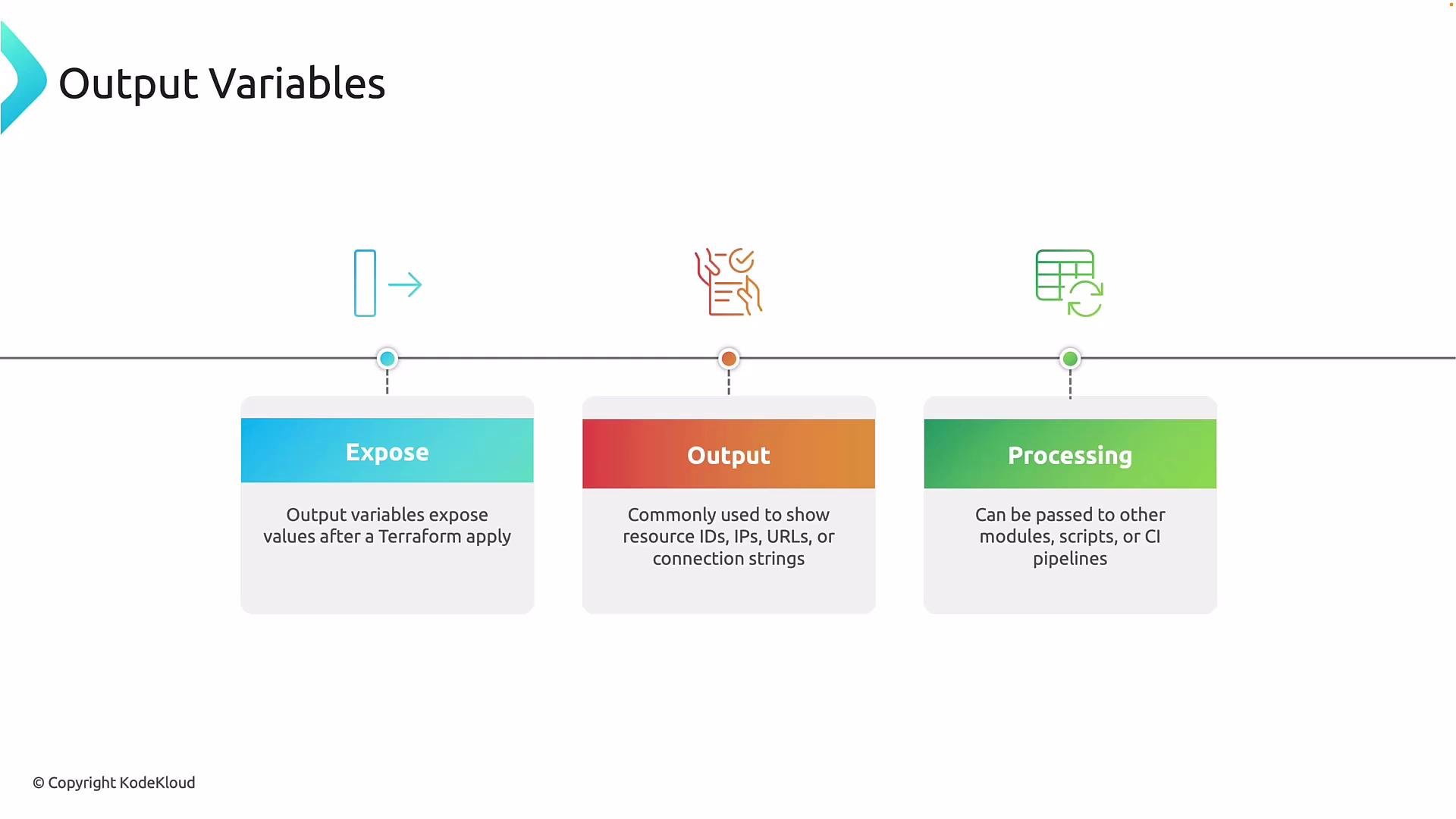
In this lesson we explain Terraform output variables — the mechanism Terraform uses to expose useful runtime information after resources are created.
An output answers a simple question: How do I get values out of Terraform after `apply`?
Common use cases for outputs:
* Expose values only known after creation (for example, IP addresses or resource IDs).
* Display operational information such as public IPs, URLs, or connection strings.
* Pass values to other modules, scripts, or CI/CD pipelines to enable further automation and orchestration.
 ## Example resources
We’ll use a minimal example: an Azure resource group and an Azure public IP. The `ip_address` attribute is assigned by Azure only after the resource is created — which is exactly why outputs are useful.
```hcl theme={null}
resource "azurerm_resource_group" "rg" {
name = "output-demo-rg"
location = "East US"
}
resource "azurerm_public_ip" "public_ip" {
name = "demo-public-ip"
location = azurerm_resource_group.rg.location
resource_group_name = azurerm_resource_group.rg.name
allocation_method = "Static"
sku = "Basic"
}
```
## Output block structure
An `output` block provides a name and a `value`, and may optionally include a `description`, `sensitive`, and other arguments. The `value` is normally a reference to a resource attribute — not a hard-coded literal.
General form:
```hcl theme={null}
output "" {
value =
description = ""
# other optional arguments ...
}
```
Example — expose the public IP address assigned by Azure:
```hcl theme={null}
output "public_ip_address" {
description = "The public IP address of the deployed resource"
value = azurerm_public_ip.public_ip.ip_address
}
```
This value is evaluated after `apply` because `ip_address` is assigned dynamically by Azure.
## Where to put outputs
Terraform will load outputs from any `.tf` file in the current working directory (for example, `main.tf`). As a best practice, keep outputs in a dedicated `outputs.tf` file for clarity and easier maintenance.
Example showing both locations are valid:
```hcl theme={null}
# main.tf
output "public_ip_address" {
description = "The public IP address of the deployed resource"
value = azurerm_public_ip.public_ip.ip_address
}
# outputs.tf
output "publicip_address" {
description = "The public IP address of the deployed resource"
value = azurerm_public_ip.public_ip.ip_address
}
```
## Plan and apply behavior
During `terraform plan`, attributes that Terraform cannot compute until apply are shown as `(known after apply)`. Outputs referencing such attributes will also be reported as `(known after apply)` in the plan.
Example (condensed):
```plaintext theme={null}
$ terraform apply -auto-approve
Plan: 2 to add, 0 to change, 0 to destroy.
Changes to Outputs:
+ public_ip_address = (known after apply)
Apply complete! Resources: 2 added, 0 changed, 0 destroyed.
Outputs:
public_ip_address = "13.92.100.148"
```
## Retrieve outputs
After `apply` you can fetch outputs at any time:
* `terraform output` — lists all outputs
* `terraform output ` — shows a single output value
* `terraform show` — displays the full state; outputs appear in the Outputs section
Examples:
```bash theme={null}
$ terraform output
public_ip_address = "13.92.100.148"
```
```bash theme={null}
$ terraform show
Outputs:
public_ip_address = "13.92.100.148"
```
Note: Outputs are stored in the Terraform state. Terraform prints them after `apply`, and subsequent `terraform output` reads values from state (not by re-querying the provider).
Outputs are stored in the Terraform state file. If an output contains sensitive information, mark it with `sensitive = true` to avoid printing it to the CLI by default.
Do not expose secrets via outputs unless absolutely necessary. Use `sensitive = true` and restrict access to your remote state backend.
## Output arguments reference (quick)
| Argument | Purpose | Example |
| ------------: | ------------------------------------------------- | -------------------------------------- |
| `value` | Expression to evaluate and store as the output | `azurerm_public_ip.pip.ip_address` |
| `description` | Human-readable description | `"Public IP for demo"` |
| `sensitive` | Hides output from CLI unless explicitly requested | `sensitive = true` |
| `depends_on` | (Rare) Force output evaluation order | `depends_on = [azurerm_public_ip.pip]` |
## Using outputs in a workflow — step-by-step demo
Below is a concise walkthrough to create resources and outputs in a workspace.
1. Create a new folder (for example, `outputs`) and add your Terraform configuration.
Example resources: a resource group and a storage account:
```hcl theme={null}
# main.tf
resource "azurerm_resource_group" "rg" {
name = "kodekloud-tf-output-rg"
location = "eastus"
}
resource "azurerm_storage_account" "sa" {
name = "storagedrt6673623"
resource_group_name = azurerm_resource_group.rg.name
location = azurerm_resource_group.rg.location
sku {
name = "Standard_LRS"
}
kind = "StorageV2"
}
```
2. (Optional) Target a specific resource for exceptional cases (recovery, incremental testing). Use `-target` with care — Terraform will warn that the plan may be incomplete.
```bash theme={null}
terraform apply --target="azurerm_storage_account.sa"
```
Example warning the CLI shows when using `-target`:
```plaintext theme={null}
Warning: Applied changes may be incomplete
The plan was created with the -target option in effect, so some changes requested in the configuration may have been ignored and the output values may not be fully updated. Run `terraform plan` to verify.
```
3. Add a public IP resource and create an output for the IP address.
```hcl theme={null}
# main.tf (continued)
resource "azurerm_public_ip" "pip" {
name = "kodekloud-tf-pip"
resource_group_name = azurerm_resource_group.rg.name
location = azurerm_resource_group.rg.location
allocation_method = "Static"
}
```
4. Consult the provider/resource documentation to learn which attributes are exported. For AzureRM `azurerm_public_ip` the exported attributes include `id`, `ip_address`, and (if applicable) `fqdn`. See the AzureRM docs for details: [https://registry.terraform.io/providers/hashicorp/azurerm/latest/docs/resources/public\_ip](https://registry.terraform.io/providers/hashicorp/azurerm/latest/docs/resources/public_ip)
## Example resources
We’ll use a minimal example: an Azure resource group and an Azure public IP. The `ip_address` attribute is assigned by Azure only after the resource is created — which is exactly why outputs are useful.
```hcl theme={null}
resource "azurerm_resource_group" "rg" {
name = "output-demo-rg"
location = "East US"
}
resource "azurerm_public_ip" "public_ip" {
name = "demo-public-ip"
location = azurerm_resource_group.rg.location
resource_group_name = azurerm_resource_group.rg.name
allocation_method = "Static"
sku = "Basic"
}
```
## Output block structure
An `output` block provides a name and a `value`, and may optionally include a `description`, `sensitive`, and other arguments. The `value` is normally a reference to a resource attribute — not a hard-coded literal.
General form:
```hcl theme={null}
output "" {
value =
description = ""
# other optional arguments ...
}
```
Example — expose the public IP address assigned by Azure:
```hcl theme={null}
output "public_ip_address" {
description = "The public IP address of the deployed resource"
value = azurerm_public_ip.public_ip.ip_address
}
```
This value is evaluated after `apply` because `ip_address` is assigned dynamically by Azure.
## Where to put outputs
Terraform will load outputs from any `.tf` file in the current working directory (for example, `main.tf`). As a best practice, keep outputs in a dedicated `outputs.tf` file for clarity and easier maintenance.
Example showing both locations are valid:
```hcl theme={null}
# main.tf
output "public_ip_address" {
description = "The public IP address of the deployed resource"
value = azurerm_public_ip.public_ip.ip_address
}
# outputs.tf
output "publicip_address" {
description = "The public IP address of the deployed resource"
value = azurerm_public_ip.public_ip.ip_address
}
```
## Plan and apply behavior
During `terraform plan`, attributes that Terraform cannot compute until apply are shown as `(known after apply)`. Outputs referencing such attributes will also be reported as `(known after apply)` in the plan.
Example (condensed):
```plaintext theme={null}
$ terraform apply -auto-approve
Plan: 2 to add, 0 to change, 0 to destroy.
Changes to Outputs:
+ public_ip_address = (known after apply)
Apply complete! Resources: 2 added, 0 changed, 0 destroyed.
Outputs:
public_ip_address = "13.92.100.148"
```
## Retrieve outputs
After `apply` you can fetch outputs at any time:
* `terraform output` — lists all outputs
* `terraform output ` — shows a single output value
* `terraform show` — displays the full state; outputs appear in the Outputs section
Examples:
```bash theme={null}
$ terraform output
public_ip_address = "13.92.100.148"
```
```bash theme={null}
$ terraform show
Outputs:
public_ip_address = "13.92.100.148"
```
Note: Outputs are stored in the Terraform state. Terraform prints them after `apply`, and subsequent `terraform output` reads values from state (not by re-querying the provider).
Outputs are stored in the Terraform state file. If an output contains sensitive information, mark it with `sensitive = true` to avoid printing it to the CLI by default.
Do not expose secrets via outputs unless absolutely necessary. Use `sensitive = true` and restrict access to your remote state backend.
## Output arguments reference (quick)
| Argument | Purpose | Example |
| ------------: | ------------------------------------------------- | -------------------------------------- |
| `value` | Expression to evaluate and store as the output | `azurerm_public_ip.pip.ip_address` |
| `description` | Human-readable description | `"Public IP for demo"` |
| `sensitive` | Hides output from CLI unless explicitly requested | `sensitive = true` |
| `depends_on` | (Rare) Force output evaluation order | `depends_on = [azurerm_public_ip.pip]` |
## Using outputs in a workflow — step-by-step demo
Below is a concise walkthrough to create resources and outputs in a workspace.
1. Create a new folder (for example, `outputs`) and add your Terraform configuration.
Example resources: a resource group and a storage account:
```hcl theme={null}
# main.tf
resource "azurerm_resource_group" "rg" {
name = "kodekloud-tf-output-rg"
location = "eastus"
}
resource "azurerm_storage_account" "sa" {
name = "storagedrt6673623"
resource_group_name = azurerm_resource_group.rg.name
location = azurerm_resource_group.rg.location
sku {
name = "Standard_LRS"
}
kind = "StorageV2"
}
```
2. (Optional) Target a specific resource for exceptional cases (recovery, incremental testing). Use `-target` with care — Terraform will warn that the plan may be incomplete.
```bash theme={null}
terraform apply --target="azurerm_storage_account.sa"
```
Example warning the CLI shows when using `-target`:
```plaintext theme={null}
Warning: Applied changes may be incomplete
The plan was created with the -target option in effect, so some changes requested in the configuration may have been ignored and the output values may not be fully updated. Run `terraform plan` to verify.
```
3. Add a public IP resource and create an output for the IP address.
```hcl theme={null}
# main.tf (continued)
resource "azurerm_public_ip" "pip" {
name = "kodekloud-tf-pip"
resource_group_name = azurerm_resource_group.rg.name
location = azurerm_resource_group.rg.location
allocation_method = "Static"
}
```
4. Consult the provider/resource documentation to learn which attributes are exported. For AzureRM `azurerm_public_ip` the exported attributes include `id`, `ip_address`, and (if applicable) `fqdn`. See the AzureRM docs for details: [https://registry.terraform.io/providers/hashicorp/azurerm/latest/docs/resources/public\_ip](https://registry.terraform.io/providers/hashicorp/azurerm/latest/docs/resources/public_ip)
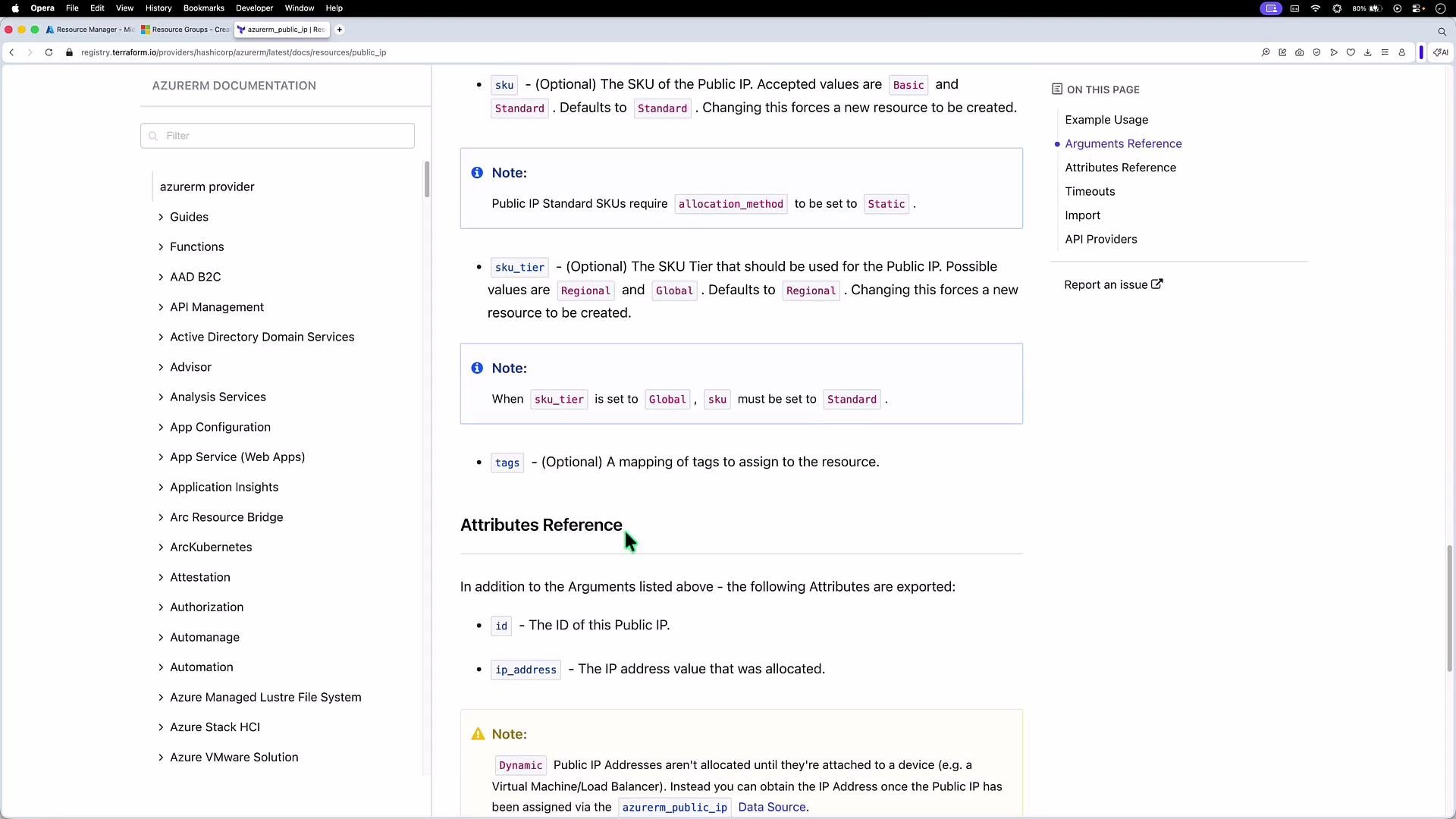 5. Create `outputs.tf` and define the output using the attribute discovered in the docs:
```hcl theme={null}
# outputs.tf
output "pip" {
description = "The public IP address for the public IP resource"
value = azurerm_public_ip.pip.ip_address
}
```
If the output must not be printed to the console (for example, a connection string), mark it as sensitive:
```hcl theme={null}
output "storage_connection_string" {
description = "Primary connection string for storage account (sensitive)"
value = azurerm_storage_account.sa.primary_connection_string
sensitive = true
}
```
6. Initialize, plan, and apply:
```bash theme={null}
$ terraform init
$ terraform plan -out tfplan
# Plan will show pip = (known after apply)
$ terraform apply "tfplan"
```
Condensed apply output:
```plaintext theme={null}
Apply complete! Resources: 2 added, 0 changed, 0 destroyed.
Outputs:
pip = "52.188.13.188"
```
## Common CLI commands
| Command | Purpose |
| ---------------------------: | ------------------------------------------ |
| `terraform init` | Initialize working directory and providers |
| `terraform plan -out=tfplan` | Generate a plan and save it to a file |
| `terraform apply "tfplan"` | Apply a saved plan |
| `terraform output` | Display all outputs from state |
| `terraform output ` | Display a specific output value |
| `terraform show` | Display entire state and outputs |
## Verification
Cross-check the printed public IP in the Azure Portal: [https://portal.azure.com](https://portal.azure.com) — navigate to the resource group and the `Public IP` resource to confirm the allocation matches the Terraform output.
## Summary
Terraform outputs let you expose runtime values for humans and automation. Use outputs to:
* Export values only known after creation (IP addresses, IDs, FQDNs).
* Provide connection details or metadata to scripts and CI/CD pipelines.
* Keep outputs organized in `outputs.tf` for clarity.
Always mark secrets with `sensitive = true` and protect access to your state backend. For more provider-specific exported attributes, consult the provider docs such as the AzureRM `azurerm_public_ip` resource: [https://registry.terraform.io/providers/hashicorp/azurerm/latest/docs/resources/public\_ip](https://registry.terraform.io/providers/hashicorp/azurerm/latest/docs/resources/public_ip).
5. Create `outputs.tf` and define the output using the attribute discovered in the docs:
```hcl theme={null}
# outputs.tf
output "pip" {
description = "The public IP address for the public IP resource"
value = azurerm_public_ip.pip.ip_address
}
```
If the output must not be printed to the console (for example, a connection string), mark it as sensitive:
```hcl theme={null}
output "storage_connection_string" {
description = "Primary connection string for storage account (sensitive)"
value = azurerm_storage_account.sa.primary_connection_string
sensitive = true
}
```
6. Initialize, plan, and apply:
```bash theme={null}
$ terraform init
$ terraform plan -out tfplan
# Plan will show pip = (known after apply)
$ terraform apply "tfplan"
```
Condensed apply output:
```plaintext theme={null}
Apply complete! Resources: 2 added, 0 changed, 0 destroyed.
Outputs:
pip = "52.188.13.188"
```
## Common CLI commands
| Command | Purpose |
| ---------------------------: | ------------------------------------------ |
| `terraform init` | Initialize working directory and providers |
| `terraform plan -out=tfplan` | Generate a plan and save it to a file |
| `terraform apply "tfplan"` | Apply a saved plan |
| `terraform output` | Display all outputs from state |
| `terraform output ` | Display a specific output value |
| `terraform show` | Display entire state and outputs |
## Verification
Cross-check the printed public IP in the Azure Portal: [https://portal.azure.com](https://portal.azure.com) — navigate to the resource group and the `Public IP` resource to confirm the allocation matches the Terraform output.
## Summary
Terraform outputs let you expose runtime values for humans and automation. Use outputs to:
* Export values only known after creation (IP addresses, IDs, FQDNs).
* Provide connection details or metadata to scripts and CI/CD pipelines.
* Keep outputs organized in `outputs.tf` for clarity.
Always mark secrets with `sensitive = true` and protect access to your state backend. For more provider-specific exported attributes, consult the provider docs such as the AzureRM `azurerm_public_ip` resource: [https://registry.terraform.io/providers/hashicorp/azurerm/latest/docs/resources/public\_ip](https://registry.terraform.io/providers/hashicorp/azurerm/latest/docs/resources/public_ip).