> ## Documentation Index
> Fetch the complete documentation index at: https://notes.kodekloud.com/llms.txt
> Use this file to discover all available pages before exploring further.
# Introduction
> Overview of Terraform provisioners, their lifecycle, remote and local usage, risks, and best practices for bootstrapping and when to prefer provider native alternatives
In this lesson we'll explore Terraform provisioners: what they are, how and when they run during a resource's lifecycle, and practical guidance for when to use (or avoid) them.
Provisioners let Terraform run scripts or commands as part of a resource's lifecycle. By default they execute during resource creation, and you can also configure them to run during resource destruction using `when = "destroy"`. Provisioners are commonly used to bootstrap instances, run initial configuration steps, or integrate with external systems when provider-native features or user-data/cloud-init are insufficient.
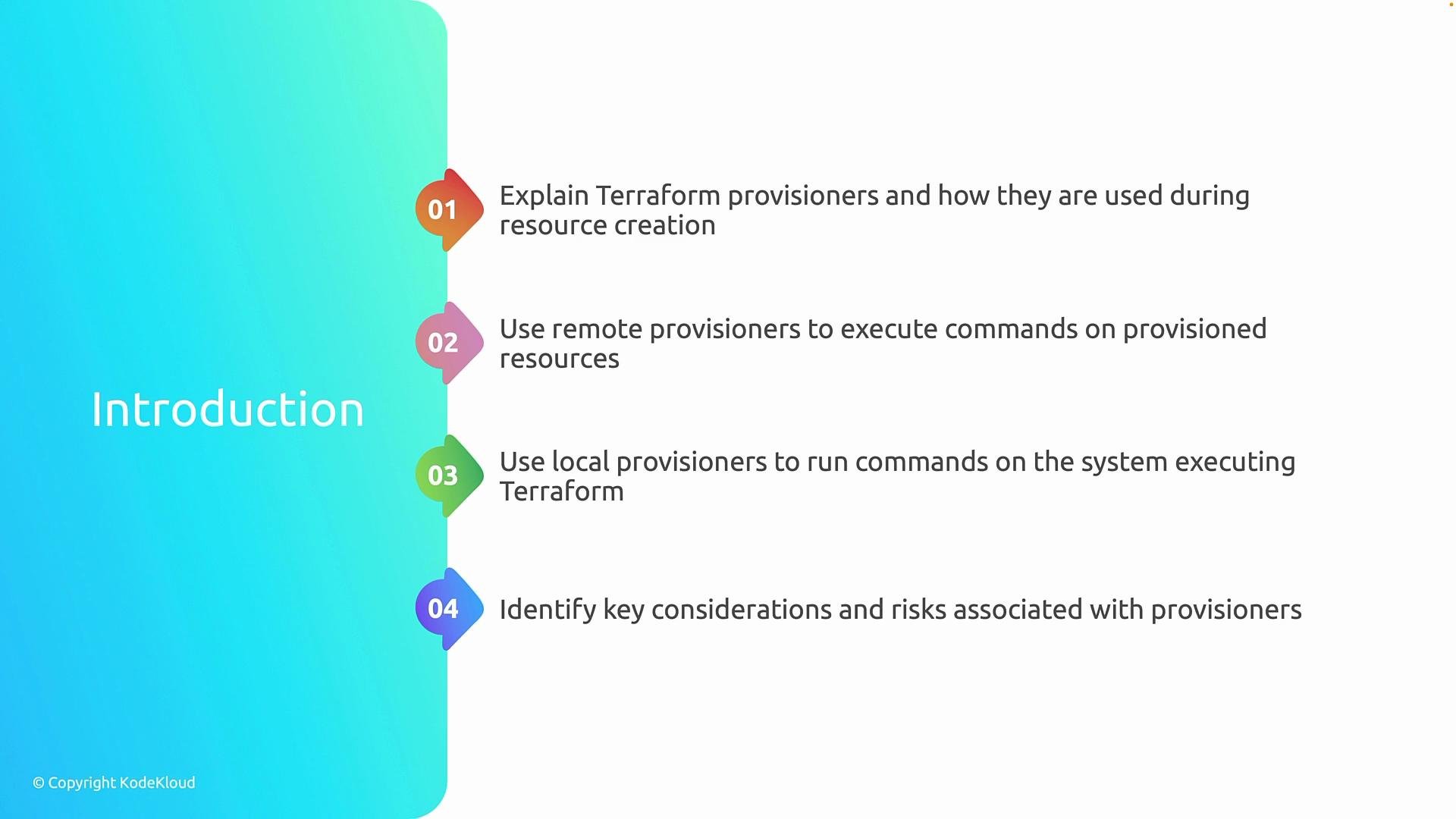
This lesson covers:
* Where provisioners fit into the Terraform lifecycle and the events that trigger them.
* Remote provisioners (`remote-exec`) that run commands on provisioned infrastructure (for example, using SSH or WinRM via the resource's `connection` settings).
* Local provisioners (`local-exec`) that run on the machine executing Terraform—useful for orchestration or invoking external tooling.
* Key considerations and risks such as idempotency, dependency handling, error handling, and why provisioners are generally a last-resort approach.
 By the end of this lesson, you'll be able to decide when to prefer built-in Terraform capabilities or platform-native features over provisioners. In most production scenarios, provider-native arguments, user-data/cloud-init, configuration management tools like [Ansible](https://www.ansible.com/) (see [Learn Ansible Basics - Beginners Course](https://learn.kodekloud.com/user/courses/learn-ansible-basics-beginners-course)), or platform services are more reliable and maintainable than provisioners.
Prefer provider-native arguments, user-data/cloud-init, or configuration management tools whenever possible. Provisioners are intended as a pragmatic fallback when those options are not available.
Provisioners can introduce ordering and retry complexities, and may make deployments non-idempotent. Treat them as a last resort and ensure robust error handling and retries if you must use them.
***
## What are provisioners?
Provisioners are Terraform blocks that run scripts or commands in relation to a resource. They are not part of the resource's provider semantics and therefore can cause operational complexity if overused. Typical use cases include:
* Running one-off bootstrap commands on newly-created compute instances.
* Copying files to instances after creation.
* Triggering external orchestration or deployment scripts that cannot be implemented via providers.
Examples of provisioner types:
* `remote-exec` — executes commands on the target machine via SSH or WinRM.
* `file` — copies files to the target machine.
* `local-exec` — executes commands on the Terraform host machine.
## Lifecycle and trigger points
Provisioners are tied to resource lifecycle events. The common lifecycle triggers are:
* `create` (default): Runs after a resource is created.
* `destroy` (optional): Runs when the resource is being destroyed if you set `when = "destroy"`.
Example: run a local command only during resource destruction:
```hcl theme={null}
provisioner "local-exec" {
when = "destroy"
command = "echo 'resource destroyed' >> destroy.log"
}
```
## Remote provisioner example (remote-exec)
A typical `remote-exec` provisioner requires a `connection` block to reach the provisioned instance. Example (SSH-based bootstrap):
```hcl theme={null}
resource "aws_instance" "web" {
ami = "ami-0123456789abcdef0"
instance_type = "t2.micro"
provisioner "file" {
source = "setup.sh"
destination = "/tmp/setup.sh"
connection {
type = "ssh"
user = "ubuntu"
private_key = file("~/.ssh/id_rsa")
host = self.public_ip
}
}
provisioner "remote-exec" {
connection {
type = "ssh"
user = "ubuntu"
private_key = file("~/.ssh/id_rsa")
host = self.public_ip
}
inline = [
"chmod +x /tmp/setup.sh",
"sudo /tmp/setup.sh",
]
}
}
```
Notes:
* Always prefer provider/user-data/user-data cloud-init for initial configuration where possible.
* Connection reliability and network reachability are common causes of failure for `remote-exec`.
## Local provisioner example (local-exec)
`local-exec` runs commands on the machine running Terraform. Use it for tasks like invoking CI/CD, notifying external systems, or manipulating local artifacts:
```hcl theme={null}
resource "null_resource" "notify" {
provisioner "local-exec" {
command = "curl -X POST -d 'status=created' https://deployment.example.com/hook"
}
# Ensure this runs only after a different resource finishes
depends_on = [aws_instance.web]
}
```
## Remote vs Local: quick comparison
| Provisioner Type | Runs On | Typical Use Cases | Considerations |
| ---------------- | ------------------------------- | ------------------------------------------------------------ | ----------------------------------------------------------------------------------- |
| `remote-exec` | Target resource (via SSH/WinRM) | Bootstrapping VM, installing packages | Requires network connectivity and credentials; non-idempotent commands cause issues |
| `file` | Target resource | Copy scripts and config files | Must be combined with `remote-exec` or user-data to run files |
| `local-exec` | Terraform host machine | Triggering external APIs, CI webhooks, local file operations | Can leak secrets into local logs; ensure execution environment consistency |
## Key considerations and risks
When using provisioners, be mindful of:
* Idempotency: Provisioner scripts should be idempotent to survive retries or partial failures.
* Ordering: Terraform's graph determines ordering. Use explicit `depends_on` when needed.
* Error handling and retries: Provisioners can fail due to transient issues (network, SSH availability). Implement retries inside scripts and make Terraform handle failure paths.
* State drift: Provisioners may cause changes that are not reflected in Terraform state; prefer declarative approaches when possible.
* Security: Avoid embedding secrets directly in provisioners. Use secure secret solutions (e.g., vaults, cloud provider secret stores).
* Testing: Provisioner logic should be tested independently of Terraform to reduce deployment surprises.
## Best practices and alternatives
Prefer these alternatives before reaching for provisioners:
* User-data / cloud-init for OS-level bootstrapping.
* Provider-native configuration options or post-create APIs exposed by the provider.
* Configuration management tools (Ansible, Chef, Puppet) or immutable images (bake configuration into AMIs/VM images).
* Orchestration frameworks (Terraform + Packer) to pre-bake artifacts.
If you must use a provisioner:
* Keep scripts small and idempotent.
* Use `file` to copy scripts and `remote-exec` to execute them.
* Use `when = "destroy"` sparingly and only for meaningful cleanup tasks.
* Use `depends_on` to express explicit ordering where required.
* Add retries and exponential backoff in scripts to handle transient failures.
## Resources and further reading
* [Terraform Provisioners Documentation](https://developer.hashicorp.com/terraform/language/resources/provisioners/syntax)
* [Terraform Best Practices](https://developer.hashicorp.com/terraform)
* [Cloud-init documentation](https://cloud-init.io/)
* [Ansible — Configuration Management](https://www.ansible.com/)
For production deployments, design for repeatability and treat provisioners as pragmatic fallbacks rather than core configuration mechanisms.
By the end of this lesson, you'll be able to decide when to prefer built-in Terraform capabilities or platform-native features over provisioners. In most production scenarios, provider-native arguments, user-data/cloud-init, configuration management tools like [Ansible](https://www.ansible.com/) (see [Learn Ansible Basics - Beginners Course](https://learn.kodekloud.com/user/courses/learn-ansible-basics-beginners-course)), or platform services are more reliable and maintainable than provisioners.
Prefer provider-native arguments, user-data/cloud-init, or configuration management tools whenever possible. Provisioners are intended as a pragmatic fallback when those options are not available.
Provisioners can introduce ordering and retry complexities, and may make deployments non-idempotent. Treat them as a last resort and ensure robust error handling and retries if you must use them.
***
## What are provisioners?
Provisioners are Terraform blocks that run scripts or commands in relation to a resource. They are not part of the resource's provider semantics and therefore can cause operational complexity if overused. Typical use cases include:
* Running one-off bootstrap commands on newly-created compute instances.
* Copying files to instances after creation.
* Triggering external orchestration or deployment scripts that cannot be implemented via providers.
Examples of provisioner types:
* `remote-exec` — executes commands on the target machine via SSH or WinRM.
* `file` — copies files to the target machine.
* `local-exec` — executes commands on the Terraform host machine.
## Lifecycle and trigger points
Provisioners are tied to resource lifecycle events. The common lifecycle triggers are:
* `create` (default): Runs after a resource is created.
* `destroy` (optional): Runs when the resource is being destroyed if you set `when = "destroy"`.
Example: run a local command only during resource destruction:
```hcl theme={null}
provisioner "local-exec" {
when = "destroy"
command = "echo 'resource destroyed' >> destroy.log"
}
```
## Remote provisioner example (remote-exec)
A typical `remote-exec` provisioner requires a `connection` block to reach the provisioned instance. Example (SSH-based bootstrap):
```hcl theme={null}
resource "aws_instance" "web" {
ami = "ami-0123456789abcdef0"
instance_type = "t2.micro"
provisioner "file" {
source = "setup.sh"
destination = "/tmp/setup.sh"
connection {
type = "ssh"
user = "ubuntu"
private_key = file("~/.ssh/id_rsa")
host = self.public_ip
}
}
provisioner "remote-exec" {
connection {
type = "ssh"
user = "ubuntu"
private_key = file("~/.ssh/id_rsa")
host = self.public_ip
}
inline = [
"chmod +x /tmp/setup.sh",
"sudo /tmp/setup.sh",
]
}
}
```
Notes:
* Always prefer provider/user-data/user-data cloud-init for initial configuration where possible.
* Connection reliability and network reachability are common causes of failure for `remote-exec`.
## Local provisioner example (local-exec)
`local-exec` runs commands on the machine running Terraform. Use it for tasks like invoking CI/CD, notifying external systems, or manipulating local artifacts:
```hcl theme={null}
resource "null_resource" "notify" {
provisioner "local-exec" {
command = "curl -X POST -d 'status=created' https://deployment.example.com/hook"
}
# Ensure this runs only after a different resource finishes
depends_on = [aws_instance.web]
}
```
## Remote vs Local: quick comparison
| Provisioner Type | Runs On | Typical Use Cases | Considerations |
| ---------------- | ------------------------------- | ------------------------------------------------------------ | ----------------------------------------------------------------------------------- |
| `remote-exec` | Target resource (via SSH/WinRM) | Bootstrapping VM, installing packages | Requires network connectivity and credentials; non-idempotent commands cause issues |
| `file` | Target resource | Copy scripts and config files | Must be combined with `remote-exec` or user-data to run files |
| `local-exec` | Terraform host machine | Triggering external APIs, CI webhooks, local file operations | Can leak secrets into local logs; ensure execution environment consistency |
## Key considerations and risks
When using provisioners, be mindful of:
* Idempotency: Provisioner scripts should be idempotent to survive retries or partial failures.
* Ordering: Terraform's graph determines ordering. Use explicit `depends_on` when needed.
* Error handling and retries: Provisioners can fail due to transient issues (network, SSH availability). Implement retries inside scripts and make Terraform handle failure paths.
* State drift: Provisioners may cause changes that are not reflected in Terraform state; prefer declarative approaches when possible.
* Security: Avoid embedding secrets directly in provisioners. Use secure secret solutions (e.g., vaults, cloud provider secret stores).
* Testing: Provisioner logic should be tested independently of Terraform to reduce deployment surprises.
## Best practices and alternatives
Prefer these alternatives before reaching for provisioners:
* User-data / cloud-init for OS-level bootstrapping.
* Provider-native configuration options or post-create APIs exposed by the provider.
* Configuration management tools (Ansible, Chef, Puppet) or immutable images (bake configuration into AMIs/VM images).
* Orchestration frameworks (Terraform + Packer) to pre-bake artifacts.
If you must use a provisioner:
* Keep scripts small and idempotent.
* Use `file` to copy scripts and `remote-exec` to execute them.
* Use `when = "destroy"` sparingly and only for meaningful cleanup tasks.
* Use `depends_on` to express explicit ordering where required.
* Add retries and exponential backoff in scripts to handle transient failures.
## Resources and further reading
* [Terraform Provisioners Documentation](https://developer.hashicorp.com/terraform/language/resources/provisioners/syntax)
* [Terraform Best Practices](https://developer.hashicorp.com/terraform)
* [Cloud-init documentation](https://cloud-init.io/)
* [Ansible — Configuration Management](https://www.ansible.com/)
For production deployments, design for repeatability and treat provisioners as pragmatic fallbacks rather than core configuration mechanisms.