> ## Documentation Index
> Fetch the complete documentation index at: https://notes.kodekloud.com/llms.txt
> Use this file to discover all available pages before exploring further.
# Module Structure explained
> Explains Terraform module structure, inputs, outputs, and file conventions with Azure resource group and storage account examples and best practices for reusable composable modules
Understanding Terraform modules starts with a simple truth: a module is not a special language construct — it is a folder organized in a predictable way. When you grasp that pattern, building reusable modules becomes straightforward.
At a high level, a Terraform module:
* Defines resources (the "how").
* Declares inputs (the "what" the caller provides).
* Exposes outputs (values other modules or the root module can consume).
Common files you’ll find in a module:
* `main.tf` — resource definitions (execution layer).
* `variables.tf` — inputs the module expects (module interface/contract).
* `outputs.tf` — values the module exposes to callers.
Separating the "how" (module logic) from the "what" (caller-provided values) makes modules composable and reusable.
| File | Purpose |
| -------------- | ------------------------------------------------------------------------------------------------------------------------------------------ |
| `main.tf` | Resource definitions and implementation details. Prefer referencing variables rather than hard-coding values so the module stays flexible. |
| `variables.tf` | Declares inputs: names, types, defaults, and validations. This is the module's contract with callers. |
| `outputs.tf` | Exposes useful data (IDs, endpoints, connection strings) consumers need to wire modules together. |
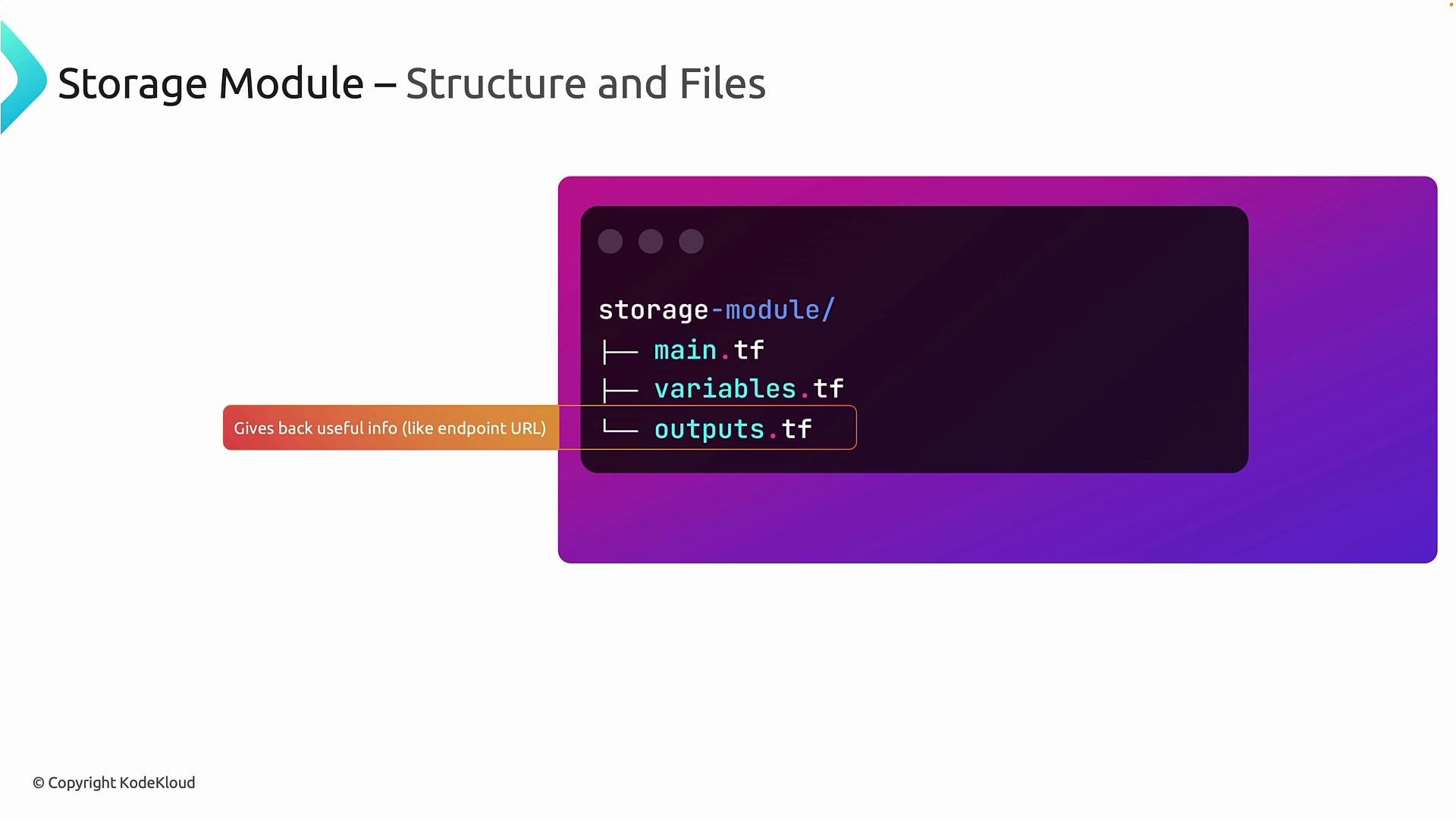 Outputs are the communication channel between modules. Without outputs, modules cannot hand useful runtime values back to the root module or other modules that depend on them.
Below are practical examples showing how to implement this pattern. The examples keep module implementation minimal while demonstrating inputs and outputs clearly.
Example: a storage account resource implemented so every configurable attribute references a variable (caller decides name, location, SKU):
```hcl theme={null}
resource "azurerm_storage_account" "this" {
name = var.storage_name
resource_group_name = var.resource_group_name
location = var.location
account_tier = var.account_tier
account_replication_type = var.replication_type
tags = var.tags
}
```
If your organization requires a specific configuration (for example, always use the `Standard` account tier), the module may enforce it by hard-coding that property:
```hcl theme={null}
resource "azurerm_storage_account" "this" {
name = var.storage_name
resource_group_name = var.resource_group_name
location = var.location
account_tier = "Standard"
account_replication_type = var.replication_type
tags = var.tags
}
```
Hard-coding an argument inside a module (e.g., `account_tier = "Standard"`) is a valid way to enforce organizational policies. Do this only for properties you intend to make non-configurable for consumers.
Now we’ll walk through creating two simple modules in Visual Studio Code: a `resource_group` module and a `storage_account` module. These examples illustrate a clean module structure and how to wire modules together from a root module.
Create the modules directory and subfolders:
```bash theme={null}
mkdir -p modules/resource_group
mkdir -p modules/storage_account
```
***
## Resource Group module
Path: `modules/resource_group`
main.tf
```hcl theme={null}
resource "azurerm_resource_group" "main" {
name = var.rg
location = var.region
tags = {
Created = "Terraform"
Location = var.region
CreatedBy = "Module"
}
}
```
variables.tf
```hcl theme={null}
variable "rg" {
type = string
description = "Name of the resource group"
}
variable "region" {
type = string
description = "Azure region for the resource group"
}
```
outputs.tf
```hcl theme={null}
output "rg_id" {
description = "The ID of the resource group"
value = azurerm_resource_group.main.id
}
```
This module defines a resource group, declares the inputs it needs, and exposes the resource group's ID so other modules or the root module can consume it.
***
## Storage Account module
Path: `modules/storage_account`
main.tf
```hcl theme={null}
resource "azurerm_storage_account" "this" {
name = var.storage
resource_group_name = var.rg
location = var.region
account_tier = "Standard" # enforced by module (organization standard)
account_replication_type = var.rep
tags = var.tags
}
```
variables.tf
```hcl theme={null}
variable "storage" {
type = string
description = "Storage account name"
}
variable "rg" {
type = string
description = "Name of the resource group to create the storage account in"
}
variable "region" {
type = string
description = "Azure region for the storage account"
}
variable "rep" {
type = string
description = "Replication type for the storage account (e.g., LRS, GRS)"
}
variable "tags" {
type = map(string)
description = "Tags to apply to the storage account"
default = {}
}
```
outputs.tf
```hcl theme={null}
output "primary_blob_endpoint" {
description = "Primary Blob Endpoint for the storage account"
value = azurerm_storage_account.this.primary_blob_endpoint
}
```
In this example the `account_tier` is enforced to `Standard` by the module. All other attributes are configurable, which keeps the module reusable while still meeting organizational constraints.
***
## Using these modules from a root module
Once you have `modules/resource_group` and `modules/storage_account`, call them from your root module and wire outputs to inputs.
Example minimal root module usage:
```hcl theme={null}
module "rg" {
source = "./modules/resource_group"
rg = "my-rg"
region = "eastus"
}
module "storage" {
source = "./modules/storage_account"
storage = "mystorageacct"
rg = module.rg.rg_id # or use the resource group name if exposed
region = "eastus"
rep = "LRS"
tags = { Environment = "dev" }
}
output "storage_blob_endpoint" {
value = module.storage.primary_blob_endpoint
}
```
This pattern demonstrates:
* Modules encapsulate implementation details.
* Inputs (`variables.tf`) define the contract with callers.
* Outputs (`outputs.tf`) enable composition between modules.
***
## Best practices and tips
* Keep modules focused and small: one module per logical resource or closely related set of resources.
* Prefer variables over hard-coded values unless enforcing a policy.
* Document variables and outputs with `description` fields so consumers know how to use the module.
* Use semantic names for outputs (e.g., `primary_blob_endpoint`) so their intent is clear.
* Version modules if you publish them to a registry or share across teams.
## Links and references
* Terraform Modules: [https://www.terraform.io/docs/language/modules/index.html](https://www.terraform.io/docs/language/modules/index.html)
* Azure Provider for Terraform: [https://registry.terraform.io/providers/hashicorp/azurerm/latest/docs](https://registry.terraform.io/providers/hashicorp/azurerm/latest/docs)
* Azure Resource Manager documentation: [https://docs.microsoft.com/azure/azure-resource-manager/](https://docs.microsoft.com/azure/azure-resource-manager/)
These resources will help deepen your understanding of modules and provider-specific resources.
Outputs are the communication channel between modules. Without outputs, modules cannot hand useful runtime values back to the root module or other modules that depend on them.
Below are practical examples showing how to implement this pattern. The examples keep module implementation minimal while demonstrating inputs and outputs clearly.
Example: a storage account resource implemented so every configurable attribute references a variable (caller decides name, location, SKU):
```hcl theme={null}
resource "azurerm_storage_account" "this" {
name = var.storage_name
resource_group_name = var.resource_group_name
location = var.location
account_tier = var.account_tier
account_replication_type = var.replication_type
tags = var.tags
}
```
If your organization requires a specific configuration (for example, always use the `Standard` account tier), the module may enforce it by hard-coding that property:
```hcl theme={null}
resource "azurerm_storage_account" "this" {
name = var.storage_name
resource_group_name = var.resource_group_name
location = var.location
account_tier = "Standard"
account_replication_type = var.replication_type
tags = var.tags
}
```
Hard-coding an argument inside a module (e.g., `account_tier = "Standard"`) is a valid way to enforce organizational policies. Do this only for properties you intend to make non-configurable for consumers.
Now we’ll walk through creating two simple modules in Visual Studio Code: a `resource_group` module and a `storage_account` module. These examples illustrate a clean module structure and how to wire modules together from a root module.
Create the modules directory and subfolders:
```bash theme={null}
mkdir -p modules/resource_group
mkdir -p modules/storage_account
```
***
## Resource Group module
Path: `modules/resource_group`
main.tf
```hcl theme={null}
resource "azurerm_resource_group" "main" {
name = var.rg
location = var.region
tags = {
Created = "Terraform"
Location = var.region
CreatedBy = "Module"
}
}
```
variables.tf
```hcl theme={null}
variable "rg" {
type = string
description = "Name of the resource group"
}
variable "region" {
type = string
description = "Azure region for the resource group"
}
```
outputs.tf
```hcl theme={null}
output "rg_id" {
description = "The ID of the resource group"
value = azurerm_resource_group.main.id
}
```
This module defines a resource group, declares the inputs it needs, and exposes the resource group's ID so other modules or the root module can consume it.
***
## Storage Account module
Path: `modules/storage_account`
main.tf
```hcl theme={null}
resource "azurerm_storage_account" "this" {
name = var.storage
resource_group_name = var.rg
location = var.region
account_tier = "Standard" # enforced by module (organization standard)
account_replication_type = var.rep
tags = var.tags
}
```
variables.tf
```hcl theme={null}
variable "storage" {
type = string
description = "Storage account name"
}
variable "rg" {
type = string
description = "Name of the resource group to create the storage account in"
}
variable "region" {
type = string
description = "Azure region for the storage account"
}
variable "rep" {
type = string
description = "Replication type for the storage account (e.g., LRS, GRS)"
}
variable "tags" {
type = map(string)
description = "Tags to apply to the storage account"
default = {}
}
```
outputs.tf
```hcl theme={null}
output "primary_blob_endpoint" {
description = "Primary Blob Endpoint for the storage account"
value = azurerm_storage_account.this.primary_blob_endpoint
}
```
In this example the `account_tier` is enforced to `Standard` by the module. All other attributes are configurable, which keeps the module reusable while still meeting organizational constraints.
***
## Using these modules from a root module
Once you have `modules/resource_group` and `modules/storage_account`, call them from your root module and wire outputs to inputs.
Example minimal root module usage:
```hcl theme={null}
module "rg" {
source = "./modules/resource_group"
rg = "my-rg"
region = "eastus"
}
module "storage" {
source = "./modules/storage_account"
storage = "mystorageacct"
rg = module.rg.rg_id # or use the resource group name if exposed
region = "eastus"
rep = "LRS"
tags = { Environment = "dev" }
}
output "storage_blob_endpoint" {
value = module.storage.primary_blob_endpoint
}
```
This pattern demonstrates:
* Modules encapsulate implementation details.
* Inputs (`variables.tf`) define the contract with callers.
* Outputs (`outputs.tf`) enable composition between modules.
***
## Best practices and tips
* Keep modules focused and small: one module per logical resource or closely related set of resources.
* Prefer variables over hard-coded values unless enforcing a policy.
* Document variables and outputs with `description` fields so consumers know how to use the module.
* Use semantic names for outputs (e.g., `primary_blob_endpoint`) so their intent is clear.
* Version modules if you publish them to a registry or share across teams.
## Links and references
* Terraform Modules: [https://www.terraform.io/docs/language/modules/index.html](https://www.terraform.io/docs/language/modules/index.html)
* Azure Provider for Terraform: [https://registry.terraform.io/providers/hashicorp/azurerm/latest/docs](https://registry.terraform.io/providers/hashicorp/azurerm/latest/docs)
* Azure Resource Manager documentation: [https://docs.microsoft.com/azure/azure-resource-manager/](https://docs.microsoft.com/azure/azure-resource-manager/)
These resources will help deepen your understanding of modules and provider-specific resources.