> ## Documentation Index
> Fetch the complete documentation index at: https://notes.kodekloud.com/llms.txt
> Use this file to discover all available pages before exploring further.
# With and without modules
> Comparing Terraform configurations with and without modules, showing trade-offs, governance benefits, and how Azure Verified Modules speed adoption of standardized patterns.
This article compares Terraform configurations with and without modules, highlighting practical trade-offs, governance benefits, and how Azure Verified Modules (AVM) can accelerate adoption of standardized patterns.
Why this matters
* Modules introduce abstraction. Abstraction reduces duplication and centralizes logic, but it also adds an indirection layer you must understand.
* When teams copy/paste resource blocks across environments, small mistakes (typos, inconsistent tags, wrong SKUs) accumulate and increase drift.
* Modules let you define a resource pattern once and reuse it across `dev`, `test`, and `prod`, making updates consistent and predictable.
Quick example (file layout)
* Without modules:
* `dev/main.tf`, `test/main.tf`, `prod/main.tf` (each contains repeated resource blocks)
* With modules:
* `modules/storage/main.tf` (storage logic defined once)
* `dev/main.tf`, `test/main.tf`, `prod/main.tf` (each calls the storage module)
Use `module` blocks in the root configuration to instantiate the module instead of copying resource blocks.
Callout on best practice
DRY (Don't Repeat Yourself) is a core engineering principle: if you are replicating the same logic multiple times across environments, modularize it. Modules reduce duplication, increase consistency, and make updates easier to apply at scale.
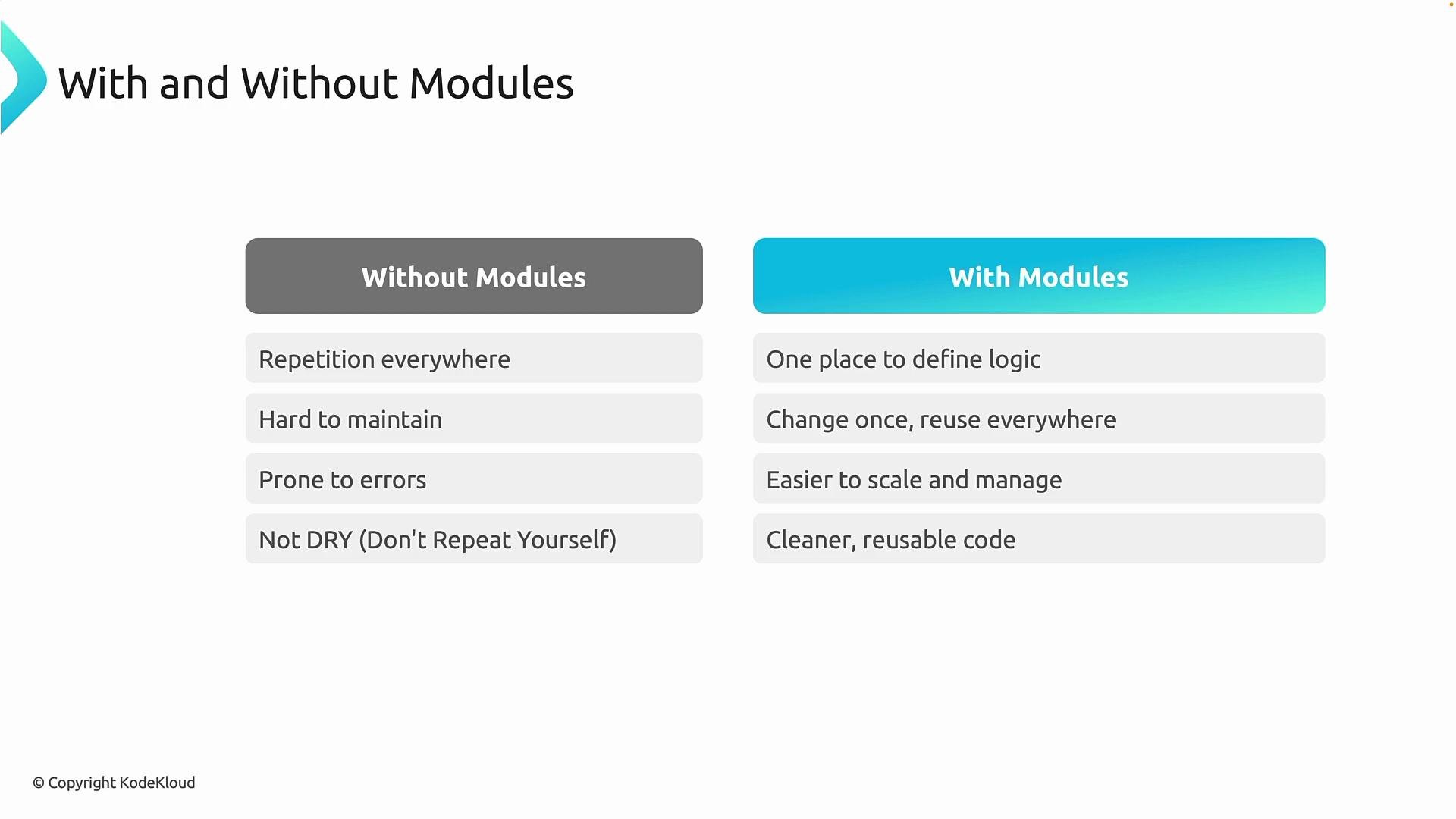 Concise comparison
| Concern | Without modules | With modules |
| ---------------: | -------------------------------------------------------: | ------------------------------------------------------------: |
| Code duplication | High — same resource blocks repeated in each environment | Low — resource logic lives in one module and is reused |
| Maintainability | Difficult — must update many files for a single change | Easy — update module once to propagate change |
| Governance | Error-prone — inconsistent replication settings or tags | Centralized — enforce policies and defaults via module inputs |
| Readability | Root configurations are long and noisy | Root configs show high-level `module` calls and intent |
| Onboarding | New contributors must read many files | Easier: modules document inputs/outputs and intent |
Governance example
* Problem: Your company decides all storage accounts must use Geo-Redundant Storage (GRS) instead of Locally Redundant Storage (LRS).
* Without modules: you must find and edit every individual storage account block across the repo — easy to miss one.
* With modules: change the replication setting inside `modules/storage/main.tf` and every instance inherits the new default.
Common errors modules help prevent
* Wrong resource group or region
* Misspelled SKUs or missing tags
* Inconsistent lifecycle or identity settings
Using modules encourages standardization so teams scale a pattern instead of reinventing it every time.
Azure Verified Modules (AVM)
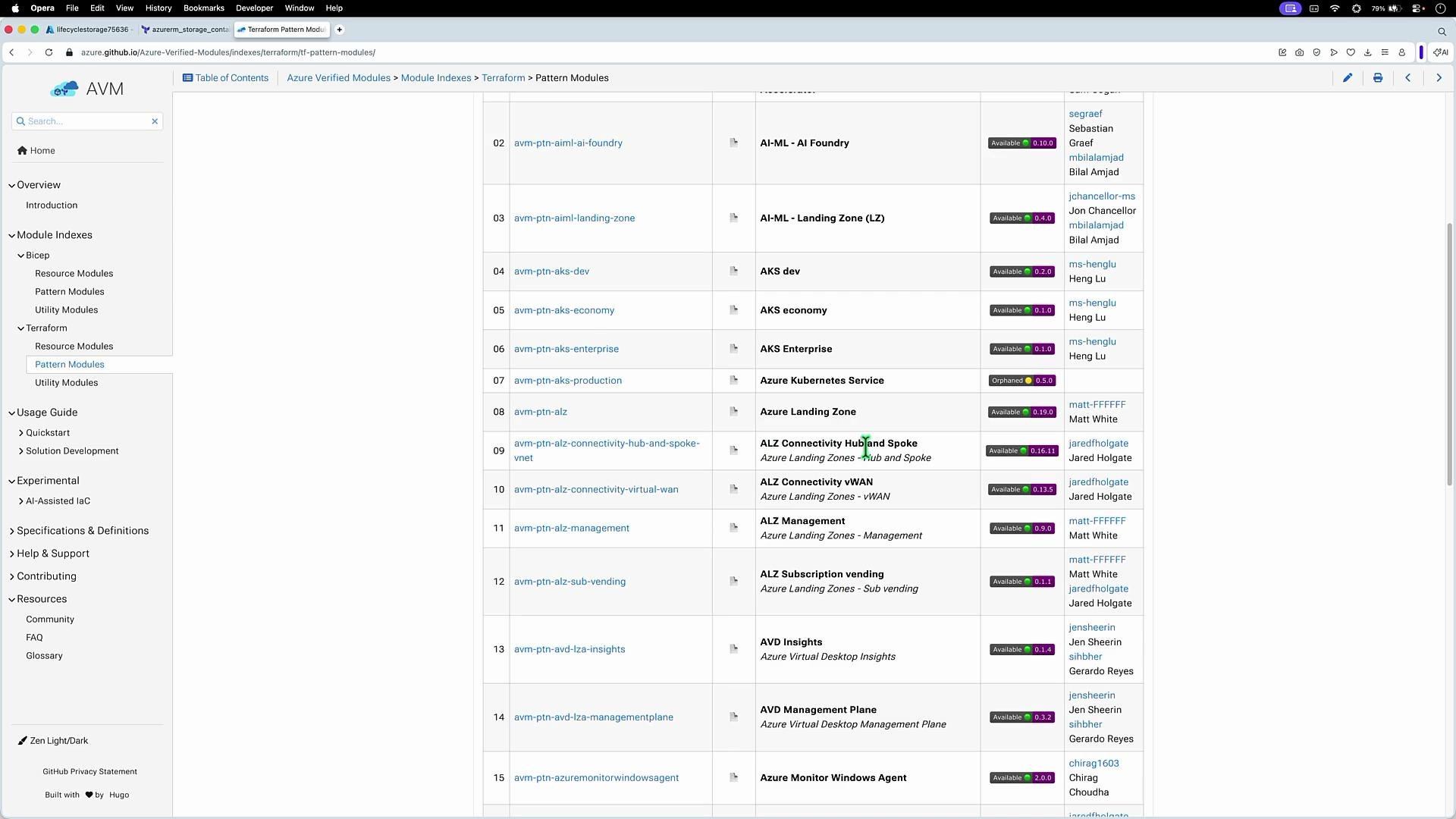
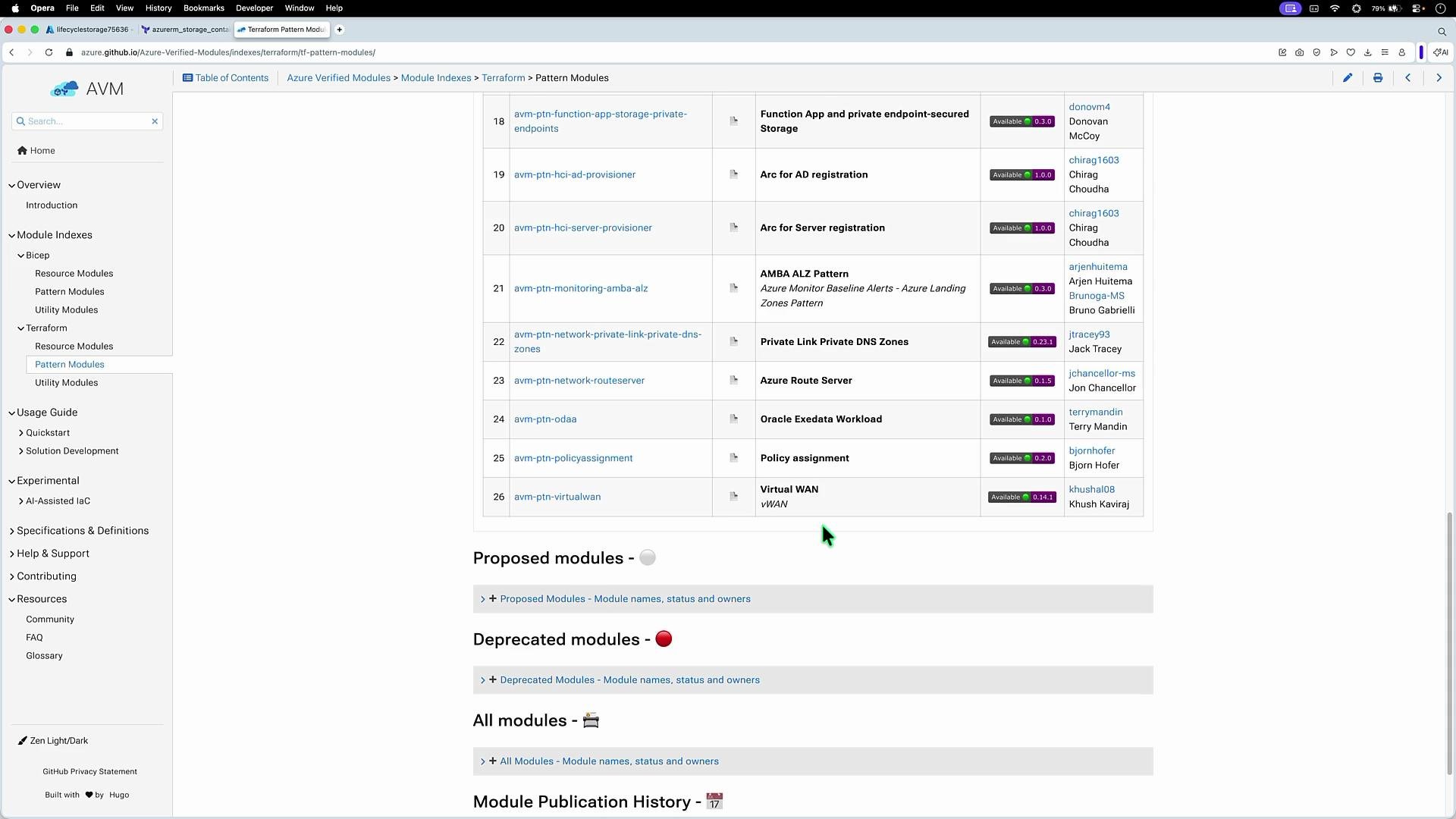
AVM provides a catalog of vetted, production-ready modules and patterns for Azure across multiple Infrastructure-as-Code tools (including Terraform and Bicep). The catalog has both:
* Resource modules: focused on single services (e.g., Storage, Virtual Machines, API Management).
* Pattern modules: opinionated, higher-level architectures (e.g., AKS Enterprise, Container Apps Landing Zone, ALZ Connectivity Hub).
Explore AVM to accelerate adoption of standardized patterns and to bootstrap your own modules rather than starting from scratch.
Concise comparison
| Concern | Without modules | With modules |
| ---------------: | -------------------------------------------------------: | ------------------------------------------------------------: |
| Code duplication | High — same resource blocks repeated in each environment | Low — resource logic lives in one module and is reused |
| Maintainability | Difficult — must update many files for a single change | Easy — update module once to propagate change |
| Governance | Error-prone — inconsistent replication settings or tags | Centralized — enforce policies and defaults via module inputs |
| Readability | Root configurations are long and noisy | Root configs show high-level `module` calls and intent |
| Onboarding | New contributors must read many files | Easier: modules document inputs/outputs and intent |
Governance example
* Problem: Your company decides all storage accounts must use Geo-Redundant Storage (GRS) instead of Locally Redundant Storage (LRS).
* Without modules: you must find and edit every individual storage account block across the repo — easy to miss one.
* With modules: change the replication setting inside `modules/storage/main.tf` and every instance inherits the new default.
Common errors modules help prevent
* Wrong resource group or region
* Misspelled SKUs or missing tags
* Inconsistent lifecycle or identity settings
Using modules encourages standardization so teams scale a pattern instead of reinventing it every time.
Azure Verified Modules (AVM)
AVM provides a catalog of vetted, production-ready modules and patterns for Azure across multiple Infrastructure-as-Code tools (including Terraform and Bicep). The catalog has both:
* Resource modules: focused on single services (e.g., Storage, Virtual Machines, API Management).
* Pattern modules: opinionated, higher-level architectures (e.g., AKS Enterprise, Container Apps Landing Zone, ALZ Connectivity Hub).
Explore AVM to accelerate adoption of standardized patterns and to bootstrap your own modules rather than starting from scratch.
 What AVM modules include
* Usage documentation (inputs, outputs, examples)
* Recommended configuration and dependency guidance
* Versioned releases so you can pin module versions for stability
Use AVM modules as-is for quick wins, or fork them as a starting point for organization-specific naming, tagging, and policy requirements.
What AVM modules include
* Usage documentation (inputs, outputs, examples)
* Recommended configuration and dependency guidance
* Versioned releases so you can pin module versions for stability
Use AVM modules as-is for quick wins, or fork them as a starting point for organization-specific naming, tagging, and policy requirements.
 Best practices when adopting modules
* Keep module responsibilities narrow — one logical purpose per module (e.g., storage, network, compute).
* Document inputs and outputs clearly.
* Version modules and pin module sources in root configs.
* Apply governance via module inputs and policy-as-code where possible.
* Reuse AVM modules for common patterns and customize when organizational policy requires it.
Links and references
* Azure Verified Modules (AVM): [https://github.com/Azure/azure-verified-modules](https://github.com/Azure/azure-verified-modules)
* Terraform documentation: [https://www.terraform.io/docs](https://www.terraform.io/docs)
* Azure Landing Zones guidance: [https://learn.microsoft.com/azure/cloud-adoption-framework/landing-zones/](https://learn.microsoft.com/azure/cloud-adoption-framework/landing-zones/)
With modular design — and with AVM as a curated starting point — you gain consistency, easier maintenance, and stronger governance for infrastructure at scale.
With that, we have completed modules.
Best practices when adopting modules
* Keep module responsibilities narrow — one logical purpose per module (e.g., storage, network, compute).
* Document inputs and outputs clearly.
* Version modules and pin module sources in root configs.
* Apply governance via module inputs and policy-as-code where possible.
* Reuse AVM modules for common patterns and customize when organizational policy requires it.
Links and references
* Azure Verified Modules (AVM): [https://github.com/Azure/azure-verified-modules](https://github.com/Azure/azure-verified-modules)
* Terraform documentation: [https://www.terraform.io/docs](https://www.terraform.io/docs)
* Azure Landing Zones guidance: [https://learn.microsoft.com/azure/cloud-adoption-framework/landing-zones/](https://learn.microsoft.com/azure/cloud-adoption-framework/landing-zones/)
With modular design — and with AVM as a curated starting point — you gain consistency, easier maintenance, and stronger governance for infrastructure at scale.
With that, we have completed modules.