> ## Documentation Index
> Fetch the complete documentation index at: https://notes.kodekloud.com/llms.txt
> Use this file to discover all available pages before exploring further.
# Variable Datatypes
> Guide to Terraform variable data types, usage, declaration examples, and best practices for strong typing, validation, and structured inputs like lists, maps, objects, and tuples.
A clear understanding of Terraform variable data types is essential for writing safe, maintainable infrastructure-as-code. Terraform is strongly typed: every input variable can — and usually should — have an explicit type. Picking the correct type improves validation, prevents runtime errors, and makes configurations easier to reason about as your infrastructure grows.
This guide explains the common Terraform variable data types: what each represents, when to use it, and how to declare values in `variables.tf` and `terraform.tfvars`. It also includes a consolidated example showing how several types are used together in an `azurerm_storage_account` resource.
For additional reading, see the Terraform docs on input variables: [https://www.terraform.io/language/values/variables](https://www.terraform.io/language/values/variables)
## Common Terraform variable data types
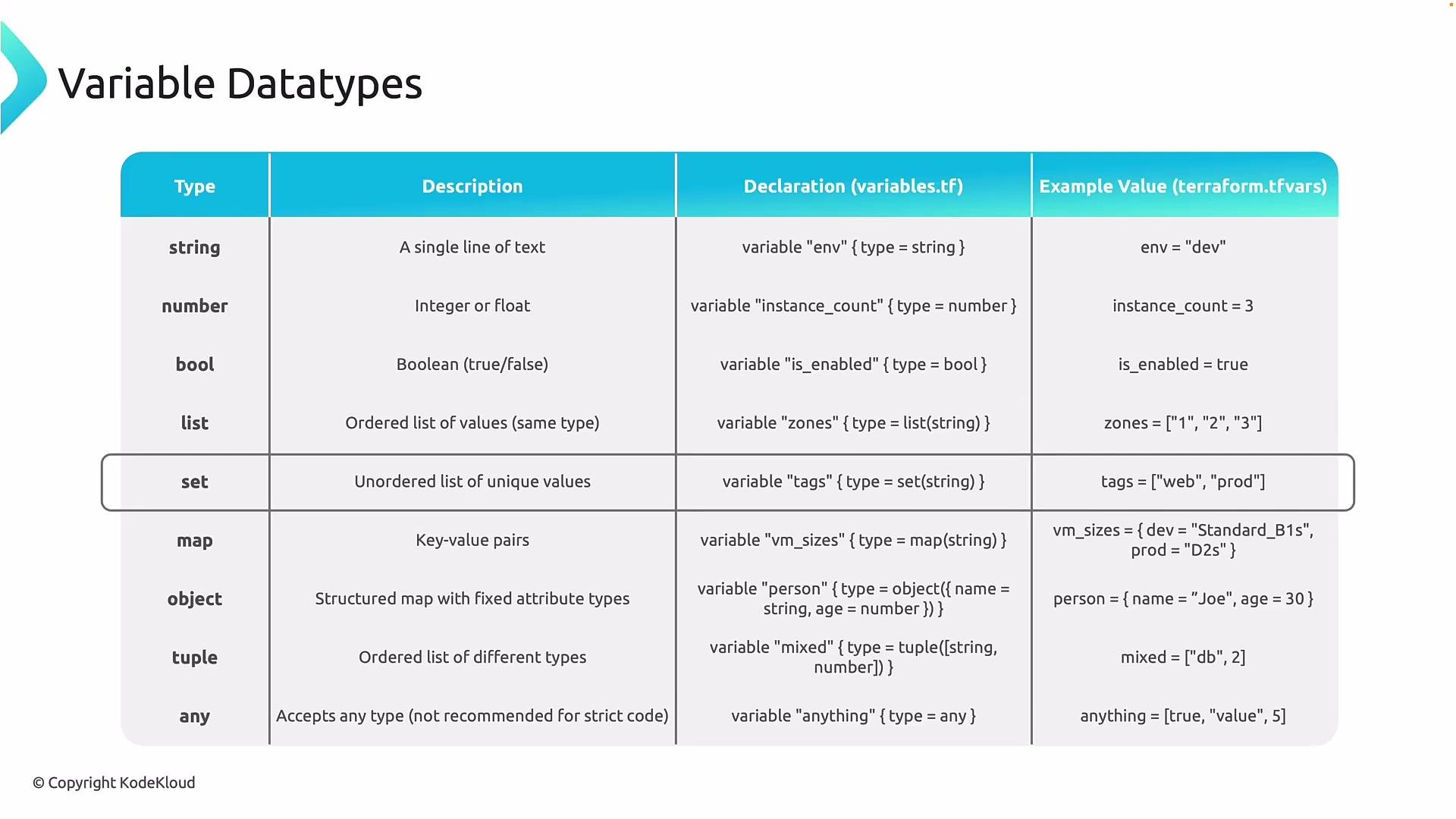
| Type | Description | When to use | Declaration example |
| ------ | ------------------------------------------------------------------------------------------------ | ---------------------------------------------------------------- | ----------------------------------------------------------------------------------------------------------------- |
| string | A single line of text. | Names, identifiers, regions, environment labels, resource names. | `variable "env" { type = string }` |
| number | Numeric values (integer or floating-point). | Counts, thresholds, sizes, timeouts. | `variable "replicas" { type = number }` |
| bool | Boolean: `true` or `false`. | Feature toggles, conditionals, enabling/disabling options. | `variable "enabled" { type = bool }` |
| list | Ordered collection of elements of the same type (order matters). | Ordered subnet CIDRs, ordered AZ lists. | `variable "azs" { type = list(string) }` |
| set | Unordered collection of unique elements of the same type (duplicates not allowed). | Unique values where order is irrelevant. | `variable "unique_ids" { type = set(string) }` |
| map | Key-value pairs where all values share the same type. Great for tag maps or environment lookups. | Tagging, SKUs per environment, configuration lookup tables. | `variable "tags" { type = map(string) }` |
| object | A grouping of named attributes, each with its own type. Useful for bundling related settings. | Complex structured inputs like storage/network configs. | `variable "storage_config" { type = object({ location = string, account_tier = string, replication = string }) }` |
| tuple | Ordered, fixed-length collection where each position can have a different type. | Positional structures with known length and mixed types. | `variable "coords" { type = tuple([number, number]) }` |
| any | Accepts any value. Disables type validation. | Only when maximum flexibility is required (use sparingly). | `variable "flex" { type = any }` |
 ### Short notes on selected types
* map: Use `map(string)` or `map(number)` when values share a single type; access entries via `var.my_map["key"]`.
* object: Use objects to group related attributes and access them with `var.obj.attr`.
* tuple: Useful for fixed-position data such as `[ "log", 30 ]` where positions convey meaning.
* any: Avoid in production code; it defeats type checking and can hide configuration errors.
Prefer specific types (string, number, bool, list, map, object) over `any` whenever possible. Strong typing enables Terraform to validate inputs and catch errors early.
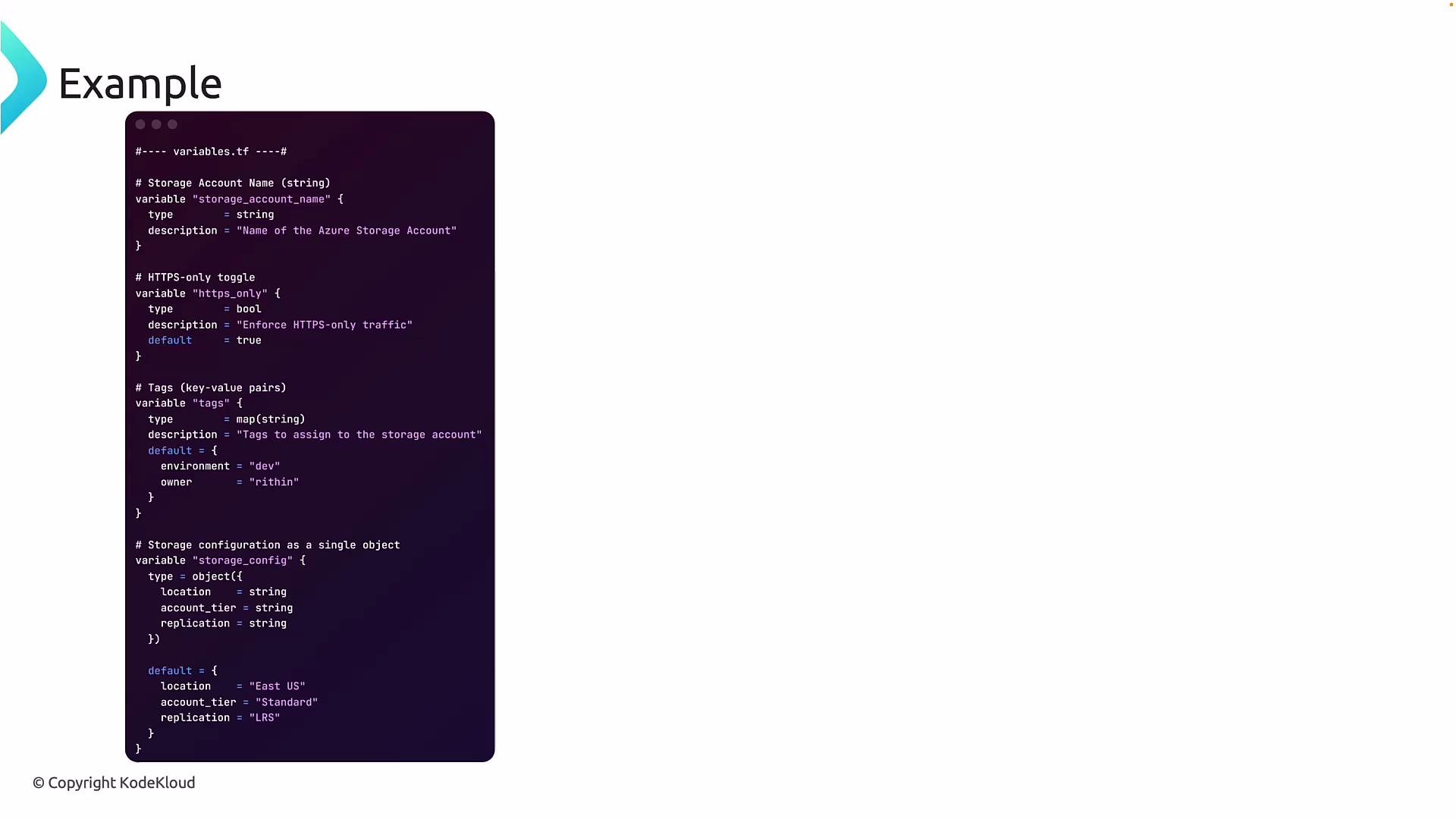
The following diagram shows a concrete example of variable declarations for a storage account and how those variables are intended to be consumed by resources.
### Short notes on selected types
* map: Use `map(string)` or `map(number)` when values share a single type; access entries via `var.my_map["key"]`.
* object: Use objects to group related attributes and access them with `var.obj.attr`.
* tuple: Useful for fixed-position data such as `[ "log", 30 ]` where positions convey meaning.
* any: Avoid in production code; it defeats type checking and can hide configuration errors.
Prefer specific types (string, number, bool, list, map, object) over `any` whenever possible. Strong typing enables Terraform to validate inputs and catch errors early.
The following diagram shows a concrete example of variable declarations for a storage account and how those variables are intended to be consumed by resources.
 ## Consolidated example
The example below demonstrates defining variables in `variables.tf`, consuming them in `main.tf`, and providing runtime values in `terraform.tfvars`.
```hcl theme={null}
# ---- variables.tf ----
# Storage Account Name (string)
variable "storage_account_name" {
type = string
description = "Name of the Azure Storage Account"
}
# HTTPS-only toggle (boolean)
variable "https_only" {
type = bool
description = "Enforce HTTPS-only traffic"
default = true
}
# Tags (key-value pairs)
variable "tags" {
type = map(string)
description = "Tags to assign to the storage account"
default = {
environment = "dev"
owner = "rithin"
}
}
# Storage configuration as an object
variable "storage_config" {
type = object({
location = string
account_tier = string
replication = string
})
default = {
location = "East US"
account_tier = "Standard"
replication = "LRS"
}
}
```
```hcl theme={null}
# ---- main.tf ----
resource "azurerm_storage_account" "example" {
name = var.storage_account_name
resource_group_name = "my-workshop-rg"
location = var.storage_config.location
account_tier = var.storage_config.account_tier
account_replication_type = var.storage_config.replication
enable_https_traffic_only = var.https_only
tags = var.tags
}
```
Example `terraform.tfvars` (override defaults or provide runtime values):
```hcl theme={null}
storage_account_name = "mystorageacct123"
https_only = false
tags = {
environment = "prod"
owner = "alice"
}
storage_config = {
location = "East US"
account_tier = "Standard"
replication = "LRS"
}
```
Notes on the example:
* `storage_account_name` is declared as a `string`.
* `https_only` is a `bool` with a default of `true`; you can override it in `terraform.tfvars`.
* `tags` is a `map(string)` used for tagging resources.
* `storage_config` is an `object` grouping related attributes accessed via `var.storage_config.location`, `var.storage_config.account_tier`, etc.
Choosing the right data type enables Terraform to validate inputs, catch errors early, and keep your configurations clear and maintainable. Use objects to group related settings, maps for key-based lookups, lists/sets for collections (ordered or unique), and avoid `any` unless flexibility is essential.
Be cautious when using `any`. It disables type checking and can make debugging harder. Prefer explicit types for production code.
References
* Terraform: Input Variables — [https://www.terraform.io/language/values/variables](https://www.terraform.io/language/values/variables)
* Terraform: Types — [https://www.terraform.io/language/types](https://www.terraform.io/language/types)
## Consolidated example
The example below demonstrates defining variables in `variables.tf`, consuming them in `main.tf`, and providing runtime values in `terraform.tfvars`.
```hcl theme={null}
# ---- variables.tf ----
# Storage Account Name (string)
variable "storage_account_name" {
type = string
description = "Name of the Azure Storage Account"
}
# HTTPS-only toggle (boolean)
variable "https_only" {
type = bool
description = "Enforce HTTPS-only traffic"
default = true
}
# Tags (key-value pairs)
variable "tags" {
type = map(string)
description = "Tags to assign to the storage account"
default = {
environment = "dev"
owner = "rithin"
}
}
# Storage configuration as an object
variable "storage_config" {
type = object({
location = string
account_tier = string
replication = string
})
default = {
location = "East US"
account_tier = "Standard"
replication = "LRS"
}
}
```
```hcl theme={null}
# ---- main.tf ----
resource "azurerm_storage_account" "example" {
name = var.storage_account_name
resource_group_name = "my-workshop-rg"
location = var.storage_config.location
account_tier = var.storage_config.account_tier
account_replication_type = var.storage_config.replication
enable_https_traffic_only = var.https_only
tags = var.tags
}
```
Example `terraform.tfvars` (override defaults or provide runtime values):
```hcl theme={null}
storage_account_name = "mystorageacct123"
https_only = false
tags = {
environment = "prod"
owner = "alice"
}
storage_config = {
location = "East US"
account_tier = "Standard"
replication = "LRS"
}
```
Notes on the example:
* `storage_account_name` is declared as a `string`.
* `https_only` is a `bool` with a default of `true`; you can override it in `terraform.tfvars`.
* `tags` is a `map(string)` used for tagging resources.
* `storage_config` is an `object` grouping related attributes accessed via `var.storage_config.location`, `var.storage_config.account_tier`, etc.
Choosing the right data type enables Terraform to validate inputs, catch errors early, and keep your configurations clear and maintainable. Use objects to group related settings, maps for key-based lookups, lists/sets for collections (ordered or unique), and avoid `any` unless flexibility is essential.
Be cautious when using `any`. It disables type checking and can make debugging harder. Prefer explicit types for production code.
References
* Terraform: Input Variables — [https://www.terraform.io/language/values/variables](https://www.terraform.io/language/values/variables)
* Terraform: Types — [https://www.terraform.io/language/types](https://www.terraform.io/language/types)