> ## Documentation Index
> Fetch the complete documentation index at: https://notes.kodekloud.com/llms.txt
> Use this file to discover all available pages before exploring further.
# Setting Up Account Regions and Environments
> This guide explains organizing Terragrunt configurations for AWS infrastructure into layers for consistency, scalability, and maintenance across multiple accounts and regions.
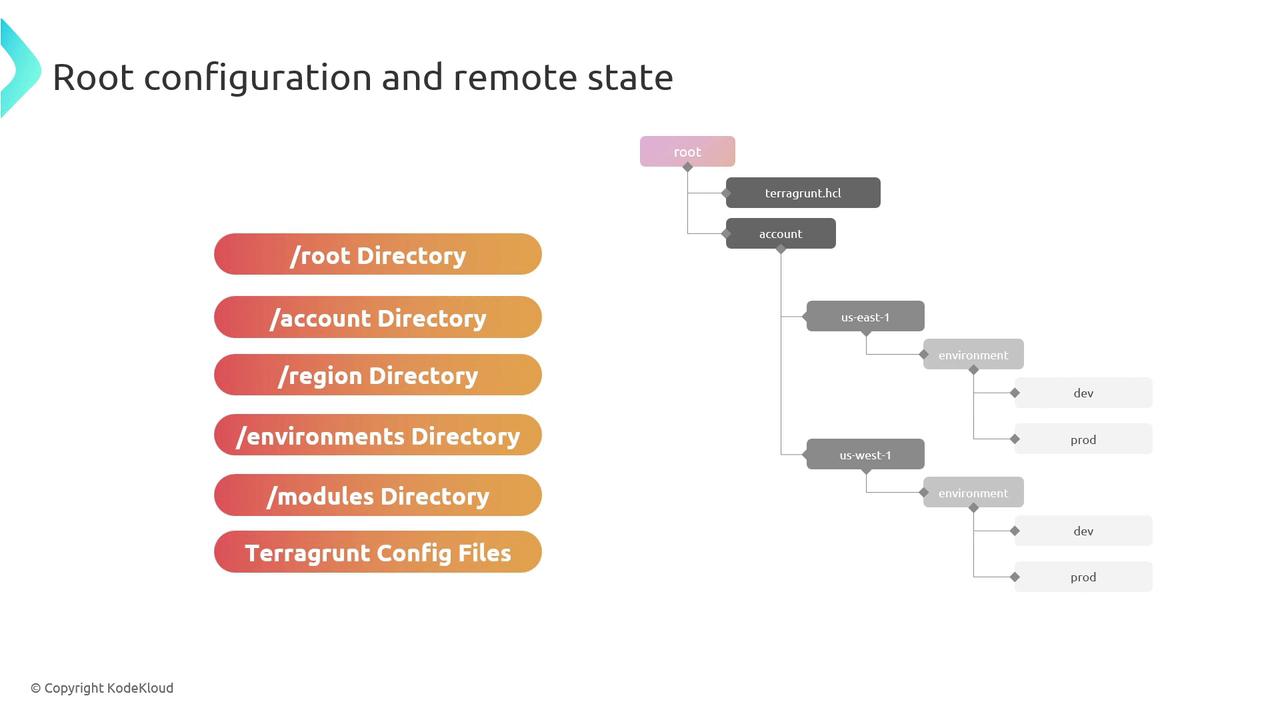
In this guide, you’ll learn how to organize Terragrunt configurations for AWS infrastructure into logical layers—root, account, region, and environment—while centralizing reusable Terraform modules. This structure promotes consistency, scalability, and easy maintenance across multiple AWS accounts and regions.
## 1. Root Directory Overview
At the top level, maintain a **root/** directory that holds all live environments and shared modules:
```bash theme={null}
root/
├── account-1/
├── account-2/
└── modules/
```
| Directory | Purpose |
| ---------- | ---------------------------------------------------------------- |
| account-1/ | Terragrunt configurations for AWS Account 1 |
| account-2/ | Terragrunt configurations for AWS Account 2 |
| modules/ | Central repo for all Terraform modules (local, Git, or registry) |
Place reusable Terraform modules in `modules/` to keep your infrastructure code DRY and version-controlled.
## 2. Account-Level and Region Structure
Within each account folder, separate configurations by AWS region. Inside each region, create one directory per environment (`dev`, `staging`, `production`, etc.):
```bash theme={null}
root/account-1/
└── us-east-1/
├── dev/
├── staging/
└── production/
```
* **us-east-1/**: Configurations scoped to the `us-east-1` region.
* **dev/**, **staging/**, **production/**: Environment-specific folders containing `terragrunt.hcl`.
## 3. Terragrunt Configuration (`terragrunt.hcl`)
Each environment directory must include a `terragrunt.hcl` file that:
* References the Terraform module source.
* Defines input variables for that environment.
* Configures remote state backend (S3 & DynamoDB).
## 4. Example `terragrunt.hcl`
Below is a sample configuration for the `dev` environment in account-1’s `us-east-1` region:
```hcl theme={null}
terraform {
source = "../../../modules/vpc"
}
inputs = {
environment = "dev"
cidr_block = "10.0.0.0/16"
}
remote_state {
backend = "s3"
config = {
bucket = "my-terraform-state"
key = "account-1/us-east-1/dev/terraform.tfstate"
region = "us-east-1"
dynamodb_table = "terraform-locks"
encrypt = true
}
}
```
## 5. Customization & Best Practices
* Use clear, consistent naming conventions for accounts, regions, and environments.
* Reference your shared modules via relative paths or Git/Terraform Registry URLs.
* Leverage Terragrunt’s `include` and `dependency` blocks to minimize duplication.
Never hard-code sensitive values (API keys, secrets) in `terragrunt.hcl`. Use AWS Secrets Manager, SSM Parameter Store, or environment variables instead.
***
## Links and References
* [Terragrunt Documentation](https://terragrunt.gruntwork.io/docs/)
* [Terraform State Backends](https://www.terraform.io/language/settings/backends)
* [AWS S3 Backend for Terraform](https://registry.terraform.io/providers/hashicorp/aws/latest/docs/resources/s3_bucket)
By following this layered directory structure and best practices, you’ll build a scalable, maintainable foundation for managing AWS infrastructure with Terragrunt.