> ## Documentation Index
> Fetch the complete documentation index at: https://notes.kodekloud.com/llms.txt
> Use this file to discover all available pages before exploring further.
# Vector Databases The Definition
> Introduction to vector databases explaining embeddings, storage and indexing for similarity search, typical operations, ANN algorithms, pros and cons, and common AI use cases like semantic search and RAG
Hello and welcome to the introduction lesson on vector databases.
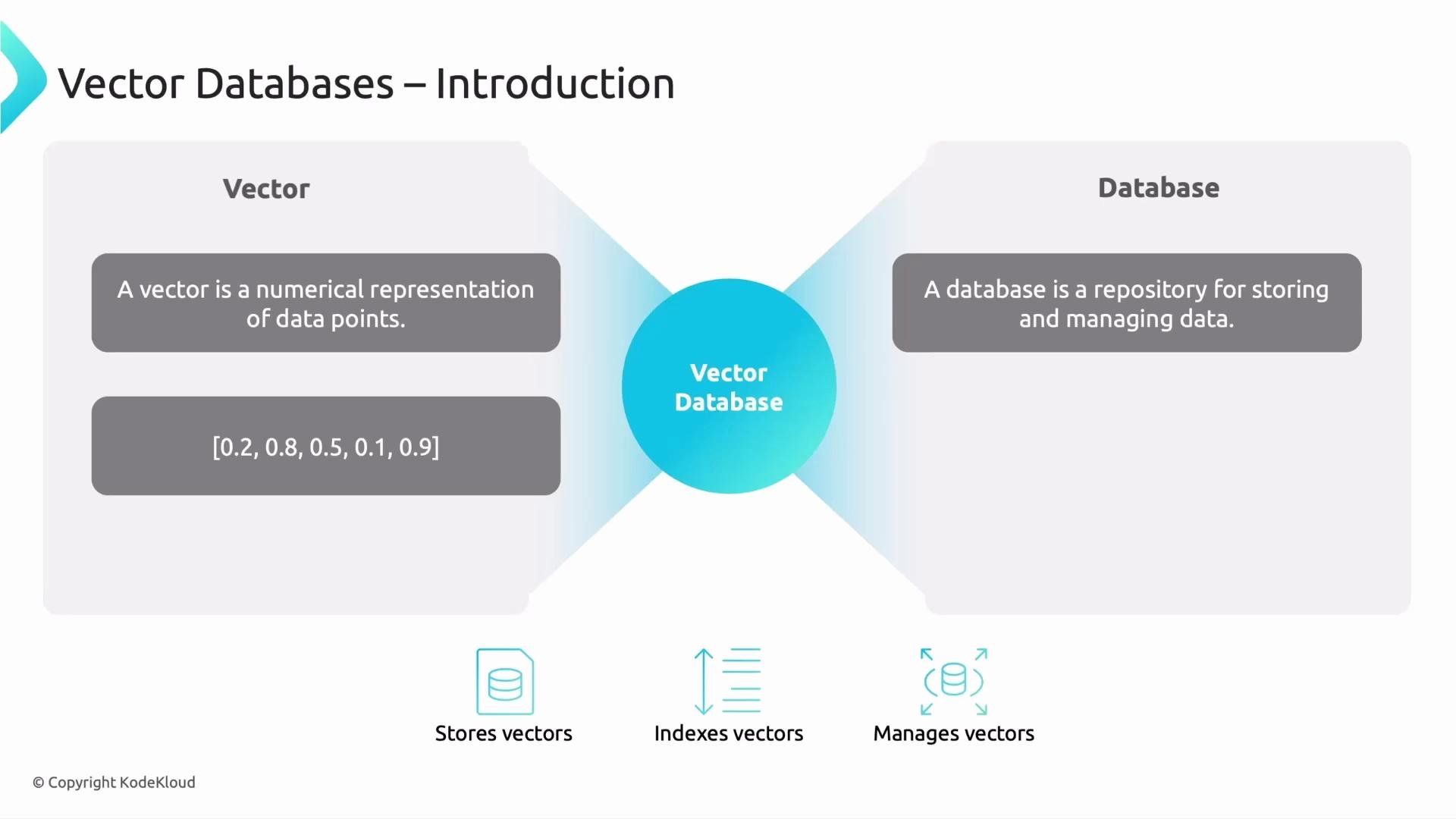
Before we jump into the features of a vector database—what it does, its main pros and cons, and where it is used—it's important to understand the terminology behind the phrase "vector database." The term is composed of two parts: "vector" and "database." Below we break down each part and explain how they fit together in modern AI systems.
## What is a vector?
* A vector, in this context, is a numeric representation expressed as an ordered list (an array) of numbers—typically floating-point values.
* Vectors (often called embeddings) encode properties of data such as the semantic meaning of text, visual features of an image, or other learned attributes produced by machine learning models.
* Dimensionality is the number of elements in the vector. Higher dimensionality can capture more nuance, but it increases storage, compute, and indexing complexity.
## What is a database?
* A database is a system to store, organize, and manage data.
* A vector database specifically stores vectors (and usually associated metadata or payload) and provides efficient mechanisms to index, search, and retrieve them based on similarity rather than exact matches.
Putting these together, a vector database is a system built to store collections of vectors, index them for fast similarity-based retrieval, and manage associated metadata. Typical operations include inserting vectors with metadata, building or maintaining indexes (often approximate nearest neighbor or ANN indexes), and querying for the most similar vectors to a given query vector.
 ## Why vectors matter in ML and AI
Vectors are the common numeric format that models use to represent data—text, images, audio, or structured records. Once data is converted into vectors (embeddings), you can:
* Measure similarity between items using distance metrics (cosine similarity, Euclidean distance, etc.)
* Retrieve nearest neighbors for search and recommendation
* Cluster related items or perform semantic grouping
* Power retrieval-augmented generation (RAG) and contextual retrieval for LLMs
Embeddings are the numeric outputs of models that capture semantic or feature-level information. You typically do not compare raw text or images directly; you compare their vector embeddings to find related content.
## Typical operations and examples
| Operation | Purpose | Example |
| ------------------ | ----------------------------------------------------- | ----------------------------------------------------------------------------------------------------- |
| Insert | Add vectors with optional metadata | Insert an embedding for a product with `{"id":"p123","vector":[...],"metadata":{"category":"shoes"}}` |
| Index | Build or maintain ANN indexes for fast search | Build an HNSW or IVF index to speed up nearest neighbor queries |
| Query / Search | Retrieve most similar vectors to a given query vector | Return top-K items by cosine similarity |
| Filter by metadata | Combine vector similarity with attribute filters | Search embeddings where `category = "news"` and `score > 0.8` |
| Upsert / Delete | Update or remove vectors | Replace an existing embedding or delete by ID |
| Persist & Backup | Durable storage and snapshots | Periodic backups to object storage for disaster recovery |
## Common indexing algorithms (ANN)
* HNSW (Hierarchical Navigable Small World): high recall and fast queries for many real-world workloads.
* IVF (Inverted File) + PQ (Product Quantization): good for very large collections to reduce memory usage.
* Annoy (Approximate Nearest Neighbors Oh Yeah): disk-backed, memory-efficient, optimized for read-heavy workloads.
* Faiss (Facebook AI Similarity Search): a library that implements many ANN techniques and optimizations.
## Where vector databases are used
* Semantic search: return results based on meaning rather than keyword matches.
* Recommendation engines: find similar items or users in embedding space.
* Retrieval-Augmented Generation (RAG): fetch context for language models to ground outputs.
* Deduplication & clustering: detect near-duplicates or group similar records.
* Multimodal retrieval: search across text, images, and other modalities using unified embeddings.
High-dimensional vectors can be expensive to store and index. Choosing the right index type and dimensionality (embedding size) is critical for balancing recall, latency, and cost.
## Pros and cons (summary)
| Pros | Cons |
| -------------------------------------------------- | --------------------------------------------------------- |
| Fast semantic retrieval when properly indexed | Index building and tuning can be complex |
| Supports hybrid search (vector + metadata filters) | High-dimensional data increases storage and compute needs |
| Enables modern AI workflows (RAG, recommendations) | Approximate methods may trade recall for latency |
## Helpful links and references
* [Kubernetes Basics](https://kubernetes.io/docs/concepts/overview/what-is-kubernetes/) (general infrastructure)
* Faiss: [https://github.com/facebookresearch/faiss](https://github.com/facebookresearch/faiss)
* HNSW paper & implementations: [https://arxiv.org/abs/1603.09320](https://arxiv.org/abs/1603.09320)
* Annoy: [https://github.com/spotify/annoy](https://github.com/spotify/annoy)
This lesson examined what a vector database is, why vectors matter in AI, the typical operations and indexing strategies, and common production use cases such as semantic search, recommendation engines, and retrieval-augmented generation.
That is it for this lesson.
## Why vectors matter in ML and AI
Vectors are the common numeric format that models use to represent data—text, images, audio, or structured records. Once data is converted into vectors (embeddings), you can:
* Measure similarity between items using distance metrics (cosine similarity, Euclidean distance, etc.)
* Retrieve nearest neighbors for search and recommendation
* Cluster related items or perform semantic grouping
* Power retrieval-augmented generation (RAG) and contextual retrieval for LLMs
Embeddings are the numeric outputs of models that capture semantic or feature-level information. You typically do not compare raw text or images directly; you compare their vector embeddings to find related content.
## Typical operations and examples
| Operation | Purpose | Example |
| ------------------ | ----------------------------------------------------- | ----------------------------------------------------------------------------------------------------- |
| Insert | Add vectors with optional metadata | Insert an embedding for a product with `{"id":"p123","vector":[...],"metadata":{"category":"shoes"}}` |
| Index | Build or maintain ANN indexes for fast search | Build an HNSW or IVF index to speed up nearest neighbor queries |
| Query / Search | Retrieve most similar vectors to a given query vector | Return top-K items by cosine similarity |
| Filter by metadata | Combine vector similarity with attribute filters | Search embeddings where `category = "news"` and `score > 0.8` |
| Upsert / Delete | Update or remove vectors | Replace an existing embedding or delete by ID |
| Persist & Backup | Durable storage and snapshots | Periodic backups to object storage for disaster recovery |
## Common indexing algorithms (ANN)
* HNSW (Hierarchical Navigable Small World): high recall and fast queries for many real-world workloads.
* IVF (Inverted File) + PQ (Product Quantization): good for very large collections to reduce memory usage.
* Annoy (Approximate Nearest Neighbors Oh Yeah): disk-backed, memory-efficient, optimized for read-heavy workloads.
* Faiss (Facebook AI Similarity Search): a library that implements many ANN techniques and optimizations.
## Where vector databases are used
* Semantic search: return results based on meaning rather than keyword matches.
* Recommendation engines: find similar items or users in embedding space.
* Retrieval-Augmented Generation (RAG): fetch context for language models to ground outputs.
* Deduplication & clustering: detect near-duplicates or group similar records.
* Multimodal retrieval: search across text, images, and other modalities using unified embeddings.
High-dimensional vectors can be expensive to store and index. Choosing the right index type and dimensionality (embedding size) is critical for balancing recall, latency, and cost.
## Pros and cons (summary)
| Pros | Cons |
| -------------------------------------------------- | --------------------------------------------------------- |
| Fast semantic retrieval when properly indexed | Index building and tuning can be complex |
| Supports hybrid search (vector + metadata filters) | High-dimensional data increases storage and compute needs |
| Enables modern AI workflows (RAG, recommendations) | Approximate methods may trade recall for latency |
## Helpful links and references
* [Kubernetes Basics](https://kubernetes.io/docs/concepts/overview/what-is-kubernetes/) (general infrastructure)
* Faiss: [https://github.com/facebookresearch/faiss](https://github.com/facebookresearch/faiss)
* HNSW paper & implementations: [https://arxiv.org/abs/1603.09320](https://arxiv.org/abs/1603.09320)
* Annoy: [https://github.com/spotify/annoy](https://github.com/spotify/annoy)
This lesson examined what a vector database is, why vectors matter in AI, the typical operations and indexing strategies, and common production use cases such as semantic search, recommendation engines, and retrieval-augmented generation.
That is it for this lesson.