> ## Documentation Index
> Fetch the complete documentation index at: https://notes.kodekloud.com/llms.txt
> Use this file to discover all available pages before exploring further.
# Strategy 3 Rebuild Sometimes
> Periodic full index rebuilds to remove fragmentation, tombstones, and restore efficient vector search performance via validation, atomic swaps, and scheduled off peak reindexing.
Welcome back.
Small-file merges and routine cleanup keep an index usable, but over time even well-maintained indices accumulate fragmentation. Deletes leave tombstones and updates can scatter logically related vectors across segments. As fragmentation grows, each query must touch more segments, increasing I/O and search latency.
Occasionally rebuilding the entire index from scratch is the most reliable way to restore efficient layout and predictable query performance. A full rebuild compacts data, removes tombstones, and places related vectors contiguously so reads become more sequential and much faster—similar to defragmenting a filesystem.
Why rebuild?
* Removes tombstones and stale records that make searches scan more data than needed.
* Reorders data so related vectors live close together, improving locality and cache behavior.
* Restores predictable latency patterns after long-term churn (many updates/deletes).
Rebuild lifecycle (high level)
| Step | Purpose | Notes / Best practices |
| -------------------------- | ------------------------------------------------ | ------------------------------------------------------------------------------------------------------------ |
| Detect degradation | Identify when fragmentation impacts performance | Monitor latency percentiles, query throughput, segment/merge counts, and merge failure rates. |
| Schedule or trigger | Decide when to run reindexing | Use automated schedules (e.g., nightly) or manual triggers tied to thresholds. Prefer low-traffic windows. |
| Reindex into a fresh index | Build an optimized index from authoritative data | Stream or bulk-copy documents into a new index with optimized merge policy and shard layout. |
| Validate and swap | Verify correctness before serving traffic | Run end-to-end checks, consistency tests, and then perform an atomic alias/routing swap. |
| Monitor post-swap | Ensure rebuild achieved goals | Compare latency, error rates, and search results between old and new indices. Roll back if anomalies appear. |
Operational considerations
* Atomic swap: Use index alias swaps or routing rules to switch traffic atomically to the rebuilt index, avoiding partial results being served.
* Validation: Compare sample queries and result counts between old and rebuilt indices. Run checksums or hash-based validation where feasible.
* Scheduling: Avoid peak hours. For large datasets, coordinate rebuilds across regions and replicas to limit load spikes.
* Cost: Reindexing can be CPU-, memory-, and network-intensive. Factor compute and time into maintenance windows and budgets.
Managed systems and background compaction
Many managed vector search systems (for example, [Elasticsearch](https://www.elastic.co/elasticsearch) and [Pinecone](https://www.pinecone.io/)) perform background merges, compaction, and other maintenance to reduce fragmentation automatically. Providers typically run these tasks during off-peak hours so you rarely need to intervene manually.
If you operate your own infrastructure, implement clear triggers and safeguards for full reindexes. Running a rebuild during peak traffic can increase load and, without careful validation and swapping, risk serving stale or partial results.
Avoid running full rebuilds during peak traffic. Schedule reindexing for low-traffic windows and use validation and an atomic swap to prevent serving incorrect or partial results.
At very large scale, reindexing itself can be expensive in time and resources. Build robust checks to ensure the rebuild completed successfully before switching production traffic to the new index—automate validation, compare result sets, and only then perform the alias swap.
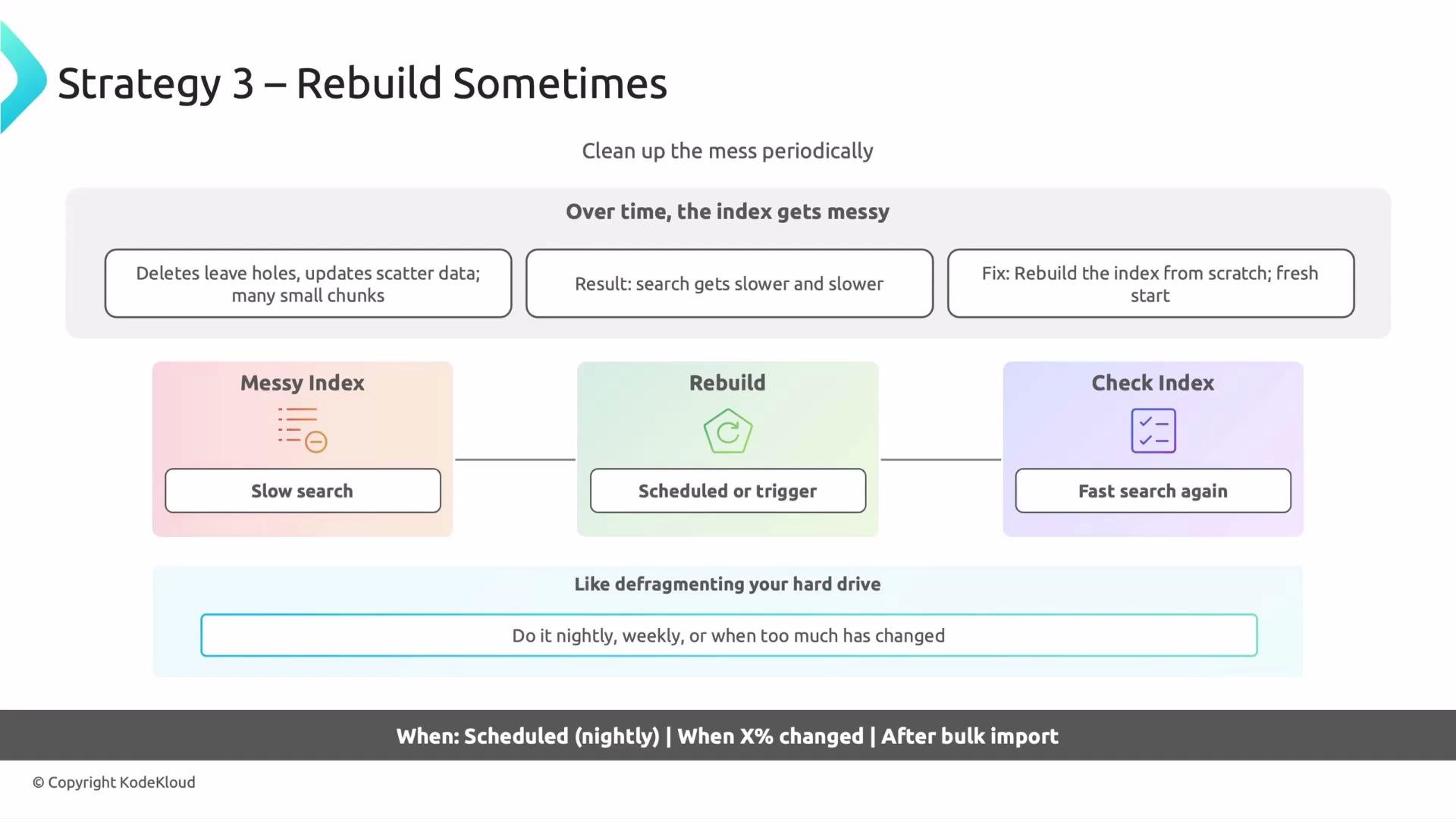 That covers the "rebuild sometimes" approach — strategy number three for maintaining indices in vector databases. Rebuilds are a powerful remediation when used judiciously alongside monitoring, validation, and careful scheduling.
Links and references
* [Elasticsearch Reindex API & Reindexing Guidance](https://www.elastic.co/guide/en/elasticsearch/reference/current/docs-reindex.html)
* [Pinecone Documentation](https://www.pinecone.io/docs/)
That covers the "rebuild sometimes" approach — strategy number three for maintaining indices in vector databases. Rebuilds are a powerful remediation when used judiciously alongside monitoring, validation, and careful scheduling.
Links and references
* [Elasticsearch Reindex API & Reindexing Guidance](https://www.elastic.co/guide/en/elasticsearch/reference/current/docs-reindex.html)
* [Pinecone Documentation](https://www.pinecone.io/docs/)