> ## Documentation Index
> Fetch the complete documentation index at: https://notes.kodekloud.com/llms.txt
> Use this file to discover all available pages before exploring further.
# Demo Your First n8n RAG Agent Customer Support RAG Agent
> Guide to building a customer support RAG agent in n8n that uses OpenAI embeddings, Pinecone retrieval, and AI agent nodes to answer SOP and policy queries.
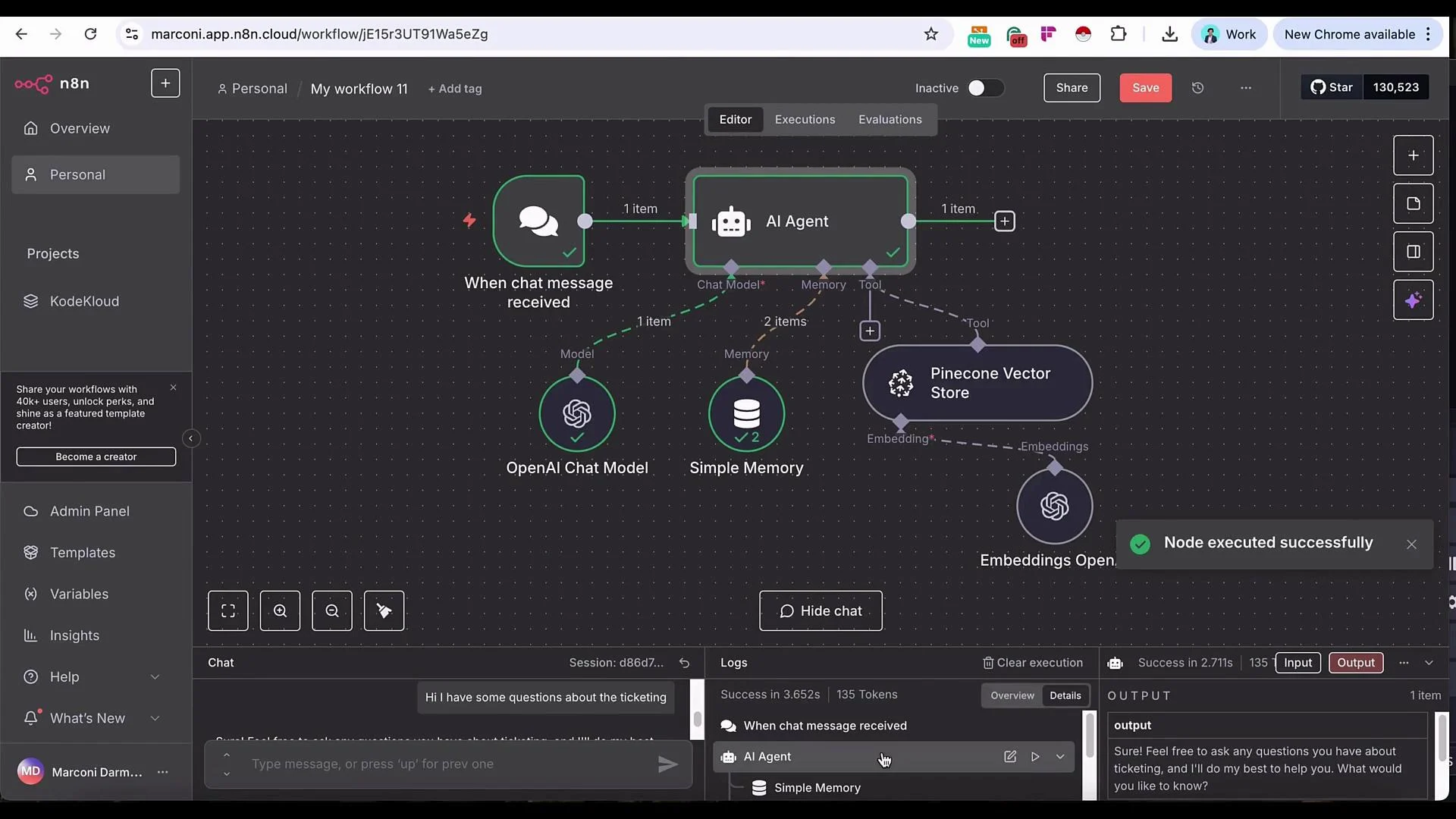
In this lesson you'll build a customer-support RAG (Retrieval‑Augmented Generation) agent for AirNova. The demo assumes you already have a workflow that upserts documents from Google Drive into a vector store (Pinecone). Here, we connect an AI agent that answers customer queries by retrieving relevant SOP content from that index.
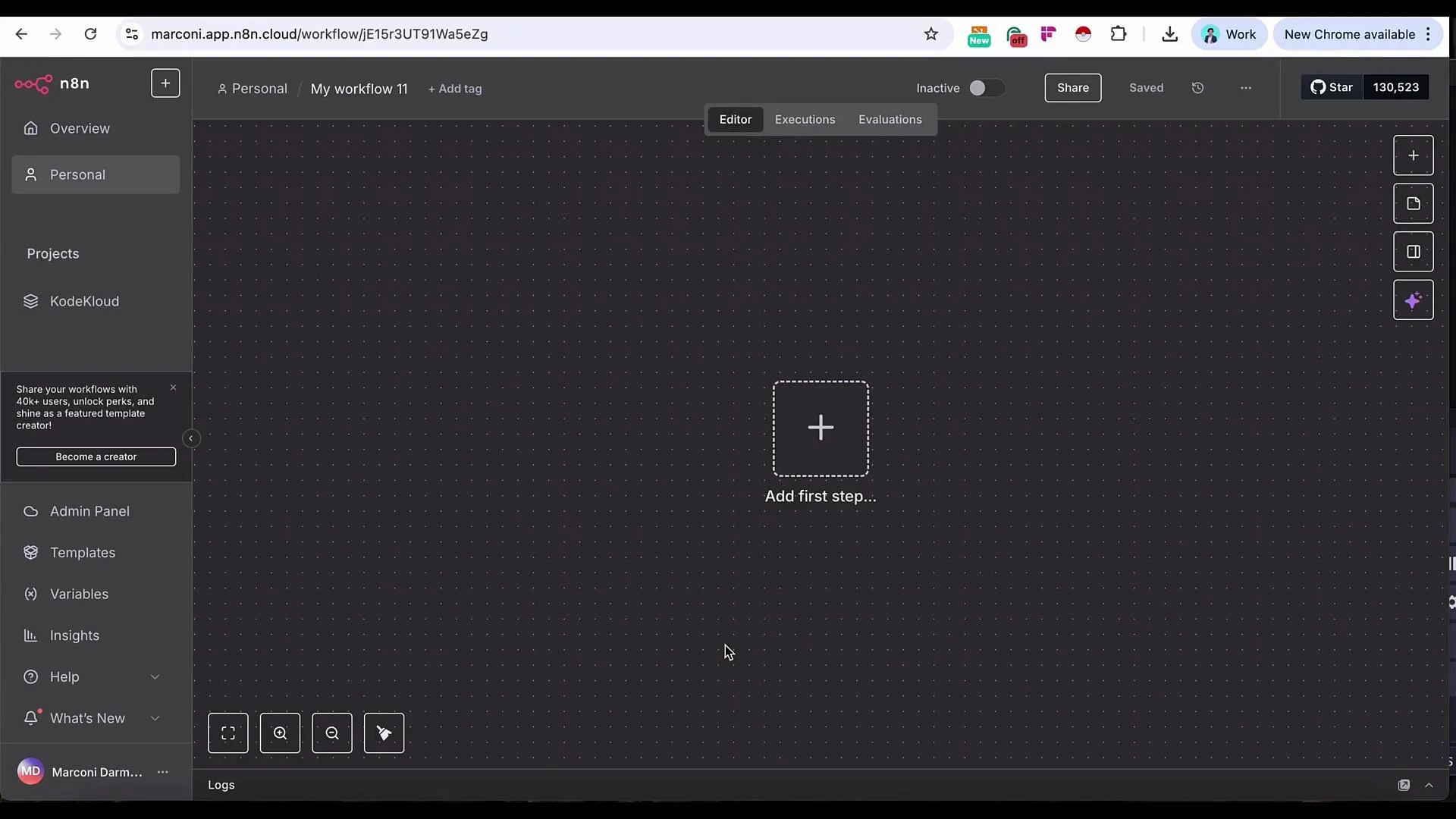 Quick approach (high level)
* Add a Chat Trigger to accept messages (great for testing; later swap in Slack, Telegram, or an embedded chat widget).
* Add an AI Agent node that uses an LLM (OpenAI used in this example).
* Attach a Simple Memory so the agent retains recent context.
* Add the Pinecone Vector Store as a retrieval tool so the agent can fetch SOP excerpts.
* Configure embeddings (OpenAI `text-embedding-3-small`) and retrieval parameters (limit, reranker).
1. Add a Chat Trigger node first — it’s the fastest way to interactively test the workflow and shared variables. You can replace it with your production channel later.
Quick approach (high level)
* Add a Chat Trigger to accept messages (great for testing; later swap in Slack, Telegram, or an embedded chat widget).
* Add an AI Agent node that uses an LLM (OpenAI used in this example).
* Attach a Simple Memory so the agent retains recent context.
* Add the Pinecone Vector Store as a retrieval tool so the agent can fetch SOP excerpts.
* Configure embeddings (OpenAI `text-embedding-3-small`) and retrieval parameters (limit, reranker).
1. Add a Chat Trigger node first — it’s the fastest way to interactively test the workflow and shared variables. You can replace it with your production channel later.
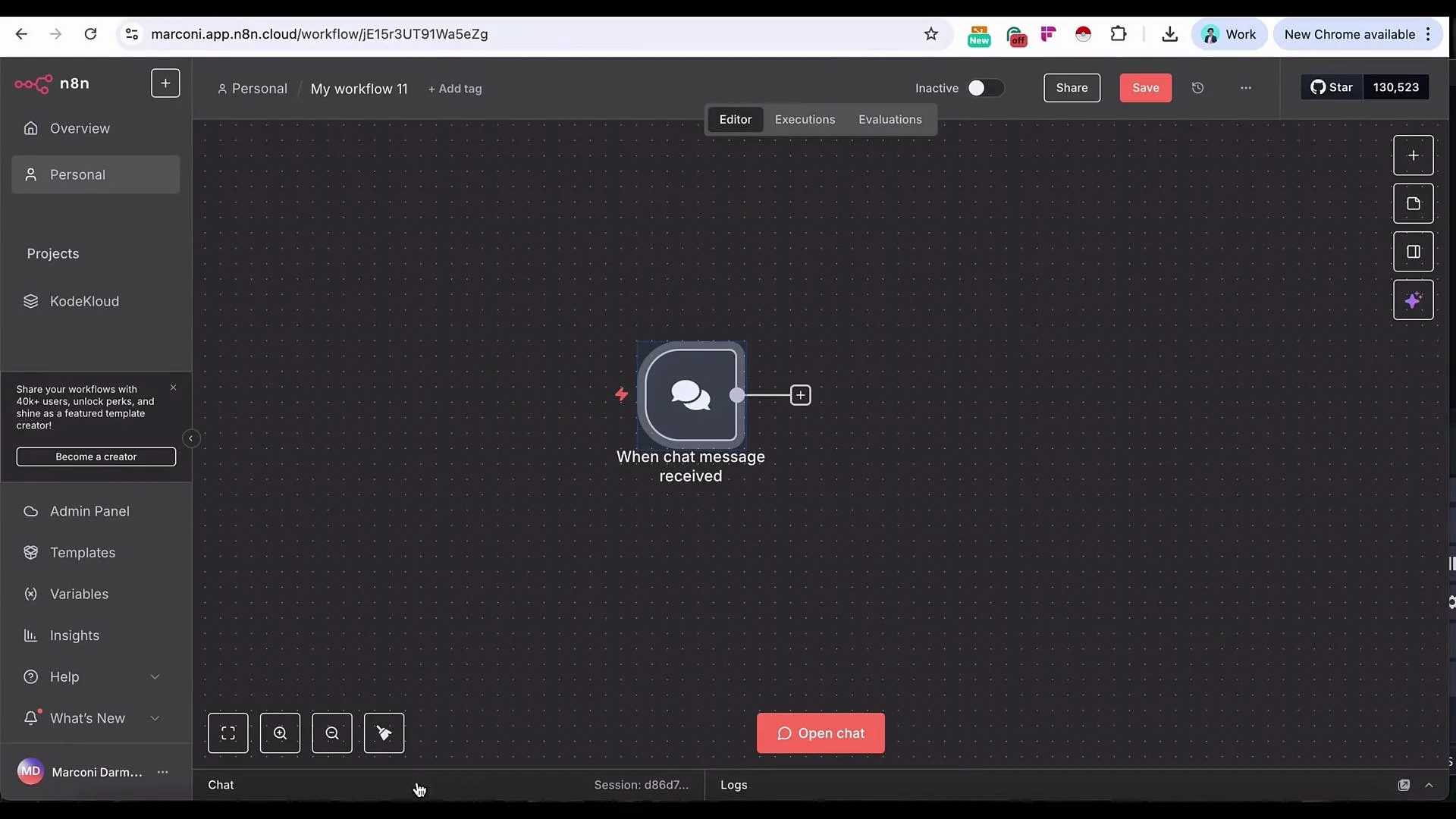 2. Connect the Chat Trigger to an AI Agent node. The trigger provides the incoming message text so you can reference that variable inside the agent prompt and tool calls.
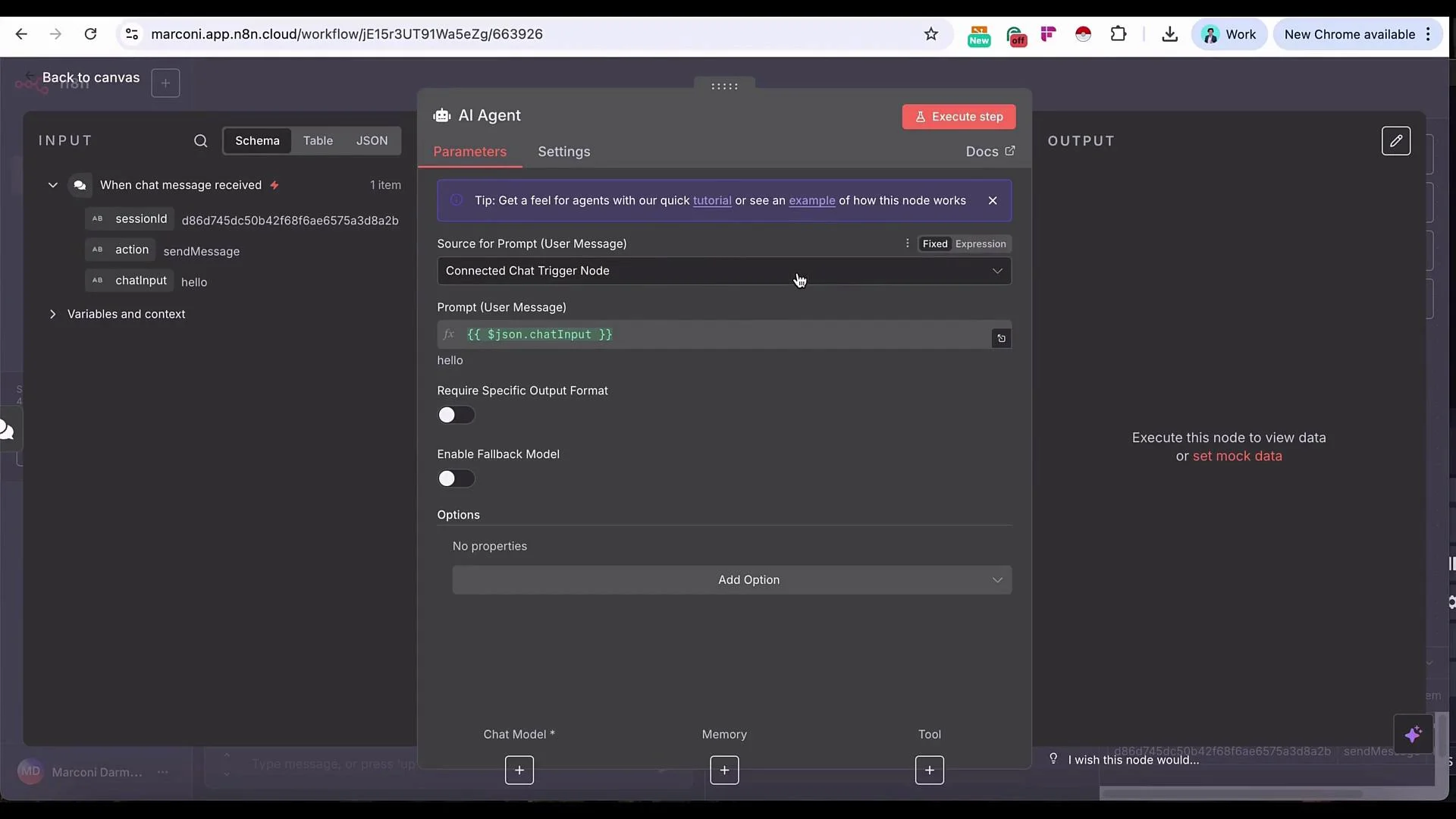 AI Agent configuration (key fields)
* Model: Choose your preferred LLM (OpenAI recommended for this demo).
* Memory: `Simple Memory` to retain recent conversational context. Increase memory length for longer sessions.
* Tools: Add the Pinecone Vector Store tool so the agent can retrieve relevant SOP chunks.
* System message: Provide clear instructions about role and retrieval expectations (example below).
* Embeddings: Use OpenAI embeddings and the `text-embedding-3-small` model for vectorization.
Example system message (paste into the agent’s System field)
```text theme={null}
You are a customer support agent for AirNova. When a customer query relates to policies, procedures, or ticketing rules, use the Pinecone Vector Store tool provided to fetch the most relevant SOP excerpts. Cite the rule or quoted excerpt in your reply and summarize it clearly for the customer. If the query is conversational or unrelated to SOPs, respond normally without calling the vector store.
```
Runtime / diagnostics example
* The agent execution log shows runtime values used for context (session id, vector store id, memory length). Example values shown during demo execution:
```text theme={null}
`{{ $json.sessionId }}`
d86d745dc50b42f68fae65753a3d8a2b
10
```
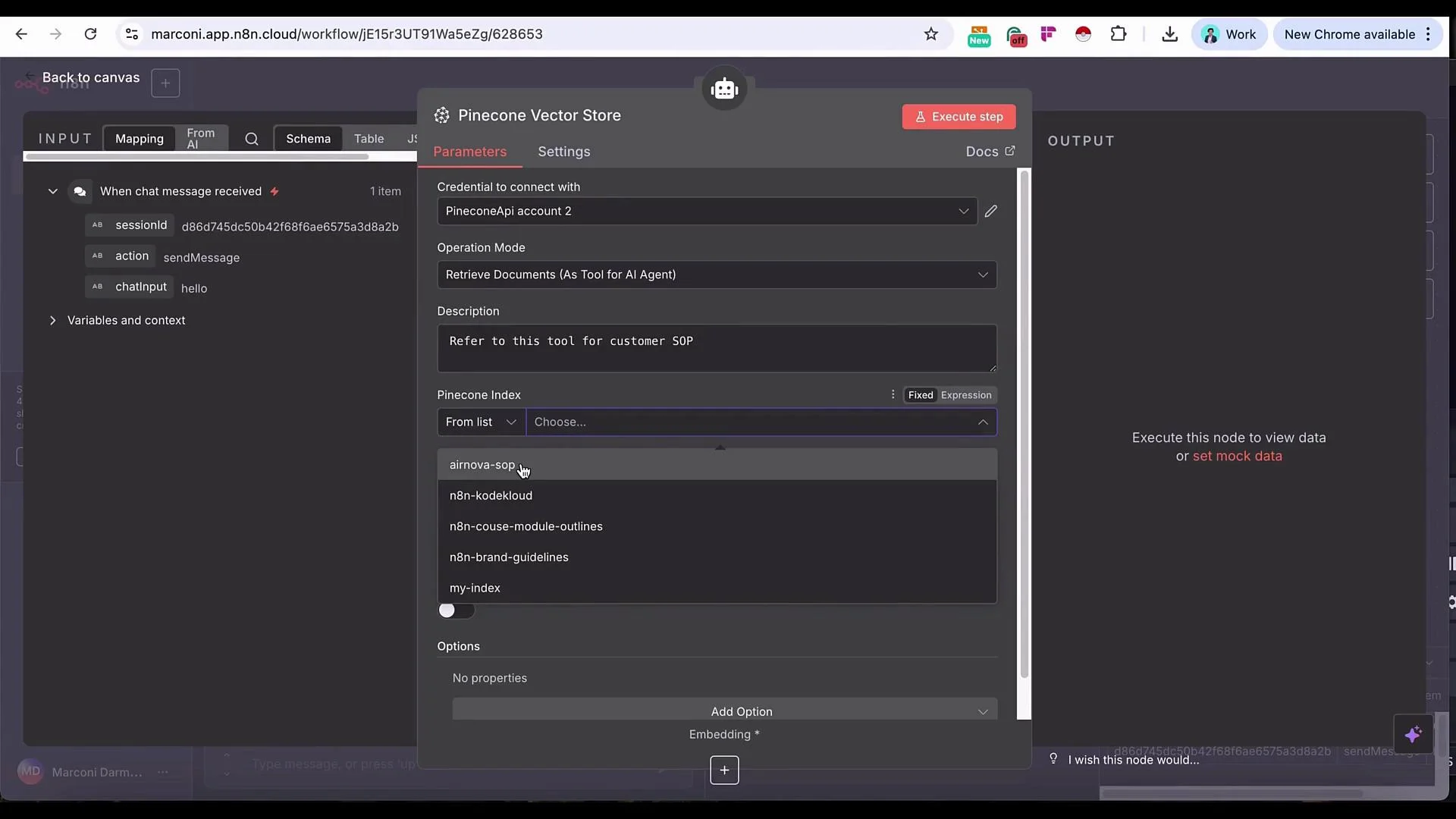
3. Configure the Pinecone Vector Store tool
* Index: Select the AirNova SOP index you upserted earlier.
* Limit: Number of results to retrieve (start with 4).
* Include metadata: Enable if you stored metadata at upsert (titles, section IDs, dates).
* Rerank results: Optional — useful to improve precision on large datasets.
AI Agent configuration (key fields)
* Model: Choose your preferred LLM (OpenAI recommended for this demo).
* Memory: `Simple Memory` to retain recent conversational context. Increase memory length for longer sessions.
* Tools: Add the Pinecone Vector Store tool so the agent can retrieve relevant SOP chunks.
* System message: Provide clear instructions about role and retrieval expectations (example below).
* Embeddings: Use OpenAI embeddings and the `text-embedding-3-small` model for vectorization.
Example system message (paste into the agent’s System field)
```text theme={null}
You are a customer support agent for AirNova. When a customer query relates to policies, procedures, or ticketing rules, use the Pinecone Vector Store tool provided to fetch the most relevant SOP excerpts. Cite the rule or quoted excerpt in your reply and summarize it clearly for the customer. If the query is conversational or unrelated to SOPs, respond normally without calling the vector store.
```
Runtime / diagnostics example
* The agent execution log shows runtime values used for context (session id, vector store id, memory length). Example values shown during demo execution:
```text theme={null}
`{{ $json.sessionId }}`
d86d745dc50b42f68fae65753a3d8a2b
10
```
3. Configure the Pinecone Vector Store tool
* Index: Select the AirNova SOP index you upserted earlier.
* Limit: Number of results to retrieve (start with 4).
* Include metadata: Enable if you stored metadata at upsert (titles, section IDs, dates).
* Rerank results: Optional — useful to improve precision on large datasets.
 Embeddings and credentials
* Use OpenAI embeddings and set the model to `text-embedding-3-small`.
* Ensure you have configured your OpenAI API key and Pinecone API key in n8n Credentials before testing.
* Securely store API keys and rotate them per your security policies.
Make sure credentials (OpenAI key, Pinecone API key) are configured in n8n before running the workflow. Exposing keys in logs or public repositories can lead to unauthorized usage.
Testing behavior — greeting vs. SOP lookup
* If you send a generic greeting ("Hello"), the agent will normally respond without calling the vector store.
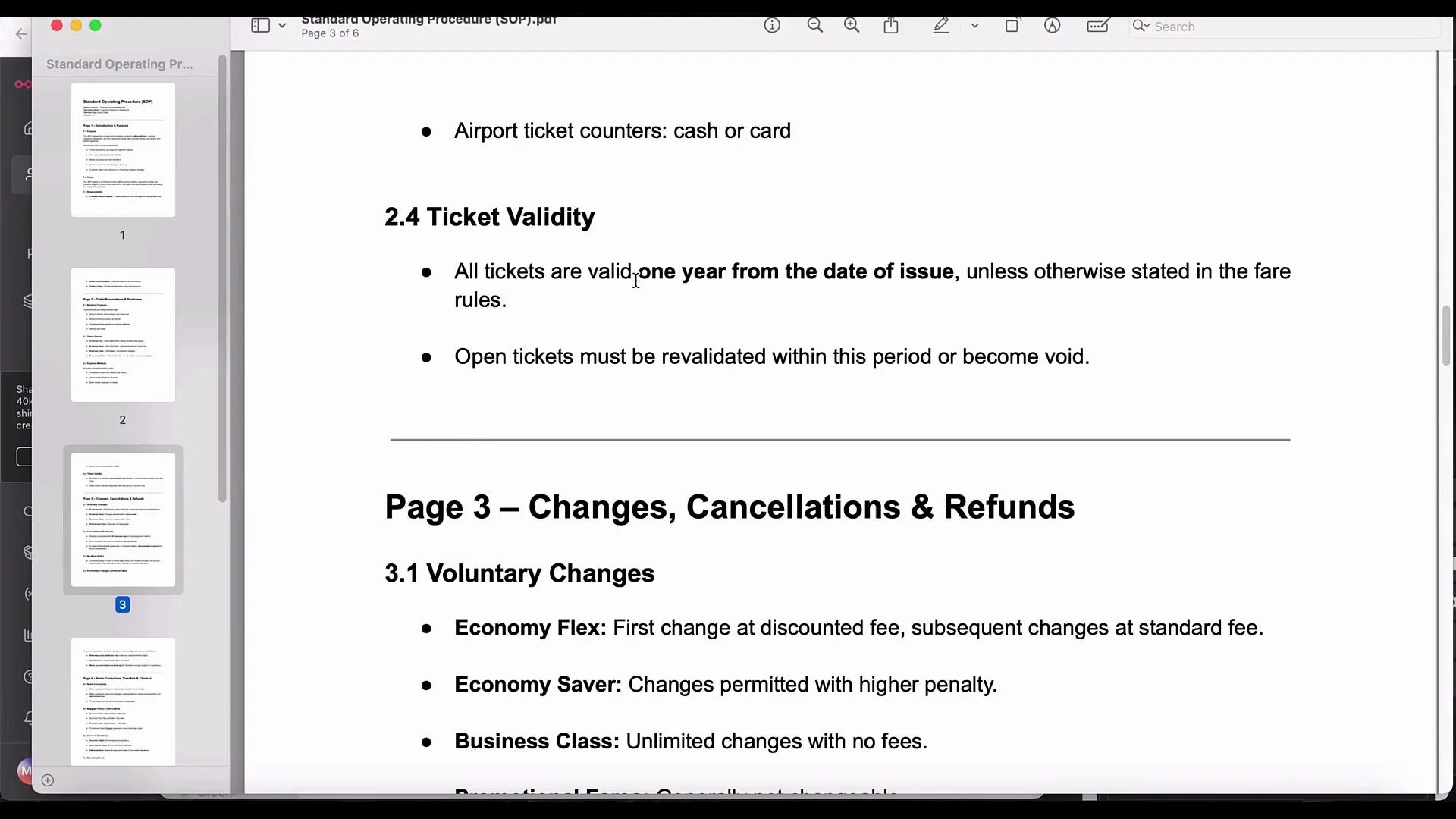
* For SOP-specific questions (e.g., "What is the period of my ticket validity?"), the agent should query Pinecone and return the relevant excerpt.
Typical retrieved response (demo)
* The agent queried Pinecone and returned an SOP excerpt that produced the reply:
"The validity period of your ticket is one year from the date of issue unless otherwise stated in the fare rules."
The Pinecone execution log will list the top retrieved chunks (up to the configured limit) that the agent used to craft the answer.
Embeddings and credentials
* Use OpenAI embeddings and set the model to `text-embedding-3-small`.
* Ensure you have configured your OpenAI API key and Pinecone API key in n8n Credentials before testing.
* Securely store API keys and rotate them per your security policies.
Make sure credentials (OpenAI key, Pinecone API key) are configured in n8n before running the workflow. Exposing keys in logs or public repositories can lead to unauthorized usage.
Testing behavior — greeting vs. SOP lookup
* If you send a generic greeting ("Hello"), the agent will normally respond without calling the vector store.
* For SOP-specific questions (e.g., "What is the period of my ticket validity?"), the agent should query Pinecone and return the relevant excerpt.
Typical retrieved response (demo)
* The agent queried Pinecone and returned an SOP excerpt that produced the reply:
"The validity period of your ticket is one year from the date of issue unless otherwise stated in the fare rules."
The Pinecone execution log will list the top retrieved chunks (up to the configured limit) that the agent used to craft the answer.
 SOP snippet used in demo (what the vector store returned)
 Practical notes, tuning, and next steps
* Replace the Chat Trigger with production channels (Slack, Telegram, in-app chat widget). Ensure the agent replies on the same channel.
* Tune retrieval parameters (limit, reranker) as your index grows — balance relevance vs. latency.
* Save useful metadata at upsert (document titles, sections, effective dates) to filter and present results more precisely.
* Consider adding a post-retrieval filter that only surfaces results above a similarity threshold to avoid spurious matches.
* Reuse this RAG pattern for other domains: legal advisors, HR policy assistants, product docs helpdesk, etc.
Recommended node settings summary
| Component | Purpose | Example / Notes |
| --------------------- | ------------------------------- | ------------------------------------------------------------------ |
| Chat Trigger | Accept incoming messages | Use for interactive testing; replace with production channel later |
| AI Agent | Orchestrates LLM + tools | Model: OpenAI; Memory: `Simple Memory` |
| Pinecone Vector Store | Retrieval tool (SOP index) | Limit: 4; include metadata if available |
| Embeddings | Vectorize documents and queries | OpenAI `text-embedding-3-small` |
Useful links and references
* [n8n Documentation](https://docs.n8n.io/)
* [OpenAI Embeddings](https://platform.openai.com/docs/guides/embeddings)
* [Pinecone](https://www.pinecone.io/)
Tip: Test with both general conversational queries and specific document-related questions to verify the agent decides correctly when to call the vector store. Monitor retrieval logs to refine the number of chunks and reranking strategy.
Practical notes, tuning, and next steps
* Replace the Chat Trigger with production channels (Slack, Telegram, in-app chat widget). Ensure the agent replies on the same channel.
* Tune retrieval parameters (limit, reranker) as your index grows — balance relevance vs. latency.
* Save useful metadata at upsert (document titles, sections, effective dates) to filter and present results more precisely.
* Consider adding a post-retrieval filter that only surfaces results above a similarity threshold to avoid spurious matches.
* Reuse this RAG pattern for other domains: legal advisors, HR policy assistants, product docs helpdesk, etc.
Recommended node settings summary
| Component | Purpose | Example / Notes |
| --------------------- | ------------------------------- | ------------------------------------------------------------------ |
| Chat Trigger | Accept incoming messages | Use for interactive testing; replace with production channel later |
| AI Agent | Orchestrates LLM + tools | Model: OpenAI; Memory: `Simple Memory` |
| Pinecone Vector Store | Retrieval tool (SOP index) | Limit: 4; include metadata if available |
| Embeddings | Vectorize documents and queries | OpenAI `text-embedding-3-small` |
Useful links and references
* [n8n Documentation](https://docs.n8n.io/)
* [OpenAI Embeddings](https://platform.openai.com/docs/guides/embeddings)
* [Pinecone](https://www.pinecone.io/)
Tip: Test with both general conversational queries and specific document-related questions to verify the agent decides correctly when to call the vector store. Monitor retrieval logs to refine the number of chunks and reranking strategy.